

 Fabric
 NeoForge
关于 World Play Time 模组
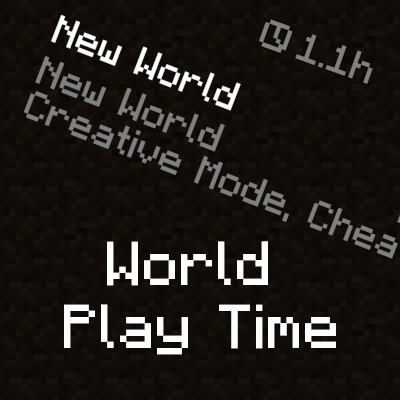
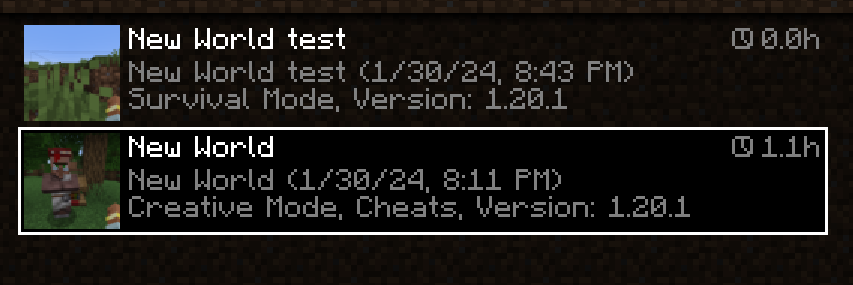
World Play Time is a mod that displays the amount of time you've spent on a given Minecraft world in the world selection screen, in the top-right corner of each world entry. It does this by checking the "Play Time" statistic for the world, so playtime will be displayed for existing worlds that were created without the mod as well. The mod is client-side only, and does nothing on the server-side.
Would you like to support me, or the mod?
Here is how you can do that:
- Donate on Ko-Fi!
- Use my promo code khajiitos on BisectHosting for 25% off!
- Contribute code, let me know of issues or add a star on the mod's GitHub page!
Thanks a lot!
Whether you're looking for a server for your modpack, or just to mess around with your friends - BisectHosting is one of the most reliable and affordable options you can get! It makes installing modpacks just a couple of clicks. 25% off with code khajiitos!
如何安装 World Play Time
With Millida Launcher
Install Millida Launcher
The launcher is free: download it at millida.net/launcher and sign in with any nickname.
Click “Install” on this page
The launcher opens and installs the mod for Minecraft 1.21.5–26.1 on Fabric or NeoForge automatically.
Launch the game
A profile with it appears in the launcher: click “Play”.
Manually
Install Fabric or NeoForge
The loader must match the game version of the mod file, for example Minecraft 26.1. After installing it, a separate profile appears in your launcher.
Download the file for your version
In the version list above, pick the file worldplaytime-1.2.4-26.1-FABRIC.jar (83 KB) for your game version and loader.
Put it in the mods folder
The folder is inside .minecraft (Windows: %appdata%\.minecraft\mods). If it does not exist, create it.
Launch the loader profile
Open “Mods” in the main menu: World Play Time should be in the list.
World Play Time works on the player’s side only: there is no need to install it on a server.
版本
含依赖项
| Minecraft | 加载器 | 文件 | 日期 | 操作 |
|---|---|---|---|---|
| 26.1 | Fabric | 26.182.6 KB 1 | ||
| 26.1 | NeoForge | 26.180.6 KB 1 | ||
| 1.21.10 | NeoForge | 1.21.1080.5 KB | ||
| 1.21.10 | Fabric | 1.21.1082 KB 1 | ||
| 1.21.8 | Fabric | 1.21.882 KB | ||
| 1.21.8 | NeoForge | 1.21.880.4 KB | ||
| 1.21.5 | NeoForge | 1.21.580.6 KB | ||
| 1.21.5 | Fabric | 1.21.582.2 KB |
常见问题
Which Minecraft versions does World Play Time work on?
There are files for 1.21.5–26.1, 7 versions in total. The newest is 26.1.
Is World Play Time for Forge or Fabric?
There are files for Fabric: 1.21.5–26.1 and for NeoForge: 1.21.5–26.1. There are no files for Forge: a mod for another loader will not start.
Does World Play Time need other mods?
The author lists no required dependencies: the Fabric or NeoForge loader is enough.
Do I need to install World Play Time on a server?
No. World Play Time works on the player’s side only: there is no need to install it on a server.
Where can I download World Play Time safely?
On this page: the file worldplaytime-1.2.4-26.1-FABRIC.jar (83 KB) is stored on Millida’s server, with no link shorteners. SHA-1 checksum: 2c2938c2a62972a8da37279f06a3b9596f7ad348.
评价
成为第一个评价 World Play Time 的人


