
适用于 Minecraft 1.20.1, 1.19.2 的 way2wayfabric 模组
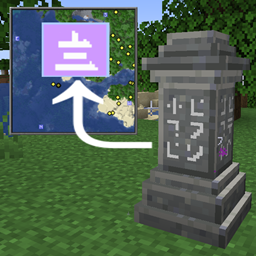
Waystone -> Xaero's Minimap 路径点同步,适用于 Fabric
 Fabric
 Quilt
关于 way2wayfabric 模组
Waystone -> Xaero's Minimap Waypoint sync for fabric
Since Xaero's Minimap doesn't have an official API, it's unlikely that the Waystones mod will support automatic integration; so how do we get automatic waypoints in Xaero's Minimap? Via a bridge mod like this one. There are others for Forge (w2w and waymaker), but none for Fabric, which is why I threw this together.
Usage
No configuration needed! Once the mod is installed, it will automatically create waypoints in your minimap for all discovered waystones.
If you accidentally delete one or more auto-generated waypoints, they will all reappear in the current waypoint set when you disconnect and reconnect.
For those who use multiple waypoint sets:
- Each newly discovered waystone is added to the currently active waypoint set.
- If you use multiple waypoint sets, ensure the right one is active before you activate a waystone.
- These waypoints can be moved to other waypoint sets after discovery, using the regular waypoint editing gui.
Requirements
Required mods:
- Xaero's Minimap (tested with 23.3.2) or fair-play edition
- Fabric Language Kotlin
Supported waystone mods:
- Waystones (tested with 11.3.1)
- Fabric Waystones (tested with 3.0.5)
Supports both waystone mods simultaneously (each mod's waypoints will have a unique minimap symbol)
Inspired by:
- Waystones2Waypoints (Forge 1.16)
- Waystone Waypoint Maker (Forge 1.17+)
如何安装 way2wayfabric
With Millida Launcher
Install Millida Launcher
The launcher is free: download it at millida.net/launcher and sign in with any nickname.
Click “Install” on this page
The launcher opens and installs the mod for Minecraft 1.19.2–1.20.4 on Fabric or Quilt automatically.
Launch the game
A profile with it appears in the launcher: click “Play”.
Manually
Install Fabric or Quilt
The loader must match the game version of the mod file, for example Minecraft 1.20.4. After installing it, a separate profile appears in your launcher.
Download the file for your version
In the version list above, pick the file way2wayfabric-0.0.6.jar (273 KB) for your game version and loader.
Put it in the mods folder
The folder is inside .minecraft (Windows: %appdata%\.minecraft\mods). If it does not exist, create it.
Launch the loader profile
Open “Mods” in the main menu: way2wayfabric should be in the list.
Minecraft 1.20.4 runs on Java 17: with a different Java version the game may close right after launch.
版本
含依赖项
| Minecraft | 加载器 | 文件 | 日期 | 操作 |
|---|---|---|---|---|
| 1.19.3 | Fabric, Quilt | way2wayfabric-0.0.6.jar273 KB 3 |
常见问题
Which Minecraft versions does way2wayfabric work on?
There are files for 1.19.2–1.20.4, 8 versions in total. The newest is 1.20.4.
Does way2wayfabric need other mods?
The author lists no required dependencies: the Fabric or Quilt loader is enough.
Which Java does way2wayfabric need?
Minecraft 1.20.4 runs on Java 17. If the game closes right after launch, the usual cause is the wrong Java version in the profile settings.
Where can I download way2wayfabric safely?
On this page: the file way2wayfabric-0.0.6.jar (273 KB) is stored on Millida’s server, with no link shorteners. SHA-1 checksum: 4d06cabd01cf46fbb16ac586da3ce681ea400344.
评价
成为第一个评价 way2wayfabric 的人


