
 NeoForge
 Forge
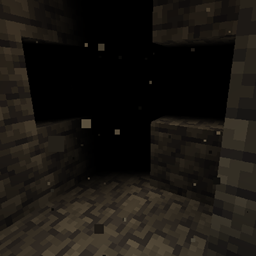
Forge恢复 Minecraft 1.8 中被移除的虚空迷雾
这是一个仅客户端模组,你不需要把它放到专用服务器上
如何安装 Void Fog
With Millida Launcher
Install Millida Launcher
The launcher is free: download it at millida.net/launcher and sign in with any nickname.
Click “Install” on this page
The launcher opens and installs the mod for Minecraft 1.9.4–26.1.2 on Forge or NeoForge automatically.
Launch the game
A profile with it appears in the launcher: click “Play”.
Manually
Install Forge or NeoForge
The loader must match the game version of the mod file, for example Minecraft 26.1.2. After installing it, a separate profile appears in your launcher.
Download the file for your version
In the version list above, pick the file VoidFog-26.1.2-2.2.51.jar (90 KB) for your game version and loader.
Put it in the mods folder
The folder is inside .minecraft (Windows: %appdata%\.minecraft\mods). If it does not exist, create it.
Launch the loader profile
Open “Mods” in the main menu: Void Fog should be in the list.
版本
含依赖项
| Minecraft | 加载器 | 文件 | 日期 | 操作 |
|---|---|---|---|---|
| 26.1 | NeoForge | VoidFog-26.1.2-2.2.51.jar90.4 KB | ||
| 1.20.1 | Forge | VoidFog-1.20.1-2.0.23.jar7 KB 1 | ||
| 1.19.3 | — | VoidFog-1.19.3-2.0.21.jar5.8 KB | ||
| 1.9.4 | — | VoidFog-0.1.1.jar4.9 KB |
常见问题
Is Void Fog for Forge or Fabric?
There are files for Forge: 1.20.1 and for NeoForge: 26.1–26.1.2. There are no files for Fabric: a mod for another loader will not start.
Does Void Fog need other mods?
The author lists no required dependencies: the Forge or NeoForge loader is enough.
Where can I download Void Fog safely?
On this page: the file VoidFog-26.1.2-2.2.51.jar (90 KB) is stored on Millida’s server, with no link shorteners. SHA-1 checksum: 7de25565d729cf1db6e7a2312451f0f828724ec8.
评价
成为第一个评价 Void Fog 的人


