
- 次浏览
- 13 次浏览
- 已更新
- 已更新 18.10.2026
- 1.17.1 — 1.18.1
 Fabric
Universal Graves
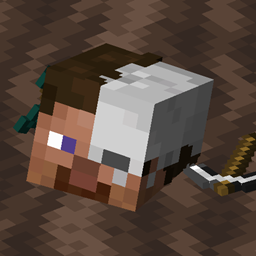
这是一个简单但高度可自定义的坟墓/死亡箱模组!你可以随意自定义,例如修改消息、方块和全息文字、保护时长、过期后是否掉落物品等。
这个模组可以纯服务端运行,但为了模型支持,客户端也需要安装此模组!
这个模组仅支持 Fabric 和 Quilt!
如果你有任何问题,可以在我的 Discord 上提问
也欢迎看看我的其他模组和项目,也许你会觉得有用!
使用的是 2.x/1.19.x 或更早版本?
点击这里查看对应的说明文档!
图片
命令(及权限):
- /graves - 主命令,显示玩家的坟墓列表(universalgraves.list,默认可用)
- /graves player <player> - 打开显示指定玩家坟墓列表的界面(universalgraves.listothers)
- /graves modify <player> - 打开执行者坟墓列表的界面,并可对其进行修改(universalgraves.modify)
- /graves reload - 重新加载配置和样式(需要 universalgraves.reload)
此外,拥有 universalgraves.teleport 权限后,你可以传送到任意坟墓。
如何安装 Universal Graves
With Millida Launcher
Install Millida Launcher
The launcher is free: download it at millida.net/launcher and sign in with any nickname.
Click “Install” on this page
The launcher opens and installs the mod for Minecraft 1.17.1–1.18.1 on Fabric automatically.
Launch the game
A profile with it appears in the launcher: click “Play”.
Manually
Install Fabric
The loader must match the game version of the mod file, for example Minecraft 1.18.1. After installing it, a separate profile appears in your launcher.
Download the file for your version
In the version list above, pick the file graves-2.0.0-rc.2+1.18.1.jar (882 KB) for your game version.
Put it in the mods folder
The folder is inside .minecraft (Windows: %appdata%\.minecraft\mods). If it does not exist, create it.
Launch the loader profile
Open “Mods” in the main menu: Universal Graves should be in the list.
Minecraft 1.18.1 runs on Java 17: with a different Java version the game may close right after launch.
版本
含依赖项
| Minecraft | 加载器 | 文件 | 日期 | 操作 |
|---|---|---|---|---|
| — | Fabric | UniversalGraves 3.13.0+26.3753 KB | ||
| 1.18.1 | Fabric | graves-2.0.0-rc.2+1.18.1.jar882 KB | ||
| 1.18.1 | Fabric | graves-2.0.0-beta.3+1.18.jar844 KB | ||
| 1.17.1 | — | graves-1.1.2+1.17.1.jar466 KB |
评价
成为第一个评价 Universal Graves 的人


