

 NeoForge
 Fabric
 数据包
数据包 Forge
Forge Quilt
Quilt关于 Tectonic 模组
欢迎来到 Tectonic,一个旨在改变地形生成方式的世界生成项目。

重要说明
Tectonic 目前支持的版本是 1.21.1 和 26.1。其他版本将不会修复问题。
生物群系模组兼容性
大多数生物群系模组(BOP、RU、NS、BWG)
Tectonic 与依赖 Terrablender 或 Biolith 将其生物群系添加到世界生成的模组兼容。这包括 Biomes O Plenty、Regions Unexplored、Nature's Spirit 等。
Terralith
Tectonic 有一个与 Terralith 兼容的特殊版本。该版本随 Tectonic 的模组版本一同发布,但也可以在此处作为独立数据包获取。
CliffTree
在 1.20 上,Tectonic 和 Clifftree 不兼容。
在 1.21 上,Tectonic 需要一些小的调整才能与 CliffTree 配合使用。这些调整随 Tectonic 的模组版本一同发布,但也可以在此处作为数据包获取。

特性
Tectonic 的模组版本有一个配置,可以编辑以下许多特性。Tectonic v3 有一个配置界面,让您比以往任何时候都更容易了解某些字段的作用,并在游戏内进行配置。
大陆与岛屿
在 Tectonic v3 中,地形会形成类似大陆的陆块。大陆会生成数千到数万格宽,经过专门调整以容纳该项目庞大的山脉和新的地形类型。
在大陆之间的海洋中,您会发现相对较小的“岛屿”,范围可达约一千格宽。这些岛屿使用原版的山区地形塑造,现在可以找到传统的环形山脉。
安装 Terralith 后,这些岛屿会生成破火山口和火山!
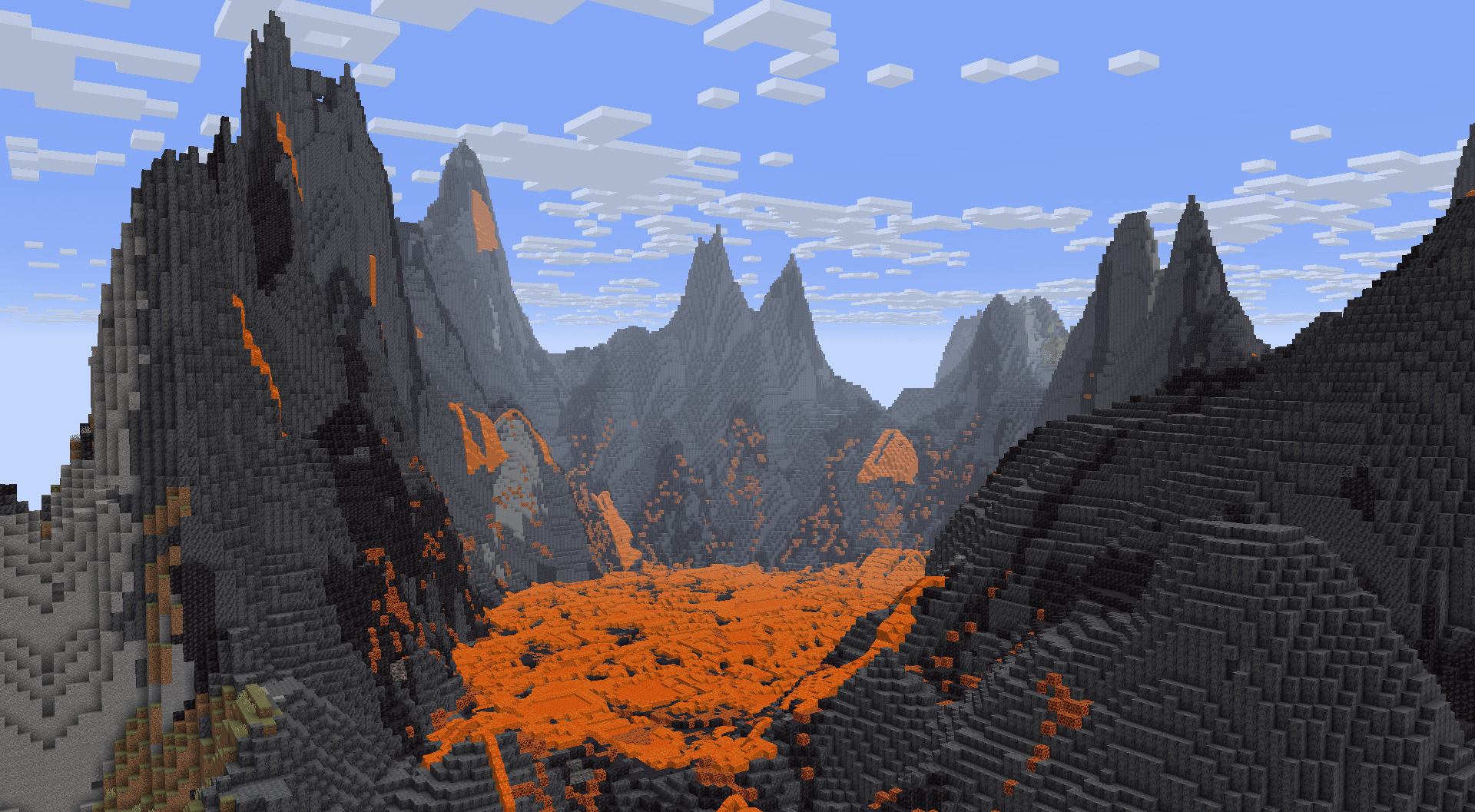
更深的海洋
海洋比原版深得多,深海甚至延伸到深板岩层!尤其是深海拥有更多样化的地形,具有悬垂和山谷。
如果安装了模组版本,原版海底神殿会生成得更深,以补偿更深的海洋。
山脉
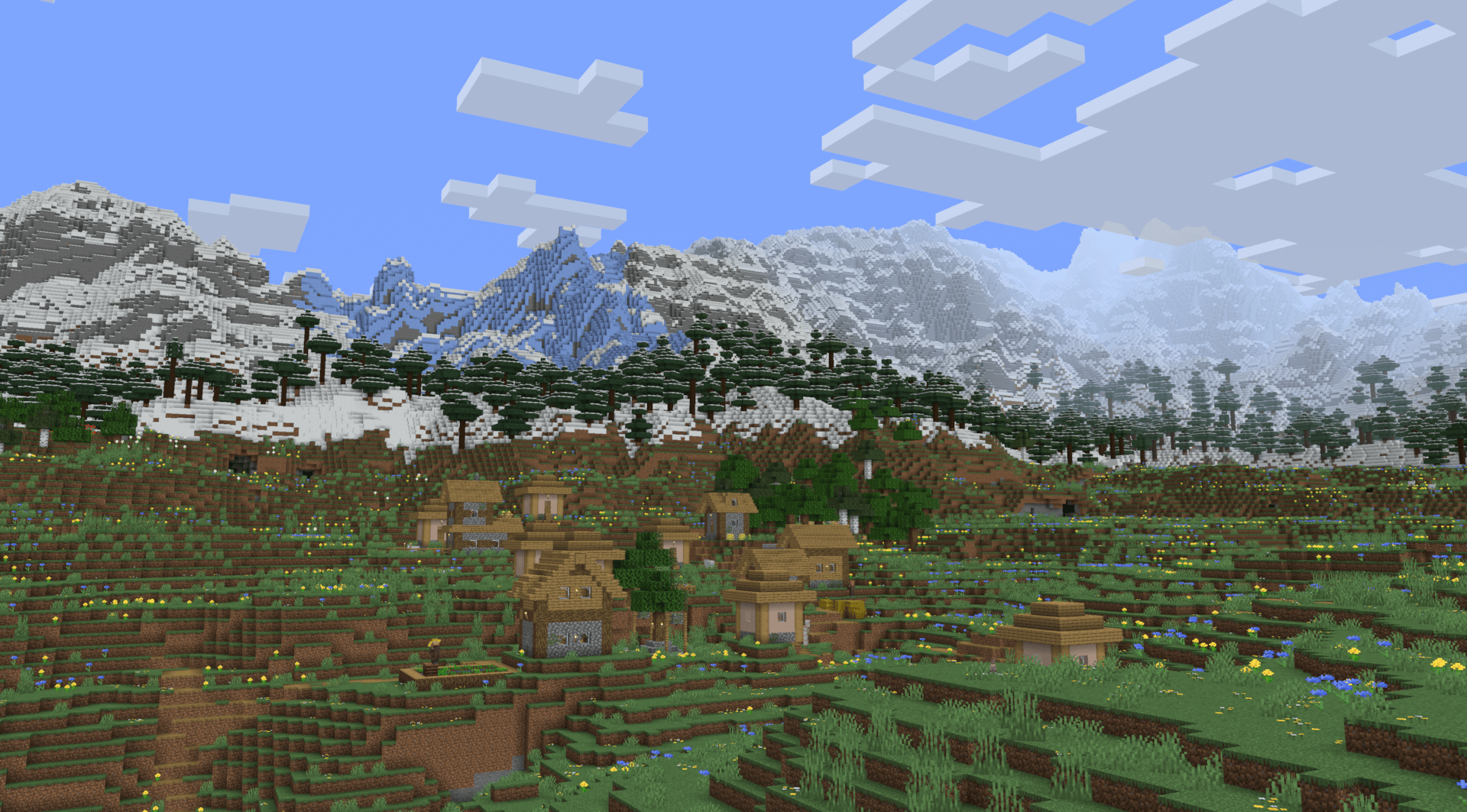
Tectonic 地形最大的亮点是庞大的山脉。它们可以延伸数万格,高到接近建筑高度上限!
地下河流
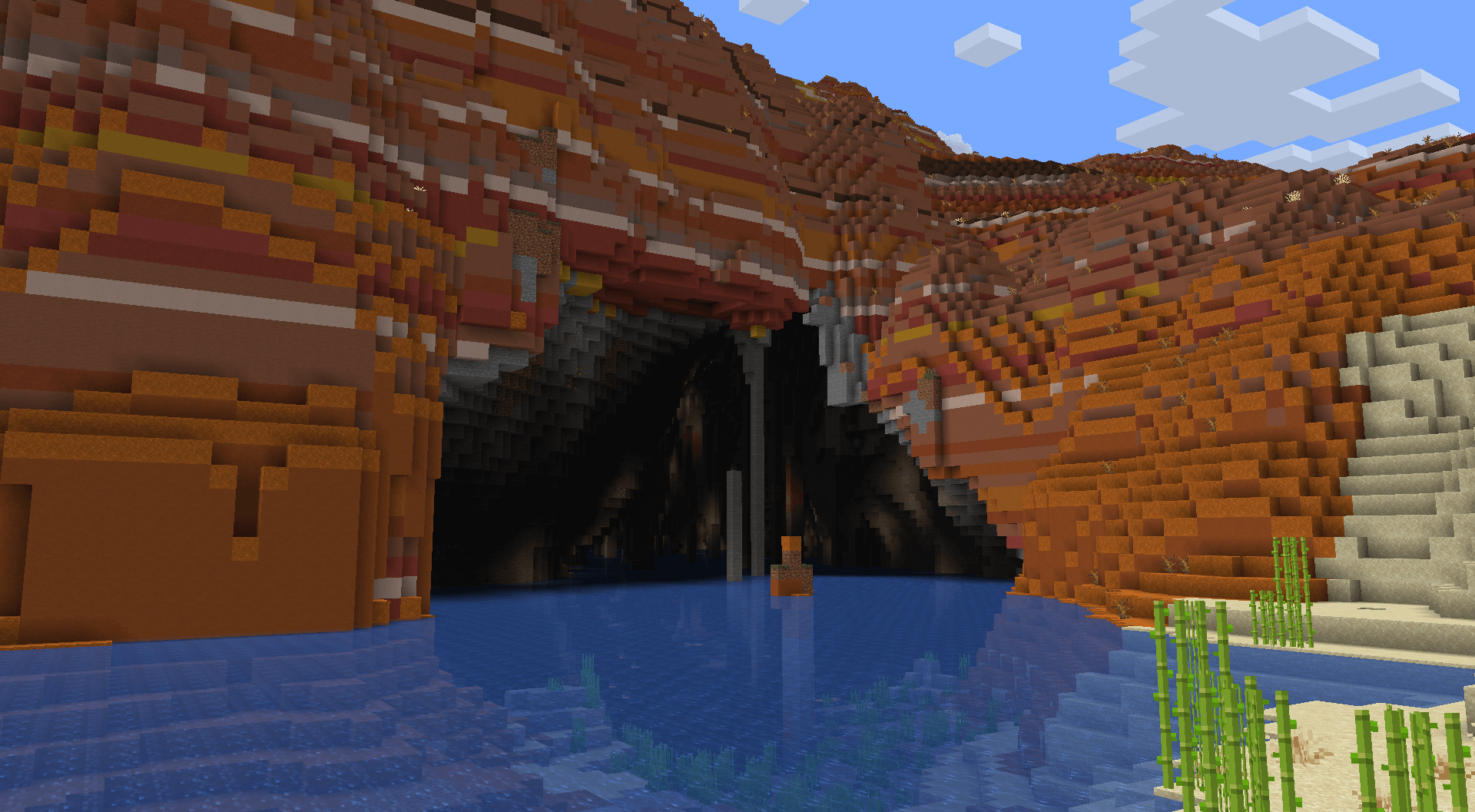
在过于高耸而无法正常生成河流的山区地形中,地形会被雕刻出让河流继续延伸到地下的通道。这些通道直接连接到常规河流,因此沿河探索不会有中断。这些河流在大小和形状上差异极大。
如果安装了模组版本,这些地方会有更多的发光地衣,以及罕见的带有灯笼的区域!
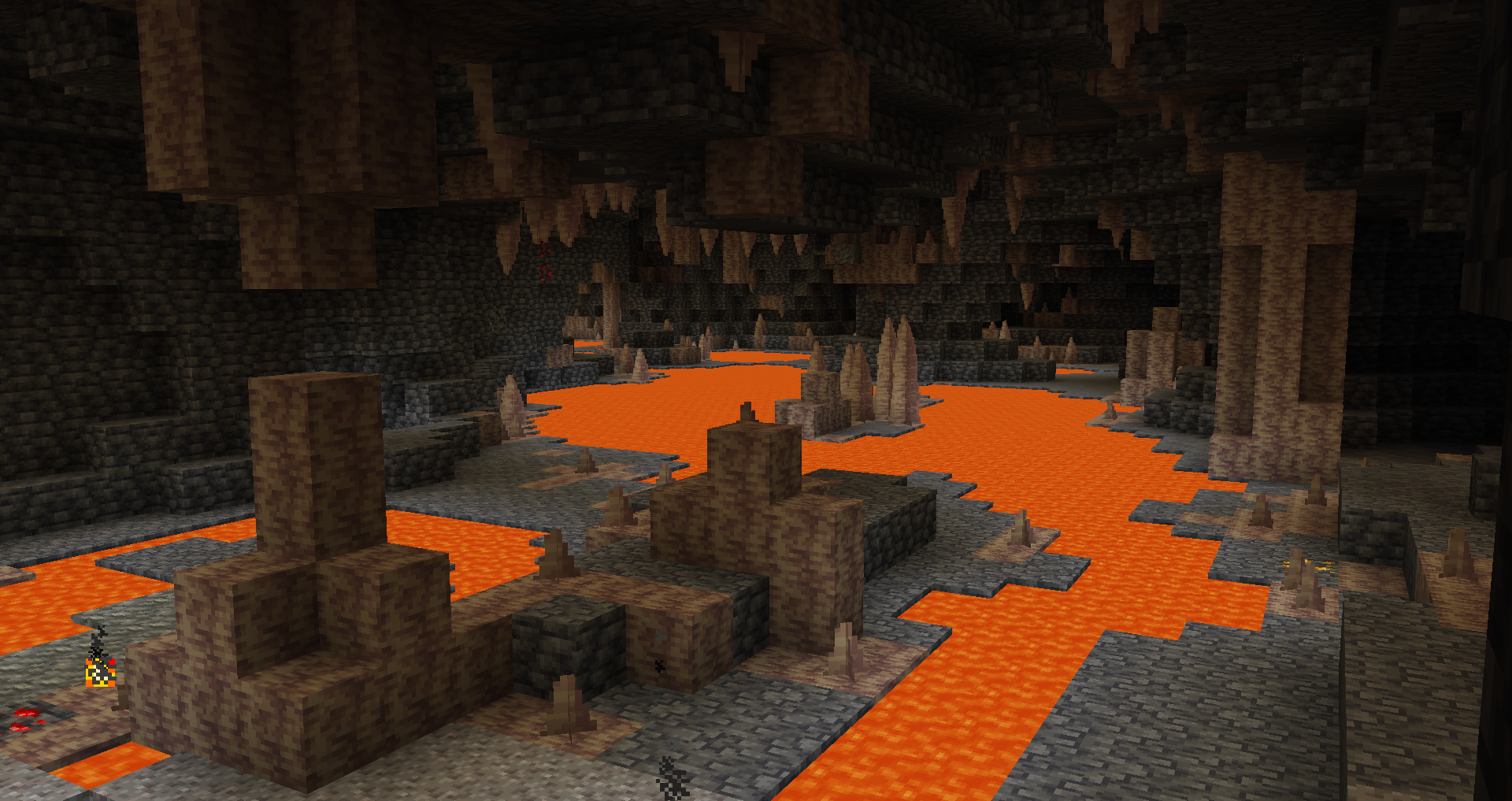
熔岩隧道
在地下非常深处,您可以找到地下河流的更深变体,具有不同的形状,并且用熔岩代替水。
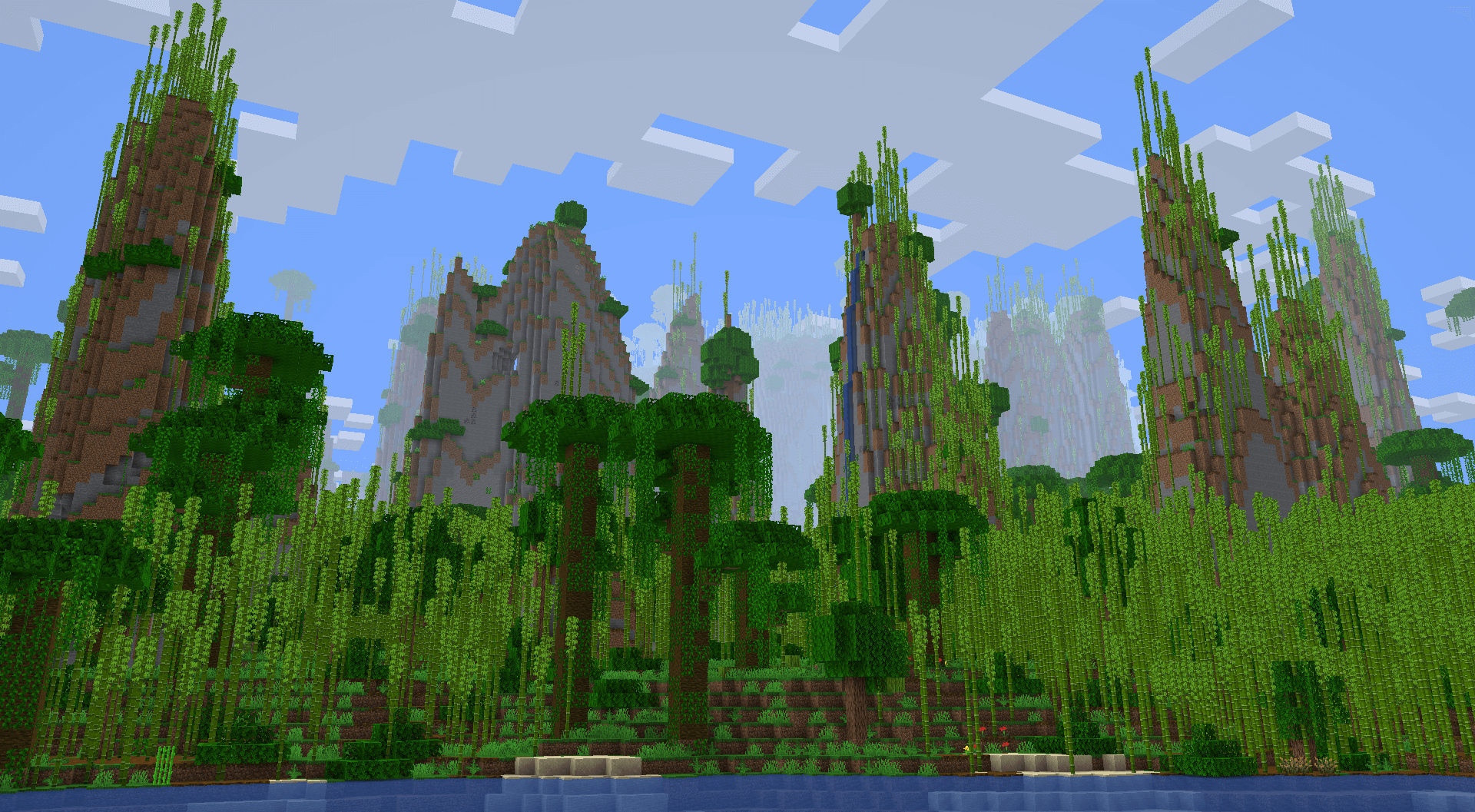
丛林石柱
一些丛林具有巨大的石柱,可以向上延伸超过一百格高!
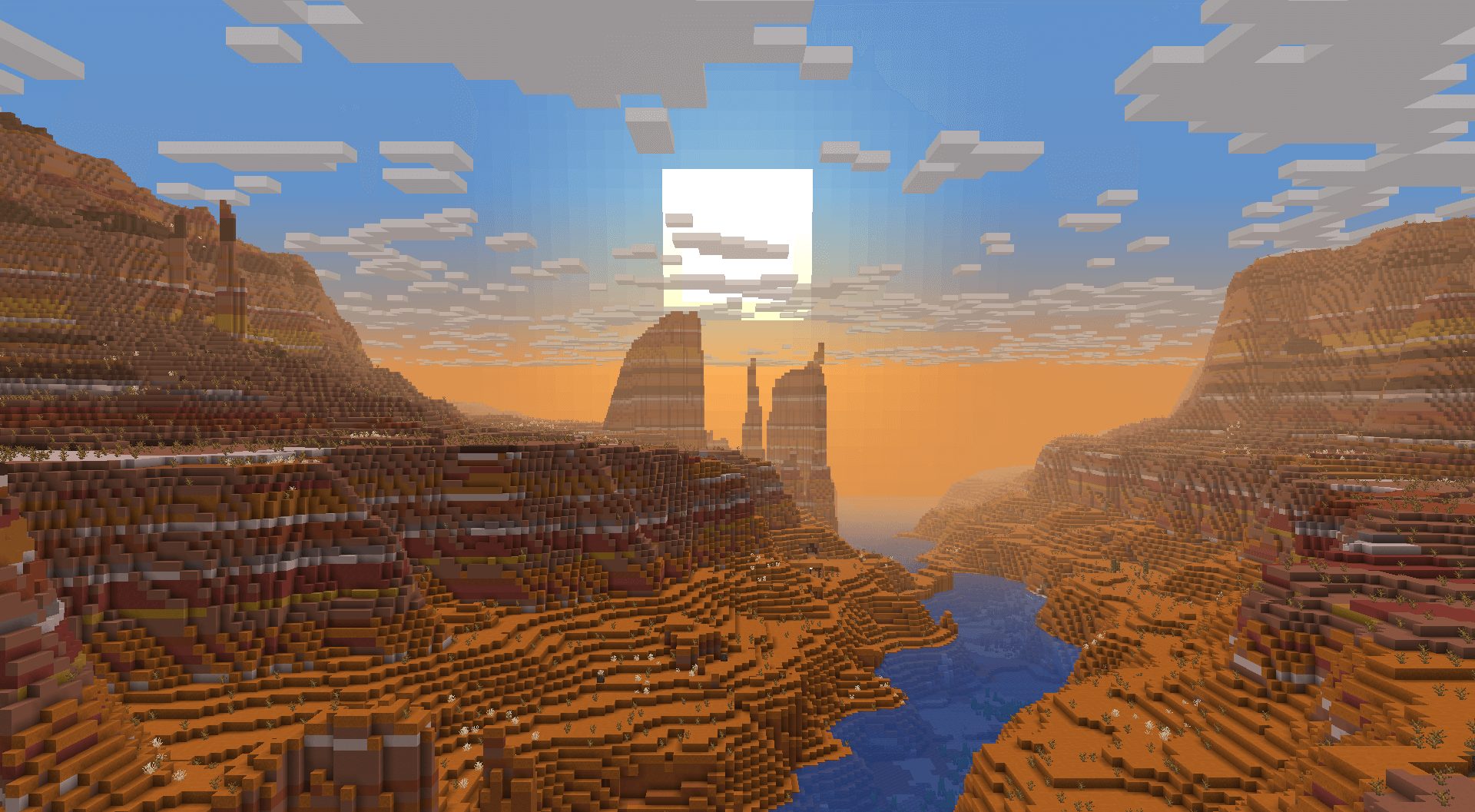
峡谷
一些恶地会生成非常大的峡谷,使其成为值得寻找和穿越的奇观。
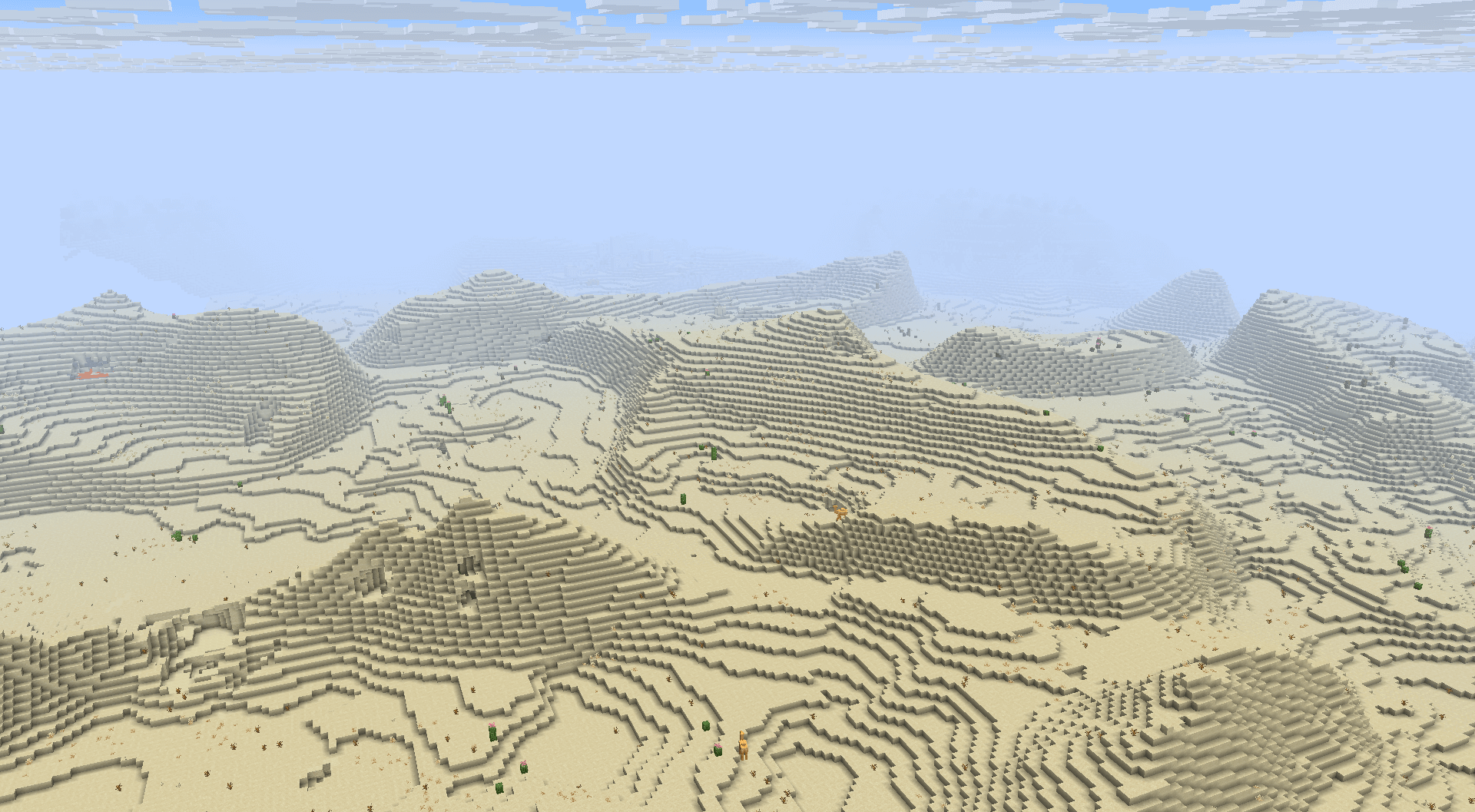
沙丘
大多数沙漠会生成平滑起伏的沙丘。
高原
在某些区域,会生成高耸的 2-3 层高原。这些高原有时会有更平滑的“坡道”,使生存模式下的探索更加方便。
恶地也有孤立的高原,不直接与附近的河流相连。
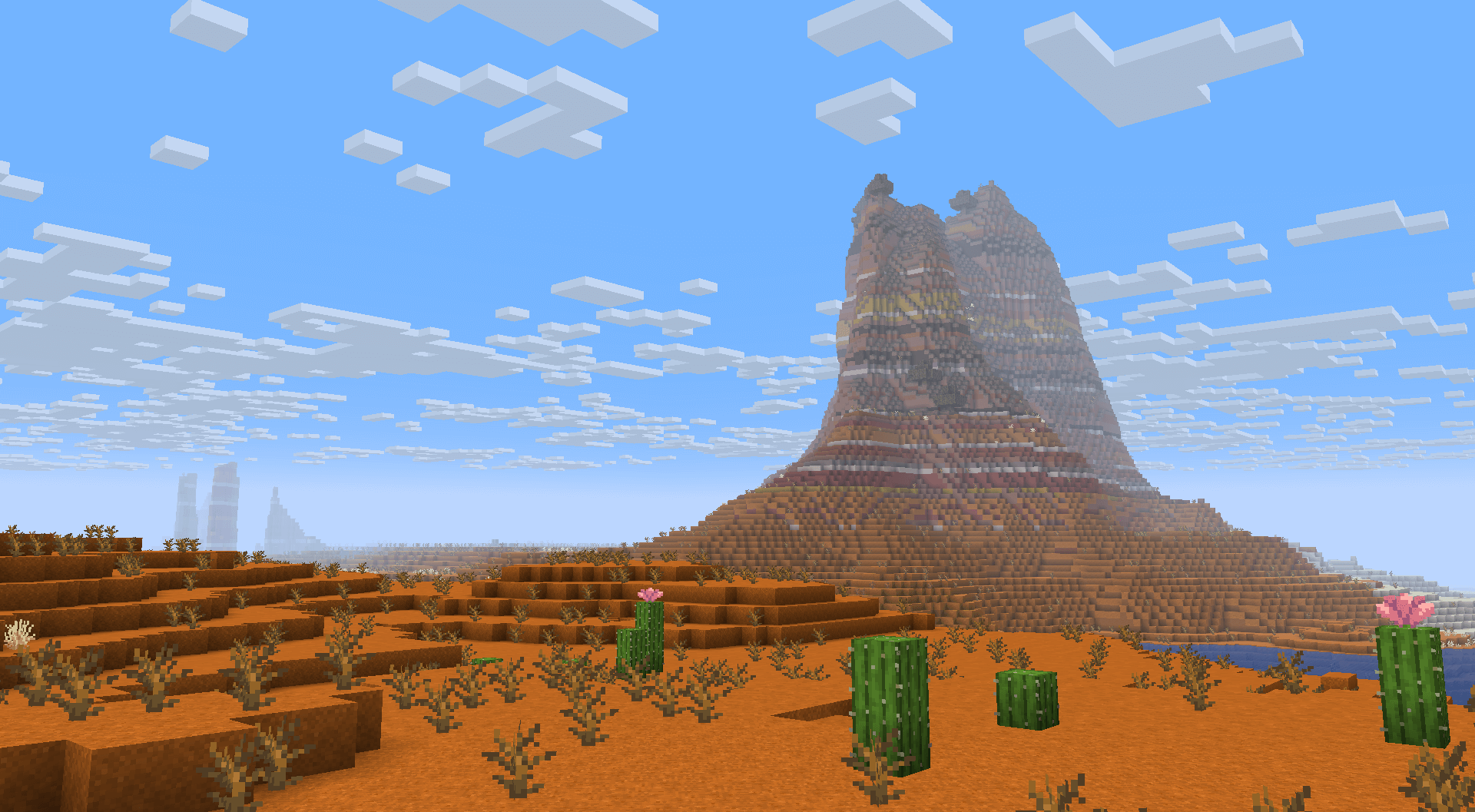
山谷
虽然高原通常会抬高高原生物群系,但一些樱花树林和苍白花园的高原环绕着生物群系,将生物群系变成山谷。
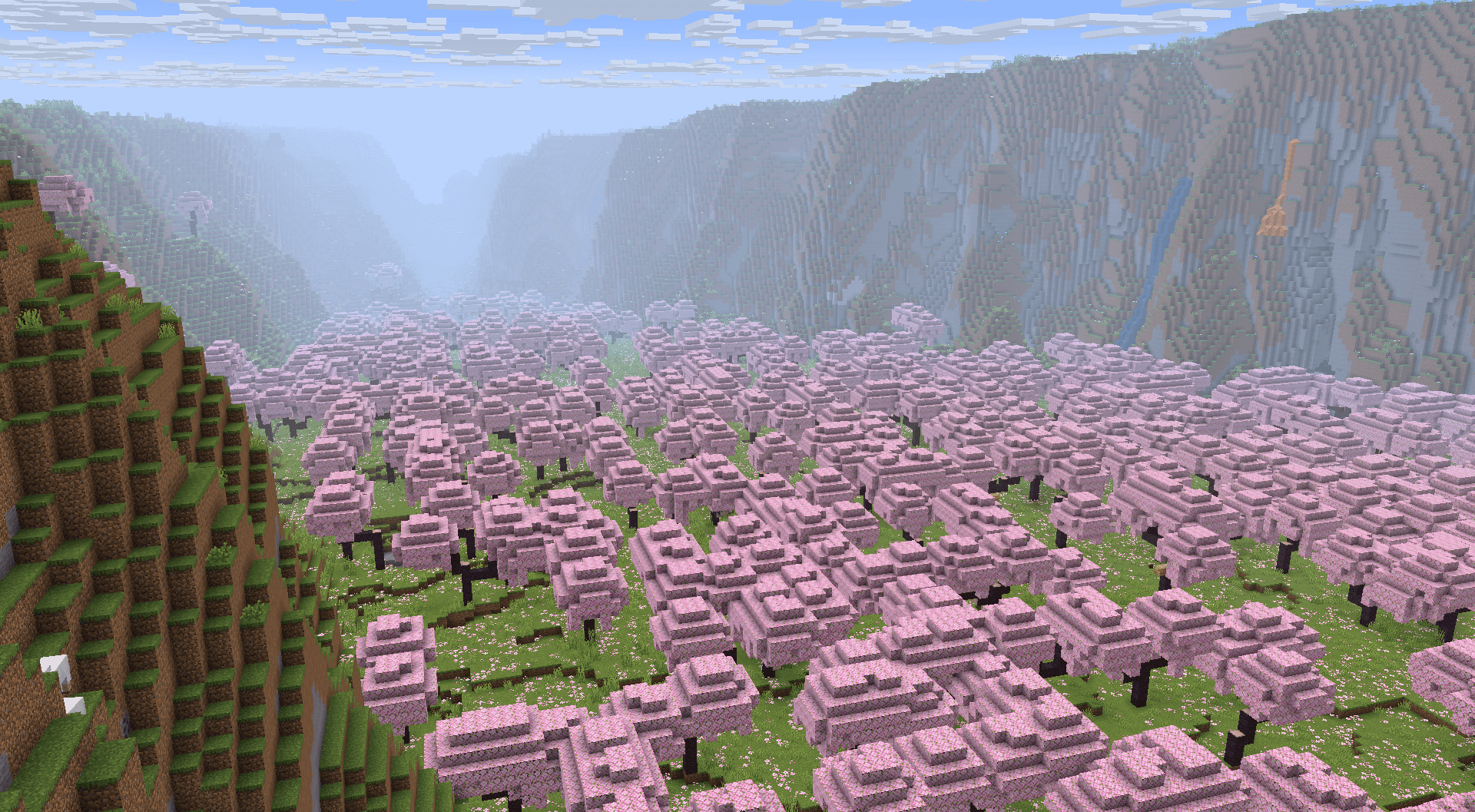
湿地
一些森林、丛林和针叶林生物群系生成在非常接近海平面的位置,并频繁生成池塘和湖泊。
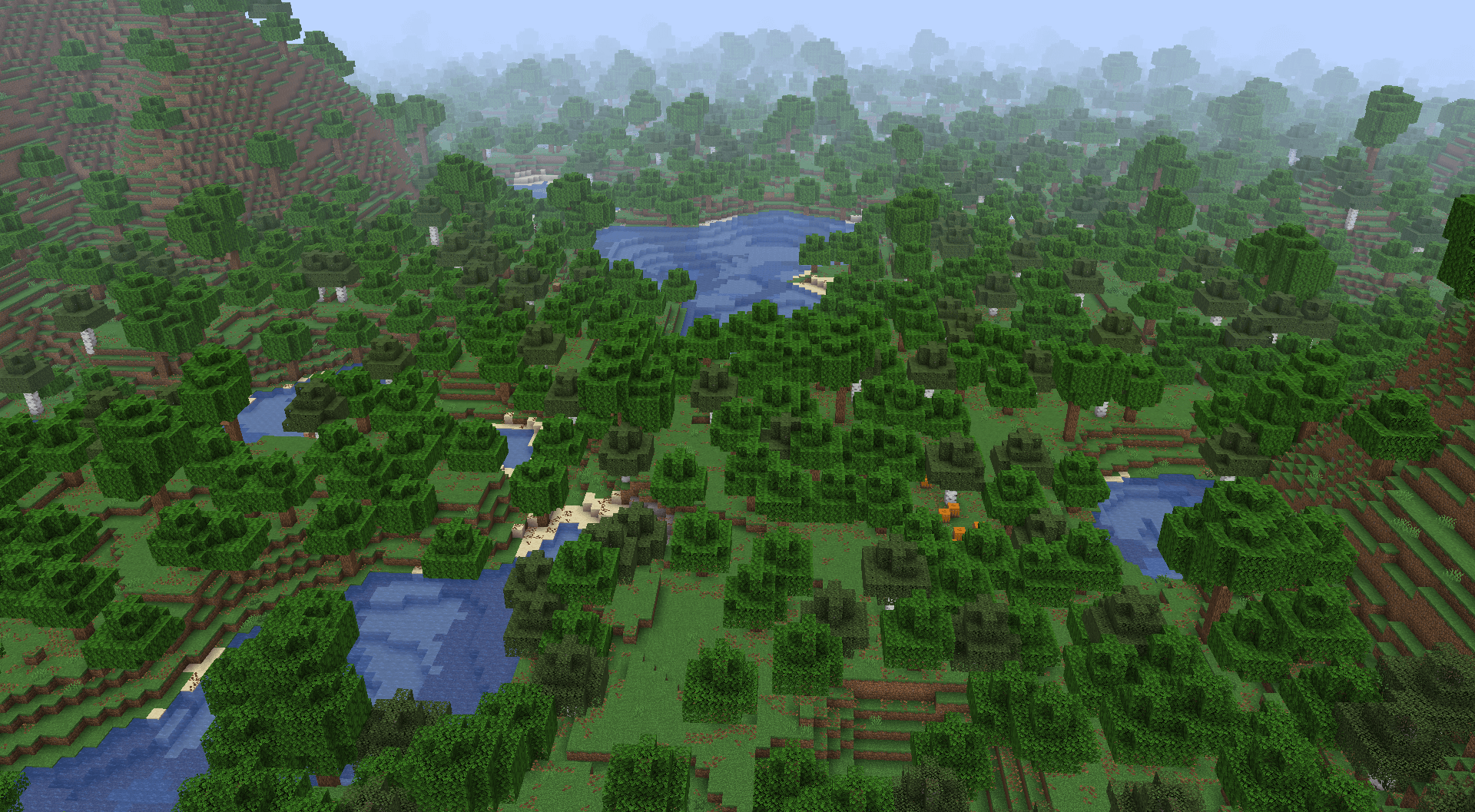
如何安装 Tectonic
With Millida Launcher
Install Millida Launcher
The launcher is free: download it at millida.net/launcher and sign in with any nickname.
Click “Install” on this page
The launcher opens and installs the mod for Minecraft 1.18.2–26.3 on Fabric, Forge, NeoForge or Quilt automatically, together with its dependencies: Fabric API, Lithostitched.
Launch the game
A profile with it appears in the launcher: click “Play”.
Manually
Install Fabric, Forge, NeoForge or Quilt
The loader must match the game version of the mod file, for example Minecraft 26.3. After installing it, a separate profile appears in your launcher.
Download the file for your version
In the version list above, pick the file tectonic-3.1.0+beta1-neoforge-26.3.jar (427 KB) for your game version and loader.
Put it in the mods folder
The folder is inside .minecraft (Windows: %appdata%\.minecraft\mods). If it does not exist, create it. Required dependencies go there too: Fabric API, Lithostitched.
Launch the loader profile
Open “Mods” in the main menu: Tectonic should be in the list.
On a server
A server on Fabric, Forge, NeoForge or Quilt
The mod only works on a server with the same loader and game version, for example 26.3.
File goes into the server’s mods folder
Stop the server, put the mod file into the mods folder and start the server again.
Use the “To server” button
On Millida Hosting, the button at the top of the page uploads the file to your server and restarts it for you.
版本
含依赖项
| Minecraft | 加载器 | 文件 | 日期 | 操作 |
|---|---|---|---|---|
| 26.3 | NeoForge | 26.3427 KB 2 | ||
| 26.3 | Fabric | 26.3431 KB 31 | ||
| 26.3 | NeoForge | 26.3379 KB | ||
| 26.3 | Fabric | 26.3381 KB 43 | ||
| 26.3 | NeoForge | 26.3366 KB | ||
| 26.3 | 数据包 | 26.399.8 KB | ||
| 26.3 | NeoForge | 26.3366 KB | ||
| 26.3 | Fabric | 26.3368 KB |
运行所需
常见问题
Which Minecraft versions does Tectonic work on?
There are files for 1.18.2–26.3, 22 versions in total. The newest is 26.3.
Is Tectonic for Forge or Fabric?
There are files for Fabric: 1.18.2–26.3, for Forge: 1.19–1.20.1, for NeoForge: 1.21.1–26.3 and for Quilt: 1.18.2.
What does Tectonic need to work?
Required: Fabric API, Lithostitched. Without them the mod will not start: dependencies go into the same mods folder.
Does Tectonic work on a server?
Yes. Tectonic works both in singleplayer and on a server.
Where can I download Tectonic safely?
On this page: the file tectonic-3.1.0+beta1-neoforge-26.3.jar (427 KB) is stored on Millida’s server, with no link shorteners. SHA-1 checksum: b7f9aa95296b1d517e06b832208b87200d8f0a20.
评价
成为第一个评价 Tectonic 的人


