
适用于 Minecraft 1.16.5 的 Smooth Boot (Forge) 模组
调整 Java 线程设置,防止 Minecraft 在加载时让你的电脑卡顿。
- 次下载
- 2 次下载
- 次浏览
- 23 次浏览
- 已更新
- 已更新 25.10.2026
- 1.16 — 1.16.5
 Forge
Forge
Fabric 版本链接
更新:Smooth Boot 现已作为 maven 仓库在 JCenter 上提供。你可以在模组 wiki 中了解详情。
Smooth Boot - 优化 Minecraft 加载性能,使其在低端系统上更流畅,在高端系统上扩展性更好。
适用于 Minecraft 1.14-1.16 的 Fabric 和 Forge。
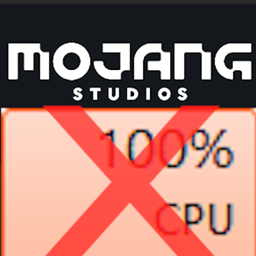
如果你的电脑使用的是较旧或较低端的 CPU(例如线程数为 8 或更少的 CPU),你可能已经注意到 Minecraft 在加载进入标题界面时会占用 100% 的 CPU,导致光标卡顿,并使多任务处理变得极其困难。Smooth Boot 完全解决了这个问题,加载应该会流畅得多,并且可能也会更快。
特性
- 更改用于加载的线程数量
- 更改 Minecraft 使用的线程优先级
模组工作原理
Minecraft 使用执行器来运行多线程任务。问题在于,加载期间运行的任务对 CPU 的负担相当重,因此会导致 100% 的 CPU 占用。而且,有些任务不一定能从多线程中受益。Smooth Boot 通过更改执行器的参数来解决这些问题,包括它们使用的线程数量以及每个线程的优先级。
如需更多信息,请阅读 Smooth Boot wiki
兼容性
该模组应该与所有模组兼容,包括 Optifine。不过,值得注意的是,该模组对用于加载游戏的一些方法使用了 mixin 覆盖。如果你遇到不兼容问题,请留下评论。
如何安装 Smooth Boot (Forge)
With Millida Launcher
Install Millida Launcher
The launcher is free: download it at millida.net/launcher and sign in with any nickname.
Click “Install” on this page
The launcher opens and installs the mod for Minecraft 1.16–1.16.5 on Forge automatically.
Launch the game
A profile with it appears in the launcher: click “Play”.
Manually
Install Forge
The loader must match the game version of the mod file, for example Minecraft 1.16.5. After installing it, a separate profile appears in your launcher.
Download the file for your version
In the version list above, pick the file smoothboot-forge-1.16.4-1.2.2.jar (83 KB) for your game version.
Put it in the mods folder
The folder is inside .minecraft (Windows: %appdata%\.minecraft\mods). If it does not exist, create it.
Launch the loader profile
Open “Mods” in the main menu: Smooth Boot (Forge) should be in the list.
Minecraft 1.16.5 runs on Java 8: with a different Java version the game may close right after launch.
版本
含依赖项
| Minecraft | 加载器 | 文件 | 日期 | 操作 |
|---|---|---|---|---|
| 1.16.3 | Forge | smoothboot-forge-1.16.4-1.2.2.jar82.8 KB 2 |
评价
成为第一个评价 Smooth Boot (Forge) 的人


