

适用于 Minecraft 26.3 的 Skin Shuffle 模组
轻松进行游戏内皮肤自定义和管理——使用 SkinShuffle 更改、存储和自定义你的皮肤。在兼容的服务器上可即时更换皮肤。
- 次下载
- 32 次下载
- 次浏览
- 108 次浏览
- 已更新
- 已更新 29.09.2026
- 1.21.9 — 26.3
 Fabric
- 客户端与服务器
SkinShuffle
SkinShuffle is a mod that allows you to change, store and customise your skin in-game. It also allows you to change your skin without leaving the server as long as the mod is installed on the server.
SkinShuffle integrates with Mojang's online API to change skins, if you do not have a Minecraft account, SkinShuffle WILL NOT work, you will receive NO SUPPORT from me for using a pirated version of Minecraft.
Skins are stored in Skin Presets, these presets can be created from the following sources:
- Texture URLs
- Usernames
- UUIDs
- Files
- In-game textures (Identifiers)

Supported Versions
Only the latest stable release (26.1) and latest beta release (26.3) are supported.

Server-Side Support
When SkinShuffle is installed on the server, you can change your skin in-game without having to relog. SkinShuffle will refresh your skin for you, and for other players instantly - even for players that do not have the mod on their client.
Got a Paper/Spigot/Bukkit server? Consider using the Skin Shuffle Bridge plugin to allow players on your server to hot-swap skins!
Alternatively, SkinShuffle is supported by SkinRestorer (fabric+neoforge+forge) if your server has that installed, players using SkinShuffle will be able to quickly change their skins without needing to rejoin!
We have massive plans to expand server-side support in the future:
- Skin Changing Commands that allow vanilla clients to change their skins.
- Skin Preset Sharing
Client-Side Support
SkinShuffle works right out the bat for clients! Browse, create and edit skin presets in the Carousel and Edit Preset screens that can be accessed via Mod Menu or through the widget on the pause screen and the title screen.
When you start the game for the first time with SkinShuffle, it will automatically create a preset from your current skin and set it as the main preset! Your currently chosen preset will be shown on the widget.
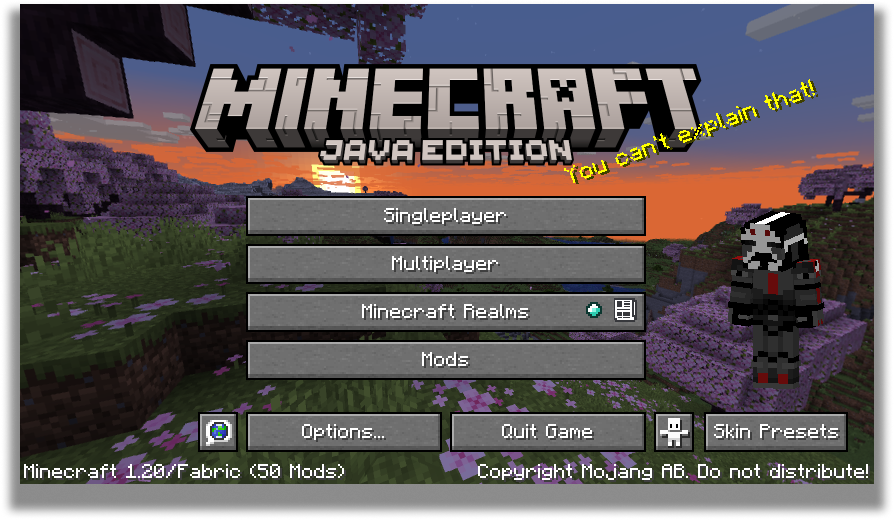
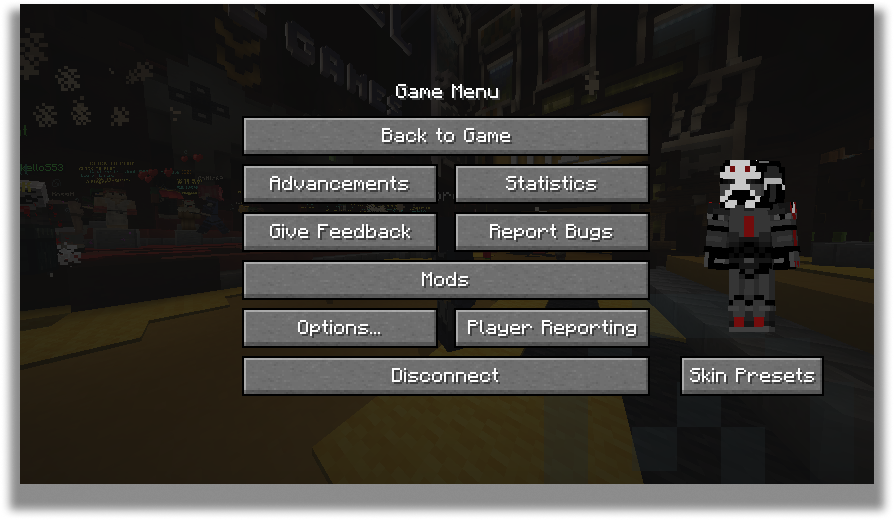
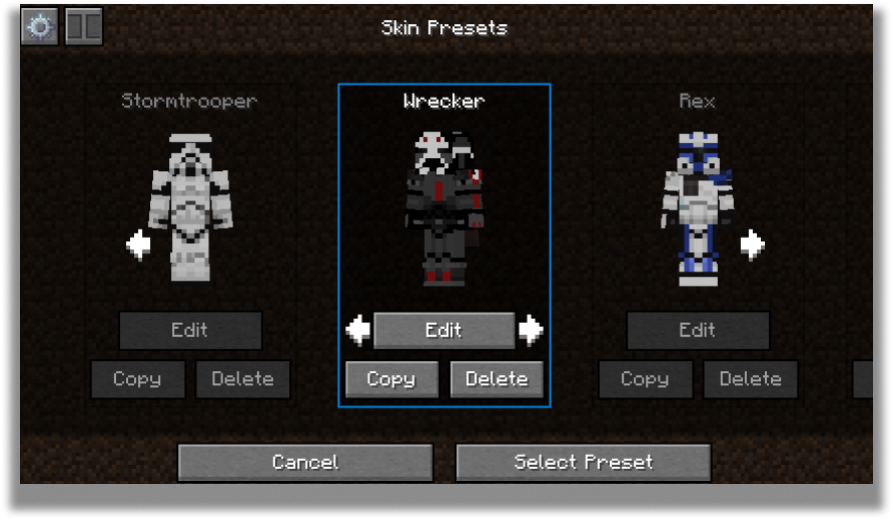
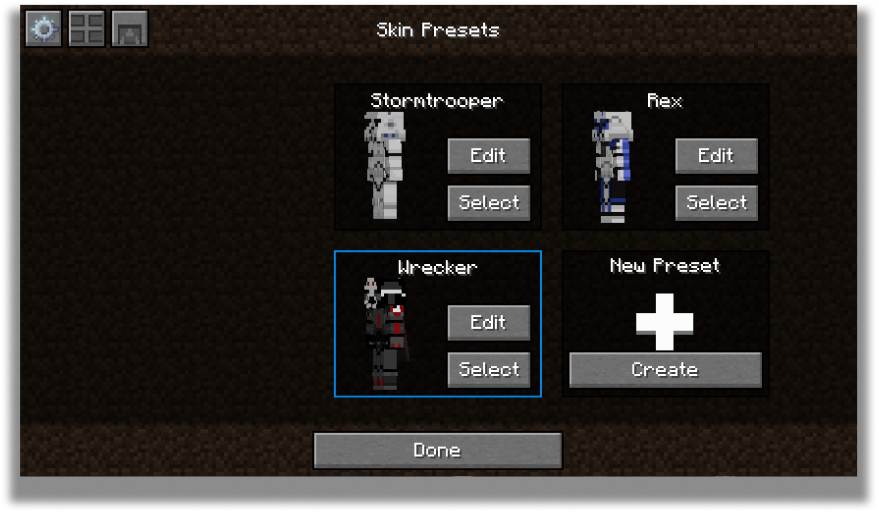
Carousel Screen
The carousel is where all your skins will be stored for future use! You can create, edit and delete your presets.
The carousel screen has two modes: Compact and Carousel
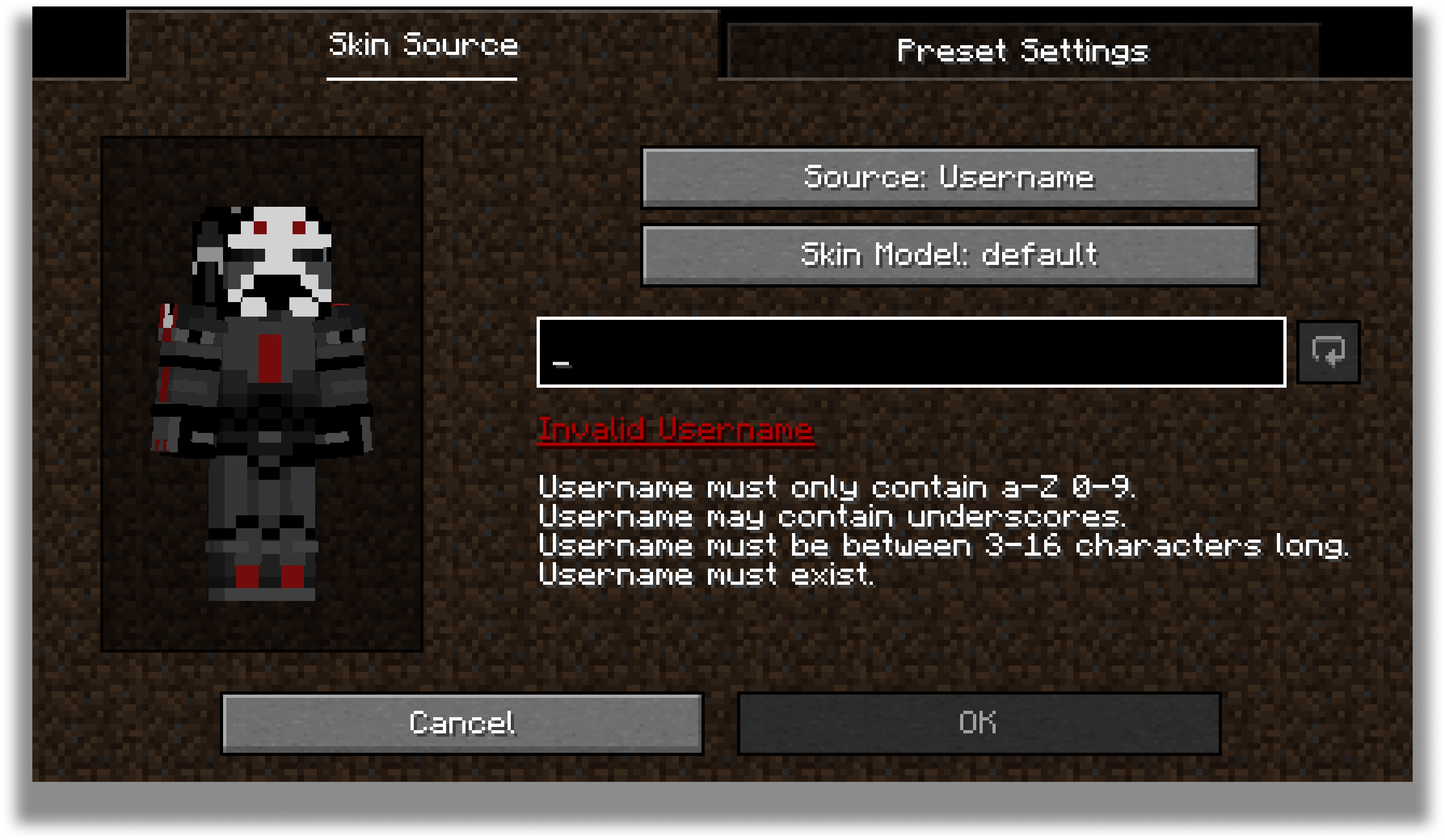
You can customize every preset to your own desire in the edit screen.
Edit Screen
The edit screen allows you to change the actual texture of the skin, the model type and the name of the preset.
For the future, there are plans to add cape and ear customization to this screen.
Configuration
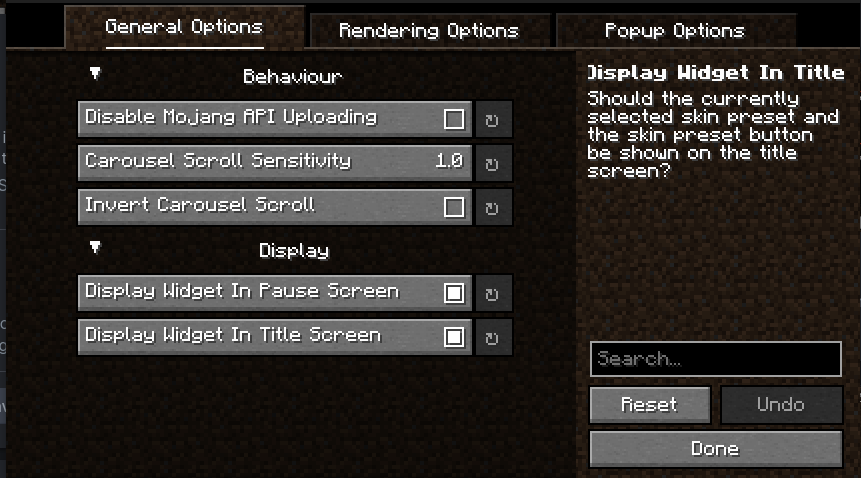
Every part of SkinShuffle is customizable thanks to YACL's powerful configuration screen.
You can customize the speed that skins rotate in the carousel, to where they should follow your cursor, and where the preview widget should show.
By using my mods, you agree to the Modpack Distribution Guidelines and the End User License Agreement
如何安装 Skin Shuffle
With Millida Launcher
Install Millida Launcher
The launcher is free: download it at millida.net/launcher and sign in with any nickname.
Click “Install” on this page
The launcher opens and installs the mod for Minecraft 1.21.9–26.3 on Fabric automatically, together with its dependencies: Fabric API.
Launch the game
A profile with it appears in the launcher: click “Play”.
Manually
Install Fabric
The loader must match the game version of the mod file, for example Minecraft 26.3. After installing it, a separate profile appears in your launcher.
Download the file for your version
In the version list above, pick the file skinshuffle-2.14.0+26.3-fabric.jar (5.1 MB) for your game version.
Put it in the mods folder
The folder is inside .minecraft (Windows: %appdata%\.minecraft\mods). If it does not exist, create it. Required dependencies go there too: Fabric API.
Launch the loader profile
Open “Mods” in the main menu: Skin Shuffle should be in the list.
On a server
A server on Fabric
The mod only works on a server with the same loader and game version, for example 26.3.
File goes into the server’s mods folder
Stop the server, put the mod file into the mods folder and start the server again.
Use the “To server” button
On Millida Hosting, the button at the top of the page uploads the file to your server and restarts it for you.
版本
含依赖项
| Minecraft | 加载器 | 文件 | 日期 | 操作 |
|---|---|---|---|---|
| 26.3 | Fabric | 26.35.1 MB 11 | ||
| 26.2 | Fabric | 26.25.1 MB 3 | ||
| 26.2 | Fabric | 26.25.1 MB | ||
| 26.1.2 | Fabric | 26.1.25 MB 1 | ||
| 26.1.2 | Fabric | 26.1.25 MB | ||
| 1.21.11 | Fabric | 1.21.115.1 MB 15 | ||
| 1.21.11 | Fabric | 1.21.115.1 MB | ||
| 1.21.10 | Fabric | 1.21.105 MB 2 |
运行所需
- Capes可选
- Fabric API必填
常见问题
Which Minecraft versions does Skin Shuffle work on?
There are files for 1.21.9–26.3, 8 versions in total. The newest is 26.3.
Is Skin Shuffle for Forge or Fabric?
Only for Fabric: 1.21.9–26.3. There are no files for Forge or NeoForge: a mod for another loader will not start.
What does Skin Shuffle need to work?
Required: Fabric API. Without it the mod will not start: dependencies go into the same mods folder. Optional: Capes.
Where can I download Skin Shuffle safely?
On this page: the file skinshuffle-2.14.0+26.3-fabric.jar (5.1 MB) is stored on Millida’s server, with no link shorteners. SHA-1 checksum: e25c348f9c313bb74a00844d6ee4f07f41d54087.
评价
成为第一个评价 Skin Shuffle 的人


