

适用于 Minecraft 1.21.1, 1.19.2 的 Shoppy - Player Maintained Shops 模组
Shoppy - 创建你自己的商店来买卖并与玩家交易![Fabric/NeoForge]
 NeoForge
 Fabric
 Forge
ForgeShoppy
A lightweight, server-friendly marketplace mod that lets players trade with each other - no villagers, signs or commands required. Drop a Bartering Station, choose what you want to sell, set a price, stock it, and you’re open for business!
The shops are protected from explosions and player griefing. Only operators or players with the luckperms permission "shoppy.admin.break_shop" can break shops that don't belong to them.
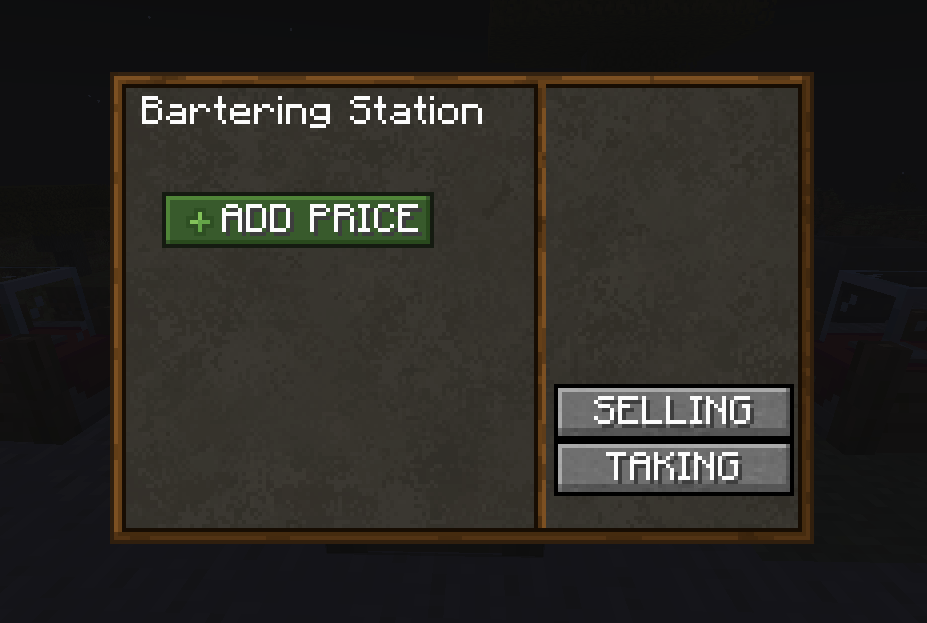
Getting Started
- Craft or give yourself a Bartering Station.
- Place it and right-click.
- Press “Set Sale Item” then click any item in your hand.
- Press “Set Currency Item” the same way.
- Use Hoppers to insert the Sale Item into the top slot to add stock (or pipe it in via automation).
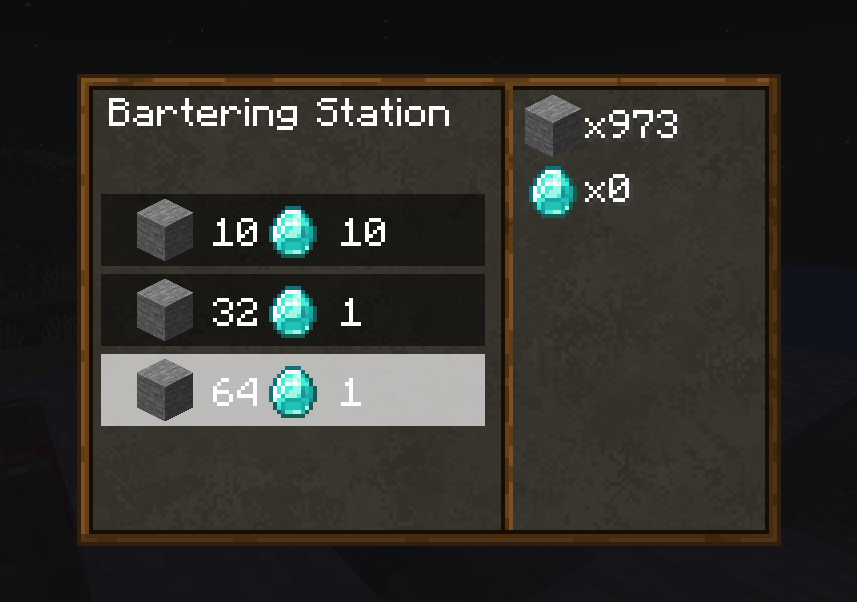
- Other players can now buy - click a row then the green Confirm button.
Bartering Station Recipe
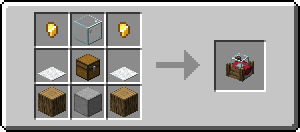
Ingredients:
Gold nuggets, Glass, Carpet, Chest, Oak Log, Smooth Stone
Dependencies
[Optional] Luckperms (can affect who can break shops)
[Required] https://www.curseforge.com/minecraft/mc-mods/epherolib
如何安装 Shoppy - Player Maintained Shops
With Millida Launcher
Install Millida Launcher
The launcher is free: download it at millida.net/launcher and sign in with any nickname.
Click “Install” on this page
The launcher opens and installs the mod for Minecraft 1.19.2–1.21.1 on Fabric, Forge or NeoForge automatically.
Launch the game
A profile with it appears in the launcher: click “Play”.
Manually
Install Fabric, Forge or NeoForge
The loader must match the game version of the mod file, for example Minecraft 1.21.1. After installing it, a separate profile appears in your launcher.
Download the file for your version
In the version list above, pick the file shoppy2-NEOFORGE-1.21.1-2.2.0.jar (178 KB) for your game version and loader.
Put it in the mods folder
The folder is inside .minecraft (Windows: %appdata%\.minecraft\mods). If it does not exist, create it.
Launch the loader profile
Open “Mods” in the main menu: Shoppy - Player Maintained Shops should be in the list.
Minecraft 1.21.1 runs on Java 21: with a different Java version the game may close right after launch.
版本
含依赖项
| Minecraft | 加载器 | 文件 | 日期 | 操作 |
|---|---|---|---|---|
| 1.21.1 | NeoForge | shoppy2-NEOFORGE-1.21.1-2.2.0.jar178 KB | ||
| 1.20.4 | Fabric | Shoppy-1.20.4-FABRIC-1.1.1.jar173 KB | ||
| 1.20.4 | Forge | Shoppy-1.20.4-FORGE-1.1.1-all.jar157 KB | ||
| 1.19.2 | Forge | Shoppy-1.19.2-FORGE-1.0.7-all.jar99.5 KB |
评价
成为第一个评价 Shoppy - Player Maintained Shops 的人


