
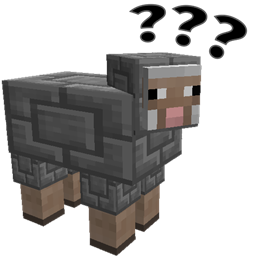
- 次浏览
- 17 次浏览
- 已更新
- 已更新 18.10.2026
- 1.12.1 — 1.16.4
 Forge
Forge
剪羊毛也疯狂
一个关于让羊更美观的愚蠢模组。
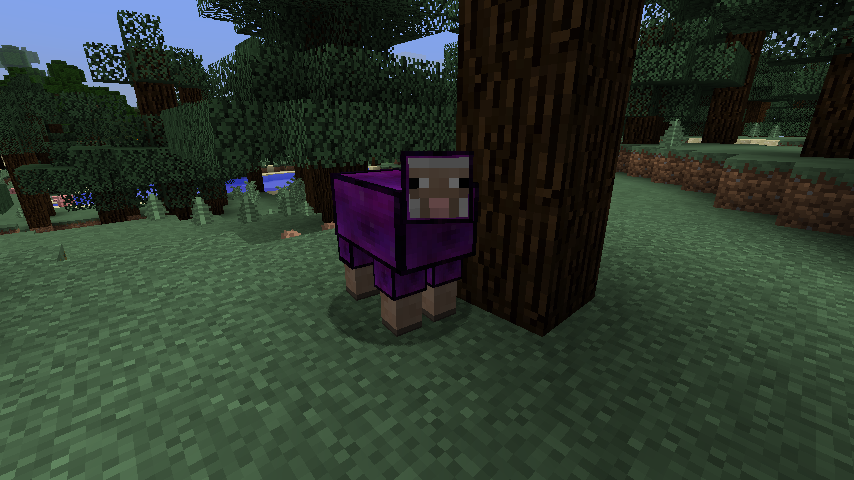
雕刻羊的手册
前置要求
Minecraft 1.15 及更低版本需要 chisel 0.0.7.7 或更高版本才能使用此模组。对于 Minecraft 1.16+,该模组可与 chisel 一起使用,但也可以独立运行。
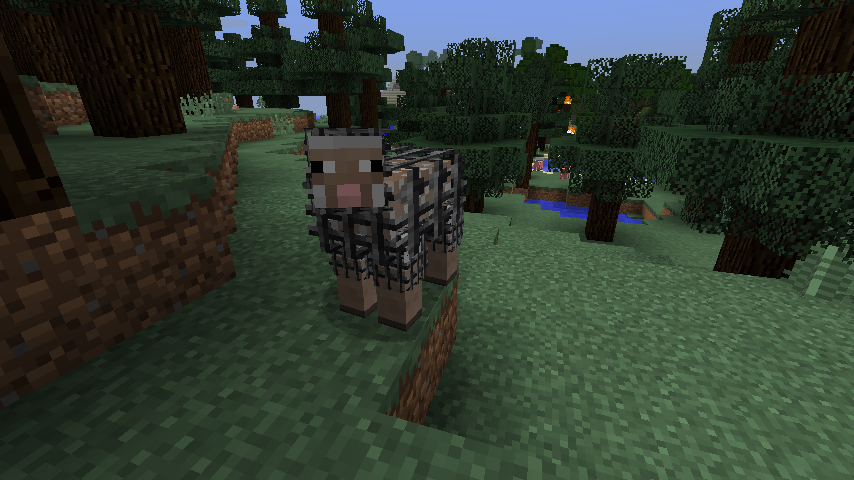
雕刻一只羊
- 制作一把铁凿或钻石凿(如果两者都不可用,则制作一个“不是凿子”),然后右键点击打开凿子预览。
- 将你希望用来雕刻羊的方块放入左上角的预览槽中。
- 离开菜单。
- 左键点击你想要雕刻的羊。
- 羊现在应该非常困惑,并且会从凿子中移除一个方块。
取消雕刻一只羊
- 当预览槽中没有物品时,左键点击一只羊,方块将返还给你。
功能羊(1.1.0 及更高版本)
某些羊现在具有与之关联的行为:
- 红石羊会触发红石信号
- TNT 羊暴露在红石下会爆炸
- 萤石羊会照亮周围的区域
- 由于重新计算区块光照会导致卡顿,此功能默认禁用。
- 用“工作”风扇雕刻方块会导致羊飞起来
- 工作台羊可以当作工作台使用
- 铁砧羊可以当作铁砧使用
- 仙人掌羊会造成仙人掌伤害并摧毁物品
- 岩浆羊会造成“走在火上”的伤害。
- 工作台羊会根据配方自动合成。
- 将你的物品留在羊身上,它会吃掉它看到的任何物品来产出结果。
- (1.5.0)机会方块羊
命令
/shearmadness chancecubes
选择加入或退出机会方块羊。
配置选项
剪羊毛行为
Shear Madness 支持更改当你尝试给羊剪羊毛时发生的行为,此选项可以在 /config/ 目录下的 shearmadness.cfg 中修改。
S:behaviour 控制剪羊毛行为。
默认情况下,给羊剪羊毛会将其变回原版羊,但以下其他选项也可用:
- RevertSheep - 默认值,将羊变回原版羊
- ChiselFarm - 你可以通过让羊重新生长来养殖方块。不建议服务器所有者使用,因为它目前允许用户从羊身上种植钻石、铁和红石方块。
- CannotShear - 完全禁止对这些羊剪羊毛。它们需要先恢复为普通羊才能再次剪羊毛。
繁殖行为(1.7.0)
S:breedingBehaviour 将决定两只羊交配时会发生什么。
- Unchiseled - 默认值,小羊将是普通羊
- SimpleBreeding - 小羊将按照母亲或父亲(50% 几率)进行雕刻
功能行为
你可以使用它们的配置部分来更改特殊羊是否生效。查看 shearmadness.cfg 文件了解详情。
未来开发
我有很多关于其他剪羊毛行为和其他功能的想法。欢迎将想法或错误报告提交到我的 GitHub 跟踪器,其他反馈也欢迎在此处和 Twitter 上提出。
常见问题
将来我能雕刻猪和其他生物吗?
我并没有真正计划这样做,羊有一个很好的分层系统,将身体与其羊毛分开。
你的模组就是一个大的复制漏洞!
我知道,这就是为什么我发布了带有剪羊毛行为的 1.0 版本。请适当设置。
非常感谢 TTFTCUTS 提供的名称
如何安装 Shear Madness
With Millida Launcher
Install Millida Launcher
The launcher is free: download it at millida.net/launcher and sign in with any nickname.
Click “Install” on this page
The launcher opens and installs the mod for Minecraft 1.12.1–1.16.4 on Forge automatically.
Launch the game
A profile with it appears in the launcher: click “Play”.
Manually
Install Forge
The loader must match the game version of the mod file, for example Minecraft 1.16.4. After installing it, a separate profile appears in your launcher.
Download the file for your version
In the version list above, pick the file shearmadness-1.16.(3,4)-1.7.2.12.jar (255 KB) for your game version.
Put it in the mods folder
The folder is inside .minecraft (Windows: %appdata%\.minecraft\mods). If it does not exist, create it.
Launch the loader profile
Open “Mods” in the main menu: Shear Madness should be in the list.
Minecraft 1.16.4 runs on Java 8: with a different Java version the game may close right after launch.
版本
含依赖项
| Minecraft | 加载器 | 文件 | 日期 | 操作 |
|---|---|---|---|---|
| 1.16.3 | Forge | shearmadness-1.16.(3,4)-1.7.2.12.jar255 KB | ||
| 1.16.3 | — | shearmadness-1.16.3-1.7.2.10.jar255 KB | ||
| 1.12.1 | — | shearmadness-1.12.2-1.7.2.4.jar296 KB |
常见问题
Which Minecraft versions does Shear Madness work on?
There are files for 1.16.4, 1.16.3, 1.16.2, 1.12.2, 1.12.1. The newest is 1.16.4.
Is Shear Madness for Forge or Fabric?
Only for Forge: 1.16.3–1.16.4. There are no files for Fabric or NeoForge: a mod for another loader will not start.
Does Shear Madness need other mods?
The author lists no required dependencies: the Forge loader is enough.
Which Java does Shear Madness need?
Minecraft 1.16.4 runs on Java 8. If the game closes right after launch, the usual cause is the wrong Java version in the profile settings.
Where can I download Shear Madness safely?
On this page: the file shearmadness-1.16.(3,4)-1.7.2.12.jar (255 KB) is stored on Millida’s server, with no link shorteners. SHA-1 checksum: 4a752e18ff9006d1e0e88bb481f2beb6f76c1654.
评价
成为第一个评价 Shear Madness 的人


