
 NeoForge
 Fabric
 Forge
Forge Quilt
QuiltRandom Crafts
When you create a new world, this mod generates a datapack with randomized crafting recipes and automatically applies it.
The randomization isn’t completely chaotic — it’s slightly controlled to keep the game balanced (you can configure this). The random seed is also tied to the world seed, so every world gets its own unique crafting chaos.
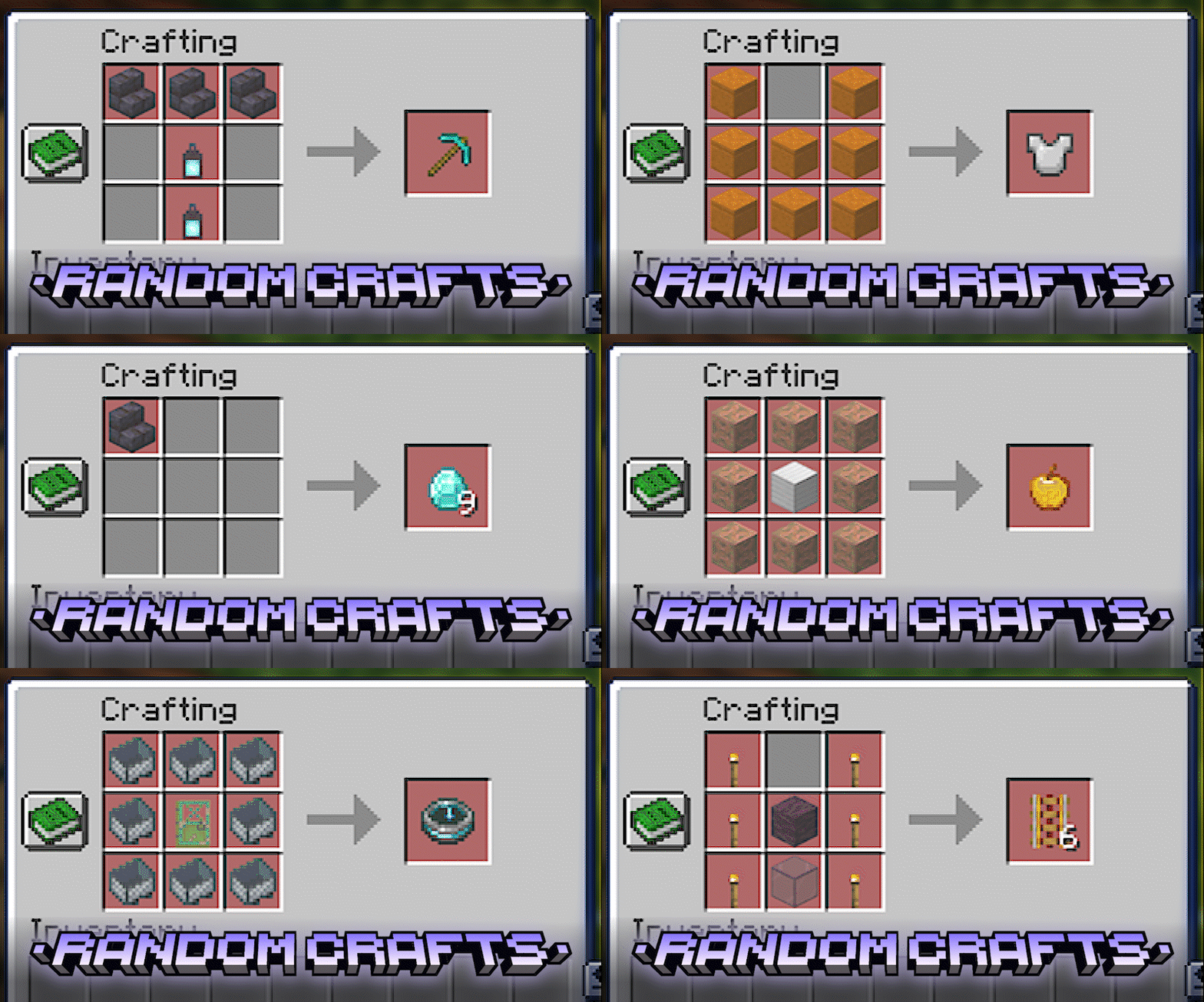
Compatible with other mods! Randomized crafts may significantly change progression.
Mod Requirements:
- For Fabric: Fabric API & Architectury API
- For Forge/NeoForge: Architectury API
- For Quilt: Quilted Fabric API & Architectury API
This mod is required on the server, but completely optional for clients. Since it generates a standard datapack, players can join your world without having the mod installed!
How to Randomize Crafting
When creating a new world, enable “ [RC] Randomize Crafting” in the Game Rules section. You can also manage other settings for generating recipes there. Once the world loads, the mod will generate and apply the randomized recipes automatically.
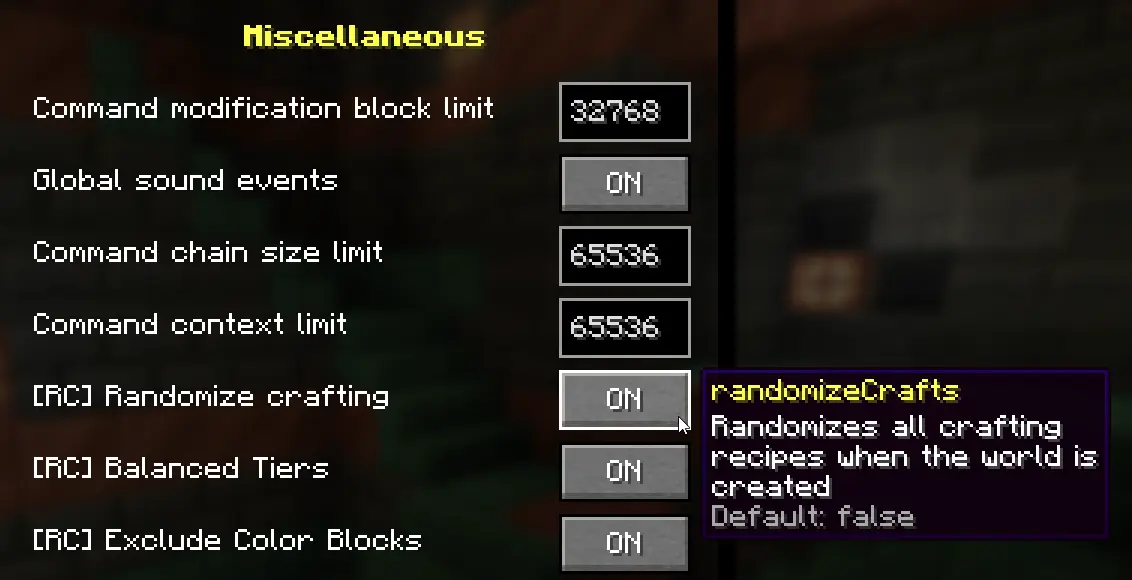
Pro Tip: You can also change any of these rules during the game using the /gamerule command. For the changes to take effect, you need to regenerate the recipes by running: /rc generate
How to unlock recipes in Survival
At the start of the game, only the crafting table recipe is unlocked.
How you unlock further recipes depends on the [RC] Dynamic Recipe Discovery gamerule (v1.6.0+):
- If Enabled (Dynamic Discovery): Recipes are unlocked based on their new, randomized ingredients. For example, if the randomized recipe for a furnace requires copper ingots, you will unlock the recipe as soon as you find copper.
- If Disabled (Classic Mode): Recipes are unlocked based on their original vanilla item dependencies. For example, to unlock the furnace recipe, you still need to collect cobblestone — even though the randomized recipe itself may use completely different ingredients.
Management & Commands
- /rc generate [seed] — Generates a new set of crafts. You can specify a custom seed or leave it blank to use the world's seed.
- /rc clear — Disables randomization and restores all original vanilla recipes instantly.
- /rc seed — Shows the current randomization seed used in your world.
How to Restore Original Recipes
The easiest way is to use the /rc clear command. Alternatively, manually delete the randomcrafts datapack from your world's datapacks folder and use the /reload command.
如何安装 Random Crafts
With Millida Launcher
Install Millida Launcher
The launcher is free: download it at millida.net/launcher and sign in with any nickname.
Click “Install” on this page
The launcher opens and installs the mod for Minecraft 1.20.1–1.21.1 on Fabric, Forge, NeoForge or Quilt automatically.
Launch the game
A profile with it appears in the launcher: click “Play”.
Manually
Install Fabric, Forge, NeoForge or Quilt
The loader must match the game version of the mod file, for example Minecraft 1.21.1. After installing it, a separate profile appears in your launcher.
Download the file for your version
In the version list above, pick the file random_crafts-1.7.0-neoforge-1.21.1.jar (96 KB) for your game version and loader.
Put it in the mods folder
The folder is inside .minecraft (Windows: %appdata%\.minecraft\mods). If it does not exist, create it.
Launch the loader profile
Open “Mods” in the main menu: Random Crafts should be in the list.
Minecraft 1.21.1 runs on Java 21: with a different Java version the game may close right after launch.
版本
含依赖项
| Minecraft | 加载器 | 文件 | 日期 | 操作 |
|---|---|---|---|---|
| 1.21.1 | NeoForge | v.1.7.0 NeoForge 1.21.196 KB 4 | ||
| 1.21.1 | Fabric | v.1.7.0 Fabric 1.21.193.8 KB 3 | ||
| 1.20.1 | Forge | v.1.6.0 Forge 1.20.166.8 KB 4 | ||
| 1.20.1 | Quilt | v.1.6.0 Quilt 1.20.166.2 KB |
评价
成为第一个评价 Random Crafts 的人


