

适用于 Minecraft 26.3 的 Projectile Trajectory Preview 模组
显示你的投掷物轨迹,如箭、末影珍珠、雪球、鸡蛋等!
 Fabric
 Quilt
Quilt NeoForge
Projectile Trajectory Preview
Ever wondered where your arrow, snowball, or potion will land? This mod gives you a visual preview of projectile trajectories and highlights the target impact zone—perfect for planning shots with precision.
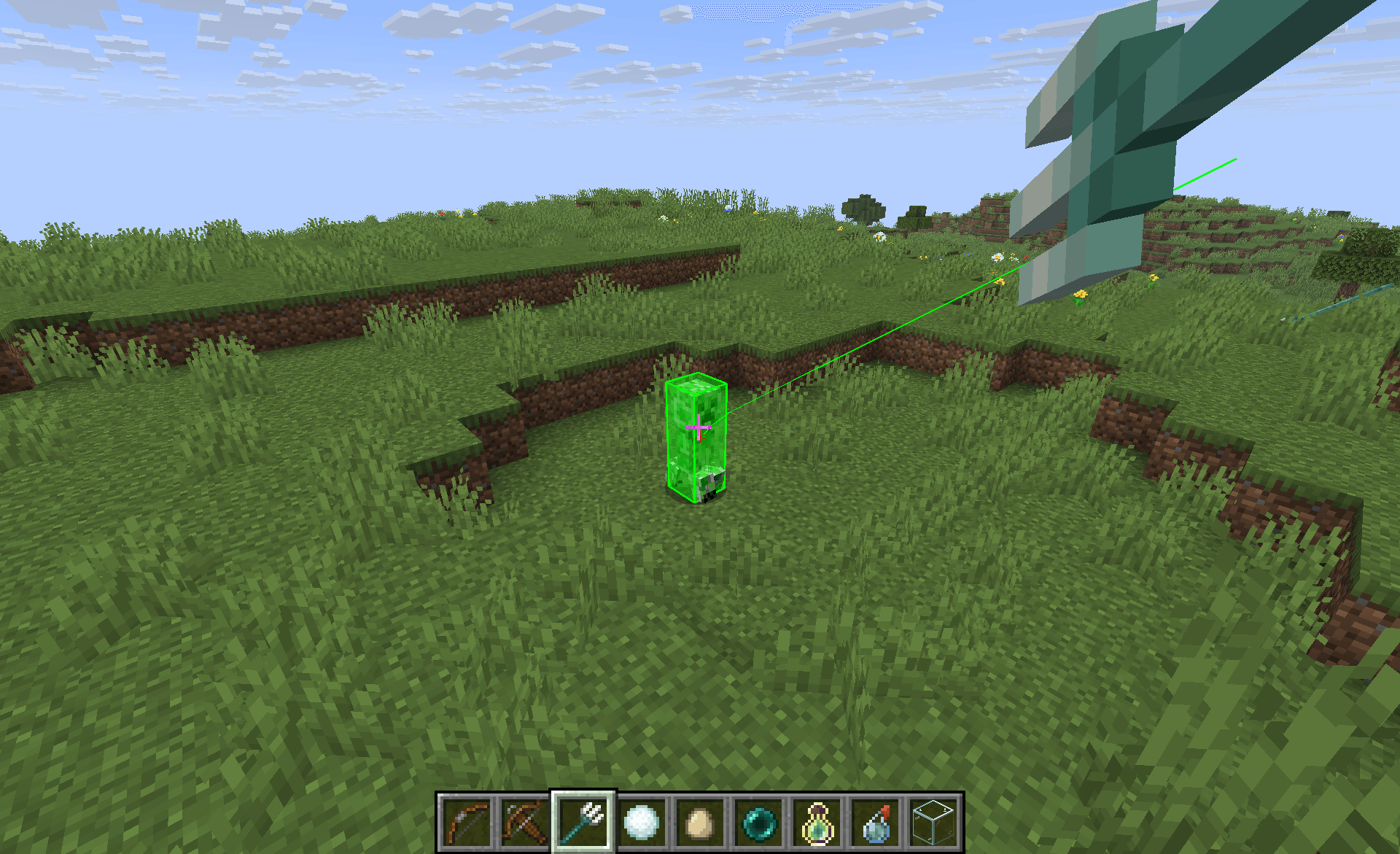
🔎 Features
- Trajectory Visualization: See the path your projectile will follow before you launch it.
- Target Highlighting: Know exactly where your shot is likely to land.
- Customizable Display: Tailor the look of the trajectory line, target outline, and highlight to suit your style.
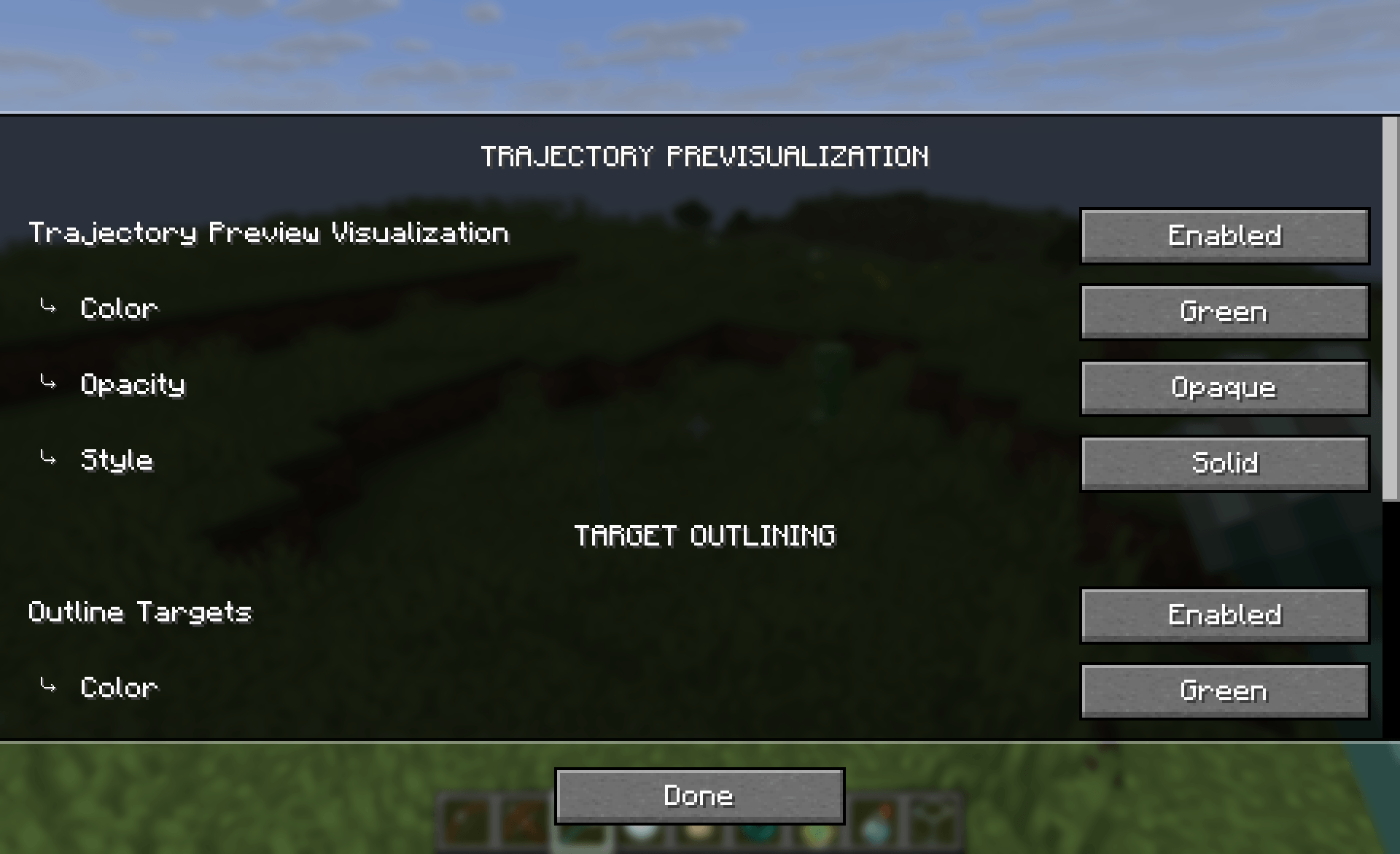
⚙️ Configuration
To edit the settings of the mod:
- Use Mod Menu
- Use the command /ptpConfig to open the config screen
- Edit the config file in .minecraft/config/ptp.json
⚠️ Limitations and notes
- Minecraft projectiles often have a random offset, so the actual impact may sometime differs a bit from the preview.
- Modded items are not yet supported. If you want compatibility with a specific mod, open an issue on Github and suggest it, I'll do my best to add it.
🛑 Usage on servers
This mod doesn't work on servers to prevent using it as a cheat in PVP. If you want to have it on your custom servers, you still can, just install the mod on both, the client and the server.
📦 Modpack
Feel free to add this mod in your modpacks.
如何安装 Projectile Trajectory Preview
With Millida Launcher
Install Millida Launcher
The launcher is free: download it at millida.net/launcher and sign in with any nickname.
Click “Install” on this page
The launcher opens and installs the mod for Minecraft 1.21.9–26.3 on Fabric, NeoForge or Quilt automatically.
Launch the game
A profile with it appears in the launcher: click “Play”.
Manually
Install Fabric, NeoForge or Quilt
The loader must match the game version of the mod file, for example Minecraft 26.3. After installing it, a separate profile appears in your launcher.
Download the file for your version
In the version list above, pick the file ptp+26.3-rc-3-1.0.35.jar (93 KB) for your game version and loader.
Put it in the mods folder
The folder is inside .minecraft (Windows: %appdata%\.minecraft\mods). If it does not exist, create it.
Launch the loader profile
Open “Mods” in the main menu: Projectile Trajectory Preview should be in the list.
版本
含依赖项
| Minecraft | 加载器 | 文件 | 日期 | 操作 |
|---|---|---|---|---|
| 26.3 | Fabric, Quilt | ptp+26.3-rc-3-1.0.35.jar93 KB 98 | ||
| 1.21.9 | NeoForge | PTP 1.0.26 - Neoforge[1.21.11]68.8 KB 1 |
评价
成为第一个评价 Projectile Trajectory Preview 的人


