

 NeoForge
 Forge
Forge关于 ProjectE 模组
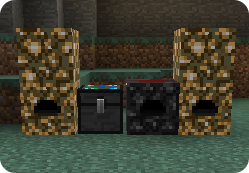
针对现代 Minecraft 版本的 EE2(Equivalent Exchange 2)完整重写版。炼金台、收集器、凝聚器、飞行戒指,以及所有你喜爱的其他小玩意都在这里。
探索强大的炼金工具、物品和装置。将不需要的物品分解为 EMC(能量-物质共价),并使用该 EMC 来创造新物品。
注意:我越来越频繁地看到有人将外部项目(例如其他游戏的重制版或其他 Minecraft 版本)归功于 ProjectE。请不要这样做,我们未授权使用 ProjectE 名称。如果你想制作重制版,请改为注明原版 Equivalent Exchange 2,并且最好先获得 Xeno 的许可。使用 ProjectE 名称会损害 EE2 的传承,并鼓励用户就并非我们制作的内容向我们寻求支持。
想支持模组的开发吗?:
SinKillerJ - 主要项目与社区负责人:
亚马逊愿望清单:https://www.amazon.com/hz/wishlist/ls/28MHMBPNWYDJQ
Patreon:https://www.patreon.com/sinkillerj
pupnewfster - 当前新版本移植负责人:
Patreon:https://www.patreon.com/pupnewfster
开发者社交媒体:
https://bsky.app/profile/sinkillerj.bsky.social
https://bsky.app/profile/pupnewfster.bsky.social
https://twitter.com/pupnewfster
我可以将其包含在整合包中吗?:
本模组可以作为整合包的一部分重新分发,公开和私人的整合包均允许。请在任何列表中注明模组为 "ProjectE",名称中没有空格。
为了用户的安全,我们不允许模组单独重新发布,或作为单个模组安装程序的一部分重新发布。更多信息请参见:https://stopmodreposts.org
模组讨论:
https://discord.gg/fkpxV5Z
我发现了一个 bug:可以在以下地址报告 bug:https://github.com/sinkillerj/ProjectE/issues
报告前请先尝试最新的发布版本,并务必附上你拥有的任何日志或复现步骤,以及你的 Forge/NeoForge 版本。提交日志时请使用 Pastebin 等服务,不要将日志直接粘贴到问题中。对于第三方分支(如 Cauldron、Magma 以及其他 hackey Bukkit 移植版)不提供支持。同样,我们不为破解/离线/非正版玩家提供支持,无论你如何粉饰,这都属于盗版。
如何安装 ProjectE
With Millida Launcher
Install Millida Launcher
The launcher is free: download it at millida.net/launcher and sign in with any nickname.
Click “Install” on this page
The launcher opens and installs the mod for Minecraft 1.7.10–1.21.1 on Forge or NeoForge automatically.
Launch the game
A profile with it appears in the launcher: click “Play”.
Manually
Install Forge or NeoForge
The loader must match the game version of the mod file, for example Minecraft 1.21.1. After installing it, a separate profile appears in your launcher.
Download the file for your version
In the version list above, pick the file ProjectE-1.21.1-PE1.1.0.jar (2.3 MB) for your game version and loader.
Put it in the mods folder
The folder is inside .minecraft (Windows: %appdata%\.minecraft\mods). If it does not exist, create it.
Launch the loader profile
Open “Mods” in the main menu: ProjectE should be in the list.
Minecraft 1.21.1 runs on Java 21: with a different Java version the game may close right after launch.
版本
含依赖项
| Minecraft | 加载器 | 文件 | 日期 | 操作 |
|---|---|---|---|---|
| 1.21.1 | NeoForge | ProjectE-1.21.1-PE1.1.0.jar2.3 MB 145 | ||
| 1.20.1 | NeoForge, Forge | ProjectE-1.20.1-PE1.0.1.jar2.2 MB 195 | ||
| 1.20.1 | NeoForge, Forge | ProjectE-1.20.1-PE1.0.0B.jar2.2 MB 1 | ||
| 1.15.2 | — | ProjectE-1.15.2-PE1.0.4.jar1.8 MB 24 | ||
| 1.15.2 | — | ProjectE-1.15.2-PE1.0.3B.jar1.8 MB | ||
| 1.7.10 | — | ProjectE-1.7.10-PE1.7.0A.jar1.1 MB 5 |
常见问题
Which Minecraft versions does ProjectE work on?
There are files for 1.21.1, 1.20.1, 1.15.2, 1.7.10. The newest is 1.21.1.
Is ProjectE for Forge or Fabric?
There are files for Forge: 1.20.1 and for NeoForge: 1.20.1–1.21.1. There are no files for Fabric: a mod for another loader will not start.
Does ProjectE need other mods?
The author lists no required dependencies: the Forge or NeoForge loader is enough.
Which Java does ProjectE need?
Minecraft 1.21.1 runs on Java 21. If the game closes right after launch, the usual cause is the wrong Java version in the profile settings.
Where can I download ProjectE safely?
On this page: the file ProjectE-1.21.1-PE1.1.0.jar (2.3 MB) is stored on Millida’s server, with no link shorteners. SHA-1 checksum: 24fb5997727453a15e956522761a3f586e646c2a.
评价
成为第一个评价 ProjectE 的人


