

 NeoForge
 Forge
ForgePipe Goggles
描述
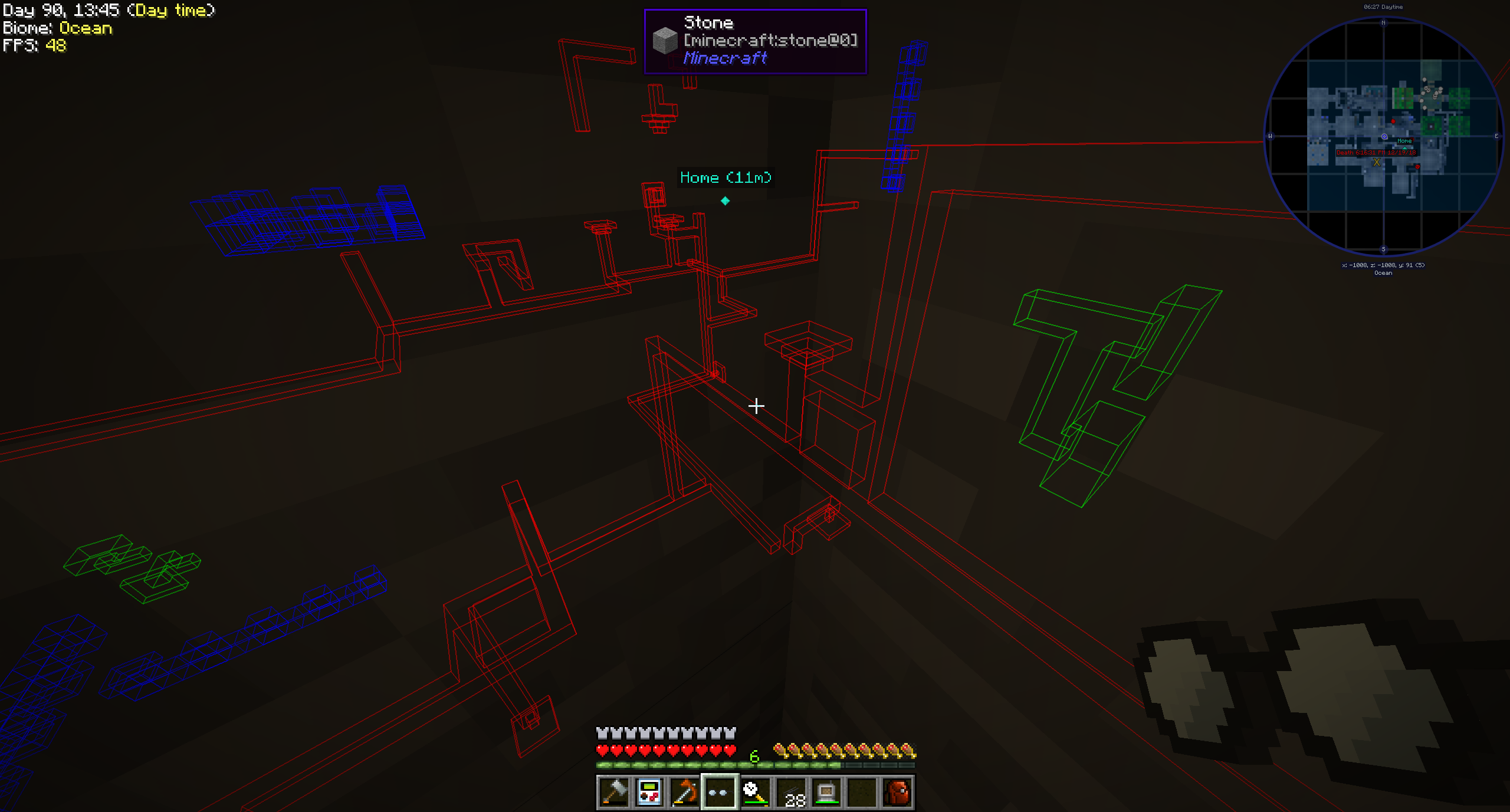
Pipe Goggles 目前只添加了一个物品,即 Pipe Goggles。它可以让佩戴者透过墙壁看到各种管道。
用法
手持护目镜右键点击可打开一个小型配置界面。
将你想要看到的管道放入对应的彩色槽位中。
护目镜可以处于三种不同的模式:
- 始终开启:护目镜始终处于激活状态,显示所有管道。
- 始终关闭:护目镜从不激活,不显示任何管道。
- 自动:只有当玩家手持管道物品时,护目镜才会显示匹配的管道。
你还可以额外配置护目镜的范围、管道的线条粗细以及不透明度。
根据模组的配置,你的护目镜可能需要供电才能工作!
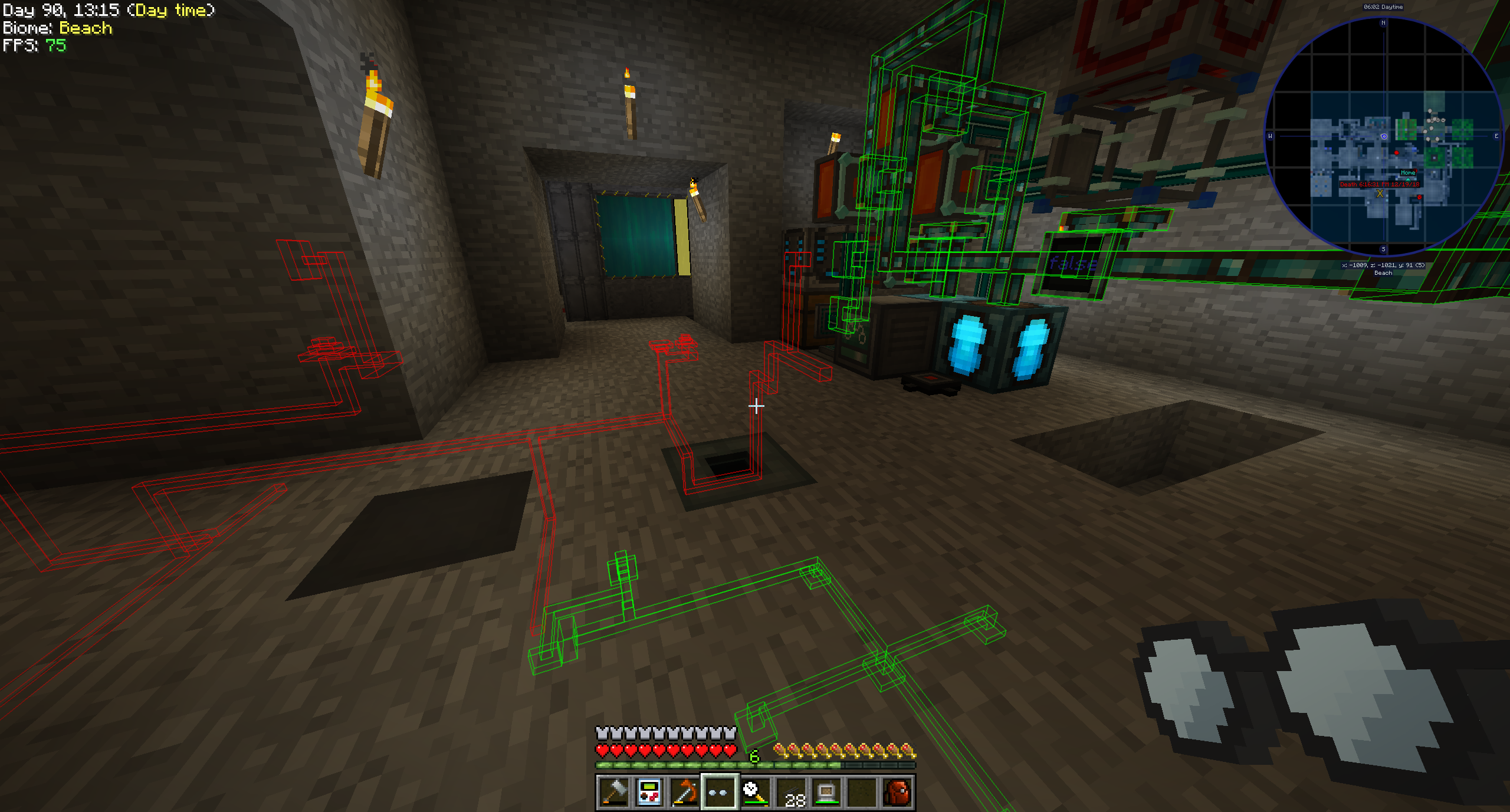
支持的模组(1.21.1):
- Applied Energistics 2
- Create
- EnderIO
- Flux Networks
- IntegratedDynamics
- LaserIO
- Mekanism
- Redstone(来自原版 Minecraft)
- Modern Industrialization
- MoreRed
- Oritech
- Pipez
- PneumaticCraft
- Refined Storage
- Replication
- XNet
支持的模组(1.14):
- Refined Storage
- Simple Storage Network
- Inspirations
- Integrated Dynamics
支持的模组(1.12):
- Applied Energistics
- Cyclic
- EnderIO
- Extra Utilities 2
- Immersive Engineering
- Integrated Dynamics
- Mekanism
- OpenComputers
- Refined Storage
- Simple Storage Network
- Thermal Dynamics
为其他模组添加支持(1.21.1 及以上版本):
这非常简单,对于这个来说,一个示例胜过千言万语:
{ "neoforge:conditions": [ { "type": "neoforge:modloaded", "modid": "xnet" } ], "blocks": [ "xnet:netcable", "xnet:connector" ], "items": [ "xnet:cables", "xnet:connectors" ], "mod": "xnet" }
blocks 是应该被高亮的方块。这些可以是方块 id 或标签。items 是使护目镜在自动模式下高亮管道的物品。同样也可以是物品 id 或标签。
该文件应放置在此处:<your-data-pack>/data/pipegoggles/pipegoggles/mods/xnet.json。
更多示例可以在这里找到。
如何安装 Pipe Goggles
With Millida Launcher
Install Millida Launcher
The launcher is free: download it at millida.net/launcher and sign in with any nickname.
Click “Install” on this page
The launcher opens and installs the mod for Minecraft 1.12–1.21.1 on Forge or NeoForge automatically.
Launch the game
A profile with it appears in the launcher: click “Play”.
Manually
Install Forge or NeoForge
The loader must match the game version of the mod file, for example Minecraft 1.21.1. After installing it, a separate profile appears in your launcher.
Download the file for your version
In the version list above, pick the file pipegoggles-2.0.4.jar (380 KB) for your game version and loader.
Put it in the mods folder
The folder is inside .minecraft (Windows: %appdata%\.minecraft\mods). If it does not exist, create it.
Launch the loader profile
Open “Mods” in the main menu: Pipe Goggles should be in the list.
Minecraft 1.21.1 runs on Java 21: with a different Java version the game may close right after launch.
版本
含依赖项
| Minecraft | 加载器 | 文件 | 日期 | 操作 |
|---|---|---|---|---|
| 1.21.1 | NeoForge | pipegoggles-2.0.4.jar380 KB | ||
| 1.14.4 | Forge | PipeMaster-2.0.1.12.jar52.5 KB | ||
| 1.12.1 | — | PipeMaster-1.0.2-b8.jar134 KB |
评价
成为第一个评价 Pipe Goggles 的人


