
 NeoForge
 Fabric
 Quilt
Quilt Forge
ForgePaintings++
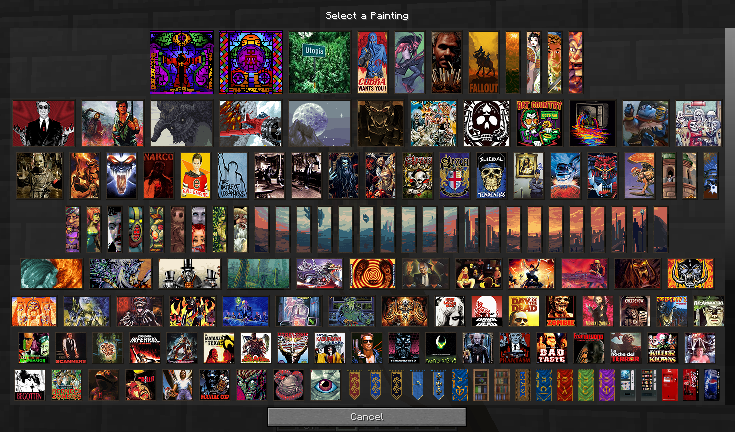
一个允许你向游戏中添加画作的模组,并提供一个便捷的选择界面,让你能精确选择想要挂在墙上的画作。
文件
Forge:点击这里
NeoForge:点击这里
Fabric:点击这里
FABRIC 需要 Fabric API 和 Cloth Config API 才能运行
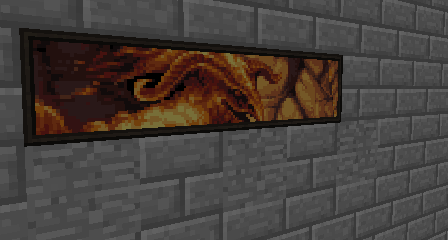
支持透明度(1.19+)
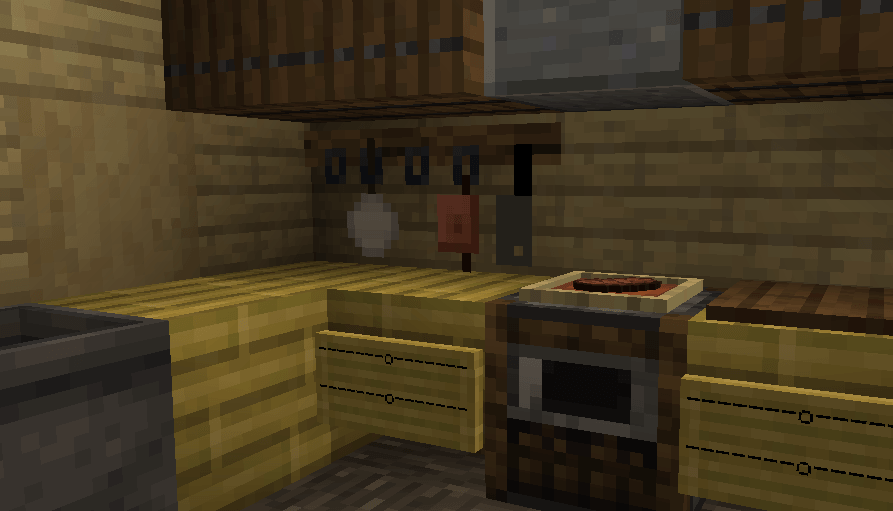
- 这幅画仅作为展示建议。此图片中的画作并未随模组一同发布
使用 curseforge 应用时会自动下载支持模组!如果你完全没有使用任何客户端,请在这里获取。
添加更多画作
请查看 wiki 上的教程。
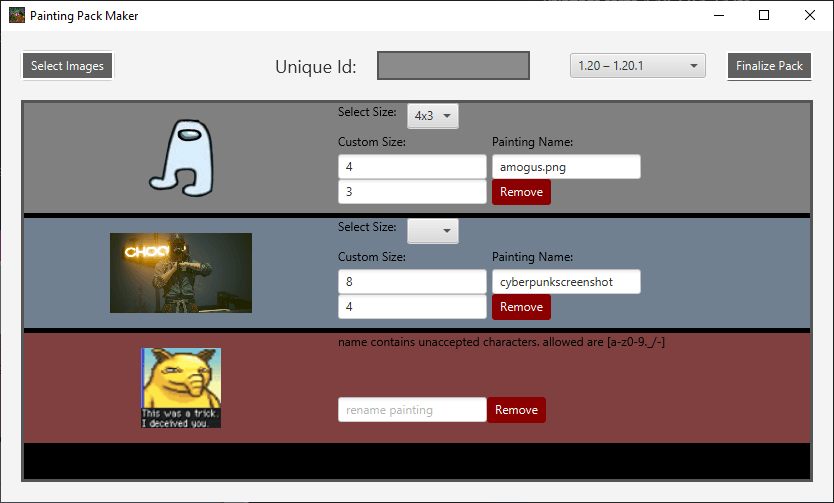
你也可以使用 Painting Pack Maker:一个可视化界面,用于为 Minecraft 1.17 及以上版本制作画作资源包。在此处访问 PPM 的项目页面。可在上方项目页面下载。
画作资源包
你制作了一个资源包?想与世界分享?在 curseforge 上发布资源包。你随时可以私信我,或在评论中留下链接,我会在这里推荐你的资源包!
Absolem Jackdaw 基础画作包
基础画作在 1.20.4(12.0.0.5 及以后版本)中已从基础模组中移除,可作为画作资源包添加,以实现 100% 的自定义!
1.21 之前的资源包 https://curseforge.com/minecraft/texture-packs/painting-base-painting-pack
1.21 及以上的数据包 https://curseforge.com/minecraft/data-packs/absolems-base-pack
Foreck 的 Rotten 画作包
由 Foreck 制作。该资源包目前添加了 106 幅各种类型、风格和大小的画作,均使用传统像素艺术技法并参考素材制作。画作描绘了 RotN 世界观中的场景和角色,或从其他来源汲取灵感并改编到 RotN 的世界中。所有艺术作品均由 Foreck 手工制作。https://www.curseforge.com/minecraft/texture-packs/forecks-rotten-painting-pack
药水指南画作
由 rootbeerdrinker1 制作。该资源包添加了几幅画作,绘制了药水酿造的图解指南!https://www.curseforge.com/minecraft/texture-packs/brewingcanvas-potion-guide
巴洛克画作包
由 LykiaOokami 制作。该资源包中包含巴洛克风格的画作。https://www.curseforge.com/minecraft/texture-packs/renaissance-and-baroque-painting-pack
Oliver Remund 画作包
由 Absolem Jackdaw(我本人)在艺术家 Oliver Remund 本人的同意下制作的画作包。https://www.curseforge.com/minecraft/texture-packs/oliver-remund-painting-pack
请访问 Remund 的网站查看原始艺术作品!
Leichenengel 的分形画作包
来看看 Leichenengel 自己制作的画作包。所有艺术作品均由他制作。资源包包含超过 70 幅画作!https://www.curseforge.com/minecraft/texture-packs/fractal-painting-pack-bright-and-colorful-part-1
想让你的资源包被推荐?留下链接评论或私信我!
有问题?画作包有问题?在 discord 上联系我!!
如何安装 Paintings ++
With Millida Launcher
Install Millida Launcher
The launcher is free: download it at millida.net/launcher and sign in with any nickname.
Click “Install” on this page
The launcher opens and installs the mod for Minecraft 1.12.1–1.21.11 on Fabric, Forge, NeoForge or Quilt automatically.
Launch the game
A profile with it appears in the launcher: click “Play”.
Manually
Install Fabric, Forge, NeoForge or Quilt
The loader must match the game version of the mod file, for example Minecraft 1.21.11. After installing it, a separate profile appears in your launcher.
Download the file for your version
In the version list above, pick the file paintings-neoforge-1.21.11-17.1.0.jar (102 KB) for your game version and loader.
Put it in the mods folder
The folder is inside .minecraft (Windows: %appdata%\.minecraft\mods). If it does not exist, create it.
Launch the loader profile
Open “Mods” in the main menu: Paintings ++ should be in the list.
Minecraft 1.21.11 runs on Java 21: with a different Java version the game may close right after launch.
版本
含依赖项
| Minecraft | 加载器 | 文件 | 日期 | 操作 |
|---|---|---|---|---|
| 1.21.11 | NeoForge | Paintings ++-neo-1.21.11-17.1.0102 KB 2 | ||
| 1.21.11 | Fabric, Quilt | Paintings ++-fabric-1.21.11-17.1.0102 KB 51 | ||
| 1.12.1 | Forge | Legacy-PSG-1.12.2-1.1.0.1.jar69.8 KB | ||
| 1.20.4 | Fabric | Paintings-fabric-1.20.4-12.0.0.4.jar116 KB | ||
| 1.20.4 | NeoForge | Paintings-neoforge-1.20.4-12.0.0.4.jar121 KB | ||
| 1.19.2 | Forge | Paintings-forge-1.19.2-10.2.3.0.jar171 KB 1 | ||
| 1.14.4 | — | paintings-1.14.4-6.0.1.5.jar318 KB | ||
| 1.14.4 | — | paintings-1.14.4-6.0.1.3.jar318 KB |
评价
成为第一个评价 Paintings ++ 的人


