
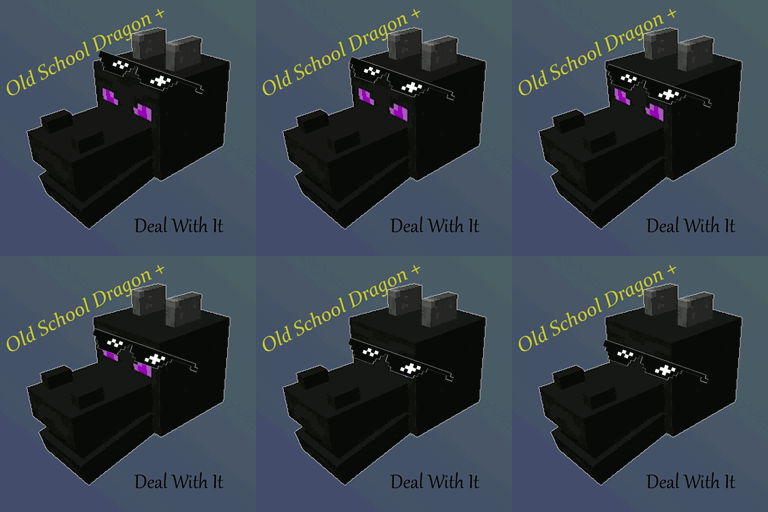
关于 OGDragon + 模组
OGDragon +
目前这个模组处于 Beta 阶段。
这是 1.9+ 之前原版/混合的末影龙战斗。它会替换掉旧的末影龙战斗。现在它移除了与末影龙的近战和战斗阶段。龙息仍然被添加,因为有些物品需要龙息。末地仍然是新的世界生成。它还添加了一些新特性,比如随机概率出现不同类型的末影龙(稍后会详细说明)。添加了一种不同的方式,可以从你可能发现末影人拿着的龙蛋中生成末影龙战斗。
权限 你可以:
- 将模组用于个人/私人用途
- 只要给予应有的署名,就可以将此模组包含在你自己的整合包中
你不得:
- 未经许可将模组重新上传到其他网站
支持我和这个模组,这将帮助我继续开发。支持 @
或
以及
有任何问题请加入我的 Curse 社区链接
需要服务器?结账时使用 "kashdeya" 即可享受首月 20% 折扣!
如何安装 OGDragon +
With Millida Launcher
Install Millida Launcher
The launcher is free: download it at millida.net/launcher and sign in with any nickname.
Click “Install” on this page
The launcher opens and installs the mod for Minecraft 1.12.2 automatically.
Launch the game
A profile with it appears in the launcher: click “Play”.
Manually
Download the file for your version
In the version list above, pick the file ogdragon-1.12.2-0.1.4.jar (109 KB) for your game version.
Put it in the mods folder
The folder is inside .minecraft (Windows: %appdata%\.minecraft\mods). If it does not exist, create it.
Launch the loader profile
Open “Mods” in the main menu: OGDragon + should be in the list.
Minecraft 1.12.2 runs on Java 8: with a different Java version the game may close right after launch.
版本
含依赖项
| Minecraft | 加载器 | 文件 | 日期 | 操作 |
|---|---|---|---|---|
| 1.12.2 | — | OGDragon+ V0.1.4109 KB | ||
| 1.12.2 | — | OGDragon V0.0.4107 KB |
常见问题
Which Minecraft versions does OGDragon + work on?
Only Minecraft 1.12.2: there are no files for other versions.
Which Java does OGDragon + need?
Minecraft 1.12.2 runs on Java 8. If the game closes right after launch, the usual cause is the wrong Java version in the profile settings.
Where can I download OGDragon + safely?
On this page: the file ogdragon-1.12.2-0.1.4.jar (109 KB) is stored on Millida’s server, with no link shorteners. SHA-1 checksum: b0dca98ae91118aa0a941e4ae8e59db70f18c4a6.
评价
成为第一个评价 OGDragon + 的人


