
NEI Addons
Forestry (4.0+)
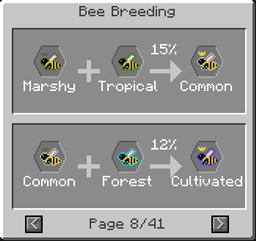
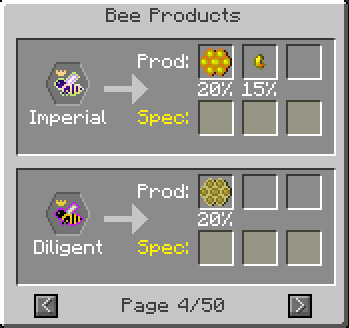
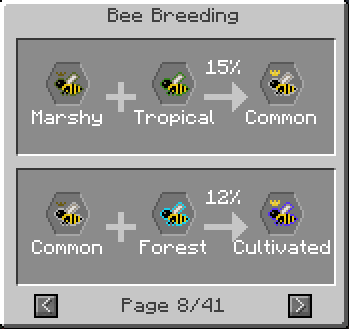
- 蜜蜂繁殖和产物作为配方(可选包含秘密突变)
- 可以显示特殊突变要求(生物群系、温度等)
- 树木繁殖和产物
- 支持其他模组添加的蜜蜂(Thaumic Bees、Extra Bees 等)
- 将所有蜜蜂、蜂巢、树苗和花粉类型添加到 NEI 搜索
- Botany
- 显示花卉繁殖
Applied Energistics
- 为样板编码器提供 [?] 按钮支持
- 可以直接从配方创建样板,即使你身上没有这些物品
Misc Peripherals
- 为计算机控制合成器提供 [?] 按钮支持
- 即使你身上没有这些物品也可以设置配方
- Ex Nihilo
- 显示筛子和锤子的掉落物
- 如果安装了 WAILA,则为大多数方块添加详细悬浮信息
各种工作台 - 为许多模组的替代工作台添加 [?] 按钮支持
- BuildCraft 自动工作台
- Equivalent Exchange 3 贤者之石
- Andrew2448 为 MachineMuse 的 Modular Powersuits 就地组装器制作的附加模组
- Tinkers' Construct 合成站
如何安装 NEI Addons
With Millida Launcher
Install Millida Launcher
The launcher is free: download it at millida.net/launcher and sign in with any nickname.
Click “Install” on this page
The launcher opens and installs the mod for Minecraft 1.7.10 automatically.
Launch the game
A profile with it appears in the launcher: click “Play”.
Manually
Download the file for your version
In the version list above, pick the file neiaddons-1.12.15.41-mc1.7.10.jar (101 KB) for your game version.
Put it in the mods folder
The folder is inside .minecraft (Windows: %appdata%\.minecraft\mods). If it does not exist, create it.
Launch the loader profile
Open “Mods” in the main menu: NEI Addons should be in the list.
Minecraft 1.7.10 runs on Java 8: with a different Java version the game may close right after launch.
版本
含依赖项
| Minecraft | 加载器 | 文件 | 日期 | 操作 |
|---|---|---|---|---|
| 1.7.10 | — | neiaddons-1.12.15.41-mc1.7.10.jar101 KB | ||
| 1.7.10 | — | neiaddons-1.12.14.40-mc1.7.10.jar99.4 KB |
评价
成为第一个评价 NEI Addons 的人


