
关于 Mob Properties 模组
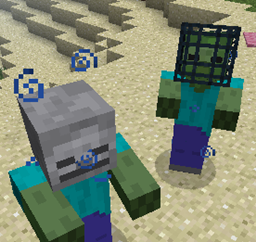
觉得僵尸太慢、骷髅太强,或者苦力怕掉落的曲奇根本不够多?那么,你只需要按照自己的想法来配置它们——用 Mob Properties!
这个模组允许你自定义所有生物,无论是原版还是其他模组添加的,都能完全配置掉落物、属性、装备、药水效果,甚至 NBT 数据。更棒的是,许多属性都支持数值范围,并且会为每个生物随机取值!
这个模组中的一切都是完全可配置的!如果你不编辑它的属性文件,这个模组什么都不会做。属性文件会生成在你的 .minecraft/config 目录中。
关于如何使用配置,请参阅 wiki。
如何安装 Mob Properties
With Millida Launcher
Install Millida Launcher
The launcher is free: download it at millida.net/launcher and sign in with any nickname.
Click “Install” on this page
The launcher opens and installs the mod for Minecraft 1.10.2 automatically.
Launch the game
A profile with it appears in the launcher: click “Play”.
Manually
Download the file for your version
In the version list above, pick the file mob_properties-1.10.2-1.0.3.jar (147 KB) for your game version.
Put it in the mods folder
The folder is inside .minecraft (Windows: %appdata%\.minecraft\mods). If it does not exist, create it.
Launch the loader profile
Open “Mods” in the main menu: Mob Properties should be in the list.
Minecraft 1.10.2 runs on Java 8: with a different Java version the game may close right after launch.
版本
含依赖项
| Minecraft | 加载器 | 文件 | 日期 | 操作 |
|---|---|---|---|---|
| 1.10.2 | — | mob_properties-1.10.2-1.0.3.jar147 KB | ||
| 1.10.2 | — | mob_properties-1.10.2-1.0.3.jar142 KB |
常见问题
Which Minecraft versions does Mob Properties work on?
Only Minecraft 1.10.2: there are no files for other versions.
Which Java does Mob Properties need?
Minecraft 1.10.2 runs on Java 8. If the game closes right after launch, the usual cause is the wrong Java version in the profile settings.
Where can I download Mob Properties safely?
On this page: the file mob_properties-1.10.2-1.0.3.jar (147 KB) is stored on Millida’s server, with no link shorteners. SHA-1 checksum: 83b281d37574152240eb2538043d4e2c7f4661a8.
评价
成为第一个评价 Mob Properties 的人


