
关于 MoarSigns 模组
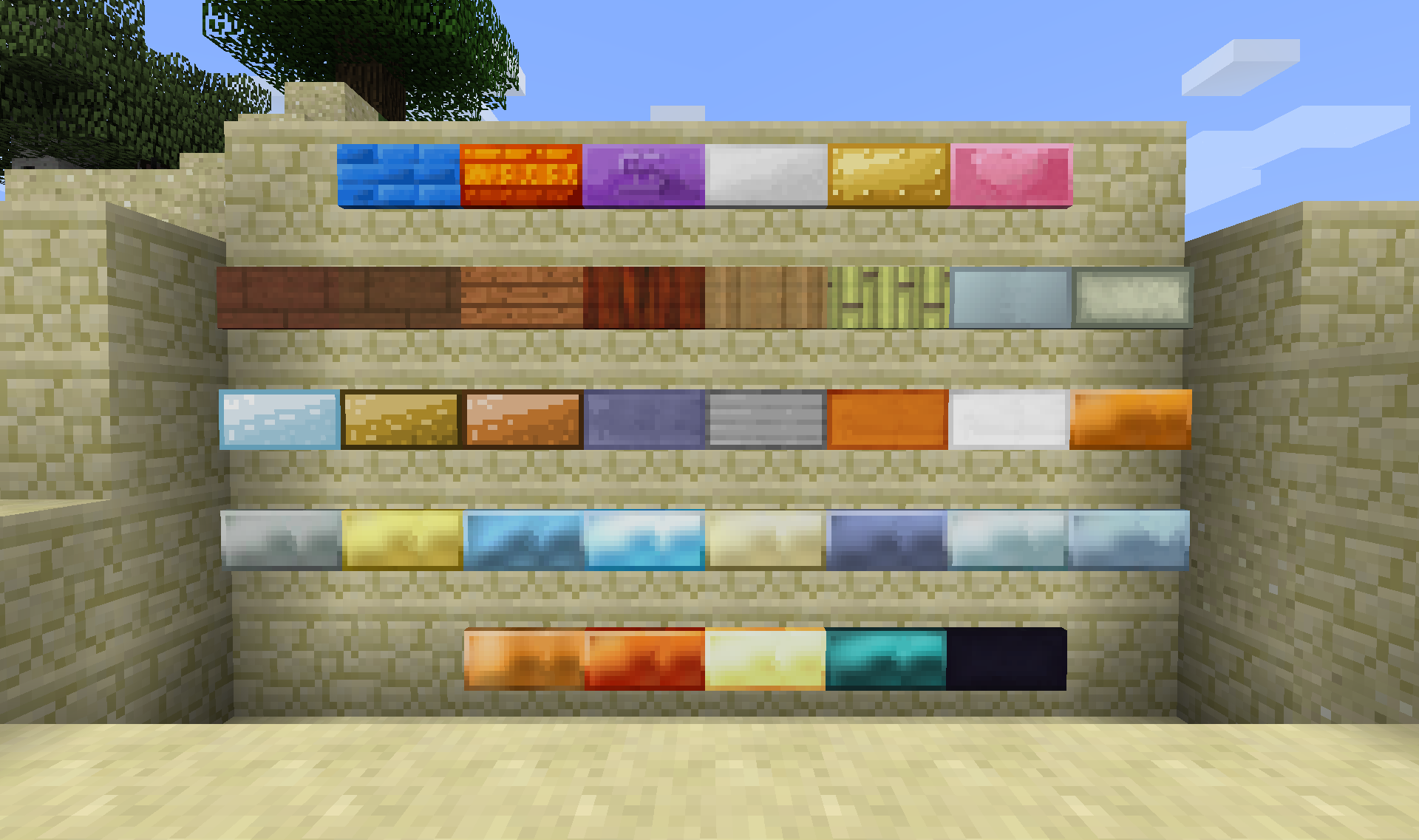
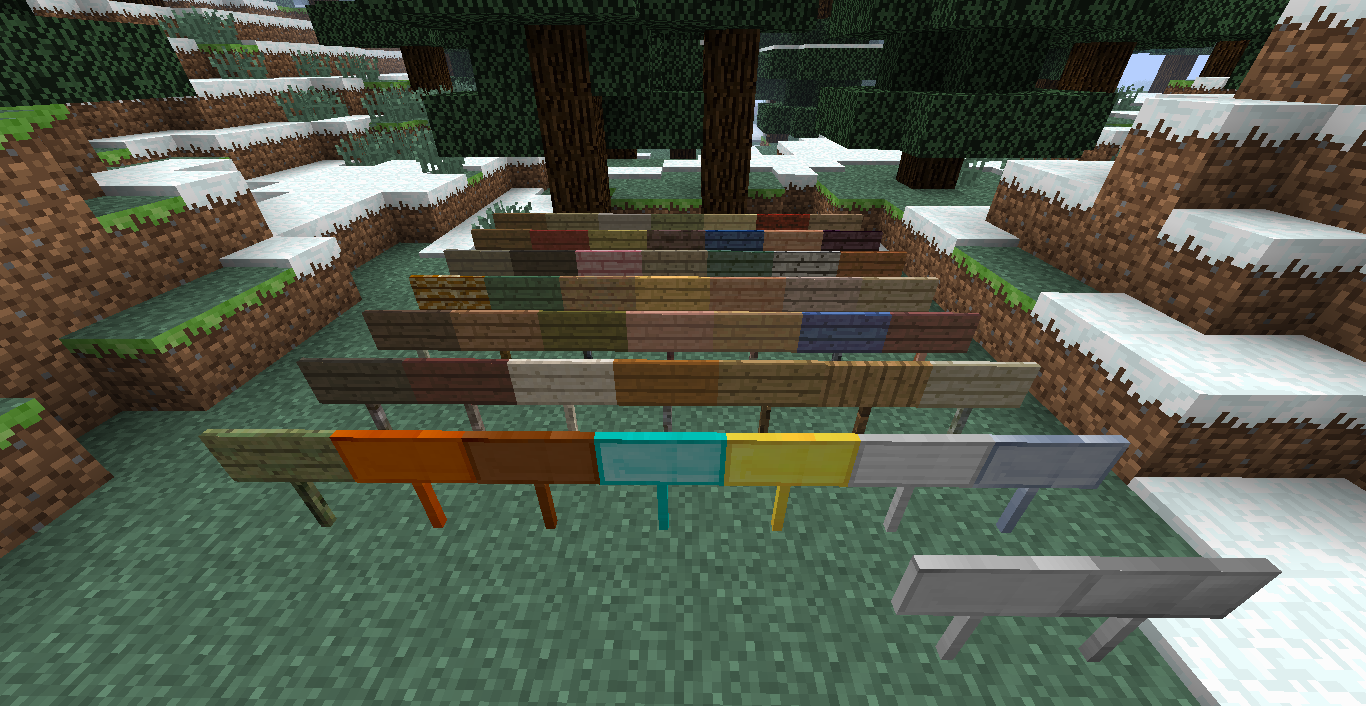
MoarSigns 添加了大量基于其他模组中木材和金属的告示牌。
单独安装此模组时,你只能获得原版的木板类型告示牌和原版金属。安装受支持的模组后,就可以使用这些模组中的木材类型或金属类型来制作告示牌。
告示牌的合成很简单。使用你想要的木板,像普通告示牌一样合成,你会得到 3 个该告示牌。金属告示牌则稍有不同,你可以使用想要金属类型的粒,会得到 1 个告示牌;如果使用想要金属类型的锭,会得到 9 个告示牌,目前只需使用普通木棍即可。
你可以通过 Shift 右键点击将告示牌平放在地面上,也可以将其放置在方块的底面。
当前支持的模组:
集成
1.9.4 1.10.2 1.11.2 1.12.2
Not Enough Items X X
Just Enough Items X X X X
Waila X X X X
Passthrough Signs X X X
Craft Tweaker
(Mine Tweaker 3)
X X X
The One Probe X X
Tumat X X
告示牌
1.9.4 1.10.2 1.11.2 1.12.2
Biomes O' Plenty X X X X
Forestry X X X X
Natura X X X
IndustrialCraft 2 X X X X
Tinkers' Construct X X X X
Thermal Foundation
(Thermal Expansion)
X X
Railcraft X
Base Metals X X X X
TechReborn X X X X
Psi X X X
Ender IO X X
Extreme Reactors
(Big Reactors)
X X X
Immersive Engineering X X X
Draconic Evolution X X X
Integrated Dynamics X X X
Roots X
Random Things X X X
支持上述模组中的所有木板和金属。
支持的金属有:
- Copper
- Tin
- Silver
- Bronze
- Steel
- Lead
- Dark Iron
- Cobalt
- Ardite
- Knightslime
- Manyullyn
- Pigiron
- Aluminum
- Aluminum Brass
- Alumite
- Ferrous
- Shiny
- Mana Infused Ingot
- Invar
- Signalum
- Lumium
- Enderium
- Adamantine
- Aquarium
- Brass
- Cold-Iron
- Mithril
- Nickel
- Star-Steel
- Zinc
- 以及更多……
计划支持更多模组和金属。
当前已知问题:
- Quark 的右键编辑告示牌功能与告示牌工具发生冲突
可以使用整合包吗?
你可以自由地在整合包中使用我的模组,请务必链接到本帖。
有 bug 或建议?请在此发布:Minecraft 论坛页面:此处 Github 仓库:此处
如何安装 MoarSigns
With Millida Launcher
Install Millida Launcher
The launcher is free: download it at millida.net/launcher and sign in with any nickname.
Click “Install” on this page
The launcher opens and installs the mod for Minecraft 1.12.2 automatically.
Launch the game
A profile with it appears in the launcher: click “Play”.
Manually
Download the file for your version
In the version list above, pick the file MoarSigns-1.12.2-6.0.0.11.jar (1.6 MB) for your game version.
Put it in the mods folder
The folder is inside .minecraft (Windows: %appdata%\.minecraft\mods). If it does not exist, create it.
Launch the loader profile
Open “Mods” in the main menu: MoarSigns should be in the list.
Minecraft 1.12.2 runs on Java 8: with a different Java version the game may close right after launch.
版本
含依赖项
| Minecraft | 加载器 | 文件 | 日期 | 操作 |
|---|---|---|---|---|
| 1.12.2 | — | MoarSigns-1.12.2-6.0.0.11.jar1.6 MB |
常见问题
Which Minecraft versions does MoarSigns work on?
Only Minecraft 1.12.2: there are no files for other versions.
Which Java does MoarSigns need?
Minecraft 1.12.2 runs on Java 8. If the game closes right after launch, the usual cause is the wrong Java version in the profile settings.
Where can I download MoarSigns safely?
On this page: the file MoarSigns-1.12.2-6.0.0.11.jar (1.6 MB) is stored on Millida’s server, with no link shorteners. SHA-1 checksum: b79040a2a08a8a958d0708178639063825c83ec8.
评价
成为第一个评价 MoarSigns 的人


