

适用于 Minecraft 1.20.1, 1.21.1 的 Integrated Terminals 模组
用于管理和总览Integrated Dynamics网络的终端
 NeoForge
 Forge
Forge关于 Integrated Terminals 模组

本模组需要 Cyclops Core 库以及 Integrated Dynamics + Integrated Tunnels!
欢迎来 Cyclops Discord 服务器的 integratedmods 频道与我们交流!
本模组添加了用于管理和总览 Integrated Dynamics 网络的终端。
通过存储终端,所有存储的物品、流体和能量都能在一个地方查看和交互,而合成任务则可通过合成任务终端进行管理。
本模组通过 Integrated Dynamics 的《On the Dynamics of Integration》一书提供游戏内文档和教程。
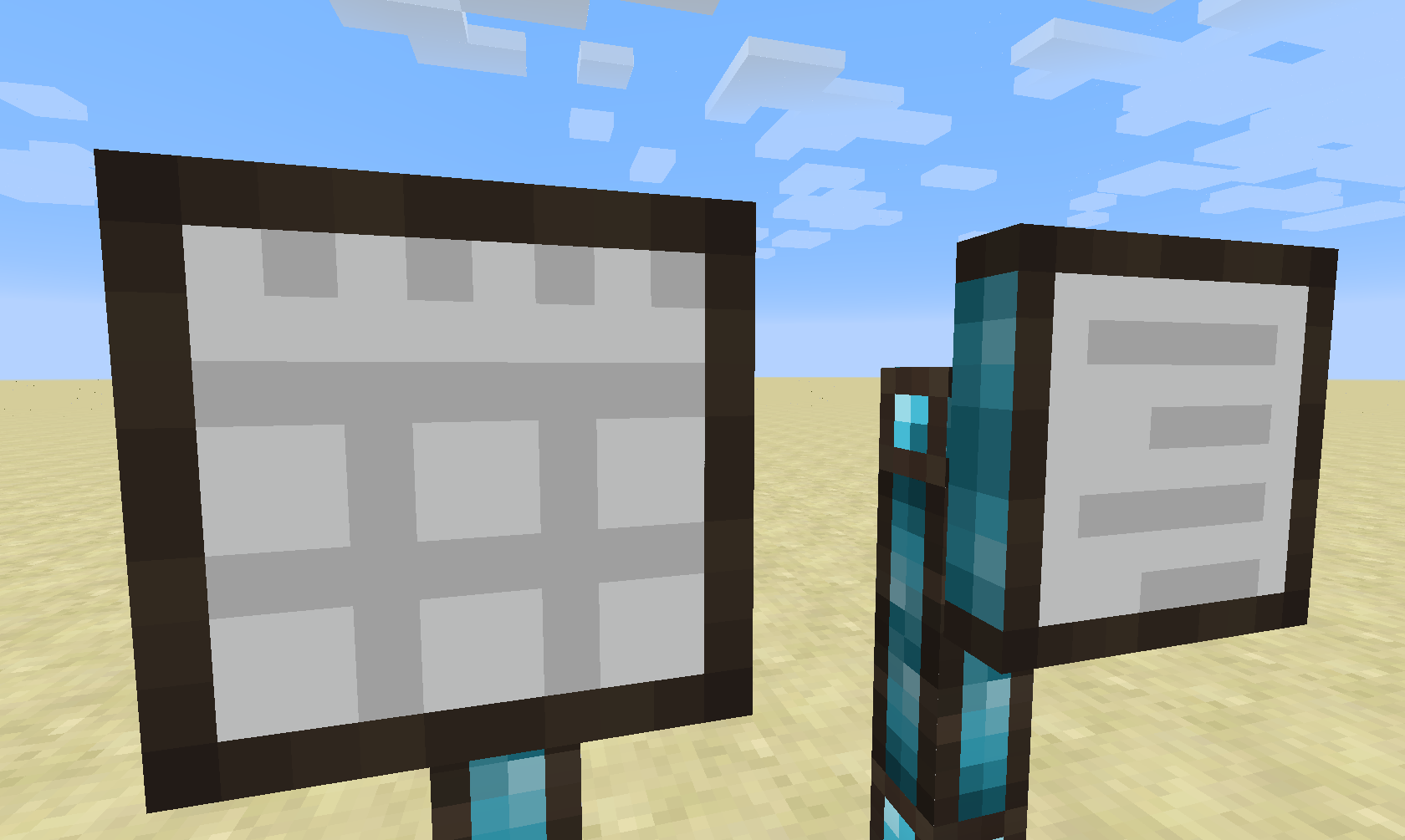
目前,本模组引入了两种终端:存储终端和合成任务终端。(未来计划添加不同类型的终端)
存储终端
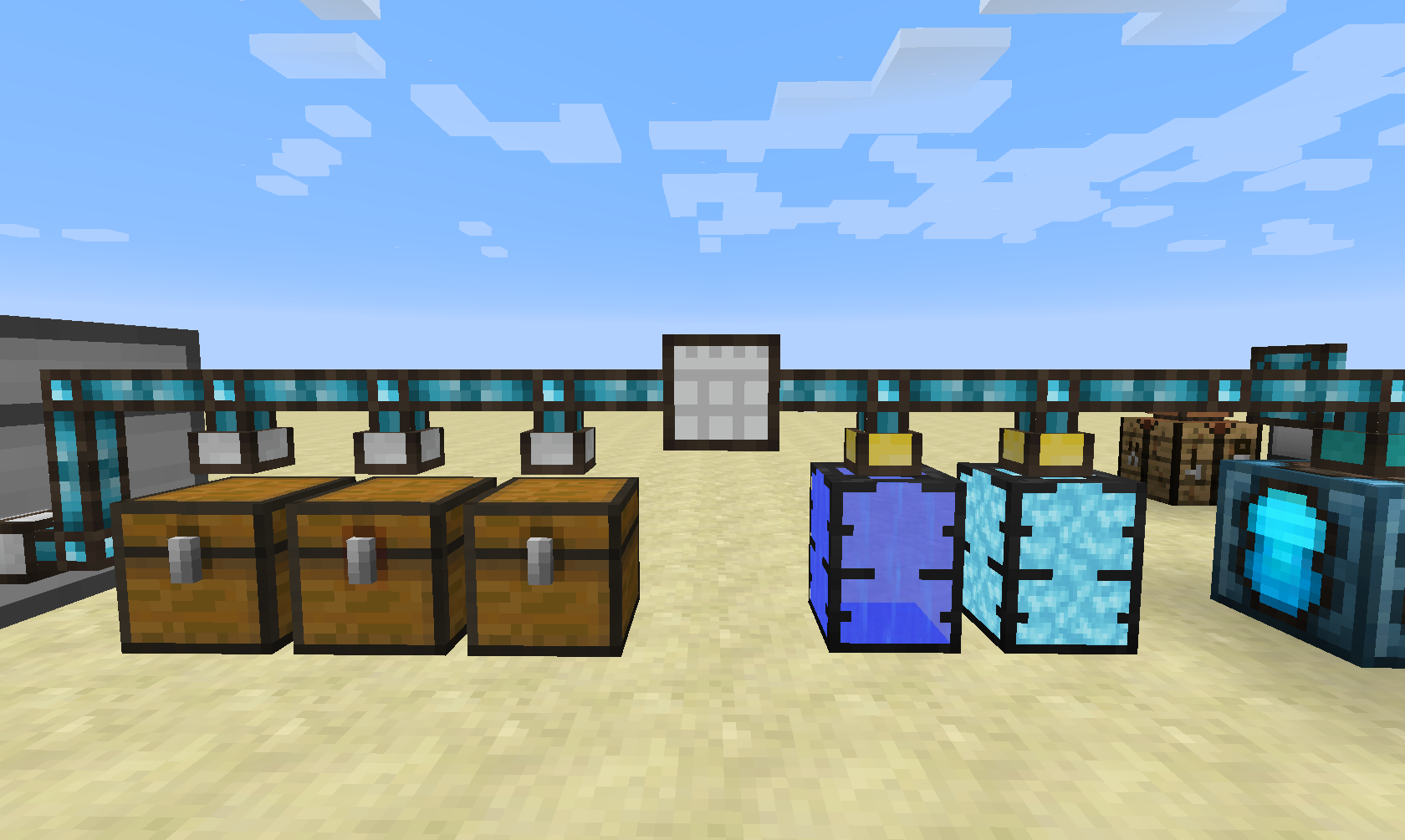
存储终端的功能很简单:为你的存储网络提供集中访问(通过使用 Integrated Tunnels 接口实现)。
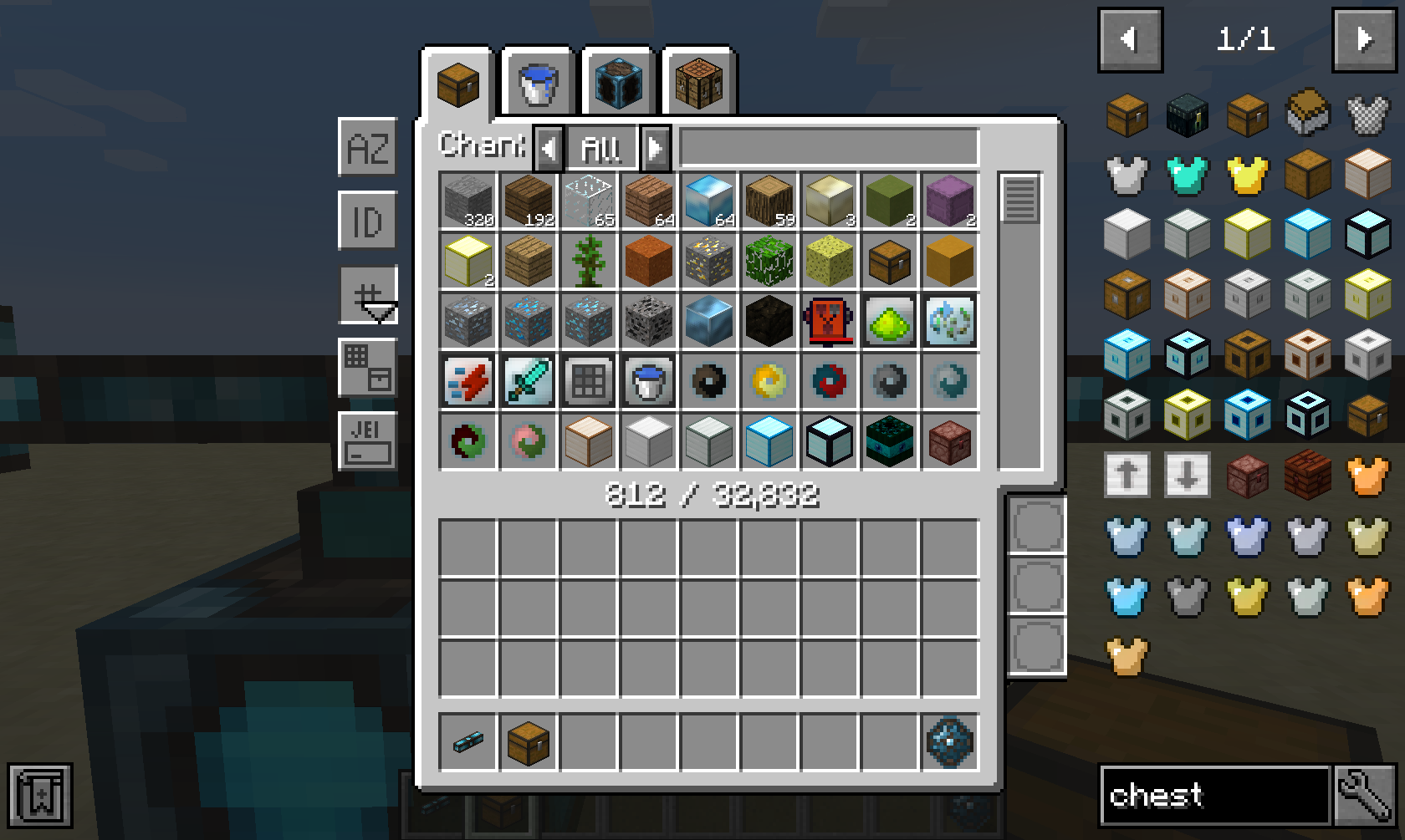
存储终端 GUI 为网络中的每种原料类型(如物品、流体和能量)提供一个标签页。此外,它还提供一个直接在网络内进行合成的标签页。
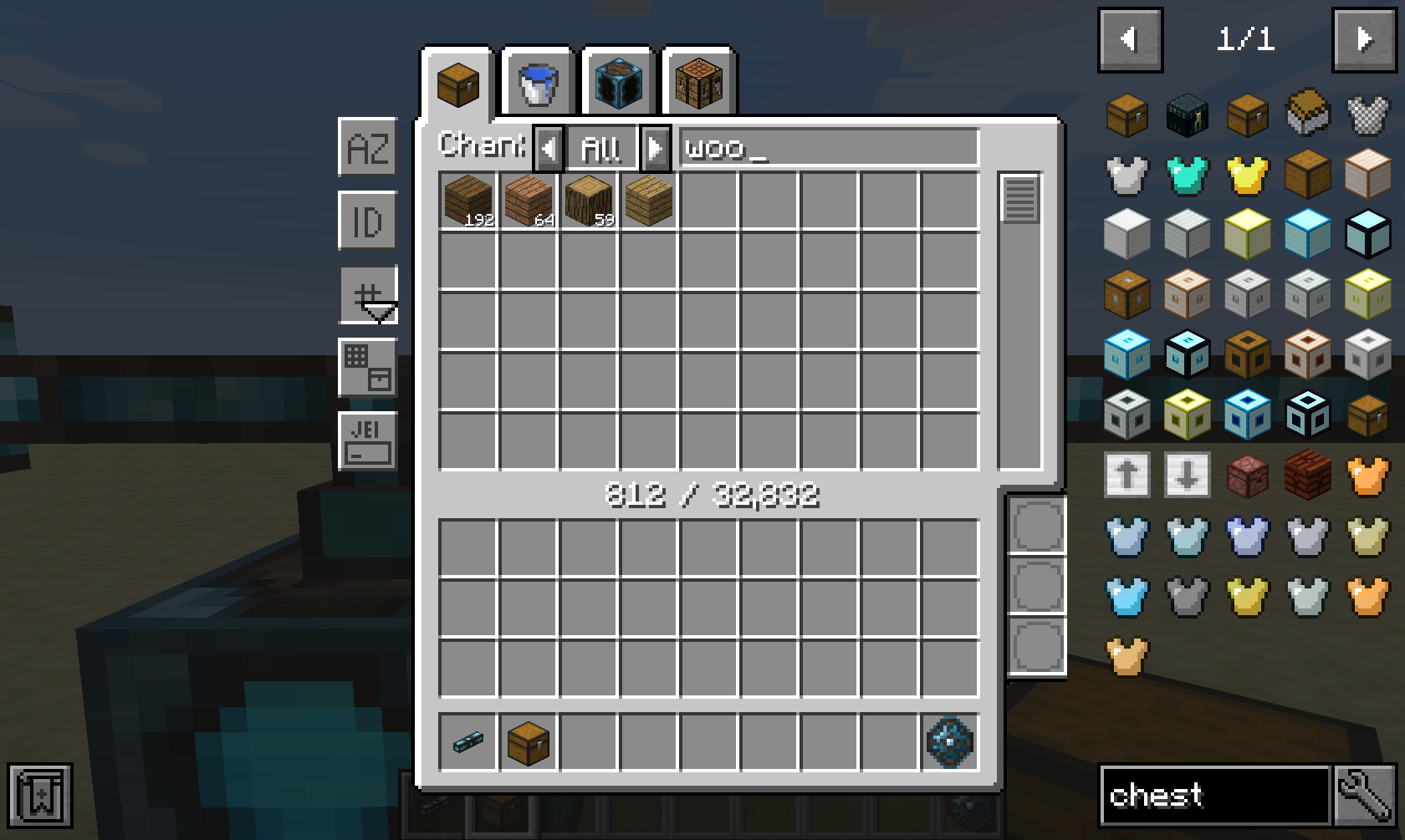
提供多种排序和高级过滤选项,例如按模组("@minecraft")、工具提示("FE")和矿物词典("$wood")过滤。此外,你甚至可以使用 Integrated Dynamics 谓词进行动态过滤,将其插入右下角的三个槽位即可。
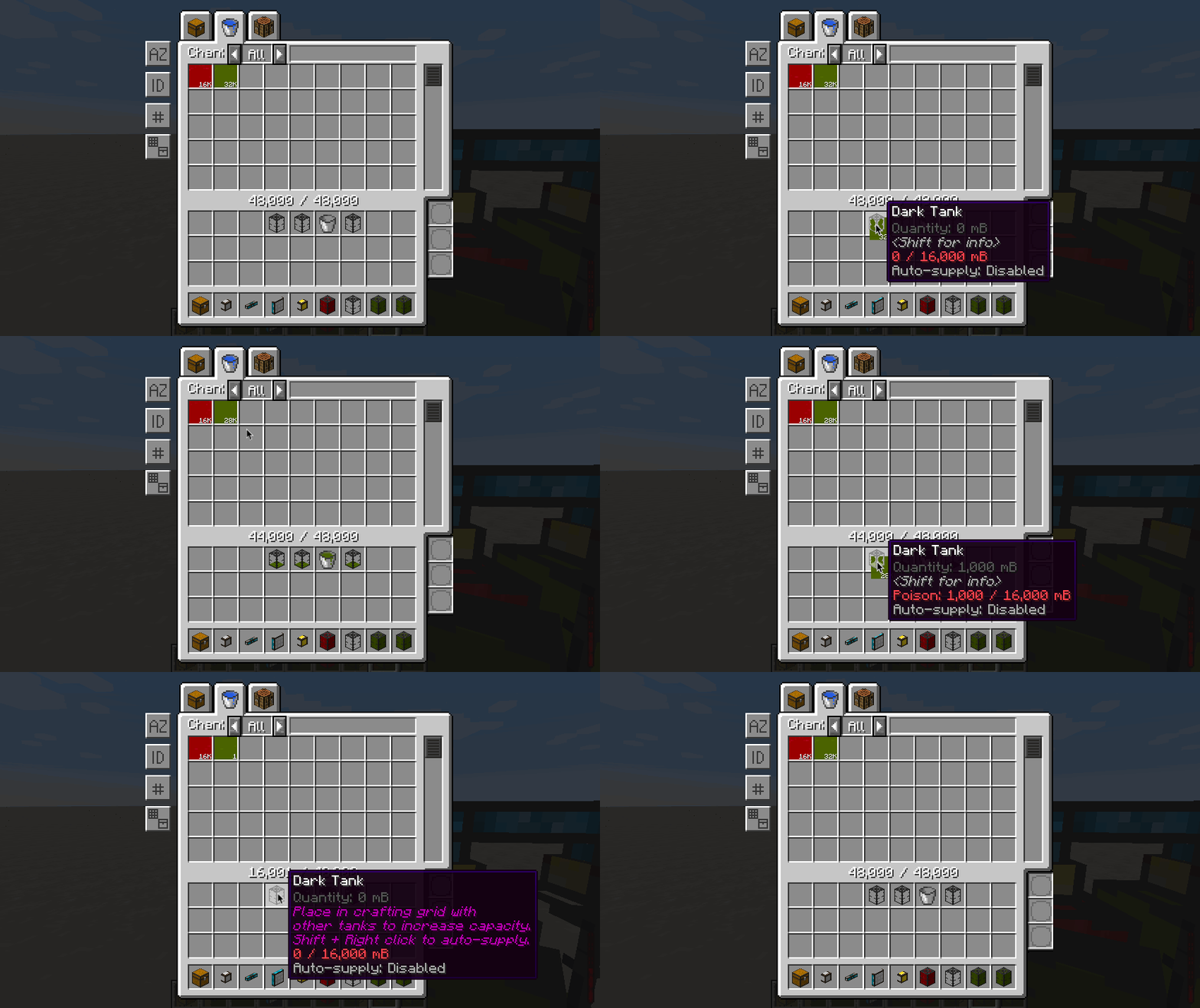
流体和能量的提取与插入方式与物品类似,唯一的区别是流体和能量在物品栏中时必须处于有效的容器内。
该 GUI 完全自适应,这意味着它可以根据屏幕的宽度和高度进行缩放。提供多种缩放模式,并可通过配置文件完全配置。
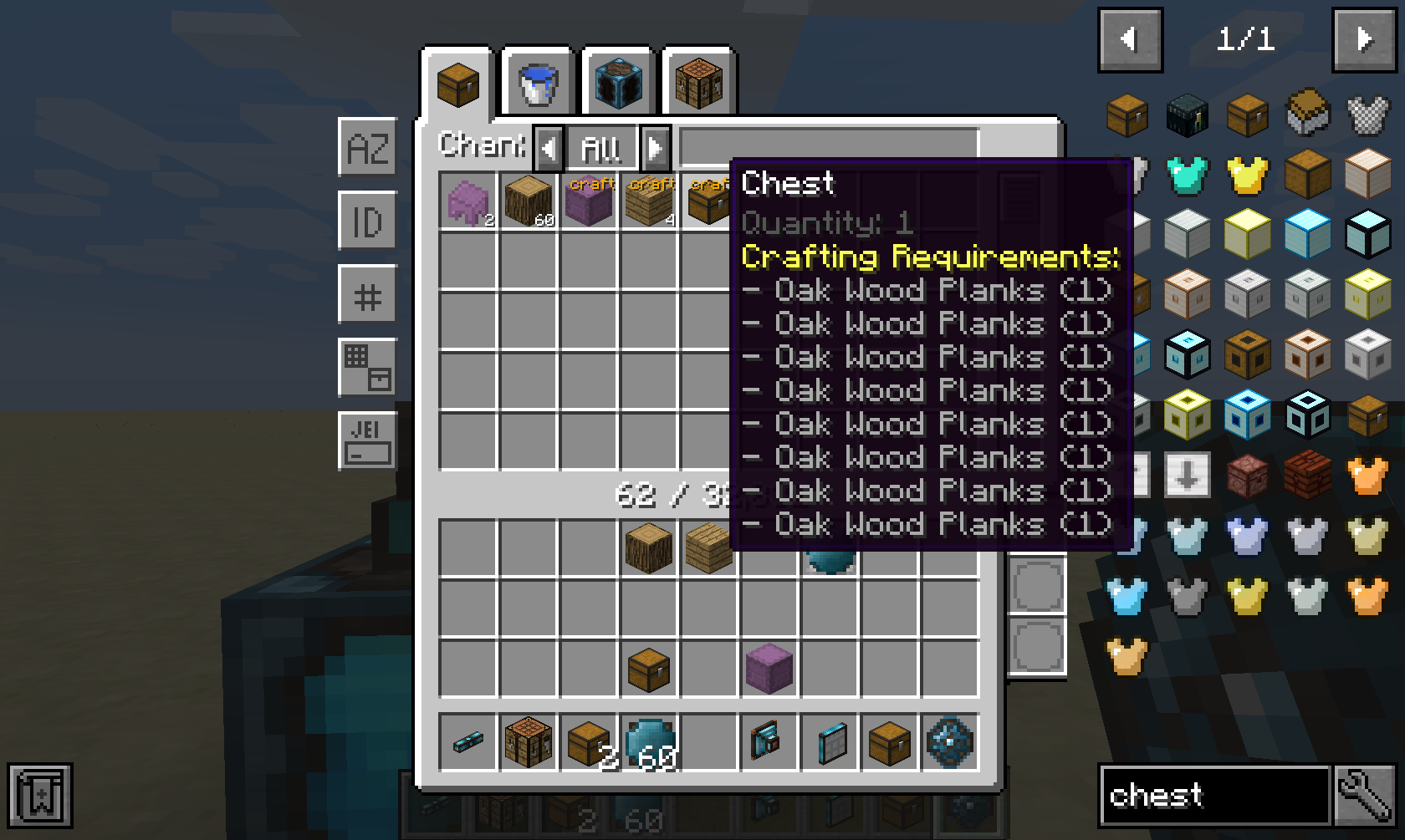
如果你安装了受支持的自合成模组(如 Integrated Crafting),那么网络中的所有合成选项都会显示出来。
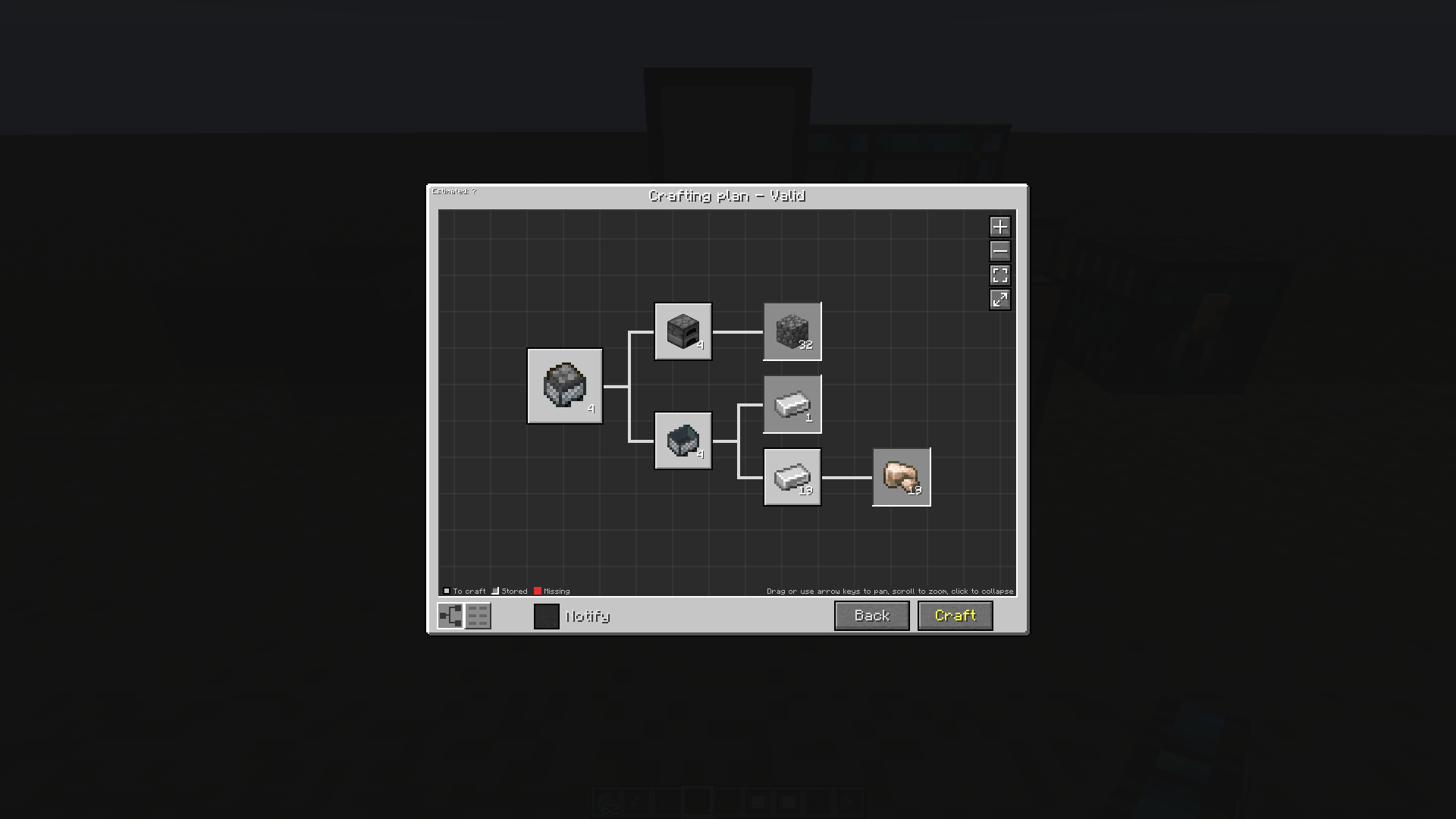
点击某个合成选项并提供数量后,会显示一个合成计划,确认后即可执行。
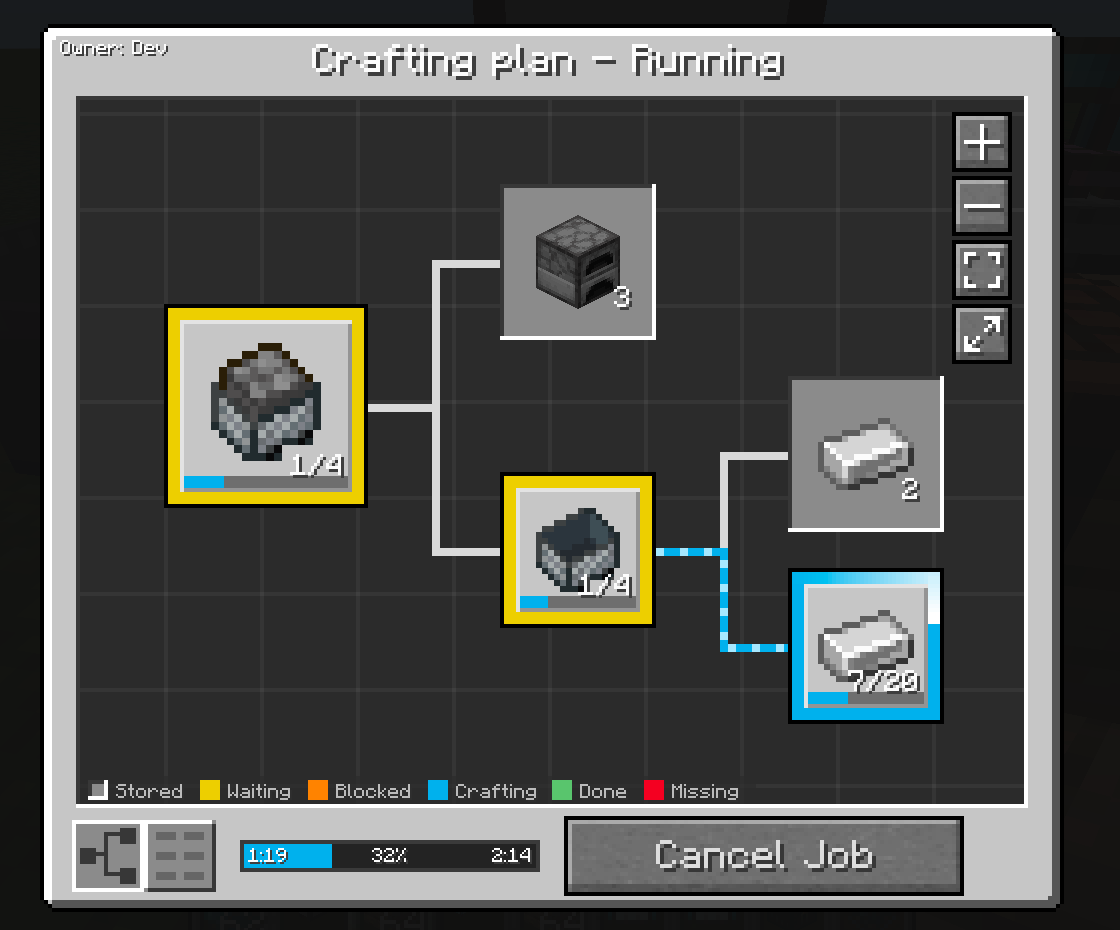
在本模组较新的版本中,会显示基于实时图表的合成计划视图。
合成任务终端
仅当你安装了受支持的自合成模组(如 Integrated Crafting)时,这部分才有用。
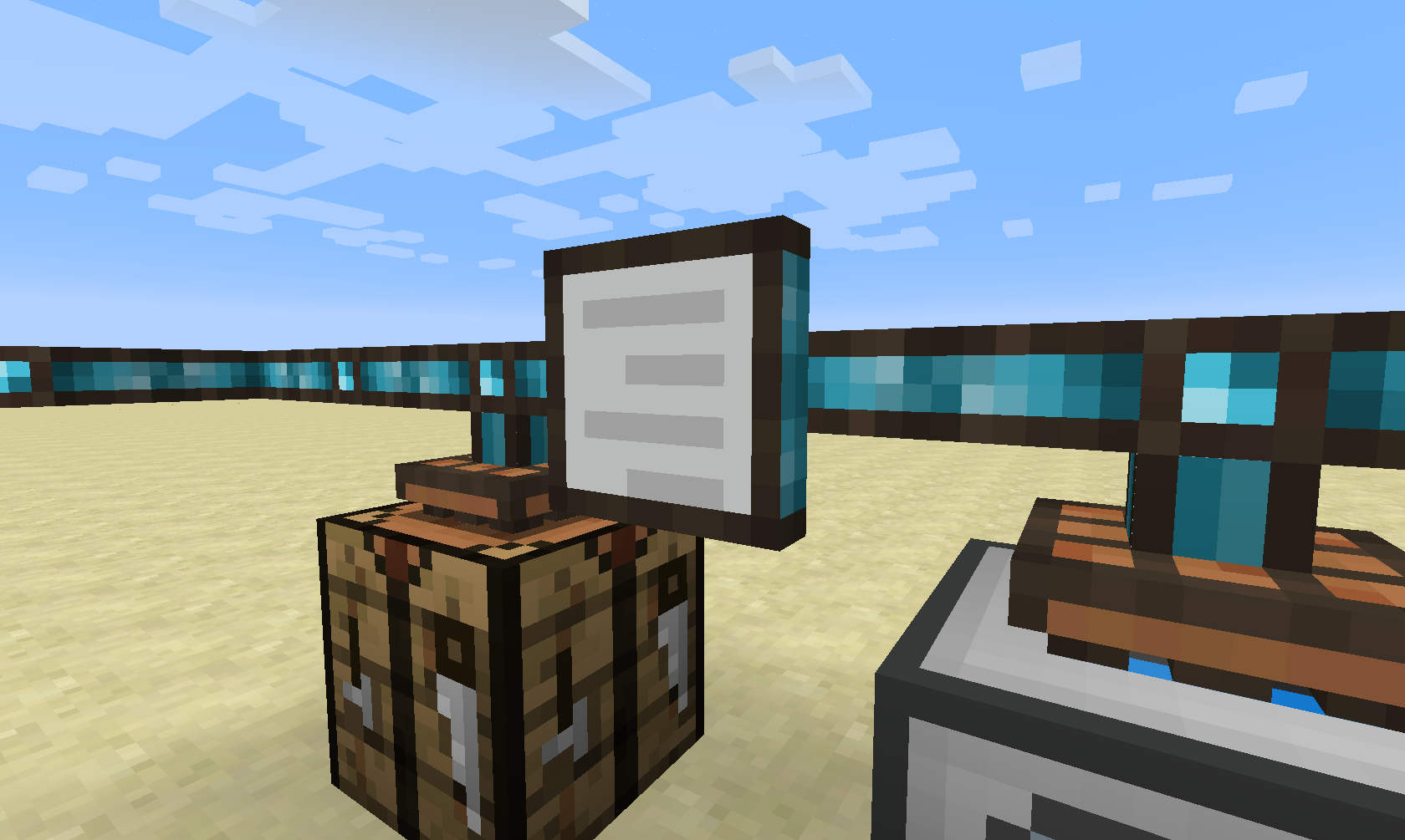
合成任务终端允许你查看网络中所有活动和待处理的合成任务。
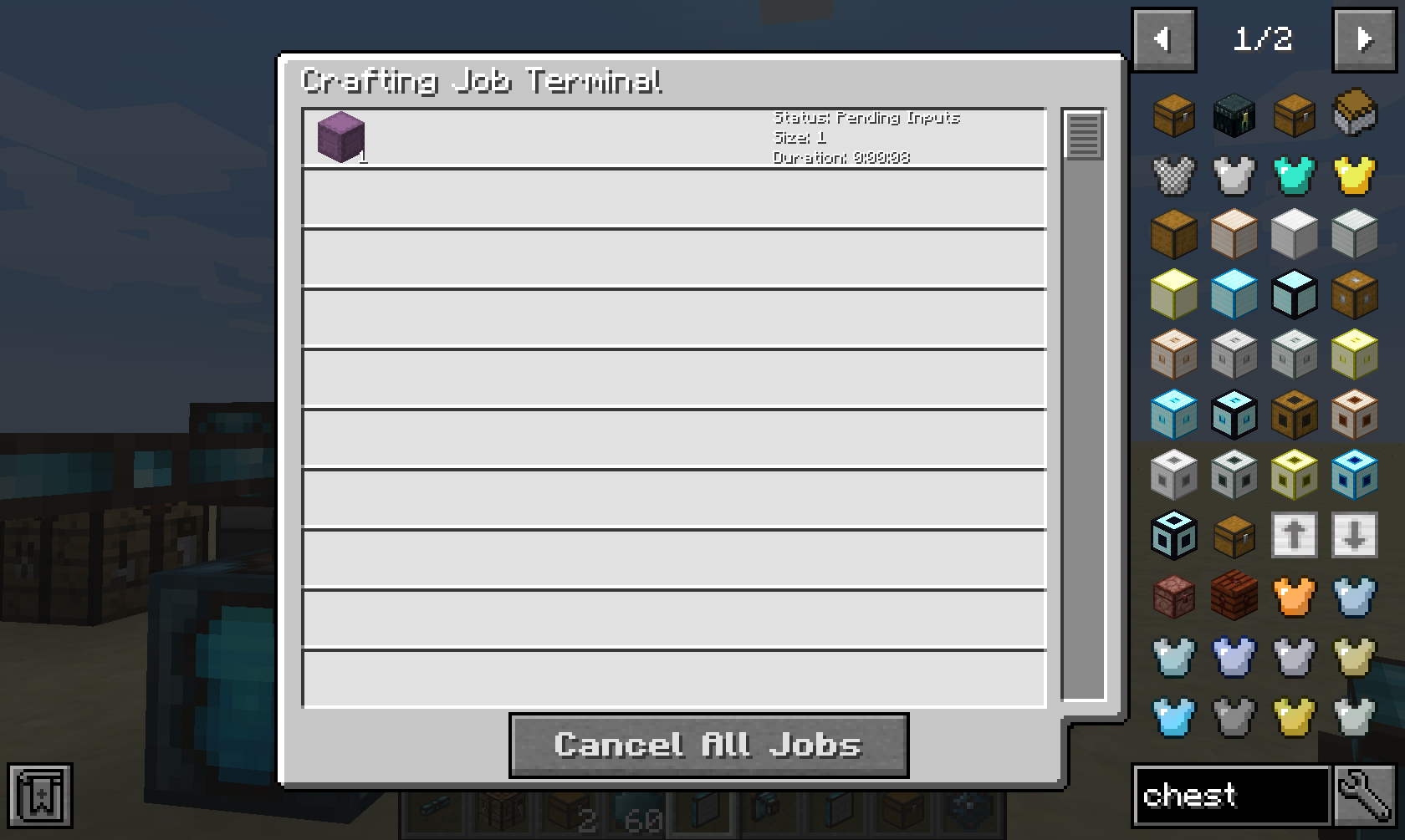
它会向你显示该网络中所有合成任务的实时列表,并为你提供取消它们的选项。
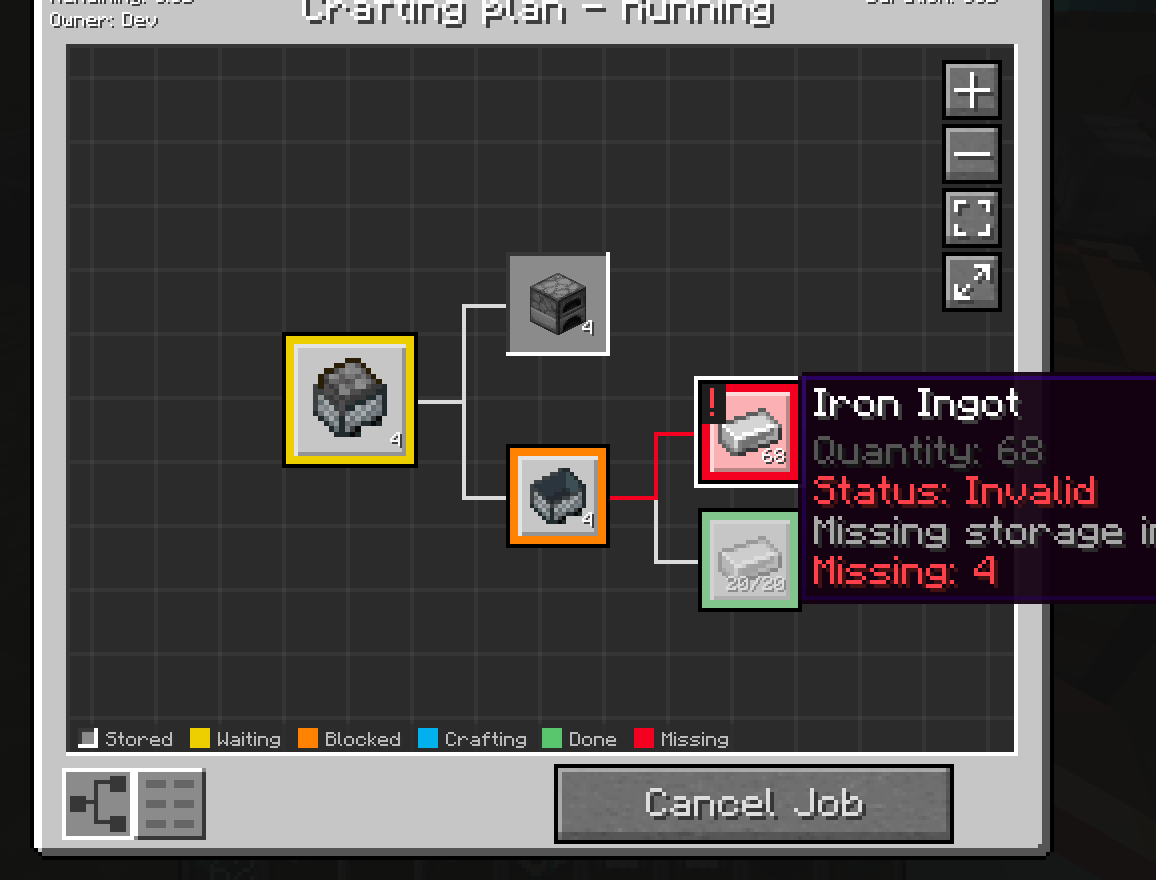
点击某个任务时,会显示更多详细信息,例如待处理的依赖项或缺失的物品、流体或能量。
本模组会收集匿名的启动数据,这可以在配置文件中禁用,并遵循 Minecraft 的窥探者设置。

在 Bisect Hosting 租用服务器时使用推荐码 cyclops 支持我们,首月可享 25% 折扣!
如果你喜欢这个模组,可以考虑在 Patreon 上支持我!
如何安装 Integrated Terminals
With Millida Launcher
Install Millida Launcher
The launcher is free: download it at millida.net/launcher and sign in with any nickname.
Click “Install” on this page
The launcher opens and installs the mod for Minecraft 1.12.2–26.3 on Forge or NeoForge automatically.
Launch the game
A profile with it appears in the launcher: click “Play”.
Manually
Install Forge or NeoForge
The loader must match the game version of the mod file, for example Minecraft 26.3. After installing it, a separate profile appears in your launcher.
Download the file for your version
In the version list above, pick the file integratedterminals-26.3-neoforge-1.7.0-1022.jar (837 KB) for your game version and loader.
Put it in the mods folder
The folder is inside .minecraft (Windows: %appdata%\.minecraft\mods). If it does not exist, create it.
Launch the loader profile
Open “Mods” in the main menu: Integrated Terminals should be in the list.
版本
含依赖项
| Minecraft | 加载器 | 文件 | 日期 | 操作 |
|---|---|---|---|---|
| 26.3 | NeoForge | integratedterminals-26.3-neoforge-1.7.0-1022.jar837 KB 2 | ||
| 1.21.1 | NeoForge | integratedterminals-1.21.1-neoforge-1.10.0.jar803 KB 5 | ||
| 1.20.1 | Forge, NeoForge | IntegratedTerminals-1.20.1-1.7.0.jar578 KB 2 | ||
| 1.12.2 | — | IntegratedTerminals-1.12.2-1.0.11.jar559 KB |
常见问题
Which Minecraft versions does Integrated Terminals work on?
There are files for 26.3, 1.21.1, 1.20.1, 1.12.2. The newest is 26.3.
Is Integrated Terminals for Forge or Fabric?
There are files for Forge: 1.20.1 and for NeoForge: 1.20.1–26.3. There are no files for Fabric: a mod for another loader will not start.
Does Integrated Terminals need other mods?
The author lists no required dependencies: the Forge or NeoForge loader is enough.
Where can I download Integrated Terminals safely?
On this page: the file integratedterminals-26.3-neoforge-1.7.0-1022.jar (837 KB) is stored on Millida’s server, with no link shorteners. SHA-1 checksum: f58f1989c7060710de66016733d35ac5dcf229a2.
评价
成为第一个评价 Integrated Terminals 的人


