

 NeoForge
 Fabric
 Quilt
Quilt Forge
ForgeInline
Inline is a minecraft library for rendering in-line with text. It has some player facing features, mostly for fun, but also to serve as examples and helpers for future devs.
Check out the gallery for some examples !
Player Facing Features
Clientside
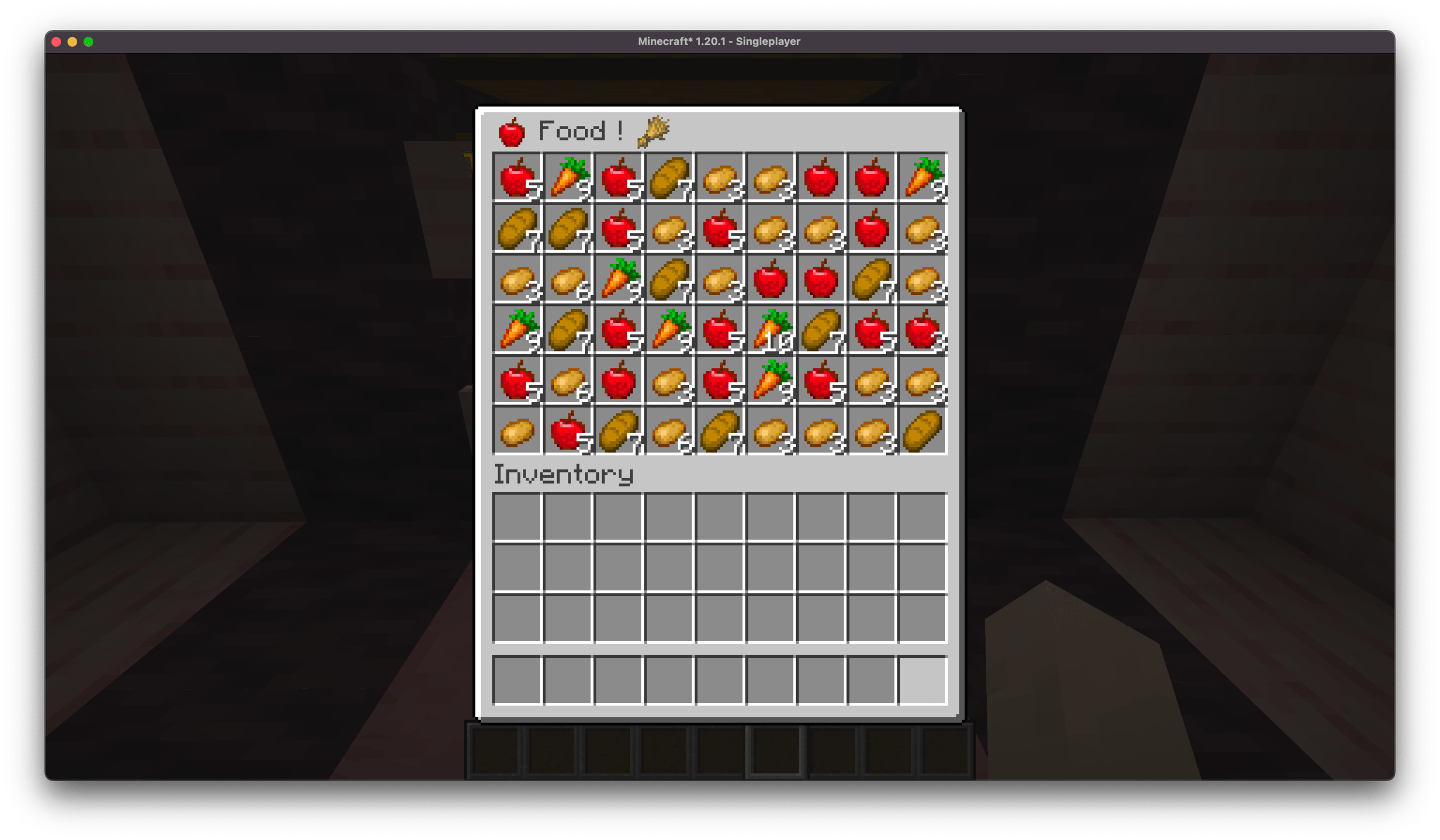
Inline comes with a couple of built-in matchers:
- Items -- ex: [item:diamond_sword] -- supports any item id
- Entity -- ex: [entity:pig] -- supports any entity type id
- Player heads -- ex: [face:samsthenerd] -- supports player name
- Mod Icon -- ex: [mod:inline]
You can use various characters in place of the :, some of which modify the size of the render, good for sign labels!
- ; and : are normal size
- , is x0.75 scale
- ! is x1.5 scale
- + is x2 scale
There's a clientside config for upper size limit of in-chat messages to prevent spam from blocking other messages.
You can also prefix any of these with \ to prevent it from matching.
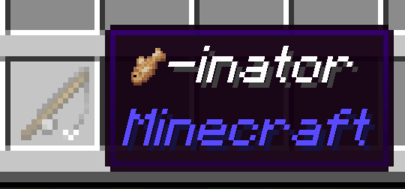
Some other mods, such as emi, rei, and probably others, add the name of the mod that an item comes from to its tooltip. Inline will look for this and attach the mod's icon to it.
All of these are configurable from the in-game config screen.
Create Interop
Inline renders can be used on the create display boards. Due to some limitations, it can be a bit iffy with display links where you need a wider display board than you'd think, otherwise it gets cut off and won't match/render properly.
Serverside
Server-side matchers match against [show:hand] or [show:offhand] to show off your currently held item in chat.
Known Mod Conflicts
- Emojiful - due to them replacing the text renderer, preventing inline's mixins from applying.
If you find any others, please open an issue about it !
Devs
Check out the readme for more information on developing with Inline !
如何安装 Inline
With Millida Launcher
Install Millida Launcher
The launcher is free: download it at millida.net/launcher and sign in with any nickname.
Click “Install” on this page
The launcher opens and installs the mod for Minecraft 1.20.1–1.21.1 on Fabric, Forge, NeoForge or Quilt automatically.
Launch the game
A profile with it appears in the launcher: click “Play”.
Manually
Install Fabric, Forge, NeoForge or Quilt
The loader must match the game version of the mod file, for example Minecraft 1.21.1. After installing it, a separate profile appears in your launcher.
Download the file for your version
In the version list above, pick the file inline-neoforge-1.21.1-1.2.2.jar (210 KB) for your game version and loader.
Put it in the mods folder
The folder is inside .minecraft (Windows: %appdata%\.minecraft\mods). If it does not exist, create it.
Launch the loader profile
Open “Mods” in the main menu: Inline should be in the list.
Minecraft 1.21.1 runs on Java 21: with a different Java version the game may close right after launch.
版本
含依赖项
| Minecraft | 加载器 | 文件 | 日期 | 操作 |
|---|---|---|---|---|
| 1.21.1 | NeoForge | Inline 1.21.1-1.2.2 [NeoForge]210 KB 2 | ||
| 1.21.1 | Fabric, Quilt | Inline 1.21.1-1.2.2 [Fabric]207 KB | ||
| 1.20.1 | Forge | Inline 1.20.1-1.2.2 [Forge]367 KB 10 |
评价
成为第一个评价 Inline 的人


