
关于
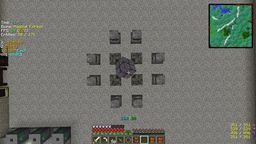
该模组允许你显示一个高度可自定义的“F3 屏幕”。它自带一个默认配置(XML 格式),你可以用自己的配置替换或修改。它支持 XML、JSON 和文本格式(bspkrs 格式的略微修改版)。
社区配置文件(“新”)
你可以在这里找到社区提交的配置文件列表。
如果你想贡献自己的配置文件,欢迎提交拉取请求(PR)或将配置文件发给我,我会帮你添加。
亮点
要求
- Minecraft Forge
- LunatriusCore(仅 1.7.2+)
安装
- 只需将文件放入你的 mods 文件夹。就这样。
用法(自定义)
- /igi - 显示所有可用的子命令(所有命令都可以通过按键自动补全)
- /igi save <TAB> - 保存当前加载的配置
- /igi taglist - 显示所有可用标签的列表
崩溃报告、翻译、建议
- 崩溃报告
- 翻译
- 建议
整合包:如果整合包是免费的(公开或私密),你可以自由地将任何模组包含在你的整合包中。提及我为作者会不胜感激,但并非必需。Youtube/直播:你可以将使用该模组制作的任何视频变现。
如何安装 InGame Info XML
With Millida Launcher
Install Millida Launcher
The launcher is free: download it at millida.net/launcher and sign in with any nickname.
Click “Install” on this page
The launcher opens and installs the mod for Minecraft 1.12.2 automatically.
Launch the game
A profile with it appears in the launcher: click “Play”.
Manually
Download the file for your version
In the version list above, pick the file InGameInfoXML-1.12.2-2.8.2.94-universal.jar (308 KB) for your game version.
Put it in the mods folder
The folder is inside .minecraft (Windows: %appdata%\.minecraft\mods). If it does not exist, create it.
Launch the loader profile
Open “Mods” in the main menu: InGame Info XML should be in the list.
Minecraft 1.12.2 runs on Java 8: with a different Java version the game may close right after launch.
版本
含依赖项
| Minecraft | 加载器 | 文件 | 日期 | 操作 |
|---|---|---|---|---|
| 1.12.2 | — | InGameInfoXML-1.12.2-2.8.2.94-universal.jar308 KB |
常见问题
Which Minecraft versions does InGame Info XML work on?
Only Minecraft 1.12.2: there are no files for other versions.
Which Java does InGame Info XML need?
Minecraft 1.12.2 runs on Java 8. If the game closes right after launch, the usual cause is the wrong Java version in the profile settings.
Where can I download InGame Info XML safely?
On this page: the file InGameInfoXML-1.12.2-2.8.2.94-universal.jar (308 KB) is stored on Millida’s server, with no link shorteners. SHA-1 checksum: 25740e4cffa45a47d13881656ec7ec7e5d02db8a.
评价
成为第一个评价 InGame Info XML 的人


