
适用于 Minecraft 1.7.10 的 Immersive Integration 模组
将 IE 与其他模组集成,并为 IE 本身添加一些实用内容
关于 Immersive Integration 模组
这个模组是Immersive Engineering的附属模组。其目标是添加符合IE风格,但放在IE本体中不太合理的方块和物品。这些物品将与其他模组、IE以及原版内容进行整合。
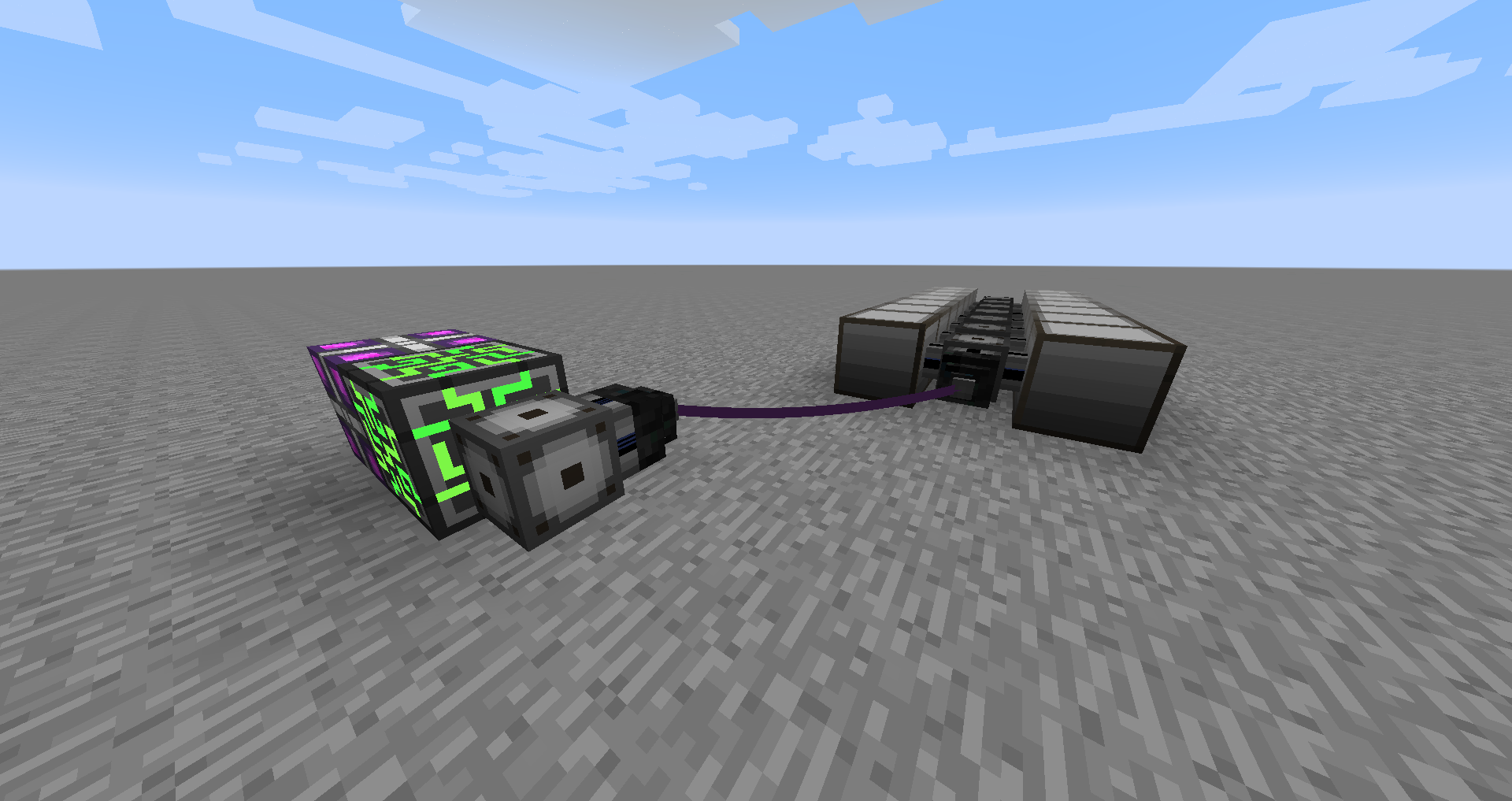
新内容:Immersive Integration v0.6.2
扩展立柱现在被可扩展立柱取代,它可以变得相当大……
之前的更新:
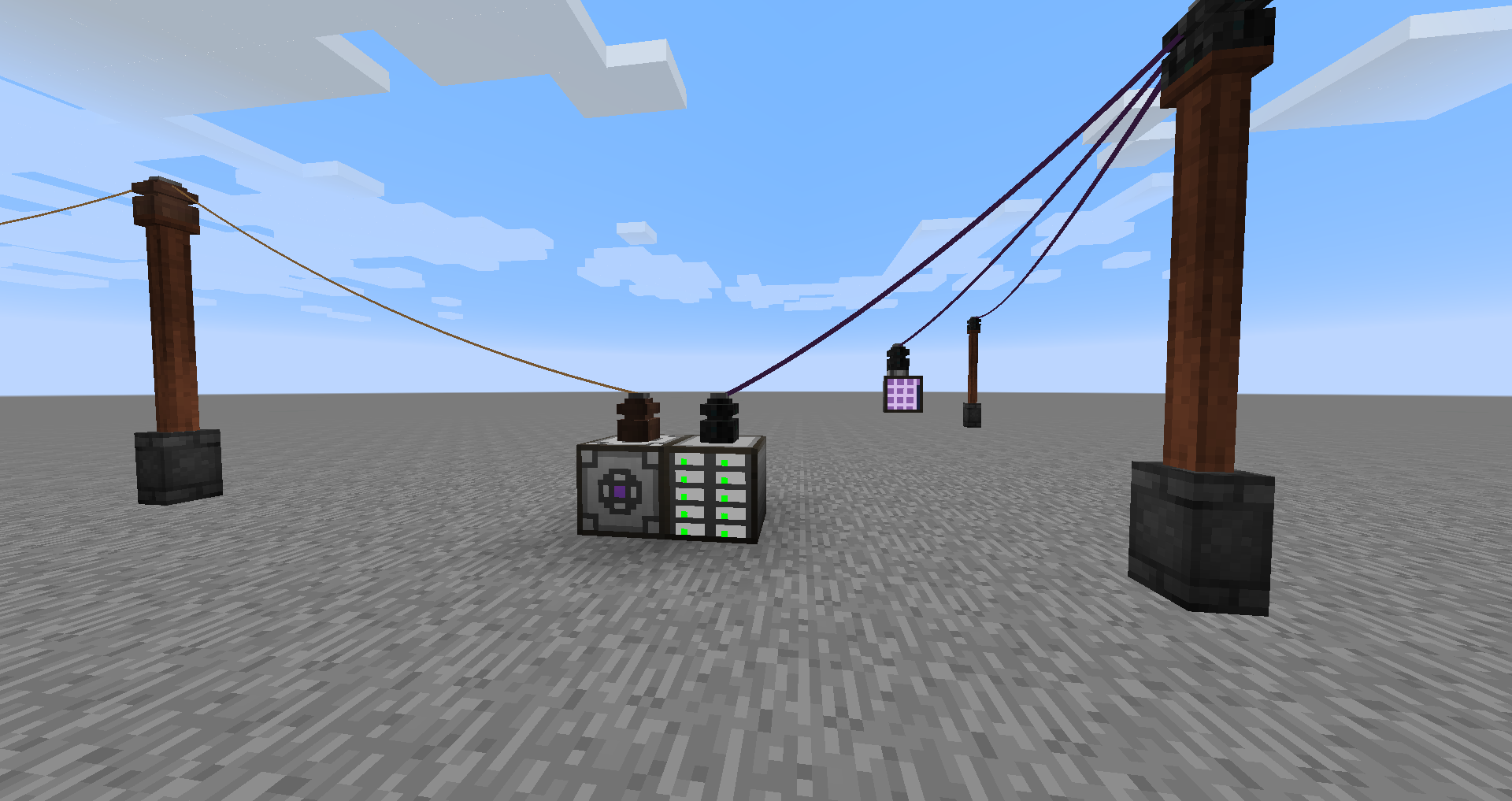
新内容:Immersive Integration v0.6.1
添加了感应充电器,有LV、MV和HV变体。右键点击或将物品扔到上面即可为其充电。
添加了箱装电容器,有LV、MV、HV和创造模式变体。使用感应充电器为其充电。你也可以将它们添加到Tinkers的工具上。
新内容:Immersive Integration v0.5.0
帮助
IE的游戏内手册中添加了一个Immersive Integration分类,其中包含所有方块和物品的更多详细信息。
方块和物品:
Applied Energistics 2:
- ME线缆连接器 - 用于延长两个ME变压器之间的线缆线路
- ME致密线缆连接器 - 与非致密版本相同,但用于致密线路。
- Fluix线圈 - 这是用于将ME线缆连接器连接在一起的线缆。
- 致密线圈 - 与Fluix线圈相同,但用于致密线缆连接器。
- ME变压器 - 连接到你的AE系统,将信号转换以便通过Fluix线缆传输。使用你的AE系统的能量。
- ME致密变压器 - 与非致密版本相同,但可承载32个频道。
Immersive Engineering
- 木柱扩展件 - 放置在木柱顶部,以增加更多放置线缆连接器的位置。像使用木柱一样使用锤子来添加支臂。
- 钢制活板门 - 只是一个钢制活板门,但它只能由红石激活。这主要用于未来的新增内容。
- 工业焦炉 - 一个巨大的多方块结构,可以同时生产4个焦煤,且速度和产量都有所提升。
- 感应充电器(LV、MV、HV) - 为Tinkers的工具、AE工具、热力膨胀工具和电容器等物品充电。
- 箱装电容器(LV、MV、HV、创造模式) - 便携式电源,可用于为手中的物品充电,也可添加到Tinkers的工具上。
Minecraft
- 红石线缆连接器 - 通过红石线缆传输红石信号。连接器可以设置为输入或输出,并设置为16个频道之一。所有16个频道都通过线缆传输。用锤子右键点击可设置输入/输出,按住Shift右键点击可更改频道。
- 红石线圈 - 用于将红石线缆连接器连接在一起。
Tinker's Construct
- 将箱装电容器添加到你的工具上,并使用感应充电器为其充电。
截图:
安装
需要Immersive Engineering v0.6.1或更高版本
模组特定功能仅在安装了该模组并启用了配置时才会启用(默认启用)
源码
源代码可在Github上获取
整合包
你可以在任何整合包中使用它。
如何安装 Immersive Integration
With Millida Launcher
Install Millida Launcher
The launcher is free: download it at millida.net/launcher and sign in with any nickname.
Click “Install” on this page
The launcher opens and installs the mod for Minecraft 1.7.10 automatically.
Launch the game
A profile with it appears in the launcher: click “Play”.
Manually
Download the file for your version
In the version list above, pick the file immersiveintegration-0.6.8.jar (295 KB) for your game version.
Put it in the mods folder
The folder is inside .minecraft (Windows: %appdata%\.minecraft\mods). If it does not exist, create it.
Launch the loader profile
Open “Mods” in the main menu: Immersive Integration should be in the list.
Minecraft 1.7.10 runs on Java 8: with a different Java version the game may close right after launch.
版本
含依赖项
| Minecraft | 加载器 | 文件 | 日期 | 操作 |
|---|---|---|---|---|
| 1.7.10 | — | Immersive Integration v0.6.8295 KB | ||
| 1.7.10 | — | Immersive Integration v0.6.2294 KB |
评价
成为第一个评价 Immersive Integration 的人


