
 NeoForge
 Fabric
 Forge
关于 Game Discs 模组
🏆 CurseForge modjam - Modding madness 获胜者 🏆
关于此模组
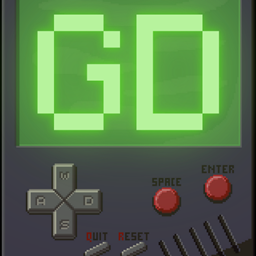
GameDiscs 模组通过将一台复古游戏机直接加入游戏,为 Minecraft 带来了全新的乐趣!无需离开 Minecraft,即可畅玩你最喜欢的经典游戏。合成这台超棒的游戏机,在方块世界中重温游戏历史。准备好开机游玩了吗?冒险正在等待!
GameDiscs 模组 - 畅玩经典,合成回忆!
冒险开始……
你可以通过以下合成配方获得游戏机:
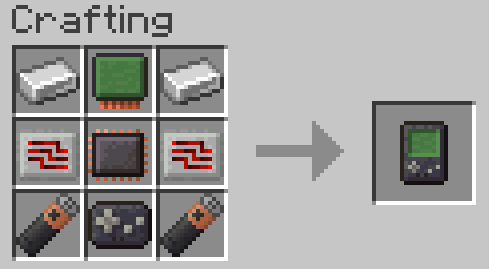
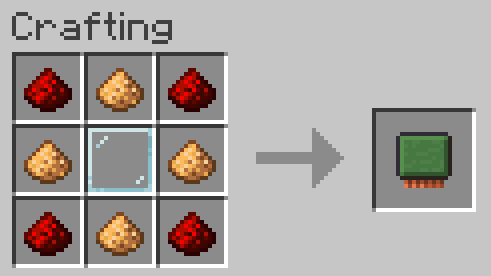
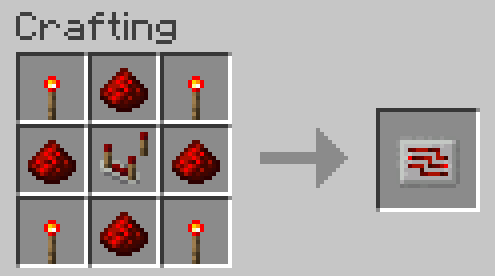

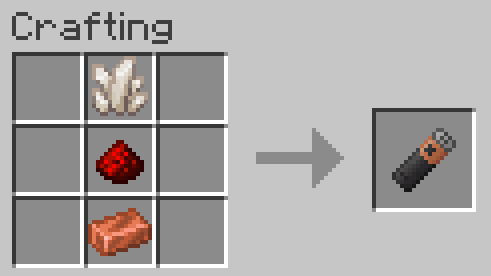
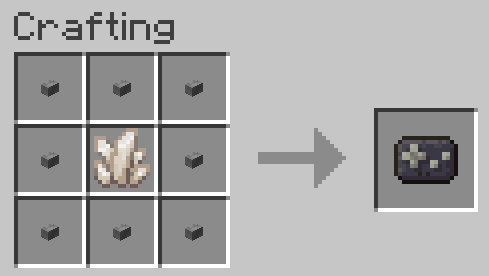
游戏可以在以下结构中的箱子里找到
- 刷怪笼房间
- 要塞
- 末地城
- 林地府邸
- 埋藏的宝藏
- 堡垒遗迹
- 废弃传送门
- 远古城市
- 废弃矿井
- 丛林神庙
- 沙漠神殿
这些箱子中每个都有 10% 的概率生成一张游戏光盘
如果蜜蜂、史莱姆、青蛙或兔子被骷髅杀死,它们有 100% 的概率掉落对应的游戏光盘
如何……
要用游戏机玩游戏,你需要将游戏放在物品栏中。右键点击游戏机打开菜单,用 W 和 S 键选择你最喜欢的游戏,按空格键或回车键进入游戏,然后使用 W、S、A、D、空格、回车等基本控制开始游玩,甚至可以使用退出按钮(Q)或重置按钮(R)。
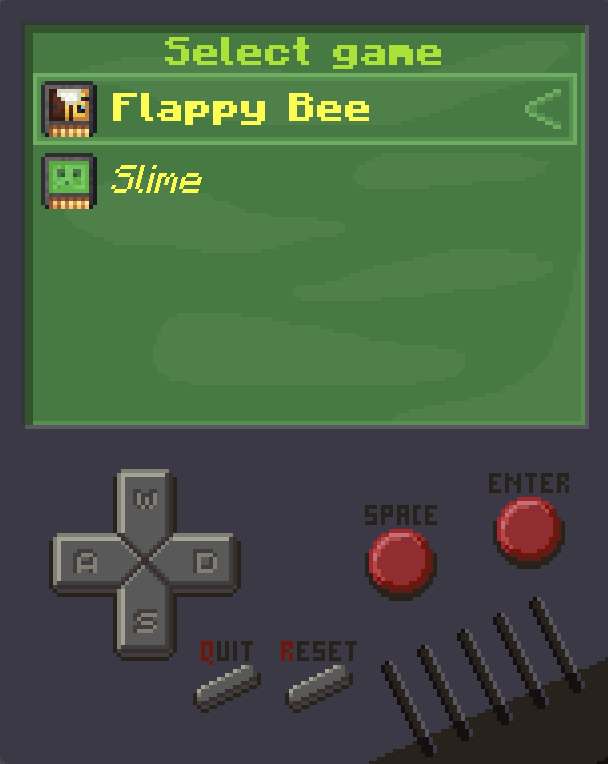
当前游戏(未来会有更多):
Flappy Bee
让你的蜜蜂拍打翅膀,避开管道
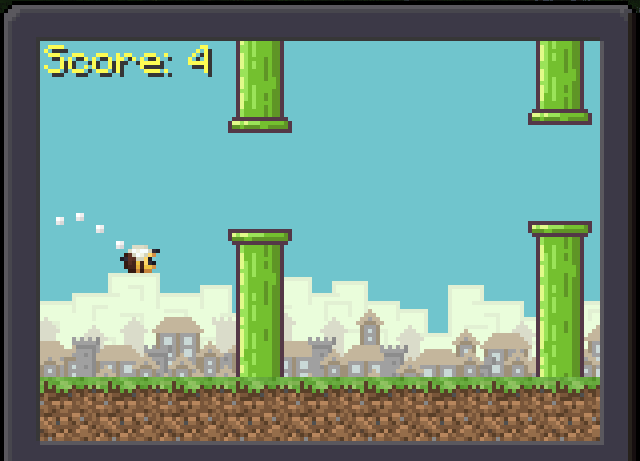
按空格或回车拍打翅膀
Slime
控制你长长的黏滑身体,吃掉苹果
不要撞到自己
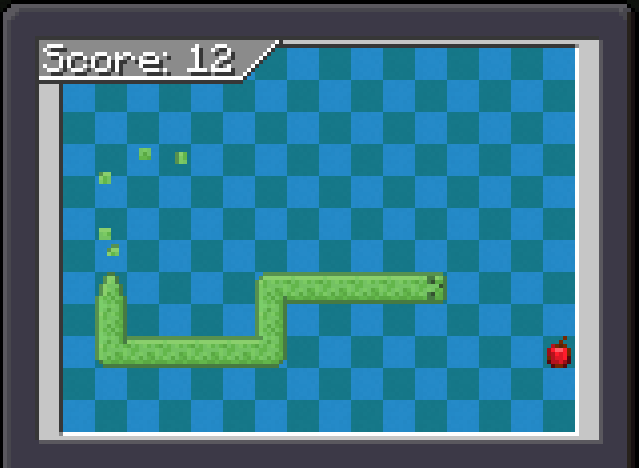
用 W、S、A 和 D 改变方向
Blocktris
将方块放入狭小空间,填满整行来得分
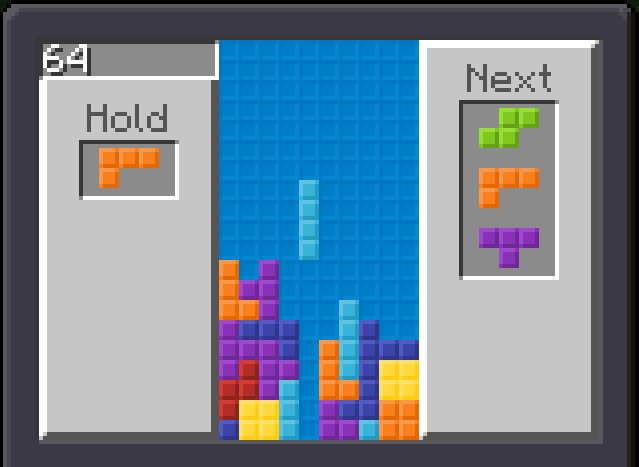
用 A 和 D 移动,用 W 旋转,用 S 下移,用空格硬降,用回车暂存
TNTsweeper
让这个地方重新变得安全
挖出安全的格子,并通过已挖出格子周围有多少 TNT 来推断并揭示地下的 TNT。当你挖出所有安全格子,并用旗帜标记所有 TNT 时,你就赢了。尽量不要把自己炸飞 :)
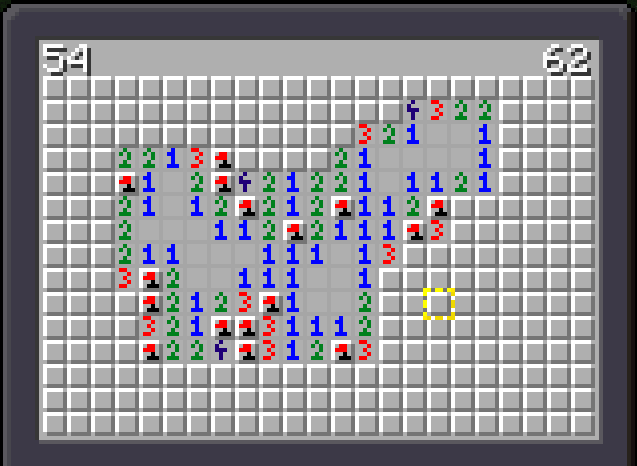
用 W、S、A 和 D 移动选择框。用空格挖掘,用回车放置/移除旗帜
Pong
移动你的球拍,不要让球越过你
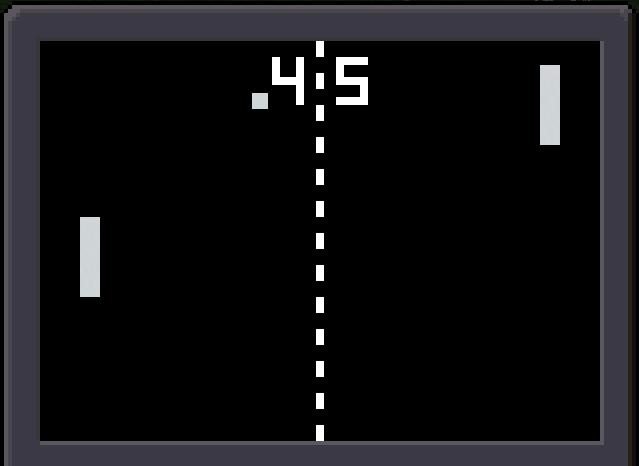
用 W 和 S 移动球拍
Froggie
带领全部五只青蛙一路回到家
穿过铁轨,不要被矿车撞到,跳过河里的原木和乌龟
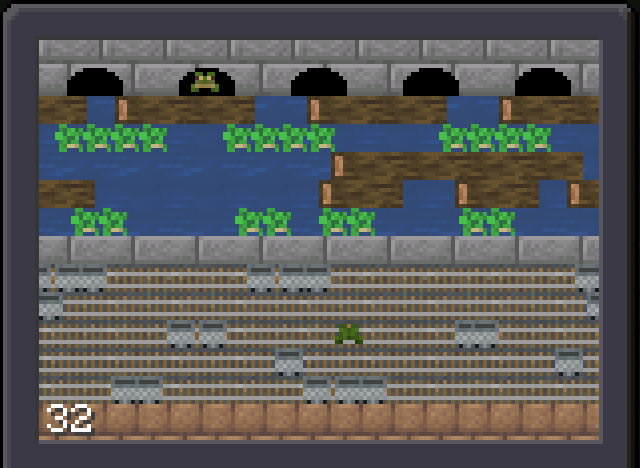
用 W、S、A 和 D 跳跃
Rabbit
穿越沙漠
奔跑,避开仙人掌
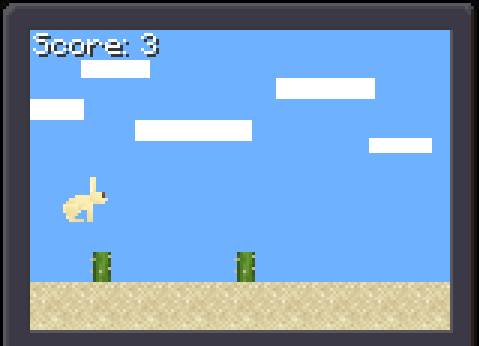
用回车或空格跳跃
常见问题
问:未来会有更多游戏吗?
答:我们的团队非常小,而且我们还有很多其他模组的想法。我们很想制作更多游戏,但这目前不是我们的优先事项。
问:其他 Minecraft 版本呢?
答:关于更新版本的 Minecraft,我们计划更新所有模组,包括 Game Discs。但这需要一些时间。
问:会有 Doom 吗?
答:很可能不会。但如果我有很多空闲时间,制作它会很有趣。如果你愿意,可以在 ko-fi 上支持我,这样我就能更专注于改进我的模组并创作新的模组
有反馈?我们很想听!
加入我们的官方 [Discord] 服务器,分享你的想法、错误报告和建议!成为我们社区的一员,与其他玩家交流,和新朋友(以及老朋友)一起玩得开心。到时候见!
翻译
- 英语
- 德语 by Theshadowlp
- 法语 by NooB200
- 俄语 by xaxilin
- 简体中文 by MC-Nirvana
开发者
Tejty - 创始人兼所有者,程序员,美术
Theshadowlp "Shadowbeastlp" - 程序员
CrownSheep - Fabric 版本维护者
Wolfieboy09 - NeoForge 版本维护者
贡献者
Cebularz - 创意构思者
A Wanderer - 创意构思者
mckeith1776 - 移植到 Fabric 1.21.4 和 1.21.5
此模组由 TejtyCraft-Mods 团队在 Tejty 的带领下为 "CurseForge ModJam - Minecraft Modding Madness 2024" 制作
如何安装 Game Discs
With Millida Launcher
Install Millida Launcher
The launcher is free: download it at millida.net/launcher and sign in with any nickname.
Click “Install” on this page
The launcher opens and installs the mod for Minecraft 1.20.1–1.21.6 on Fabric, Forge or NeoForge automatically.
Launch the game
A profile with it appears in the launcher: click “Play”.
Manually
Install Fabric, Forge or NeoForge
The loader must match the game version of the mod file, for example Minecraft 1.21.6. After installing it, a separate profile appears in your launcher.
Download the file for your version
In the version list above, pick the file GameDiscs-0.3.2-neoforge-1.21.6.jar (240 KB) for your game version and loader.
Put it in the mods folder
The folder is inside .minecraft (Windows: %appdata%\.minecraft\mods). If it does not exist, create it.
Launch the loader profile
Open “Mods” in the main menu: Game Discs should be in the list.
Minecraft 1.21.6 runs on Java 21: with a different Java version the game may close right after launch.
版本
含依赖项
| Minecraft | 加载器 | 文件 | 日期 | 操作 |
|---|---|---|---|---|
| 1.21.6 | NeoForge | Game Discs 1.21.6 NeoForge 0.3.2240 KB | ||
| 1.21.6 | Fabric | Game Discs 1.21.6 Fabric 0.3.2234 KB | ||
| 1.20.1 | Forge | Game Discs 1.20.1 Forge 0.3.2236 KB 2 | ||
| 1.20.1 | Forge | Game Discs 1.20.1 Forge 0.140.4 KB |
常见问题
Which Minecraft versions does Game Discs work on?
There are files for 1.21.6, 1.20.1. The newest is 1.21.6.
Is Game Discs for Forge or Fabric?
There are files for Fabric: 1.21.6, for Forge: 1.20.1 and for NeoForge: 1.21.6.
Does Game Discs need other mods?
The author lists no required dependencies: the Fabric, Forge or NeoForge loader is enough.
Which Java does Game Discs need?
Minecraft 1.21.6 runs on Java 21. If the game closes right after launch, the usual cause is the wrong Java version in the profile settings.
Where can I download Game Discs safely?
On this page: the file GameDiscs-0.3.2-neoforge-1.21.6.jar (240 KB) is stored on Millida’s server, with no link shorteners. SHA-1 checksum: f2e126065d6eaf8214d177d6834d6b9e56d5f491.
评价
成为第一个评价 Game Discs 的人


