

适用于 Minecraft 1.21.1, 1.21 的 Formations Nether 模组
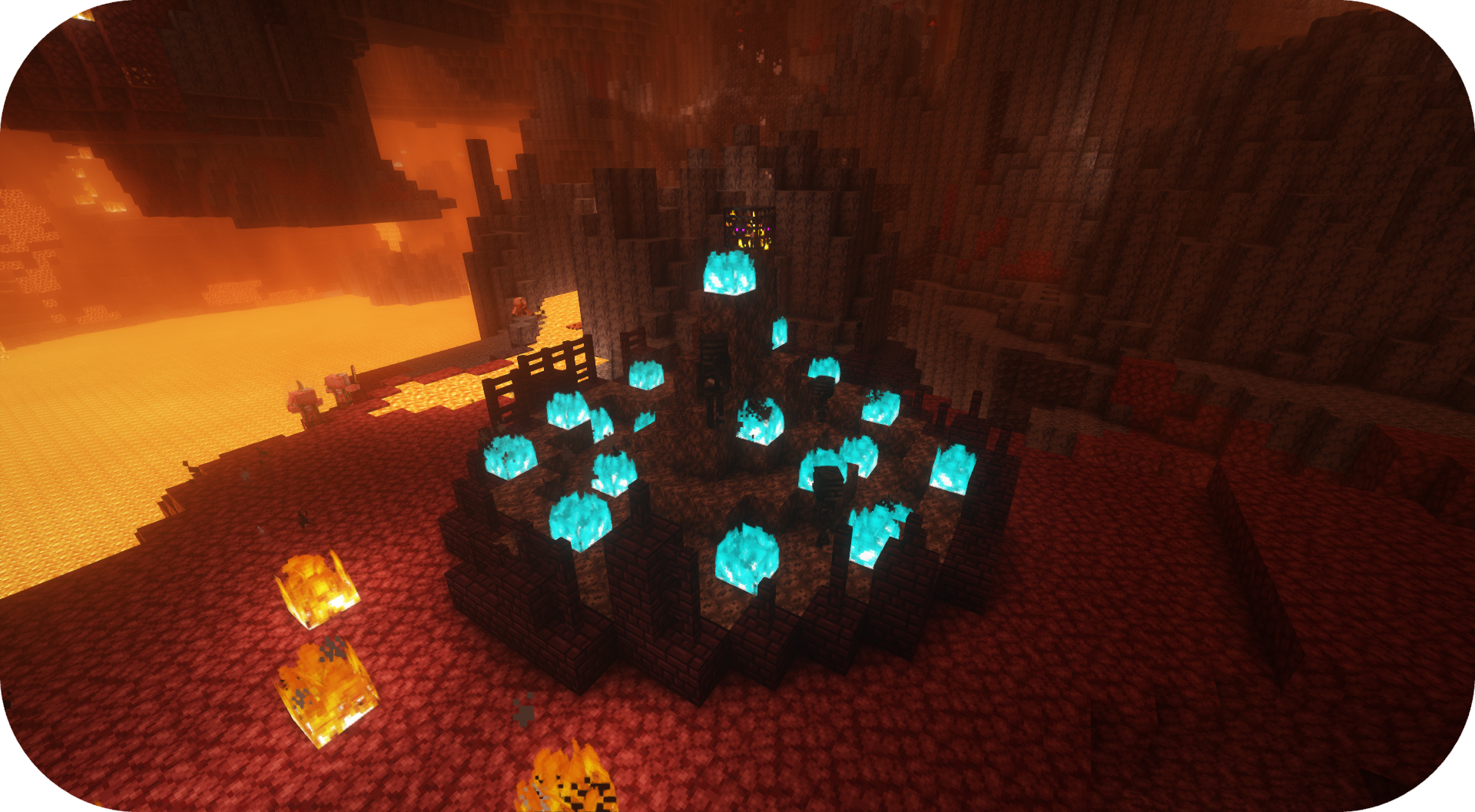
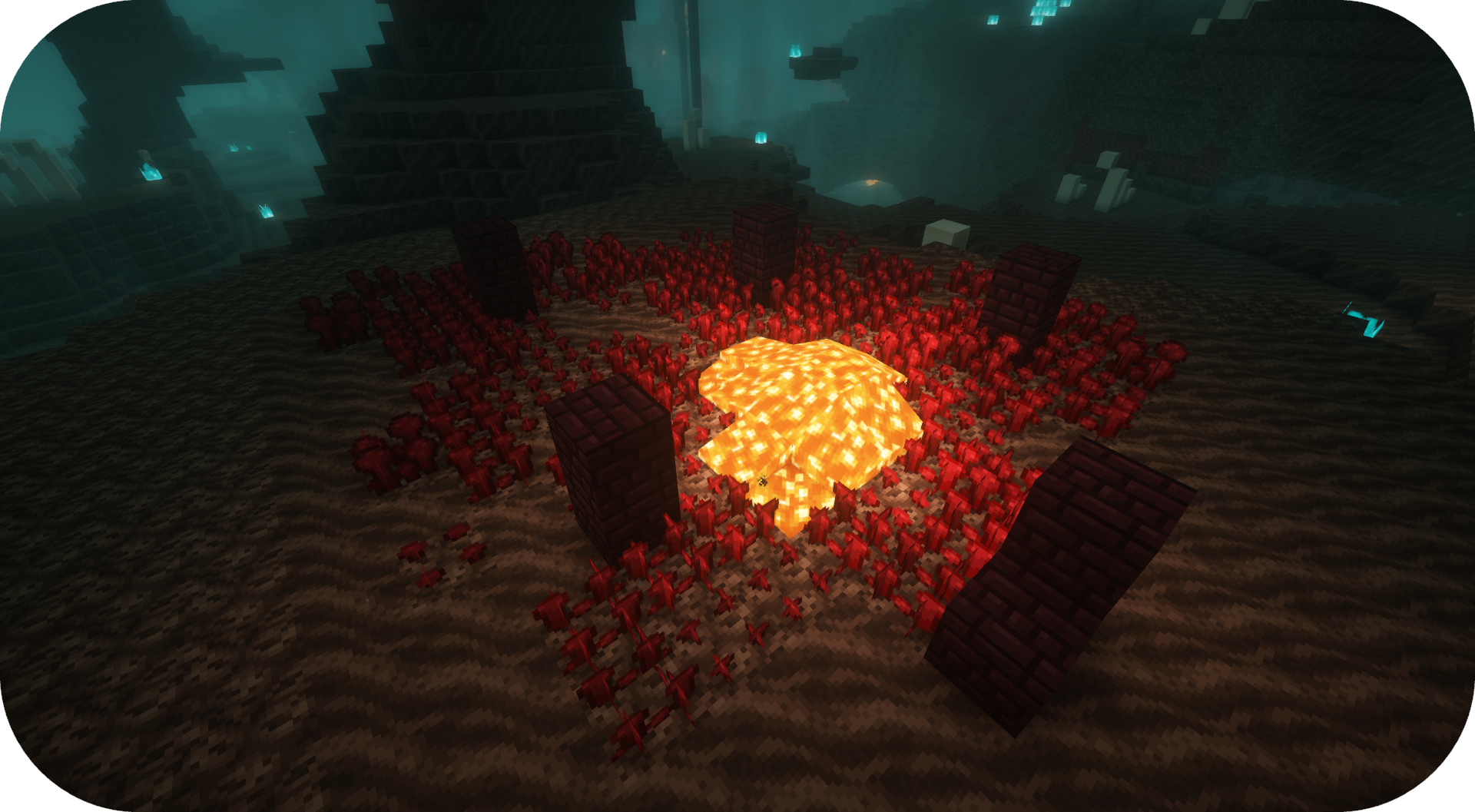
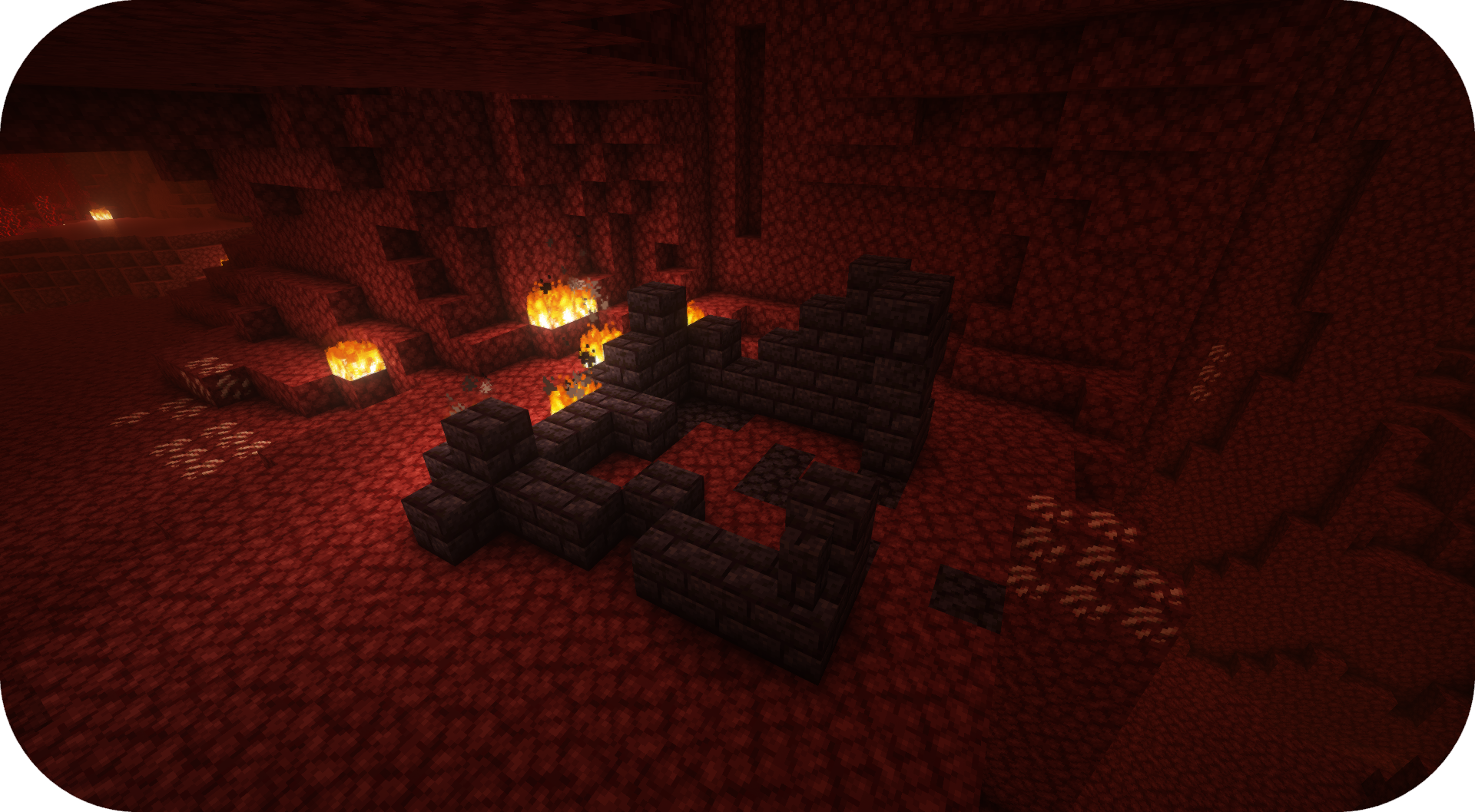
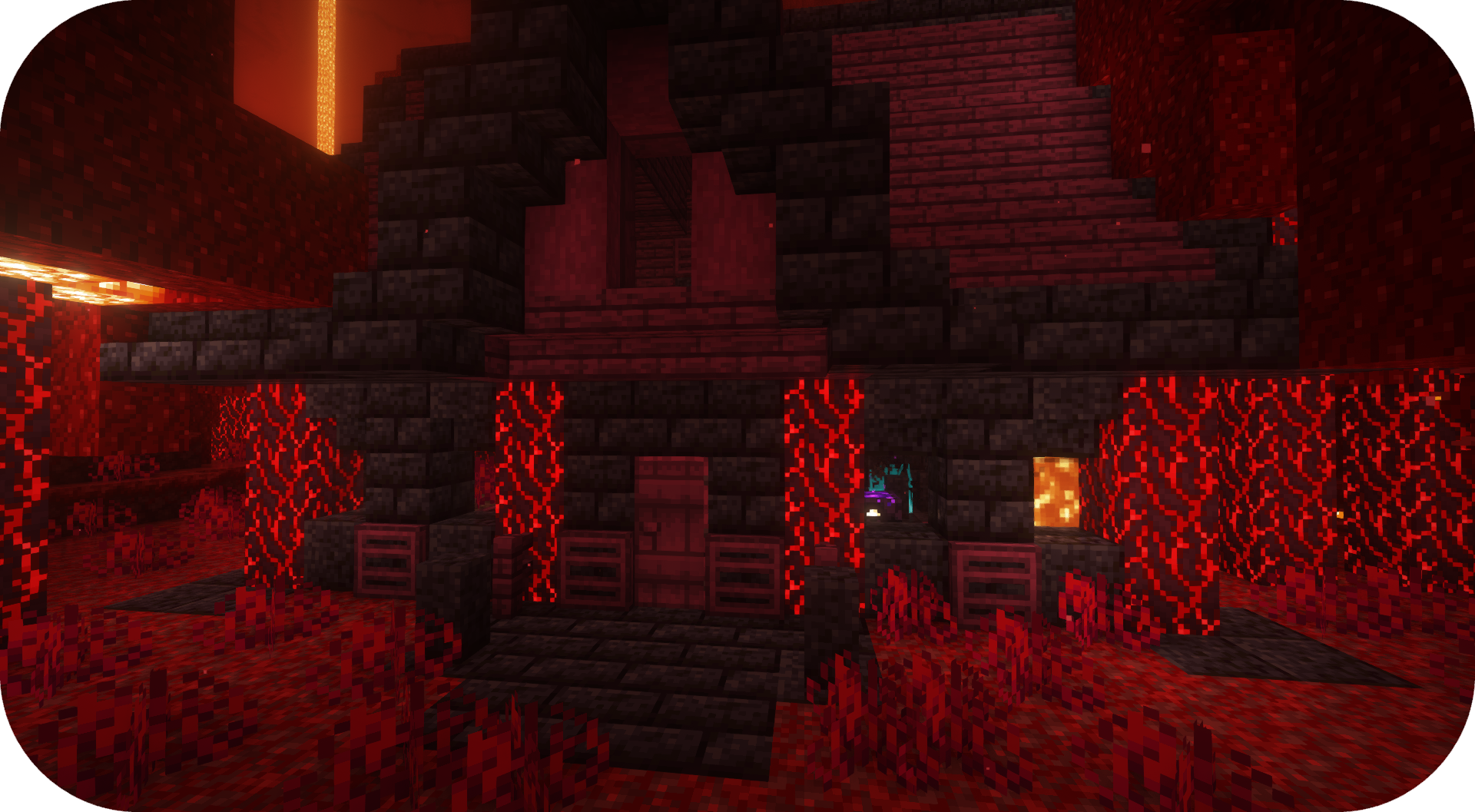
Formations Nether 为下界添加了大量新结构!
 Fabric
 Forge
Forge NeoForge
 Quilt
QuiltFormations Nether 为下界添加了大量新结构!
结构
以下是你可以在 Formations Nether 中找到的一些结构示例。更多图片请查看图片画廊。
常见问题
我可以在我的整合包中使用你的模组吗?可以,欢迎在我的整合包中使用我的模组

Discord
想了解未来内容、即将推出的模组以及参与讨论,欢迎加入 SuperMartijn642 的 Discord 服务器

如何安装 Formations Nether
With Millida Launcher
Install Millida Launcher
The launcher is free: download it at millida.net/launcher and sign in with any nickname.
Click “Install” on this page
The launcher opens and installs the mod for Minecraft 1.21–26.3 on Fabric, Forge, NeoForge or Quilt automatically, together with its dependencies: Formations (Structure Library).
Launch the game
A profile with it appears in the launcher: click “Play”.
Manually
Install Fabric, Forge, NeoForge or Quilt
The loader must match the game version of the mod file, for example Minecraft 26.3. After installing it, a separate profile appears in your launcher.
Download the file for your version
In the version list above, pick the file formationsnether-1.0.5b-mc1.21+.jar (323 KB) for your game version and loader.
Put it in the mods folder
The folder is inside .minecraft (Windows: %appdata%\.minecraft\mods). If it does not exist, create it. Required dependencies go there too: Formations (Structure Library).
Launch the loader profile
Open “Mods” in the main menu: Formations Nether should be in the list.
On a server
A server on Fabric, Forge, NeoForge or Quilt
The mod only works on a server with the same loader and game version, for example 26.3.
File goes into the server’s mods folder
Stop the server, put the mod file into the mods folder and start the server again.
Use the “To server” button
On Millida Hosting, the button at the top of the page uploads the file to your server and restarts it for you.
版本
含依赖项
| Minecraft | 加载器 | 文件 | 日期 | 操作 |
|---|---|---|---|---|
| 26.3 | Fabric, Forge, NeoForge, Quilt | 26.3323 KB 17 | ||
| 26.1 | Fabric, Forge, NeoForge, Quilt | 26.1920 KB 1 | — |
评价
成为第一个评价 Formations Nether 的人


