
关于 Fat Cat 模组
Fat Cat 是 Darkosto 为 SevTech Ages 整合包制作的生物模组。
这个模组向游戏中添加了一个生物和一件物品。
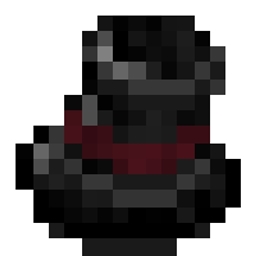
Fat Cat Industrialists 是穿着考究的维多利亚绅士,戴着高顶礼帽,品味不凡。
有配置选项可以设置 Industrialist 的生成率以及一些攻击设置。
每个 Industrialist 生成时都会有一个由 3 部分组成的名字;头衔、名字和姓氏——一些时髦的名字已预先配置好,如果你想添加自己的名字,也可以由玩家配置。
Fat Cat Industrialist 有 1/5 的几率掉落一顶玩家可佩戴的高顶礼帽(带有随机属性和蒸汽动力外观)。
如何安装 Fat Cat
With Millida Launcher
Install Millida Launcher
The launcher is free: download it at millida.net/launcher and sign in with any nickname.
Click “Install” on this page
The launcher opens and installs the mod for Minecraft 1.12.2 automatically.
Launch the game
A profile with it appears in the launcher: click “Play”.
Manually
Download the file for your version
In the version list above, pick the file FatCat-0.0.5.jar (40 KB) for your game version.
Put it in the mods folder
The folder is inside .minecraft (Windows: %appdata%\.minecraft\mods). If it does not exist, create it.
Launch the loader profile
Open “Mods” in the main menu: Fat Cat should be in the list.
Minecraft 1.12.2 runs on Java 8: with a different Java version the game may close right after launch.
版本
含依赖项
| Minecraft | 加载器 | 文件 | 日期 | 操作 |
|---|---|---|---|---|
| 1.12.2 | — | FatCat-0.0.5.jar40.2 KB 2 |
常见问题
Which Minecraft versions does Fat Cat work on?
Only Minecraft 1.12.2: there are no files for other versions.
Which Java does Fat Cat need?
Minecraft 1.12.2 runs on Java 8. If the game closes right after launch, the usual cause is the wrong Java version in the profile settings.
Where can I download Fat Cat safely?
On this page: the file FatCat-0.0.5.jar (40 KB) is stored on Millida’s server, with no link shorteners. SHA-1 checksum: f21649bb39d2744c8cc282a49d3a8ef1b65b25a5.
评价
成为第一个评价 Fat Cat 的人


