
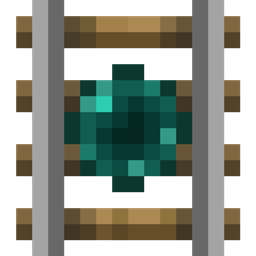
关于 Extra Rails 模组
Extra Rails 添加了五种额外的铁轨。
更新后的文档
锁定铁轨
锁定铁轨会将矿车固定在其上方,直到它接收到红石信号,此时它会将矿车朝其面向的方向推进。
方向铁轨
方向铁轨的作用类似于充能铁轨,但它只会将矿车朝其面向的方向推进。
传送铁轨
传送铁轨会将其上方的矿车传送到与之相连的另一条传送铁轨处。
要连接传送铁轨,请右键点击它们打开 GUI,并使用 3 个颜色选择器为铁轨选择一个频率。对另一条传送铁轨执行相同操作,矿车就能来回传送了。
注意:如果同一频率上有超过 2 条传送铁轨,目的地可能是随机的。
其他铁轨列在新的 wiki 上。
如何安装 Extra Rails
With Millida Launcher
Install Millida Launcher
The launcher is free: download it at millida.net/launcher and sign in with any nickname.
Click “Install” on this page
The launcher opens and installs the mod for Minecraft 1.12–1.12.2 automatically.
Launch the game
A profile with it appears in the launcher: click “Play”.
Manually
Download the file for your version
In the version list above, pick the file ExtraRails-1.12-1.3.0.jar (52 KB) for your game version.
Put it in the mods folder
The folder is inside .minecraft (Windows: %appdata%\.minecraft\mods). If it does not exist, create it.
Launch the loader profile
Open “Mods” in the main menu: Extra Rails should be in the list.
Minecraft 1.12.2 runs on Java 8: with a different Java version the game may close right after launch.
版本
含依赖项
| Minecraft | 加载器 | 文件 | 日期 | 操作 |
|---|---|---|---|---|
| 1.12 | — | ExtraRails-1.12-1.3.0.jar52.3 KB |
常见问题
Which Minecraft versions does Extra Rails work on?
There are files for 1.12.2, 1.12. The newest is 1.12.2.
Which Java does Extra Rails need?
Minecraft 1.12.2 runs on Java 8. If the game closes right after launch, the usual cause is the wrong Java version in the profile settings.
Where can I download Extra Rails safely?
On this page: the file ExtraRails-1.12-1.3.0.jar (52 KB) is stored on Millida’s server, with no link shorteners. SHA-1 checksum: 3138107d09de62c06e7cf15c06fe53bede03002b.
评价
成为第一个评价 Extra Rails 的人


