
描述
这个模组允许你使用 json 文件修改主菜单,你可以修改原版菜单中几乎所有内容的位置和内容。此外,你还可以向菜单中添加新内容,例如幻灯片、网页链接或全新的子菜单。
使用方法
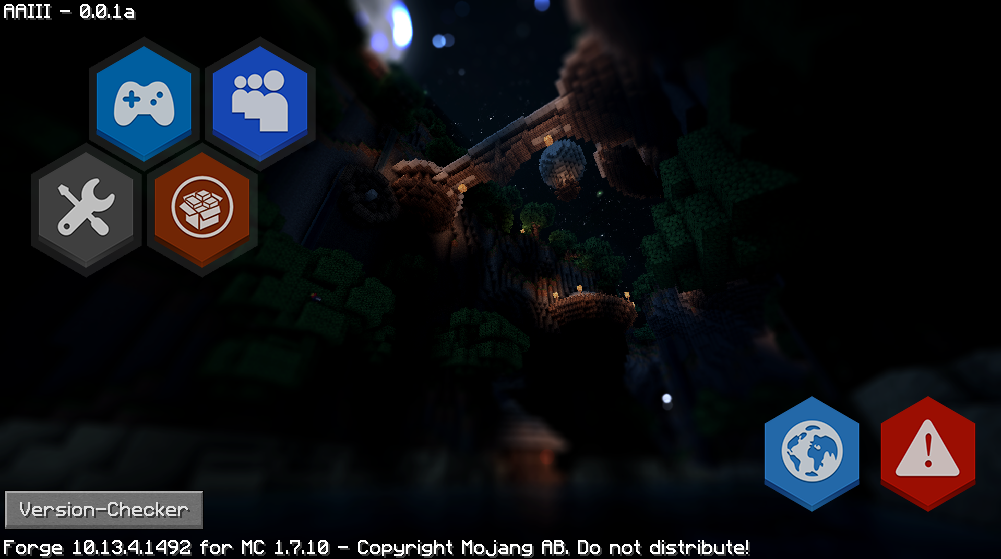
首次使用此模组运行后,你唯一会注意到的区别是主菜单中多了一个按钮。如果你查看 config/CustomMainMenu 文件夹,你会发现一个名为 menu.json 的文件。在其中你会看到原版主菜单拥有的所有元素,修改内容并在游戏内按下刷新按钮即可立即看到你所做的更改(当你对结果满意后可以移除刷新按钮)。如果你曾经使用过 json 文件,其中的内容应该相当容易理解。有关可以添加到菜单中的各种内容的更多信息,请参阅页面。
所有斜体属性都允许使用随机值。例如:"text" : ["Text1","Text2","Text3","Text4"]。每次运行 Minecraft 时会随机选择其中一个值。
对于纹理/图像/文本属性,它接受一个资源位置(或者对于图像,如果你使用 web 作为资源域,则接受一个在线图像的 url)。你可以使用资源包或 Resource Loader(更简单)添加自己的资源。
示例
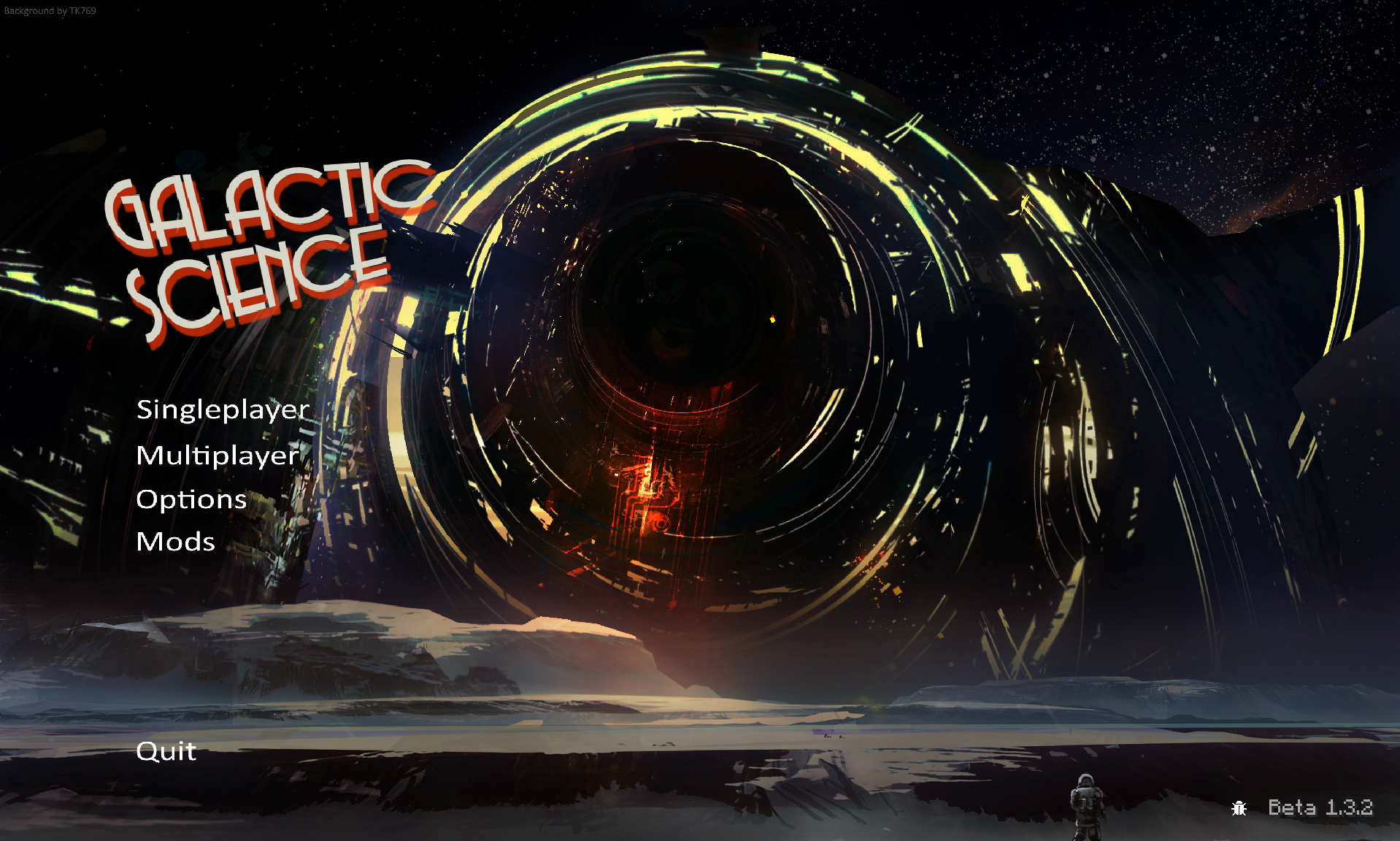
如果你不想浏览所有链接,也可以转到图像选项卡查看一些结果。
- 配置/结果
- 配置/结果
- 配置/结果
- 配置/结果(自定义按钮文本颜色和纹理)
- 配置/结果
- 配置/结果
- 配置/结果
- 配置/结果
- 配置/结果
- 配置/结果
- 配置/结果
- 配置/结果 <- 幻灯片示例
- 配置/结果 <- 新动作内容
- 配置/结果
- 配置/结果
- 配置/结果
- 配置/结果
- 配置/结果
- 配置/结果
- 配置 (1) (2) / 结果
- 即将推出(另外,如果你制作了不错的东西,欢迎发布配置及其图片)
由于格式的变化,其中一些示例在最新的 CMM 版本中可能无法正常工作或显示不正常,但它们仍能让你了解示例中展示的内容是如何实现的。此外,其中一些示例可能需要自定义图像,因此当你自己使用它们时,看起来也会有些奇怪。
实用工具
- Textcraft:用于生成"logo"类型文本内容的网站。
- Minotar:通过 url 获取玩家皮肤/头部/其他内容的简单方法。例如可以与 "web:" 一起使用,将用户的头像作为图像获取。
报告问题
在 github 上创建问题之前,请确保:
- 你的 json 文件确实是有效的 json(使用在线 json 检查器运行它)
- 你所有的资源位置(例如图像路径)完全为小写(在 json 文件和你的文件系统中)
- 你没有遗漏任何非可选的属性/部分。
- 你的属性名称 100% 正确
- 如果你遇到纹理缺失,请在你的资源文件夹中创建一个名为 debug 的文件夹。这将使 Resource Loader 在找不到 Minecraft 请求的文件时向调试日志打印一行信息。(调试日志可在 fml-client-latest.log 中找到)。确保文件路径 100% 正确(在 Windows 上你可以尝试使用 Win + R 来"运行"它)
联系方式
如果你对想要可修改的内容有建议,或者想报告你发现的 bug,请在我的 github 问题跟踪器上而不是 curseforge 上进行 :)。
欢迎在任何整合包中使用此模组 :)。你不需要给我发送任何东西。
如何安装 Custom Main Menu
With Millida Launcher
Install Millida Launcher
The launcher is free: download it at millida.net/launcher and sign in with any nickname.
Click “Install” on this page
The launcher opens and installs the mod for Minecraft 1.8–1.12.2 automatically.
Launch the game
A profile with it appears in the launcher: click “Play”.
Manually
Download the file for your version
In the version list above, pick the file CustomMainMenu-MC1.12.2-2.0.9.1.jar (89 KB) for your game version.
Put it in the mods folder
The folder is inside .minecraft (Windows: %appdata%\.minecraft\mods). If it does not exist, create it.
Launch the loader profile
Open “Mods” in the main menu: Custom Main Menu should be in the list.
Minecraft 1.12.2 runs on Java 8: with a different Java version the game may close right after launch.
版本
含依赖项
| Minecraft | 加载器 | 文件 | 日期 | 操作 |
|---|---|---|---|---|
| 1.12.2 | — | CustomMainMenu-MC1.12.2-2.0.9.1.jar89 KB 7 | ||
| 1.8 | — | CustomMainMenu-MC1.8-1.1.jar76.4 KB |
常见问题
Which Minecraft versions does Custom Main Menu work on?
There are files for 1.12.2, 1.8. The newest is 1.12.2.
Which Java does Custom Main Menu need?
Minecraft 1.12.2 runs on Java 8. If the game closes right after launch, the usual cause is the wrong Java version in the profile settings.
Where can I download Custom Main Menu safely?
On this page: the file CustomMainMenu-MC1.12.2-2.0.9.1.jar (89 KB) is stored on Millida’s server, with no link shorteners. SHA-1 checksum: 9aad10a13bed75b6061a33219ab4f2f39e0ccc12.
评价
成为第一个评价 Custom Main Menu 的人


