

适用于 Minecraft 1.20.1 的 Create: Extended Cogwheels 模组
一个小型模组,为 Create 添加更多齿轮类型
 NeoForge
 Forge
Forge关于 Create: Extended Cogwheels 模组
This mod is an add-on to Create adding new materials to cogwheels to help with decoration and organisation
For more decorations for create check out Dave's building extended, Powderlogy & Illumination and Extended Flywheels
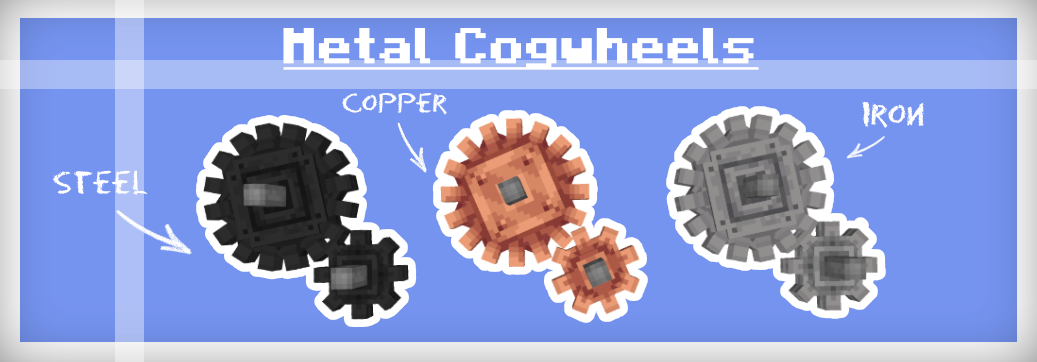
Materials
Dont worry there isn't yet another steel ingot implemented in this mod nor does it depend on any other mods that add steel. To make the mod as compatible with existing worlds as possible iron cogwheels can be blasted to turn into steel flywheels, or if steel is in your modpack then they can be crafted like any other cogwheel using steel ingots.
The recipe for regular cogwheels has been changed so that they can only be crafted with spruce planks, all recipes that use cogwheels have also been altered to accept any cogwheel type to prevent incompatibility
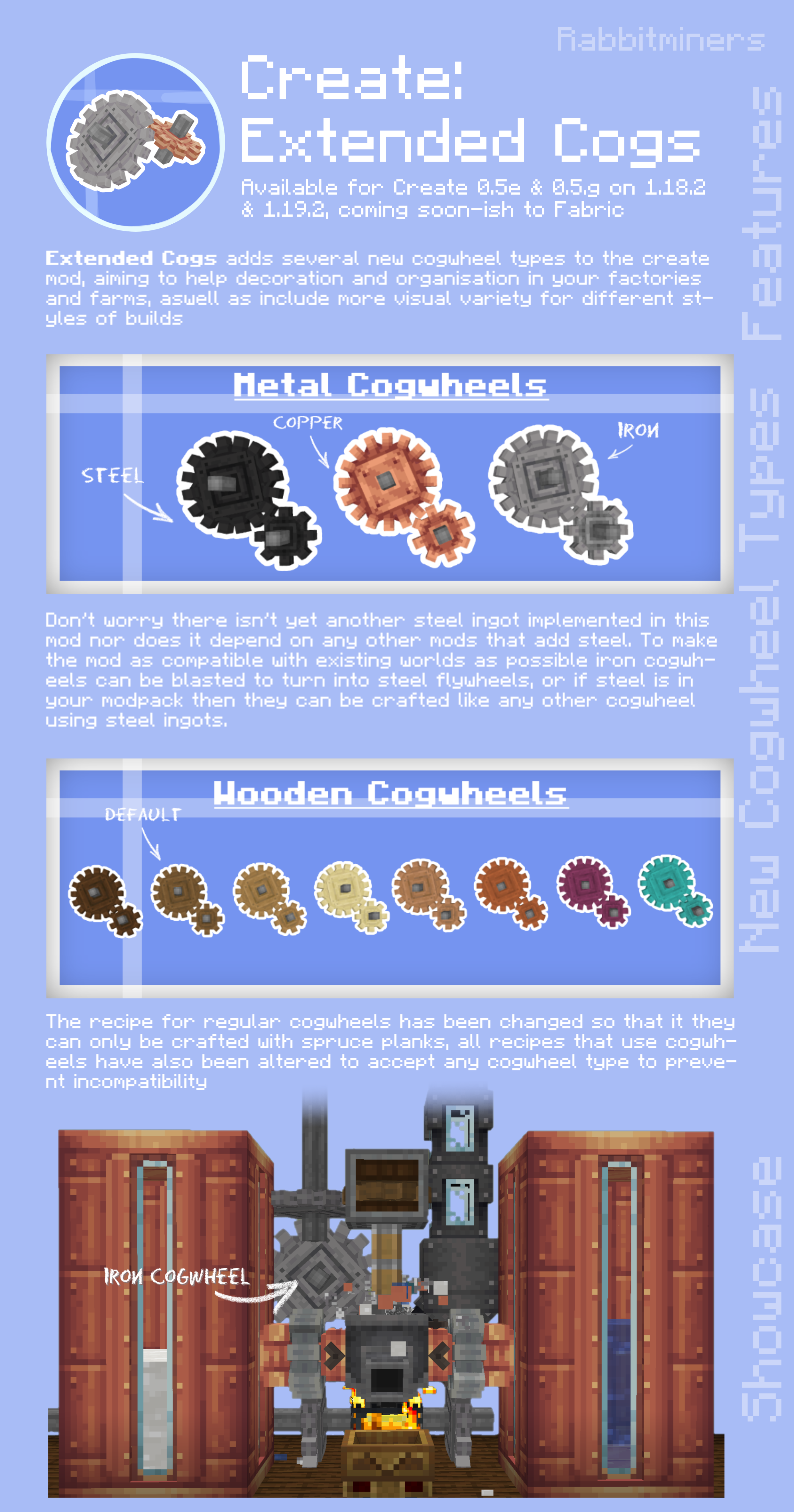
Showcase
Localization
If would like to, any help with translation would be highly appreciated
note - some words may be slightly altered or blocks may be missing a name please report them to me so that they can be fixed :)
- en_us
- en_uk
- pl_pl Polish RBus
- de_de German Itzz_Fabi
- nl_nl Dutch Siepert
- ko_kr Korean AsseyGithub
- zh_cn Chinese (Simplified) Junnaturefox
- pt_br Brazilian Portuguese Makzzin
- es_mx Mexican Spanish IceBeam1
- zh_tw Chinese (Traditional) EvanHsieh0415
Issues
If you find any issues or want to suggest a feature you can submit them on GitHub or on our Discord server
如何安装 Create: Extended Cogwheels
With Millida Launcher
Install Millida Launcher
The launcher is free: download it at millida.net/launcher and sign in with any nickname.
Click “Install” on this page
The launcher opens and installs the mod for Minecraft 1.20.1 on Forge or NeoForge automatically.
Launch the game
A profile with it appears in the launcher: click “Play”.
Manually
Install Forge or NeoForge
The loader must match the game version of the mod file, for example Minecraft 1.20.1. After installing it, a separate profile appears in your launcher.
Download the file for your version
In the version list above, pick the file extendedgears-2.1.1-1.20.1-0.5.1.f-forge.jar (224 KB) for your game version and loader.
Put it in the mods folder
The folder is inside .minecraft (Windows: %appdata%\.minecraft\mods). If it does not exist, create it.
Launch the loader profile
Open “Mods” in the main menu: Create: Extended Cogwheels should be in the list.
Minecraft 1.20.1 runs on Java 17: with a different Java version the game may close right after launch.
版本
含依赖项
| Minecraft | 加载器 | 文件 | 日期 | 操作 |
|---|---|---|---|---|
| 1.20.1 | NeoForge, Forge | extendedgears-2.1.1-1.20.1-0.5.1.f-forge.jar224 KB 21 |
常见问题
Which Minecraft versions does Create: Extended Cogwheels work on?
Only Minecraft 1.20.1: there are no files for other versions.
Is Create: Extended Cogwheels for Forge or Fabric?
There are files for Forge: 1.20.1 and for NeoForge: 1.20.1. There are no files for Fabric: a mod for another loader will not start.
Does Create: Extended Cogwheels need other mods?
The author lists no required dependencies: the Forge or NeoForge loader is enough.
Which Java does Create: Extended Cogwheels need?
Minecraft 1.20.1 runs on Java 17. If the game closes right after launch, the usual cause is the wrong Java version in the profile settings.
Where can I download Create: Extended Cogwheels safely?
On this page: the file extendedgears-2.1.1-1.20.1-0.5.1.f-forge.jar (224 KB) is stored on Millida’s server, with no link shorteners. SHA-1 checksum: 4b75dfe17ebcc3c7e169d9d070cfedfdcf621a16.
评价
成为第一个评价 Create: Extended Cogwheels 的人


