
 NeoForge
 Fabric
 Quilt
Quilt Forge
Forge关于 Colossal Chests 模组
本模组需要 Cyclops Core 库!
来 Cyclops Discord 服务器的 colossalchests 频道和我们聊聊吧!
看看 Colossal Chests 2,这是本模组的全面重制版,专注于性能和可升级性!
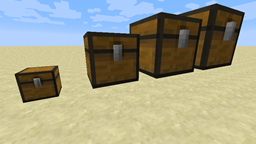
有时候,普通箱子实在太小了,这个模组允许你创建任意大小的多方块箱子。(最大尺寸可以在配置文件中修改)
模组展示视频:
要建造这些箱子,你需要多个 Colossal Chest Wall 方块和恰好一个 Colossal Chest Core 方块。
这个 Core 方块将存储多方块结构中的实际物品,所以破坏它,所有物品都会掉落出来。
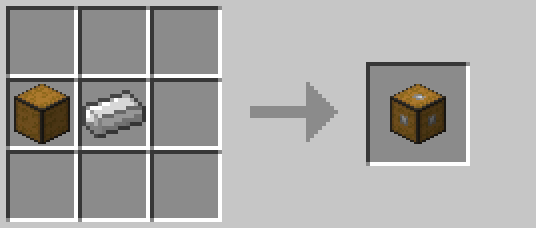
你的结构必须是立方体,每条边的长度必须相等。结构的最小尺寸为两个方块。
结构必须由 Chest Wall 组成,结构中必须恰好存在一个 Colossal Chest Core 方块。
一旦你的结构有效,多方块结构就会在视觉上形成。
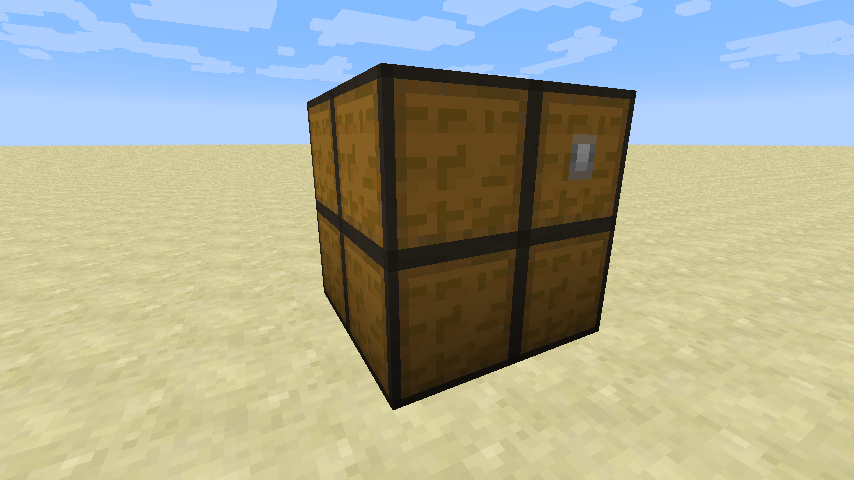
你只能建造结构的实际墙壁,让结构内部保持中空。
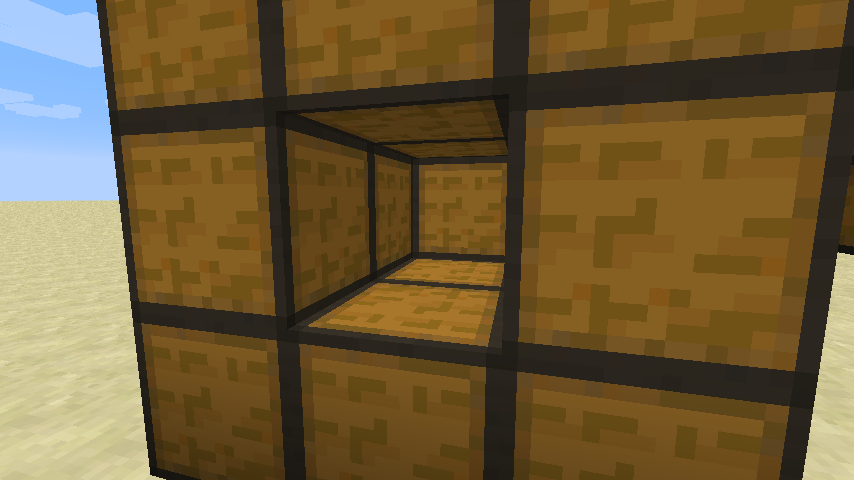
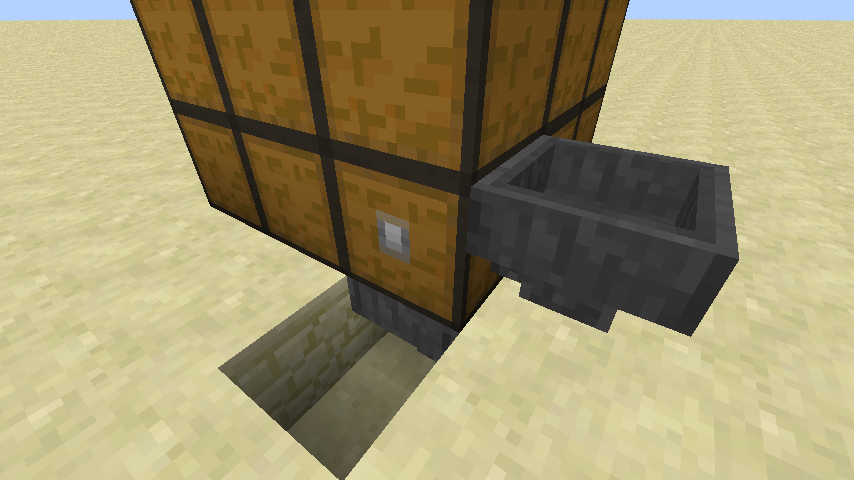
你可以在 Colossal Chest Core 方块的位置将漏斗和管道连接到箱子上。
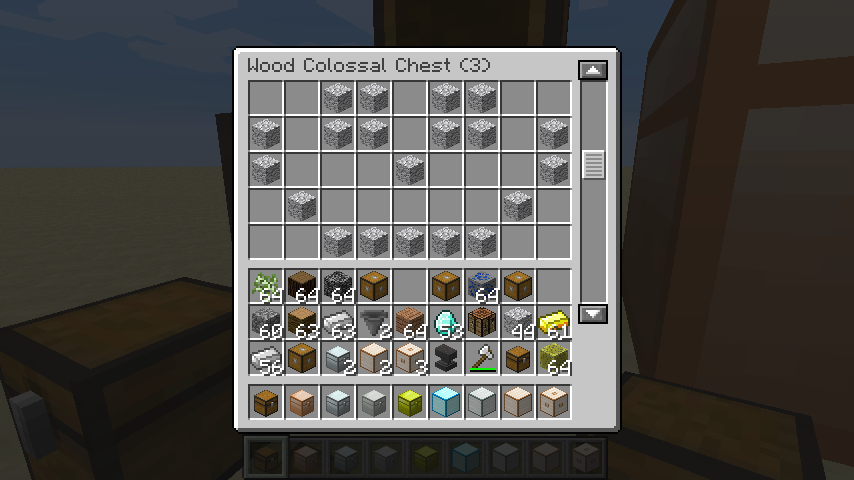
当然,你也可以打开 GUI 来自己管理箱子的物品栏。
可选地,你可以在结构中添加任意数量的 Colossal Chest Interface 方块,使这些位置可以与漏斗和管道交互。
除了木制箱子外,还有所有金属类型的变体(包括黑曜石),就像 Iron Chest 模组一样。当检测到 Iron Chest 模组时,将使用那些箱子的纹理,否则使用内部纹理(这可以禁用)。
如果你觉得木制箱子就够了,这些金属变体可以轻松禁用。
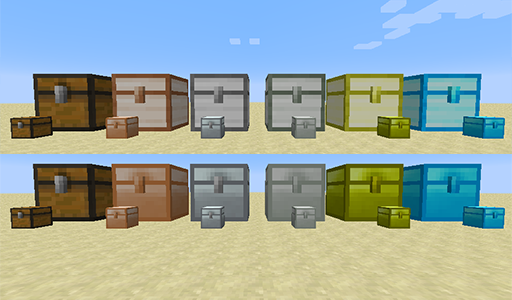
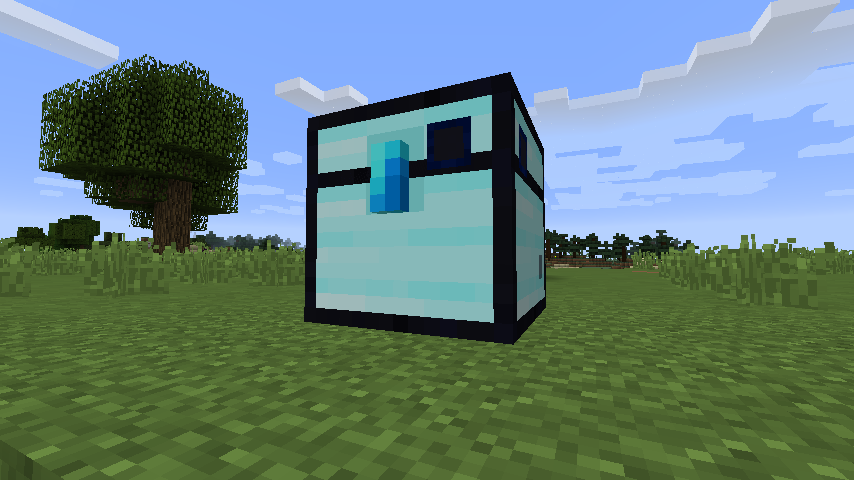
黑曜石 Colossal Chest 是钻石 Colossal Chest 的升级版本,内容容量相同,但不会爆炸。墙壁可以通过在工作台中用八个黑曜石方块围住一个钻石箱子墙壁来合成。
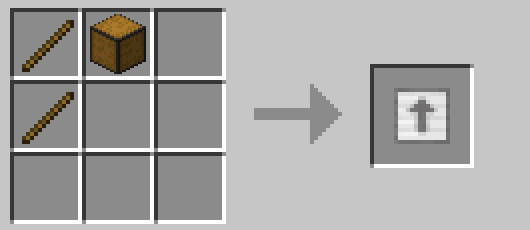
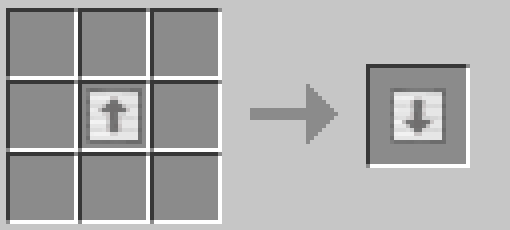
升级和降级工具可用于将箱子升级/降级到下一个/上一个等级,而无需破坏并替换所有方块。这要求你的物品栏中有下一个/上一个等级所需的所有方块,该工具会自动用相应材料替换箱子,同时保留其物品栏。请注意,降级工具可能会使物品栏变小,因此如果你的物品栏对于新材料来说太小,物品可能会掉落出来。
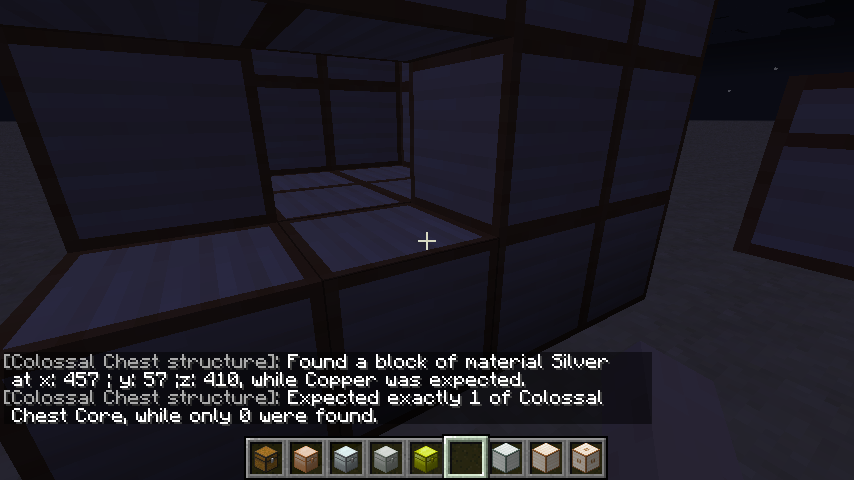
如果你遇到箱子无法形成的问题,可以用空手右键点击未完成的结构来查看无法形成的原因。
槽位数量公式 = ceil((直径 ^ 3) 27 材料系数) 材料系数:
- 木头:1
- 铜:1.666
- 铁:2
- 银:2.666
- 金:3
- 钻石:4
- 黑曜石:4
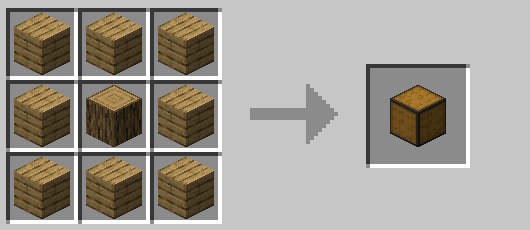
最后,是所有箱子中最巨大的那个!(用 Chest Wall 和 Wood Plank 合成)
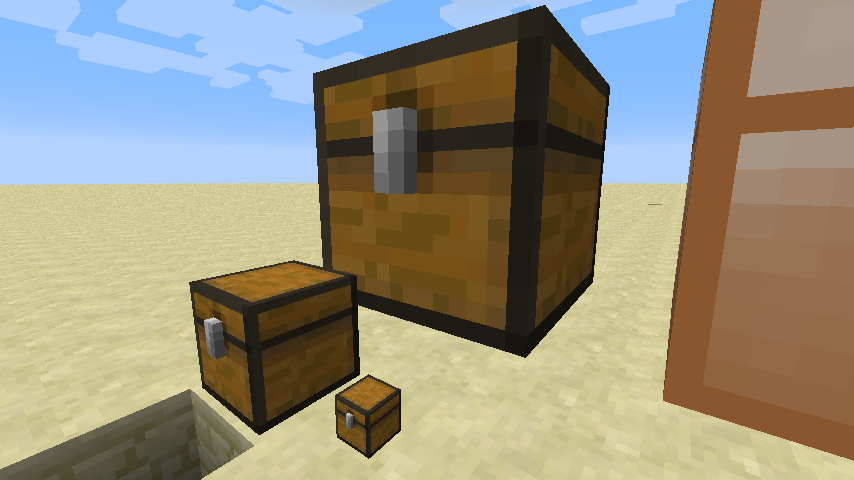
本模组会收集匿名启动数据,这可以在配置文件中禁用,并遵循 Minecraft 的 snooper 设置。

在 Bisect Hosting 租用服务器时使用推荐码 cyclops 支持我们,首月可享 25% 折扣!
如果你喜欢这个模组,可以考虑在 Patreon 上支持我!
如何安装 Colossal Chests
With Millida Launcher
Install Millida Launcher
The launcher is free: download it at millida.net/launcher and sign in with any nickname.
Click “Install” on this page
The launcher opens and installs the mod for Minecraft 1.12.2–26.3 on Fabric, Forge, NeoForge or Quilt automatically.
Launch the game
A profile with it appears in the launcher: click “Play”.
Manually
Install Fabric, Forge, NeoForge or Quilt
The loader must match the game version of the mod file, for example Minecraft 26.3. After installing it, a separate profile appears in your launcher.
Download the file for your version
In the version list above, pick the file colossalchests-26.3-neoforge-1.8.16-322.jar (286 KB) for your game version and loader.
Put it in the mods folder
The folder is inside .minecraft (Windows: %appdata%\.minecraft\mods). If it does not exist, create it.
Launch the loader profile
Open “Mods” in the main menu: Colossal Chests should be in the list.
版本
含依赖项
| Minecraft | 加载器 | 文件 | 日期 | 操作 |
|---|---|---|---|---|
| 26.3 | NeoForge | colossalchests-26.3-neoforge-1.8.16-322.jar286 KB 1 | ||
| 26.3 | Fabric, Quilt | colossalchests-26.3-fabric-1.8.16-322.jar284 KB 28 | ||
| 26.3 | Forge | colossalchests-26.3-forge-1.8.16-322.jar275 KB 13 | ||
| 26.1.2 | Fabric, Quilt | colossalchests-26.1.2-fabric-1.9.1.jar283 KB 2 | ||
| 26.1.2 | NeoForge | colossalchests-26.1.2-neoforge-1.9.1.jar287 KB 1 | ||
| 26.1.2 | Forge | colossalchests-26.1.2-forge-1.9.1.jar276 KB 1 | ||
| 1.12.2 | — | ColossalChests-1.12.2-1.7.2.jar196 KB |
常见问题
Which Minecraft versions does Colossal Chests work on?
There are files for 26.3, 26.1.2, 1.12.2. The newest is 26.3.
Is Colossal Chests for Forge or Fabric?
There are files for Fabric: 26.1.2–26.3, for Forge: 26.1.2–26.3, for NeoForge: 26.1.2–26.3 and for Quilt: 26.1.2–26.3.
Does Colossal Chests need other mods?
The author lists no required dependencies: the Fabric, Forge, NeoForge or Quilt loader is enough.
Where can I download Colossal Chests safely?
On this page: the file colossalchests-26.3-neoforge-1.8.16-322.jar (286 KB) is stored on Millida’s server, with no link shorteners. SHA-1 checksum: ae6d80c750b1b8c177ca9ef3a6c0b0b003be457f.
评价
成为第一个评价 Colossal Chests 的人


