
关于 Blockcraftery 模组
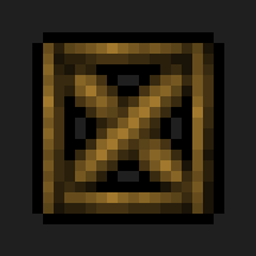
Blockcraftery 是一个提供非常简单的功能的模组:框架方块。框架方块可以放置在世界中,然后可以通过右键点击赋予其他方块的纹理。
框架方块还有多种形状!目前,该模组提供以下形状:
- 框架方块。标准完整立方体。
- 框架楼梯。
- 框架台阶。
- 框架墙。
- 框架斜面。
- 框架斜面角。
- 框架栅栏,
- 框架门,
- 框架活板门,
- 框架压力板,
所有框架方块都有强化变体,既防爆又防火。任何框架方块也可以用萤石粉右键点击来变成光源,甚至压力板也可以!
每一个都可以随心所欲地赋予纹理。很快会有更多框架推出,以及计划中的新机制,让装饰变得更加容易。
我是 Akliz 的官方合作伙伴。Akliz 为他们的所有服务器提供极佳的支持,并拥有速度极快的单线程服务器。如果你想支持我,并为自己弄到一台服务器,请使用上面的链接获得 Akliz 服务器的折扣。
如果你有任何其他问题,请在我们的 discord 这里提问。
关注 EpicSquid 这里以获取频繁的进度更新!
你也可以在这里通过 Patreon 直接支持我。
如何安装 Blockcraftery
With Millida Launcher
Install Millida Launcher
The launcher is free: download it at millida.net/launcher and sign in with any nickname.
Click “Install” on this page
The launcher opens and installs the mod for Minecraft 1.12.2 automatically.
Launch the game
A profile with it appears in the launcher: click “Play”.
Manually
Download the file for your version
In the version list above, pick the file blockcraftery-1.12.2-1.3.1.jar (103 KB) for your game version.
Put it in the mods folder
The folder is inside .minecraft (Windows: %appdata%\.minecraft\mods). If it does not exist, create it.
Launch the loader profile
Open “Mods” in the main menu: Blockcraftery should be in the list.
Minecraft 1.12.2 runs on Java 8: with a different Java version the game may close right after launch.
版本
含依赖项
| Minecraft | 加载器 | 文件 | 日期 | 操作 |
|---|---|---|---|---|
| 1.12.2 | — | blockcraftery-1.12.2-1.3.1.jar103 KB 1 | ||
| 1.12.2 | — | blockcraftery-0.1.3.jar64 KB |
常见问题
Which Minecraft versions does Blockcraftery work on?
Only Minecraft 1.12.2: there are no files for other versions.
Which Java does Blockcraftery need?
Minecraft 1.12.2 runs on Java 8. If the game closes right after launch, the usual cause is the wrong Java version in the profile settings.
Where can I download Blockcraftery safely?
On this page: the file blockcraftery-1.12.2-1.3.1.jar (103 KB) is stored on Millida’s server, with no link shorteners. SHA-1 checksum: 5962fc2af3644f010e6510829244cb55ab097eda.
评价
成为第一个评价 Blockcraftery 的人


