
自1.21.1起,本模组已成为Process Enhancement的一部分
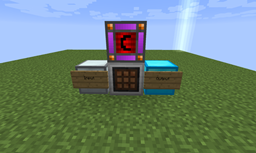
只是一个简单的机器,它接收RF能量(自1.6.4版本起,改用Forge Energy),并扫描左侧的容器(面朝正面时),合成任何可在2x2或3x3网格中合成的单一类型物品(例如下界石英 -> 石英块或铁锭 -> 铁块),并将结果放入右侧的容器中。
自1.4起,如果在一个周期内无法合成物品,相同物品的堆叠将会合并。
自1.4.2起,空手右键点击该方块会告诉你当前所处的模式,空手潜行右键点击会循环切换模式。(2x2然后3x3、仅2x2、仅3x3模式)
自1.5.3起,新增了一种模式:3x3空心。使用此模式,物品将按照类似箱子的图案进行合成。这可用于合成熔炉、箱子以及大多数Magical Crops精华的合成。
此外,AutoPackager本身将作为Refined Relocation分类网络的分类连接器。
注意:如果你正在使用Refined Relocation并将其移除,世界中仍然存在的任何AutoPackager都会导致崩溃。(自1.5.7起,这应该不再是问题)另请注意:在Refined Relocation 2中,这不再是分类连接器
自1.10版本起,AutoPackager应能与任何容器配合使用,包括存储抽屉控制器和从属设备以及Refined Storage接口(这将为AutoPackager提供整个网络作为可用资源)
自1.11版本起,AutoPackager将与其输入和输出容器共享其能量(允许单个共享电源为AutoPackager供电,从而为例如自动筛子提供电力)
整合包许可
本模组可在任何整合包中包含和重新分发,无论公开或私有,无需明确许可。
合成配方(注意:在1.12.2中,红石接收线圈被替换为一份红石粉):
世界内使用布局:
如何安装 AutoPackager
With Millida Launcher
Install Millida Launcher
The launcher is free: download it at millida.net/launcher and sign in with any nickname.
Click “Install” on this page
The launcher opens and installs the mod for Minecraft 1.12.2 automatically.
Launch the game
A profile with it appears in the launcher: click “Play”.
Manually
Download the file for your version
In the version list above, pick the file autopackager-1.12.jar (41 KB) for your game version.
Put it in the mods folder
The folder is inside .minecraft (Windows: %appdata%\.minecraft\mods). If it does not exist, create it.
Launch the loader profile
Open “Mods” in the main menu: AutoPackager should be in the list.
Minecraft 1.12.2 runs on Java 8: with a different Java version the game may close right after launch.
版本
含依赖项
| Minecraft | 加载器 | 文件 | 日期 | 操作 |
|---|---|---|---|---|
| 1.12.2 | — | autopackager-1.12.jar41.2 KB 1 |
常见问题
Which Minecraft versions does AutoPackager work on?
Only Minecraft 1.12.2: there are no files for other versions.
Which Java does AutoPackager need?
Minecraft 1.12.2 runs on Java 8. If the game closes right after launch, the usual cause is the wrong Java version in the profile settings.
Where can I download AutoPackager safely?
On this page: the file autopackager-1.12.jar (41 KB) is stored on Millida’s server, with no link shorteners. SHA-1 checksum: e9674011c26d79cf0a0d0f7fa85e85ae37ddcbbf.
评价
成为第一个评价 AutoPackager 的人


