
 NeoForge
 Forge
Forge Fabric
Applied Botanics
一个为 AE2 提供 Botania 支持的附加模组。请在问题追踪器上报告问题。加入 AE2 的 Discord 服务器参与讨论。
这是一个 Fabric 和 Forge 模组,需要同时安装 AE2 和 Botania。
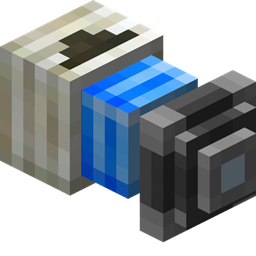
魔力 P2P 隧道!
手持任意 Botania 物品右键点击 P2P 隧道即可制作魔力 P2P 隧道。魔力随后可以瞬间传输到任意输出端,例如魔力池、符文祭坛、泰拉钢聚合板或其他任何东西!
有线火花!
火花也可以放置在魔力 P2P 隧道的输入端,配合支配火花增强和多个魔力池,可以实现惊人的魔力吞吐量!
科波瑞亚索引支持!
科波瑞亚火花可以放置在公共系统的 ME 接口上,之后科波瑞亚索引就能直接从你的 ME 系统中提取物品!
如何安装 Applied Botanics Addon
With Millida Launcher
Install Millida Launcher
The launcher is free: download it at millida.net/launcher and sign in with any nickname.
Click “Install” on this page
The launcher opens and installs the mod for Minecraft 1.18.2–1.21.1 on Fabric, Forge or NeoForge automatically.
Launch the game
A profile with it appears in the launcher: click “Play”.
Manually
Install Fabric, Forge or NeoForge
The loader must match the game version of the mod file, for example Minecraft 1.21.1. After installing it, a separate profile appears in your launcher.
Download the file for your version
In the version list above, pick the file appbot-1.6.0-alpha.3.jar (203 KB) for your game version and loader.
Put it in the mods folder
The folder is inside .minecraft (Windows: %appdata%\.minecraft\mods). If it does not exist, create it.
Launch the loader profile
Open “Mods” in the main menu: Applied Botanics Addon should be in the list.
Minecraft 1.21.1 runs on Java 21: with a different Java version the game may close right after launch.
版本
含依赖项
| Minecraft | 加载器 | 文件 | 日期 | 操作 |
|---|---|---|---|---|
| 1.21.1 | NeoForge | 1.6.0-alpha.3203 KB 7 | ||
| 1.20.1 | Forge | 1.5.2 [FORGE]249 KB 7 | ||
| 1.20.1 | Fabric | 1.5.2 [FABRIC]252 KB 4 | ||
| 1.18.2 | Forge | 1.0.2-alpha [FORGE]195 KB | ||
| 1.18.2 | Fabric | 1.0.0-SNAPSHOT [FABRIC]90.6 KB |
评价
成为第一个评价 Applied Botanics Addon 的人


