

Minecraft 1.20.1, 1.21.1用Sodium Options Mod Compat
Sodium Options APIを通じて様々なModの互換性を追加
 Fabric
 NeoForge
 Forge
Sodium Options Mod Compat MODについて

Sodium Options Mod Compatは、Sodiumの映像設定を持たない様々なMODにSodiumの映像設定を追加します。
現在、以下のMODが互換性を持っています:
- Entity Texture Features
- Entity Model Features
- DynamicFPS
- Continuity (Fabricではネイティブ、ForgeではConnector経由)
このMODは部分的にEmbeddiumUIの移植版であり、追加のMODサポートを備え、クロスプラットフォームのSodium Options APIを使用するように移植されており、以下のバージョンをサポートしています:
- Forge上のEmbeddium
- 1.20.1のFabric Sodium 0.5
- 1.21.1のFabric/NeoForge Sodium 0.6
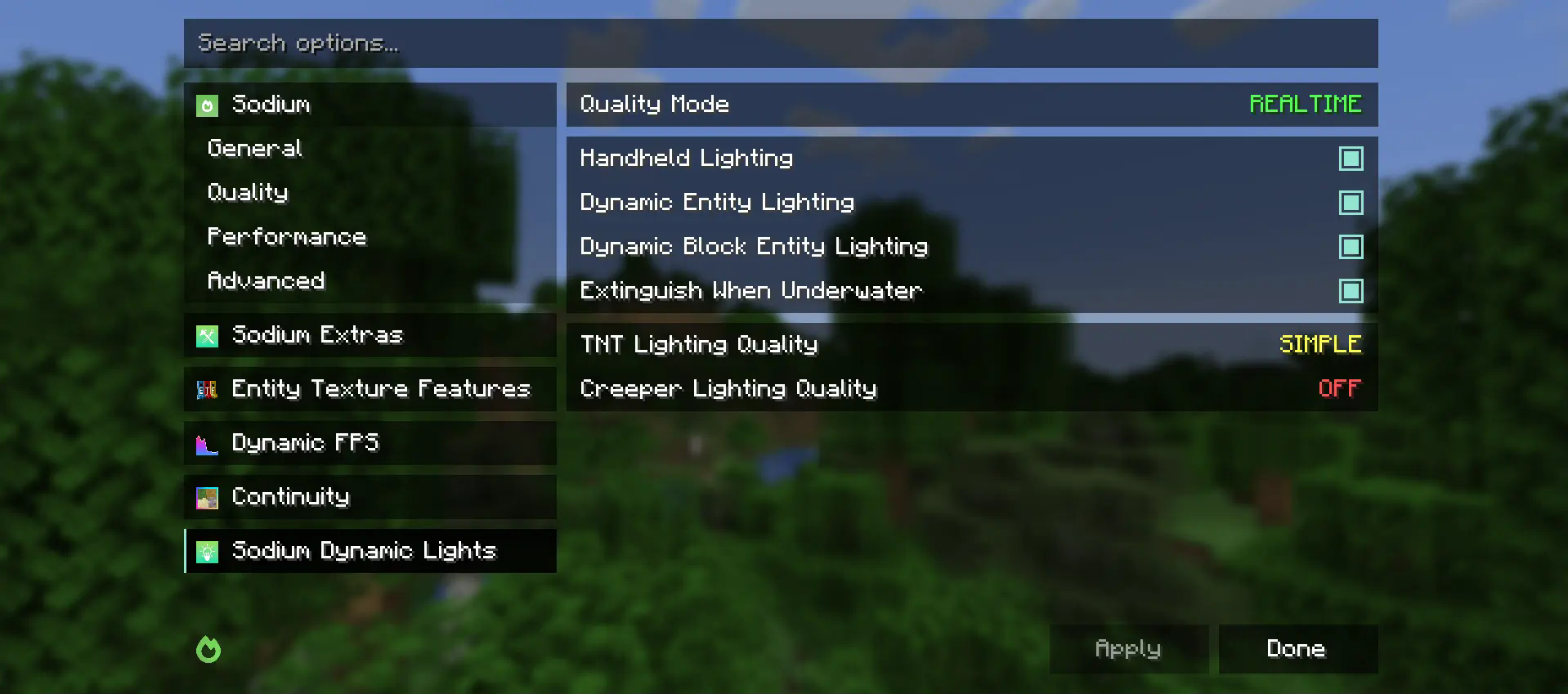
Sodiumの映像設定に追加してほしいレンダリング関連のMODの提案がある場合は、機能リクエストとしてGithub Issueを提出してください。
Sodium Options Mod Compatのインストール方法
With Millida Launcher
Install Millida Launcher
The launcher is free: download it at millida.net/launcher and sign in with any nickname.
Click “Install” on this page
The launcher opens and installs the mod for Minecraft 1.20–1.21.4 on Fabric, Forge or NeoForge automatically, together with its dependencies: Sodium Options API, Fabric API.
Launch the game
A profile with it appears in the launcher: click “Play”.
Manually
Install Fabric, Forge or NeoForge
The loader must match the game version of the mod file, for example Minecraft 1.21.4. After installing it, a separate profile appears in your launcher.
Download the file for your version
In the version list above, pick the file sodiumoptionsmodcompat-fabric-1.0.0-1.21.4.jar (846 KB) for your game version and loader.
Put it in the mods folder
The folder is inside .minecraft (Windows: %appdata%\.minecraft\mods). If it does not exist, create it. Required dependencies go there too: Sodium Options API, Fabric API.
Launch the loader profile
Open “Mods” in the main menu: Sodium Options Mod Compat should be in the list.
Sodium Options Mod Compat works on the player’s side only: there is no need to install it on a server.
Minecraft 1.21.4 runs on Java 21: with a different Java version the game may close right after launch.
バージョン
依存関係あり
| Minecraft | ローダー | ファイル | 日付 | 操作 |
|---|---|---|---|---|
| 1.21.1 | Fabric | 1.21.1832 KB 3 | ||
| 1.20.1 | Fabric | 1.20.1591 KB | ||
| 1.21.1 | NeoForge | 1.21.1176 KB 27 | ||
| 1.20.1 | Forge | 1.20.1177 KB 31 | ||
| 1.21.4 | Fabric | 1.21.4846 KB 6 | ||
| 1.21.1 | NeoForge | 1.21.1177 KB 1 | ||
| 1.20.1 | Fabric | 1.20.1592 KB | ||
| 1.21.4 | NeoForge | 1.21.4177 KB 1 |
動作に必要なもの
FAQ
Which Minecraft versions does Sodium Options Mod Compat work on?
There are files for 1.21.4, 1.21.1, 1.20.1, 1.20. The newest is 1.21.4.
Is Sodium Options Mod Compat for Forge or Fabric?
There are files for Fabric: 1.20–1.21.4, for Forge: 1.20–1.20.1 and for NeoForge: 1.21.1–1.21.4.
What does Sodium Options Mod Compat need to work?
Required: Sodium Options API, Fabric API. Without them the mod will not start: dependencies go into the same mods folder.
Do I need to install Sodium Options Mod Compat on a server?
No. Sodium Options Mod Compat works on the player’s side only: there is no need to install it on a server.
Which Java does Sodium Options Mod Compat need?
Minecraft 1.21.4 runs on Java 21. If the game closes right after launch, the usual cause is the wrong Java version in the profile settings.
Where can I download Sodium Options Mod Compat safely?
On this page: the file sodiumoptionsmodcompat-fabric-1.0.0-1.21.4.jar (846 KB) is stored on Millida’s server, with no link shorteners. SHA-1 checksum: 9c5ab3b6ba0e096567b60b0c5c74b8e570205da9.
レビュー
Sodium Options Mod Compatの最初の評価を書きませんか


