

- ダウンロード
- 170 ダウンロード
- 閲覧
- 470 閲覧
- 更新日
- 更新日 03.09.2026
- 1.20 — 1.20.1
 Forge
Forge- クライアント
Sodium Options API MODについて

このMODは、Sodium/Embeddiumのオプションメニュー統合を追加するためのクロスプラットフォームイベントを追加します。例えば、ForgeのEmbeddium、1.20.1のFabric Sodium 0.5、1.21.1のFabric/NeoForge Sodium 0.6に、1つのイベントでオプションページを追加できます:
OptionGUIConstruction.EVENT.register((pages) -> pages.add(new TestOptionPage()));
エンドユーザーで、他のSodiumアドオンのライブラリとしてこのMODをまだインストールしていない場合は、Reese's Optionsと一緒にインストールすることで、ドロップダウン対応の改善されたカテゴリメニューを利用でき、ナビゲートが簡単になります。これは、このAPIを使用せずSodiumのオプションに直接注入するMODでも有効になります。
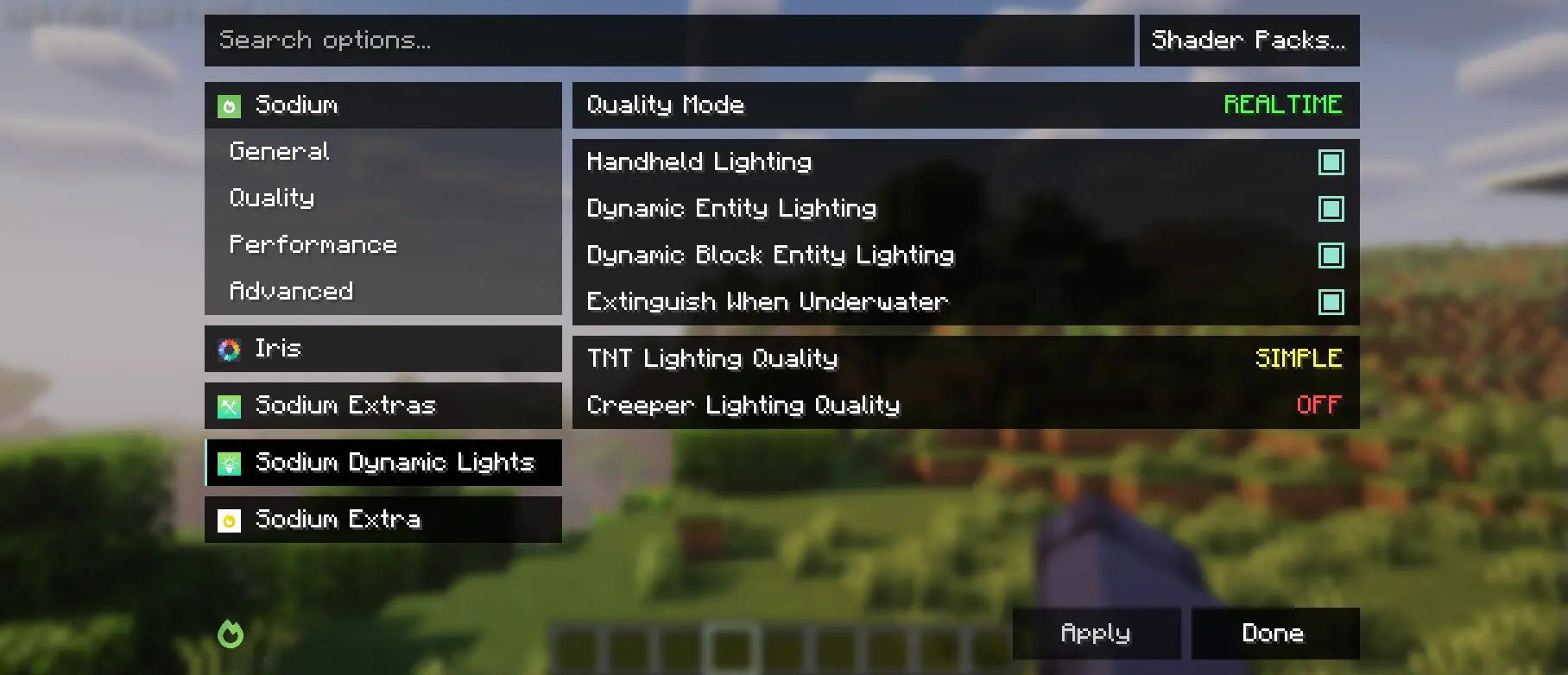
このMODは部分的にEmbeddiumのcategories APIとoptions eventsのフォークであり、上流のSodiumをサポートするために大幅な変更が加えられています。Reese's Sodium Optionsのメニューに変更を加えますが、互換性の理由からmixinを介して行うため、両方をインストールする必要があります。
APIの使用
まず、CurseforgeまたはModrinthのMavenリリースを使用して、このMODを開発環境に追加する必要があります。
modImplementation("maven.modrinth:sodium-options-api:version")
次に、このMODはtoni.sodiumoptionsapi.apiに3つのイベントを提供します:
- OptionGUIConstruction.EVENTは、GUIコンストラクタで一度呼び出され、ページ全体を追加できます。おそらくこれが目的のものです。
- OptionPageConstruction.EVENTは、各OptionPageに対して呼び出されます。パフォーマンスタブなどにトグルのグループを追加したい場合に使用します。
- OptionGroupConstruction.EVENTは、オプションの各グループに対して呼び出されます。既存のグループに単一のオプションを挿入したり、バニラのものを変更したりしたい場合に使用します。
Sodium Options APIのインストール方法
With Millida Launcher
Install Millida Launcher
The launcher is free: download it at millida.net/launcher and sign in with any nickname.
Click “Install” on this page
The launcher opens and installs the mod for Minecraft 1.20–1.20.1 on Forge automatically, together with its dependencies: Embeddium.
Launch the game
A profile with it appears in the launcher: click “Play”.
Manually
Install Forge
The loader must match the game version of the mod file, for example Minecraft 1.20.1. After installing it, a separate profile appears in your launcher.
Download the file for your version
In the version list above, pick the file sodiumoptionsapi-forge-1.0.10-1.20.1.jar (434 KB) for your game version.
Put it in the mods folder
The folder is inside .minecraft (Windows: %appdata%\.minecraft\mods). If it does not exist, create it. Required dependencies go there too: Embeddium.
Launch the loader profile
Open “Mods” in the main menu: Sodium Options API should be in the list.
Sodium Options API works on the player’s side only: there is no need to install it on a server.
Minecraft 1.20.1 runs on Java 17: with a different Java version the game may close right after launch.
バージョン
依存関係あり
| Minecraft | ローダー | ファイル | 操作 |
|---|---|---|---|
| 1.20.1 | Forge | 1.20.1434 KB 169 |
動作に必要なもの
FAQ
Which Minecraft versions does Sodium Options API work on?
There are files for 1.20.1, 1.20. The newest is 1.20.1.
Is Sodium Options API for Forge or Fabric?
Only for Forge: 1.20–1.20.1. There are no files for Fabric or NeoForge: a mod for another loader will not start.
What does Sodium Options API need to work?
Required: Embeddium. Without it the mod will not start: dependencies go into the same mods folder.
Do I need to install Sodium Options API on a server?
No. Sodium Options API works on the player’s side only: there is no need to install it on a server.
Which Java does Sodium Options API need?
Minecraft 1.20.1 runs on Java 17. If the game closes right after launch, the usual cause is the wrong Java version in the profile settings.
Where can I download Sodium Options API safely?
On this page: the file sodiumoptionsapi-forge-1.0.10-1.20.1.jar (434 KB) is stored on Millida’s server, with no link shorteners. SHA-1 checksum: 7529fbf938787ed13a251cbf40936f8c29ec4b6c.
レビュー
Sodium Options APIの最初の評価を書きませんか


