

Minecraft 1.21.1用Cobblemon: Mega Showdown MOD
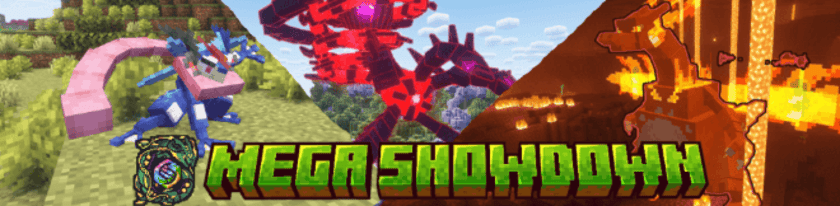
Cobblemonにメガシンカ、Zワザ、テラスタル、ダイマックス/キョダイマックス、ウルトラバースト、融合を追加!
 NeoForge
 Fabric

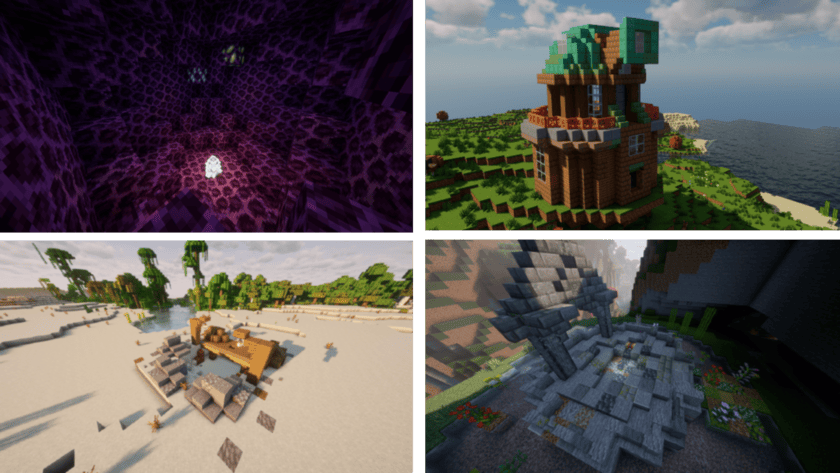


自分だけのメガ、アイテムなどを作ろう!
Mega Showdownは、考えつくほぼすべてをデータパック化できるmoddingプラットフォームとして機能します!アドオン制作者向けに独自の📖 Wikiを用意しており、MSDでできるほぼすべてを網羅しています。含まれるもの:
カスタムメガ、Gmax、フュージョン、および一般的なフォームチェンジ カスタムShowdownアイテム(持ち物によるフォームチェンジを含む) カスタムステータス効果、条件、天候 カスタムShowdown/バトルスクリプト などなど!
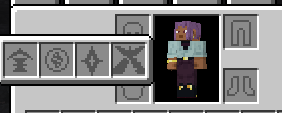
Accessories連携!
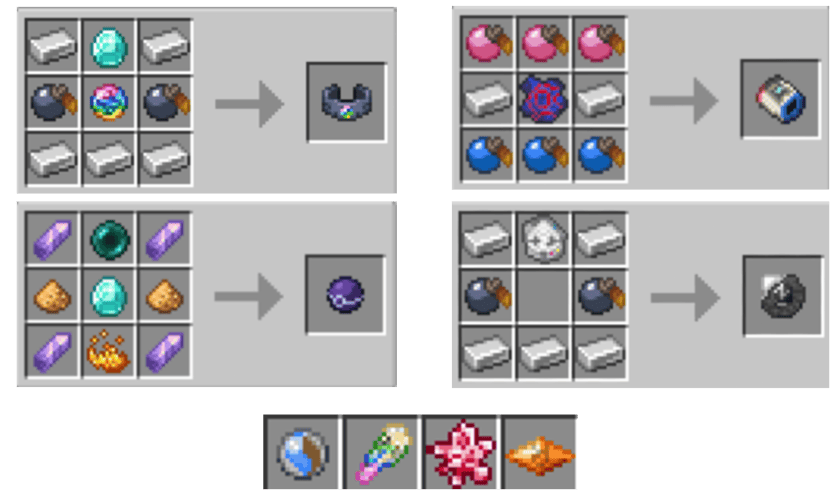
すべてのMega Showdownのギミックアイテムは専用のギミックスロットに装着できるので、インストールしたすべてのアクセサリーmodの中から選ぶ必要はありません!

一般的な機能!
データパック化可能な多数の機能 コスメティックアイテム対応 Accessories対応 すべてのフュージョンポケモン すべてのフォームチェンジ 騎乗対応 90以上のすべてのメガ すべてのギミック
クレジット
素敵なコントリビューター全員のクレジットと、modで使用しているモデルの情報は👉こちらに掲載されています
非互換性
最もよく知られている非互換のアドオン、データパック、modは👉こちらで確認できます
ソーシャル
mod自体についてでも、独自のアドオン開発についてでも、助けや質問があればMega Showdown Discordに参加できます:

Cobblemon: Mega Showdownのインストール方法
With Millida Launcher
Install Millida Launcher
The launcher is free: download it at millida.net/launcher and sign in with any nickname.
Click “Install” on this page
The launcher opens and installs the mod for Minecraft 1.21.1 on Fabric or NeoForge automatically, together with its dependencies: Cobblemon, Fabric API, oωo (owo-lib), Accessories, Architectury API.
Launch the game
A profile with it appears in the launcher: click “Play”.
Manually
Install Fabric or NeoForge
The loader must match the game version of the mod file, for example Minecraft 1.21.1. After installing it, a separate profile appears in your launcher.
Download the file for your version
In the version list above, pick the file mega_showdown-neoforge-1.3.3+1.8.4+1.21.1-release.jar (19 MB) for your game version and loader.
Put it in the mods folder
The folder is inside .minecraft (Windows: %appdata%\.minecraft\mods). If it does not exist, create it. Required dependencies go there too: Cobblemon, Fabric API, oωo (owo-lib), Accessories, Architectury API.
Launch the loader profile
Open “Mods” in the main menu: Cobblemon: Mega Showdown should be in the list.
On a server
A server on Fabric or NeoForge
The mod only works on a server with the same loader and game version, for example 1.21.1.
File goes into the server’s mods folder
Stop the server, put the mod file into the mods folder and start the server again.
Use the “To server” button
On Millida Hosting, the button at the top of the page uploads the file to your server and restarts it for you.
Minecraft 1.21.1 runs on Java 21: with a different Java version the game may close right after launch.
バージョン
依存関係あり
| Minecraft | ローダー | ファイル | 日付 | 操作 |
|---|---|---|---|---|
| 1.21.1 | NeoForge | 1.21.119.4 MB 5 | ||
| 1.21.1 | Fabric | 1.21.119.3 MB 5 | ||
| 1.21.1 | NeoForge | 1.21.119.4 MB 2 | ||
| 1.21.1 | Fabric | 1.21.119.3 MB 2 | ||
| 1.21.1 | NeoForge | 1.21.119.4 MB 2 | ||
| 1.21.1 | Fabric | 1.21.119.3 MB 10 | ||
| 1.21.1 | Fabric | 1.21.119.3 MB | ||
| 1.21.1 | Fabric | 1.21.119.3 MB |
動作に必要なもの
FAQ
Which Minecraft versions does Cobblemon: Mega Showdown work on?
Only Minecraft 1.21.1: there are no files for other versions.
Is Cobblemon: Mega Showdown for Forge or Fabric?
There are files for Fabric: 1.21.1 and for NeoForge: 1.21.1. There are no files for Forge: a mod for another loader will not start.
What does Cobblemon: Mega Showdown need to work?
Required: Cobblemon, Fabric API, oωo (owo-lib), Accessories, Architectury API. Without them the mod will not start: dependencies go into the same mods folder.
Does Cobblemon: Mega Showdown work on a server?
Yes. Cobblemon: Mega Showdown works both in singleplayer and on a server.
Which Java does Cobblemon: Mega Showdown need?
Minecraft 1.21.1 runs on Java 21. If the game closes right after launch, the usual cause is the wrong Java version in the profile settings.
How do I download Cobblemon: Mega Showdown?
With Millida Launcher: it installs Cobblemon: Mega Showdown into a modpack by itself, for the right game version and loader. The launcher is free.
レビュー
Cobblemon: Mega Showdownの最初の評価を書きませんか


