

Better Optimization Build pour Minecraft 26.3
Meilleurs FPS, TPS, MSPT plus bas, meilleur PvP, redstone et commandes, meilleure optimisation, performances plus élevées
- téléchargements
- 31 téléchargements
- vues
- 218 vues
- Mis à jour
- Mis à jour 11.10.2026
- 1.21.11 — 26.3
 Fabric
- Client
À propos du modpack Better Optimization
Maximum Performance: Improve Gaming Experience, Focus on Boosting FPS and Reducing MSPT, Especially When Using 2048X+ Texture Packs
Feature
- Specifically designed for High-Pixel Resolution Packs(512X/1024X/2048X+) With Best FPS/MSPT
- Only Release Audited & Tested ver using Maximum Performance PC with 512X+ Packs
- Only Open Source Mods
- Released updates only when all mods stable
- Compatible with most Workstations/Datacenter PC (5/10/2026#Tested: RTX PRO 6000)
- Contains mods ID list, Can update manually anytime
- Natively Wayland/Linux Support
Test
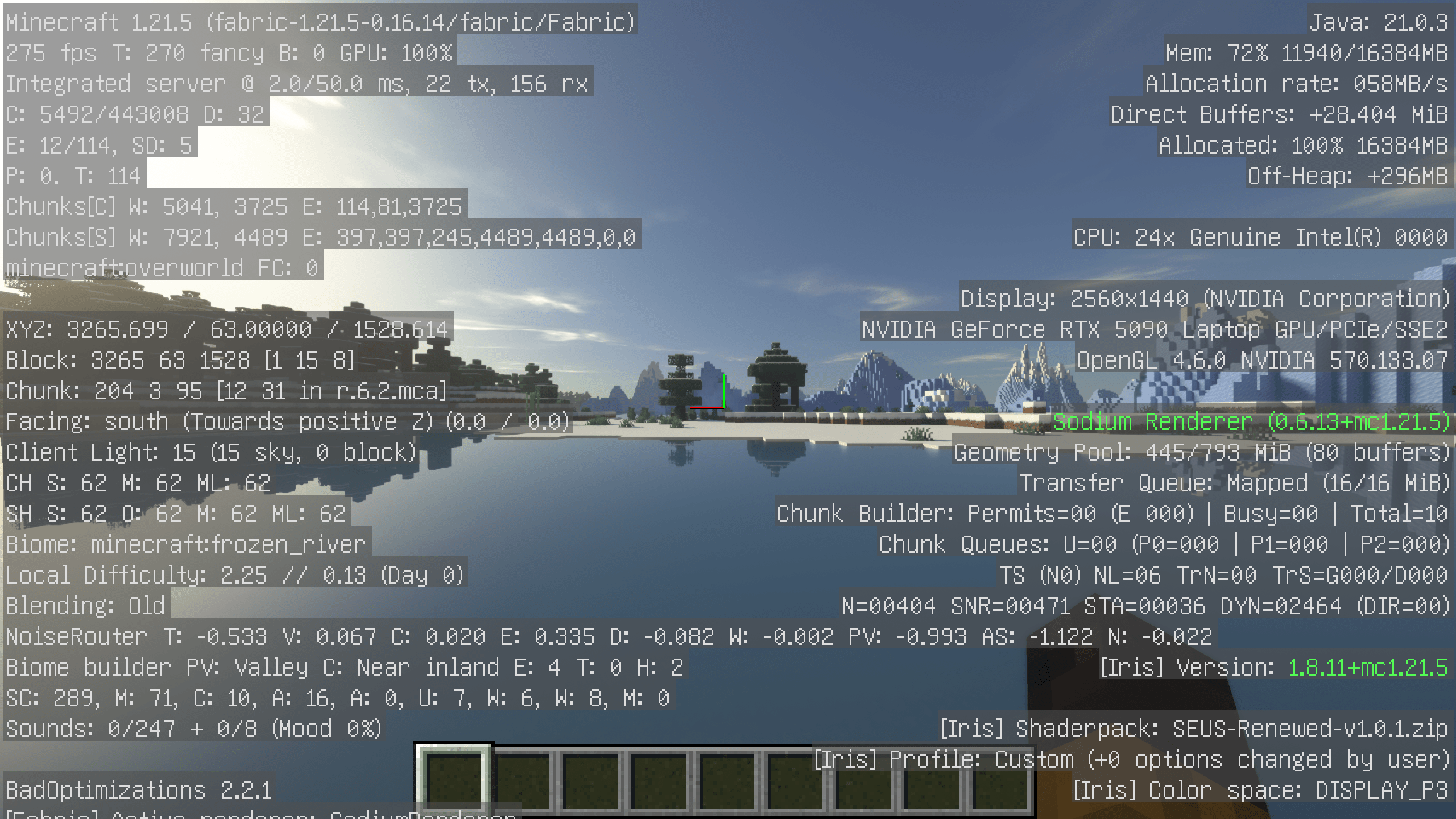
- ROG Strix SCAR 16 (2025) G635 (042W)
- Ultra 9 275HX + RTX 5090 Laptop + 32GB + 1+1TB
- Fedora 44
- Random Seed Default World
- Default Config, 32 Chunks
- 224/245 FPS, 1.2/50 MSPT
Comment installer Better Optimization
With Millida Launcher
Install Millida Launcher
The launcher is free: download it at millida.net/launcher and sign in with any nickname.
Click “Install” on this page
The launcher opens and installs the modpack for Minecraft 1.21.11–26.3 on Fabric automatically.
Launch the game
A profile with it appears in the launcher: click “Play”.
Manually
Download the modpack archive
In the version list above, pick the file Better-Optimization.mrpack (10 KB).
Import it into a launcher
A launcher that supports modpacks (Millida Launcher, Prism) takes the archive via “Add modpack”, then “From file”. No need to unpack it yourself.
Allocate memory
Modpacks need more memory than the plain game: set 4–6 GB in the profile settings.
Versions
Avec dépendances
| Minecraft | Loader | Fichier | Date | Actions |
|---|---|---|---|---|
| 26.3 | Fabric | 26.310.4 Ko 30 | ||
| 26.2 | Fabric | 26.27.5 Ko | — | |
| 1.21.11 | Fabric | 1.21.1111.3 Ko | — |
Ce qu'il faut pour l'exécuter
- WorldEditdéjà inclus
- ImmediatelyFastdéjà inclus
- Cloth Config APIdéjà inclus
- Optimized Block Entities [OBE]déjà inclus
- [ETF] Entity Texture Featuresdéjà inclus
- Reese's Sodium Optionsdéjà inclus
- Cull Leavesdéjà inclus
- Dynamic FPSdéjà inclus
- Entity Cullingdéjà inclus
- Better Block Entitiesdéjà inclus
- Fabric APIdéjà inclus
- ScalableLuxdéjà inclus
- Sodium Extradéjà inclus
- ModernFix-mVUSdéjà inclus
- Mouse Tweaksdéjà inclus
- BadOptimizationsdéjà inclus
- Lithiumdéjà inclus
- Dependencydéjà inclus
- Mod Menudéjà inclus
- Forge Config API Portdéjà inclus
- quick packdéjà inclus
- Dependencydéjà inclus
- Alternate Currentdéjà inclus
- MixinTracedéjà inclus
- FerriteCoredéjà inclus
- Asyncdéjà inclus
FAQ
Which Minecraft versions does Better Optimization work on?
There are files for 26.3, 26.2, 1.21.11. The newest is 26.3.
Is Better Optimization for Forge or Fabric?
Only for Fabric: 1.21.11–26.3.
Which mods are in the Better Optimization modpack?
Mods in the modpack include WorldEdit, ImmediatelyFast, Cloth Config API, Optimized Block Entities [OBE], [ETF] Entity Texture Features, Reese's Sodium Options, Cull Leaves, Dynamic FPS and 17 more.
Where can I download Better Optimization safely?
On this page: the file Better-Optimization.mrpack (10 KB) is stored on Millida’s server, with no link shorteners. SHA-1 checksum: 616aab367c443d2651fbb35f5856ae31b902d868.
Avis
Soyez le premier à noter Better Optimization


