

Optimized Block Entities [OBE] Mod pour Minecraft 1.20.1, 1.21.1
Un mod d'optimisation côté client pour rendre le rendu des entités de blocs plus rapide
 Fabric
 Quilt
Quilt NeoForge
 Forge
ForgeOptimized Block Entities (OBE)
OBE is a fully client side mod that significantly improves the rendering speed of block entities but not just that!
You won't lose animations, this mod keeps the animations of animated block entities likes chest and shulker boxes, it also supports EMF and ETF, which means it is compatible with FA: Objects!
You should also check out Better Block Entities, it was the first mod to optimize block entities on 1.21+ and did that very well. Both mods do not work in the same way, but he gave me some inspiration and 1 or 2 clever tricks.
How it works
This mod renders supported block entities just like any other block, this means they are meshed into the terrain and rendering terrain is much faster than rendering entities so it gives a HUGE performances boost. To keep animations, they are only rendered through the terrain when they are static, otherwise it goes through the vanilla renderer.
Features
- Improved FPS : Huge performance boost that scales with the number of block entities visible.
- Better lighting on block entities : they now support smooth lighting and ambient occlusion.
- Better render distance : block entities can be seen from a lot further away
- Config : Every block entity optimization can be toggled, same for the ambient occlusion.
Performances
FPS: 760 OBE / 520 BBE / 30 Sodium only
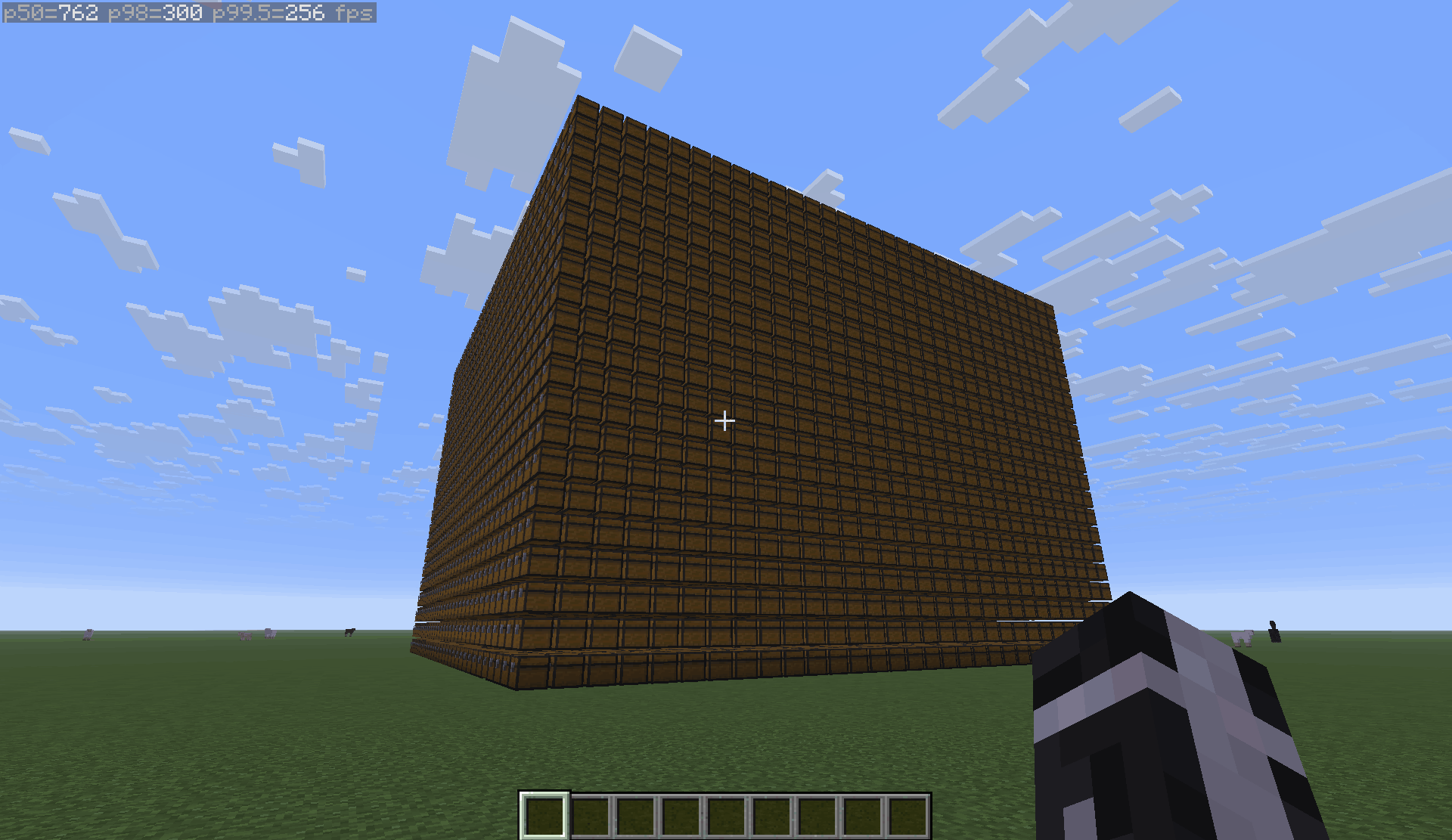
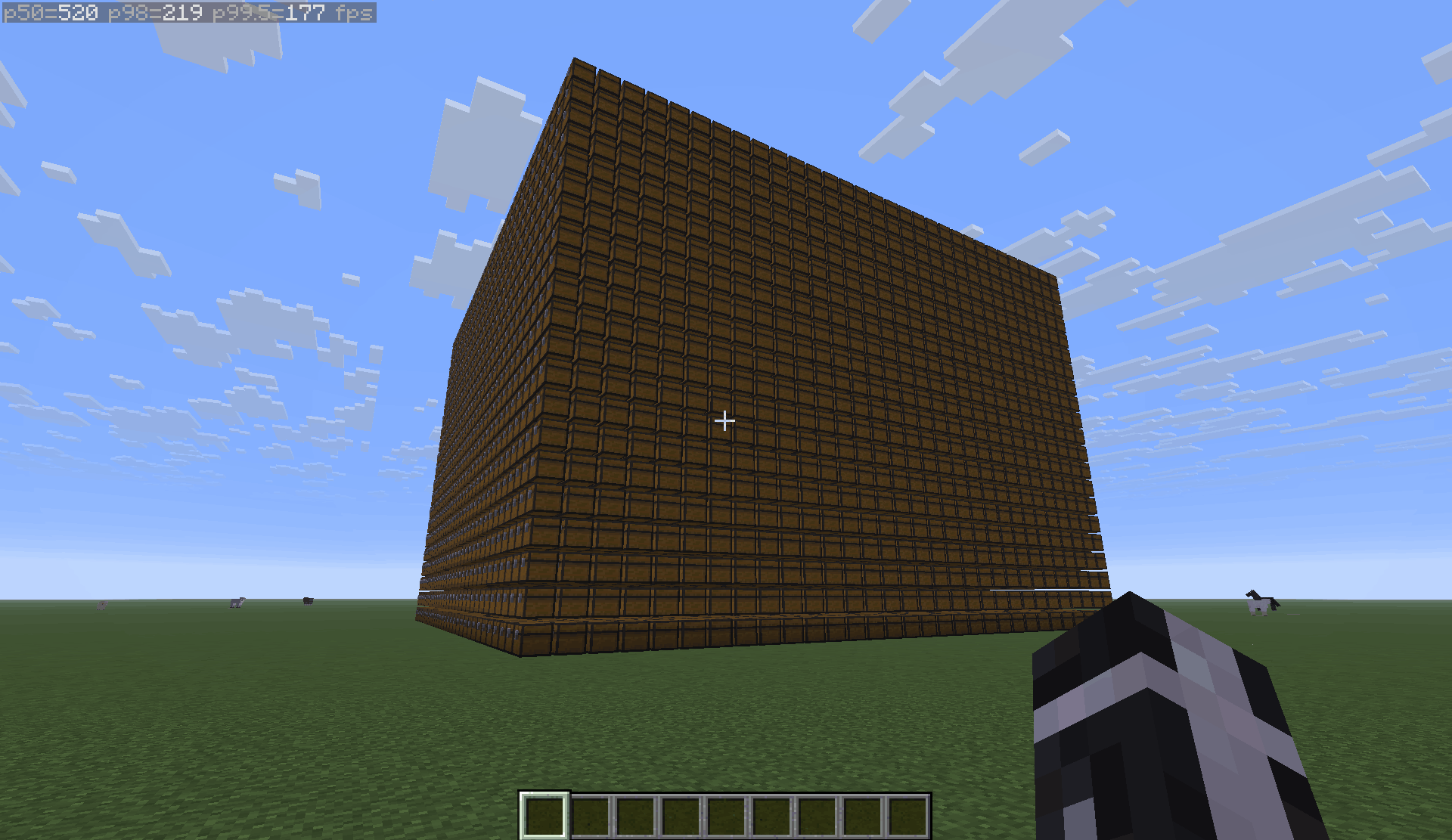
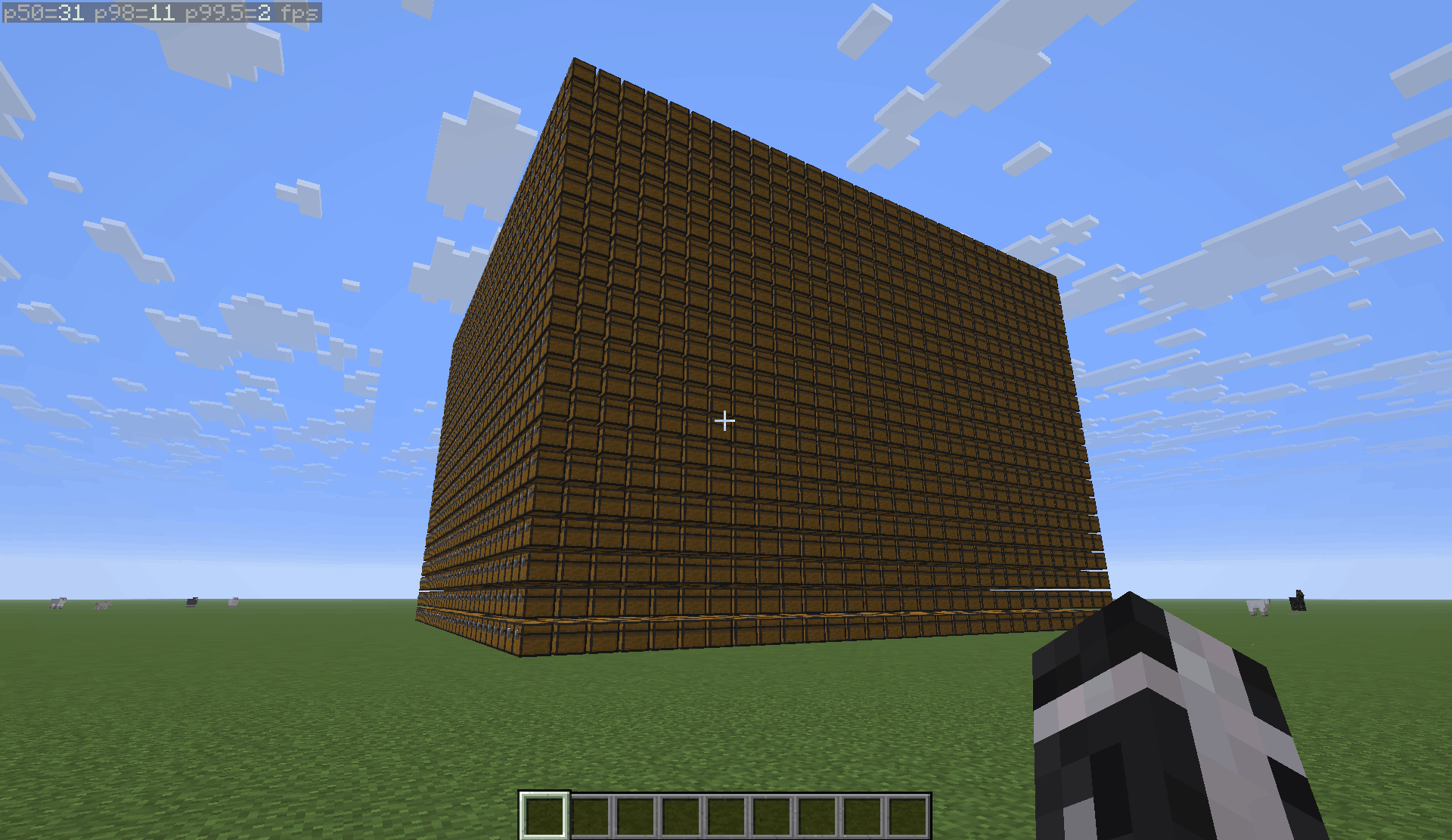
Performance tests ran on Minecraft 26.1.2 with OBE 1.1.27 and BBE 1.3.5 with Sodium 0.9.0 in FHD on a RTX 5060 laptop, an AMD Ryzen 7 260 w and 16Go of DDR5 RAM
Modded block entities compatibility
While OBE by default does not optimize modded block entities, the following ones have been implemented:
- Quark's chests Since OBE 1.1.3 and Quark 4.1-481
- Lootr Since OBE 1.1.23
- Mods using Blueprint (Woodworks and more) Since OBE 1.1.36
- Mods using BCLIB (BetterEnd and BetterNether) Since OBE 1.1.40
Why
Mods like this already exists like:
- BBE, but it requires Sodium to run, isn't available on Neoforge (at least not at the time of OBE development) and heavily modifies Minecraft's block entity rendering pipeling
- EBE, but it is sadly not updated anymore and isn't available on Neoforge
Both are awesome, the developers did great work but I wanted to make one that:
- Is updated and available on most modern Minecraft versions
- Is less intrusive, which means better compatibility with other mods
- Is available on Neoforge as well as Fabric
- Includes a way to support modded block entities
List of all optimized block entities
Optimized block entities
- Chests
- Shulker boxes
- Signs
- Decorated pots (with no pattern)
- Skulls (with no custom texture¹)
- Beds
- Copper golems
- Bells
- Banners (only the wooden post, not the flag as that would prevent the animation)
- Beacons
- Lecterns
- Campfires
- Shelves
¹: Some skulls with custom textures from Hypixel's Skyblock can also be optimized by using this resource pack
Trouble shooting
Invisible or duplicate block entities:
Only vanilla, indigo and sodium (embeddium on forge 1.20.1, it also requires FFAPI) rendering pipelines are fully supported, issues may happen with other ones like Optifine, Embeddium, Optifabric etc... in that case it is recommended to disable the OBE optimizations causing the issues using OBE's config screen.
Crash on 1.20.1 Forge with Embeddium:
You need the Forgified Fabric API mod if you want to use OBE and Embeddium at the same time.
Modpacks
Feel free to include this mod in any of your modpacks, telling me would be nice but is not mandatory.
Comment installer Optimized Block Entities [OBE]
With Millida Launcher
Install Millida Launcher
The launcher is free: download it at millida.net/launcher and sign in with any nickname.
Click “Install” on this page
The launcher opens and installs the mod for Minecraft 1.20–26.3 on Fabric, Forge, NeoForge or Quilt automatically, together with its dependencies: Fabric API.
Launch the game
A profile with it appears in the launcher: click “Play”.
Manually
Install Fabric, Forge, NeoForge or Quilt
The loader must match the game version of the mod file, for example Minecraft 26.3. After installing it, a separate profile appears in your launcher.
Download the file for your version
In the version list above, pick the file obe+26.3-1.2.0.jar (250 KB) for your game version and loader.
Put it in the mods folder
The folder is inside .minecraft (Windows: %appdata%\.minecraft\mods). If it does not exist, create it. Required dependencies go there too: Fabric API.
Launch the loader profile
Open “Mods” in the main menu: Optimized Block Entities [OBE] should be in the list.
Optimized Block Entities [OBE] works on the player’s side only: there is no need to install it on a server.
Versions
Avec dépendances
| Minecraft | Loader | Fichier | Date | Actions |
|---|---|---|---|---|
| 26.1.2 | NeoForge | 26.1.2188 Ko | ||
| 26.1.2 | Fabric, Quilt | 26.1.2239 Ko 1 | ||
| 26.2 | Fabric, Quilt | 26.2227 Ko 3 | ||
| 26.3 | Fabric, Quilt | 26.3250 Ko 1 | ||
| 26.1.2 | Fabric, Quilt | 26.1.2228 Ko | ||
| 26.2 | Fabric, Quilt | 26.2216 Ko 5 | ||
| 26.3 | Fabric, Quilt | 26.3239 Ko 6 | ||
| 26.1.2 | NeoForge | 26.1.2188 Ko |
Ce qu'il faut pour l'exécuter
- Fabric APIobligatoire
Avis
Soyez le premier à noter Optimized Block Entities [OBE]


