
Minecraft texture packs — page 185
Resource packs: list


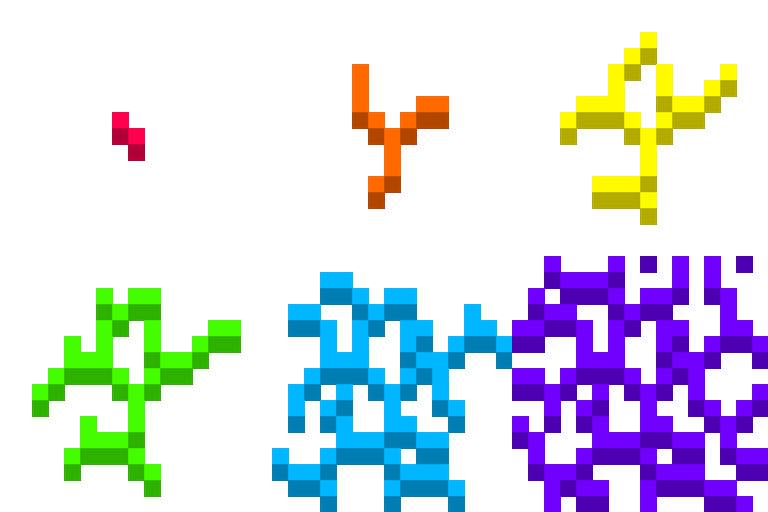
Rainbow breaking animation
Breaking animation looks colorful!Install

Better Tools and Items
It’s a texture pack that makes all tools look a little bit better.Download

Aimz Throne Liberty Crosshair
A PVP focused crosshair that changes the vanilla crosshair into a pvp oneInstall

Clouds Pack - Relaunched
A texture pack that brings the sky to life with realistic clouds and a 3D sun and moon.Install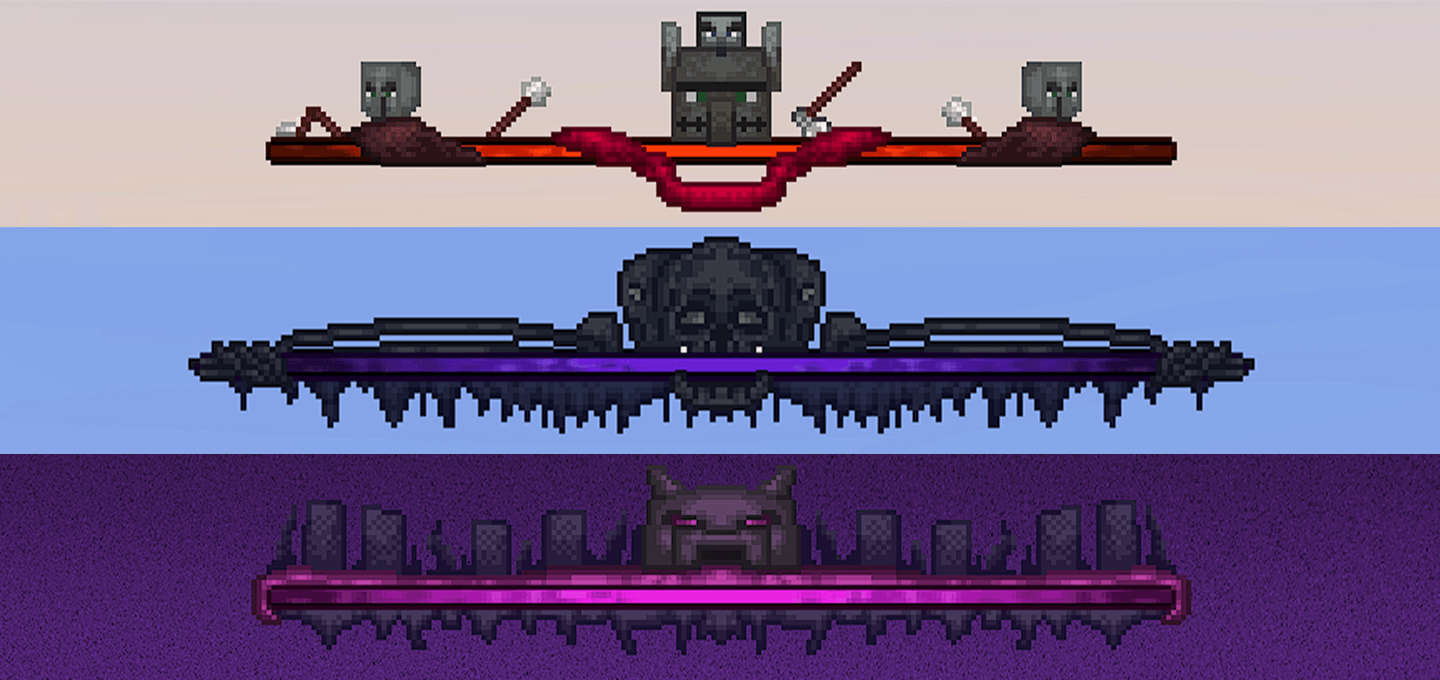

Better Bossbars
Replaces Default bossbars from the game and adds three new bossbars that look awesome!Download

Pollachius: Bedrock Edition
An 8x8 simple pack with a vibrant, boxy aesthetic. For Bedrock!Download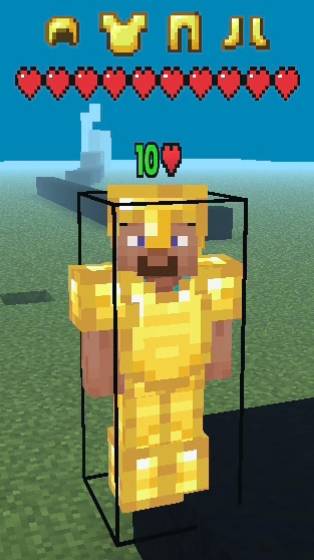

Takamura's PvP Utility (OFFICIAL V3.5)
A PvP Utility Texture Pack For MCPE/MCBE With Hitbox, Health Indicator, Armor Tags, Armor Durability HUD And ElytraIndicator, LeftHand, LowShield, PearlWinchargeHB, And Circle InRange.Download

Deceased GUI
A comprehensive GUI for DeceasedCraft.Install

Visible Powdered Snow
Makes powdered snow more visible, while keeping it pretty.Install

Better Colors - Saturation & Vibrancy
Completely overhauls and strongly improves the game's colors and shadesInstall

Completify — Performance Optimizer and Quality of Life
Completify is an all-in-one FPS optimizer and Quality of Life pack. It improves performance, visibility, gameplay and UIDownload

Iron Girl
Change the iron golem for a female warrior.Install

better nether portal
This resource package will change the nether portalInstall

Better Clear Glass [ Borderless ]
[ 1.7 - 1.19 ] A real and very clear glass !Install

Enhanced Moon
Enhances Minecraft's Square Moon!Install

Mizuno's x Crate Delight
A Recource pack that makes Mizuno's Craft compatible with Crate DelightInstall

Round Sun HD
The sun, but round!Install
Clangor: Dungeons Soundpack
Overhaul your combat audio with Minecraft Dungeons sound effects. Clangor mod required.Install

XRAYn't
What if Xray was inconvenient? XRAYn't: a silly resource pack for those looking for an original challengeInstall
Enchanted Bare Bones
Introduces smooth animations and glowing emissive effects to items, adding magic while preserving the minimalist look of Bare Bones.Install
Insomnia Compat
Adds compatibility between mods for the 'Insomnia: Hardcore' modpack.Install

Hold in hands
First-Person Hands Resource Pack for MinecraftInstall

UltimaCraft Enchantments
Adds unique look for each enchanted book, tool, armor and weaponInstallFAQ
Do I need Forge or Fabric for a resource pack?
No. A resource pack works on the regular game with no loaders or mods. Click “Install” and Millida Launcher will put the pack into the right modpack — then just enable it in the settings.
What do 16×, 32×, 64× mean?
The resolution of a single texture in pixels. 16× matches the original game, 32× and 64× are more detailed and heavier, and 128× and up put a noticeable load on your graphics card.
Will a pack made for another version work?
Most likely partly: older packs don't have textures for newer blocks, so those will stay default. The game won't break, though.
How is a texture pack different from a resource pack?
Only by name and age. Before version 1.6 the sets were called texture packs and changed only textures; in 1.6 resource packs replaced them and also change sounds, fonts and the interface. Old texture packs for 1.5 and below do not work on new versions without conversion.
Which texture packs are best for PvP?
PvP packs: 16× resolution or lower, shortened swords, low fire, a clear sky and bright particles. They barely load the computer and make the opponent easier to see. These packs are collected in the PvP theme.
How do I install a resource pack?
Press Install and Millida Launcher puts the pack into the resourcepacks folder of the right instance. Then enable it in the game: Options, then Resource Packs. Manually, the archive goes into resourcepacks inside the game folder, no need to unpack it.
Minecraft texture packs
A resource pack changes how the game looks and sounds: block and item textures, fonts, the interface, sounds. It doesn't touch the game's code, so it needs no mod loader and breaks nothing on a server — the pack only works on your screen. That's exactly why a resource pack is safer than any mod: the worst that happens on a version mismatch is that some textures stay default.
Textures, texture packs and resource packs are essentially the same thing: since version 1.6 Mojang calls these sets resource packs, but the old name is still searched more often. PvP packs are a big genre of their own: shortened swords, low fire, bright particles and 16× resolution or lower, so the opponent stands out and the frame rate does not drop. Such packs are most often made for 1.8.9 and 1.16.5, the versions many PvP servers run on.
The key thing about a pack is its resolution. The game's default textures are 16×16 pixels; 32× and 64× packs look more detailed, while 128× and up need a real graphics card and are usually paired with shaders. On a weak machine it makes sense to stay at 16× or go for packs that deliberately simplify graphics for more FPS. Every pack here lists its game version, author and license, and all released versions are gathered on one card. Put the downloaded archive in the resourcepacks folder and enable it in the game settings.