
Minecraft texture packs — page 157
6,456 itemsResource packs: list


Better Lily Pads
A texture to make lily pads better, adding flowers and variants to themInstall

CleanGlass
一个去除玻璃上白点的材质包 A texture pack that removes white spots from glassInstall
Ashen + InmisAddon Support
A small, 16x pack adding compatibility between Ashen 16x and InmisAddonInstall
Kal's Grimdark Enchantment Glints
7 Serene Enchantment Glints by KalamonInstall

Better Nether Portal
Tired of the very prominent texture of the nether portal? This resource pack will completely rework its texture by adding a cool frame and increasing transparency.Install
Classic Faithful 32x Jappa
A double resolution texture pack that continues Vattic's classic faithful style today.Install

Muskets 3D Wild West for Ewewkek's
This texture pack changes 2D muskets to 3D muskets wild westInstall

PresenceFootsteps: Remastered Sounds Pack
An official resource pack port of Presence Footsteps mod, Brings realistic footsteps sounds into Minecraft!Install
Fresh Particles
Make the particles even more vanillaInstall

Rascal Does Not Dream GUI Pack
Overhauled Minecraft GUI in the theme off Rascal Does Not Dream of Bunny Girl Senpai.Install
[Moonsu] Cherry Blossom (Advancements Plaques)
Replaces the original design with something more simple but elegantly flowered.Install

Aures - Torchmaster Remaster
Makes modded anti-spawn blocks more beautiful.Install
Invisible/Clear Glass
Makes glass invisible, and stained glass clear. No more pesky borders!Install

Medieval Paintings
Replaces Vanilla Paintings with Medieval OnesInstall

Ghast Girl
Changes the ghast to a female angel.Install

Invisible GUI
Invisible inventory in all Minecraft interfaces for PVP games.Install

Better Items
This pack makes the items better in first person, with different optionsDownload

Connected Glasses
This texture pack connects the textures of the glass, so that it is not noticeable that it is a different block.Install

Coterie Craft ArchBloom
A retro-styled RPG pack that aims to accommodate retro styled textures to a whole new level.Install
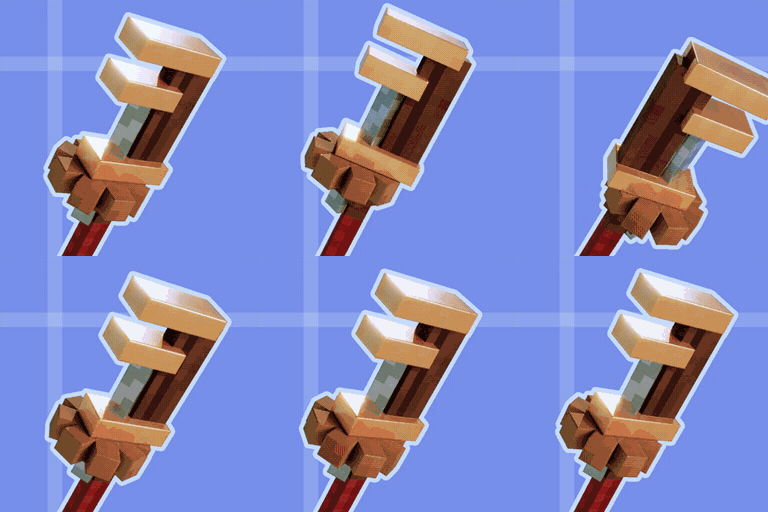
Create Ultra
Shiny PBR textures for your machinery!Install

Bow Charger
Adds colors to bows and crossbows when charging them!Install

Refined Cats
Updates the cat textures as well as the model to have a refreshed appearance (Forge/Fabric)Install

Scape And Run Parasites | Dynamic Sounds
Adds A Echo To The Parasite SoundsInstallFAQ
Do I need Forge or Fabric for a resource pack?
No. A resource pack works on the regular game with no loaders or mods. Click “Install” and Millida Launcher will put the pack into the right modpack — then just enable it in the settings.
What do 16×, 32×, 64× mean?
The resolution of a single texture in pixels. 16× matches the original game, 32× and 64× are more detailed and heavier, and 128× and up put a noticeable load on your graphics card.
Will a pack made for another version work?
Most likely partly: older packs don't have textures for newer blocks, so those will stay default. The game won't break, though.
How is a texture pack different from a resource pack?
Only by name and age. Before version 1.6 the sets were called texture packs and changed only textures; in 1.6 resource packs replaced them and also change sounds, fonts and the interface. Old texture packs for 1.5 and below do not work on new versions without conversion.
Which texture packs are best for PvP?
PvP packs: 16× resolution or lower, shortened swords, low fire, a clear sky and bright particles. They barely load the computer and make the opponent easier to see. These packs are collected in the PvP theme.
How do I install a resource pack?
Press Install and Millida Launcher puts the pack into the resourcepacks folder of the right instance. Then enable it in the game: Options, then Resource Packs. Manually, the archive goes into resourcepacks inside the game folder, no need to unpack it.
Minecraft texture packs
A resource pack changes how the game looks and sounds: block and item textures, fonts, the interface, sounds. It doesn't touch the game's code, so it needs no mod loader and breaks nothing on a server — the pack only works on your screen. That's exactly why a resource pack is safer than any mod: the worst that happens on a version mismatch is that some textures stay default.
Textures, texture packs and resource packs are essentially the same thing: since version 1.6 Mojang calls these sets resource packs, but the old name is still searched more often. PvP packs are a big genre of their own: shortened swords, low fire, bright particles and 16× resolution or lower, so the opponent stands out and the frame rate does not drop. Such packs are most often made for 1.8.9 and 1.16.5, the versions many PvP servers run on.
The key thing about a pack is its resolution. The game's default textures are 16×16 pixels; 32× and 64× packs look more detailed, while 128× and up need a real graphics card and are usually paired with shaders. On a weak machine it makes sense to stay at 16× or go for packs that deliberately simplify graphics for more FPS. Every pack here lists its game version, author and license, and all released versions are gathered on one card. Put the downloaded archive in the resourcepacks folder and enable it in the game settings.