
Minecraft texture packs — page 106
Resource packs: list


Dark Everywhere
Objective to leave all the Dark gui both base minecraft and modsInstall

Cat Crosshair
Crosshair that looks like a cute little catInstall

Classic Default-Style Christmas Pack
A holiday themed resource pack in the default styleInstall
Legendary Pack
Top-notch Pixel Art Minecraft OverhaulInstall
The Undergarden - Farmer's Delight - Bark Cutting Compat
Adds Compatibility Between The Undergarden & Farmer's DelightInstall

Better Sky
Enhances the game with a beautiful custom sky.Install
Enemy Expansion modded biomes compatibility
Enemy Expansion's mobs can now spawn in modded biomesInstall
Marbled's Eerie Ambience
A resource pack that replaces all of the music to eerie ambience.Install

Renovated Textures for Iron's Spells
Renovated Textures for Iron's Spells and SpellbooksInstall

White PVP Overlay
Minecraft Texturepack for Crystal PvP and other gamemode. -white crystals and ancors -white tools -black pearls -small totems Made By FullEndymion and KaesitiusInstall
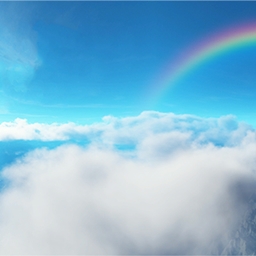
Above The Clouds
This is the Above The Clouds Resource Pack which has been built for Skyblock, Skywar, Eggwar, Bedwar,... players.Install

Farmer's Cutting: Oh The Biomes We've Gone [Datapack]
Adds Farmer's Delight cutting recipes for Oh The Biomes We've Gone (Datapack Version)Install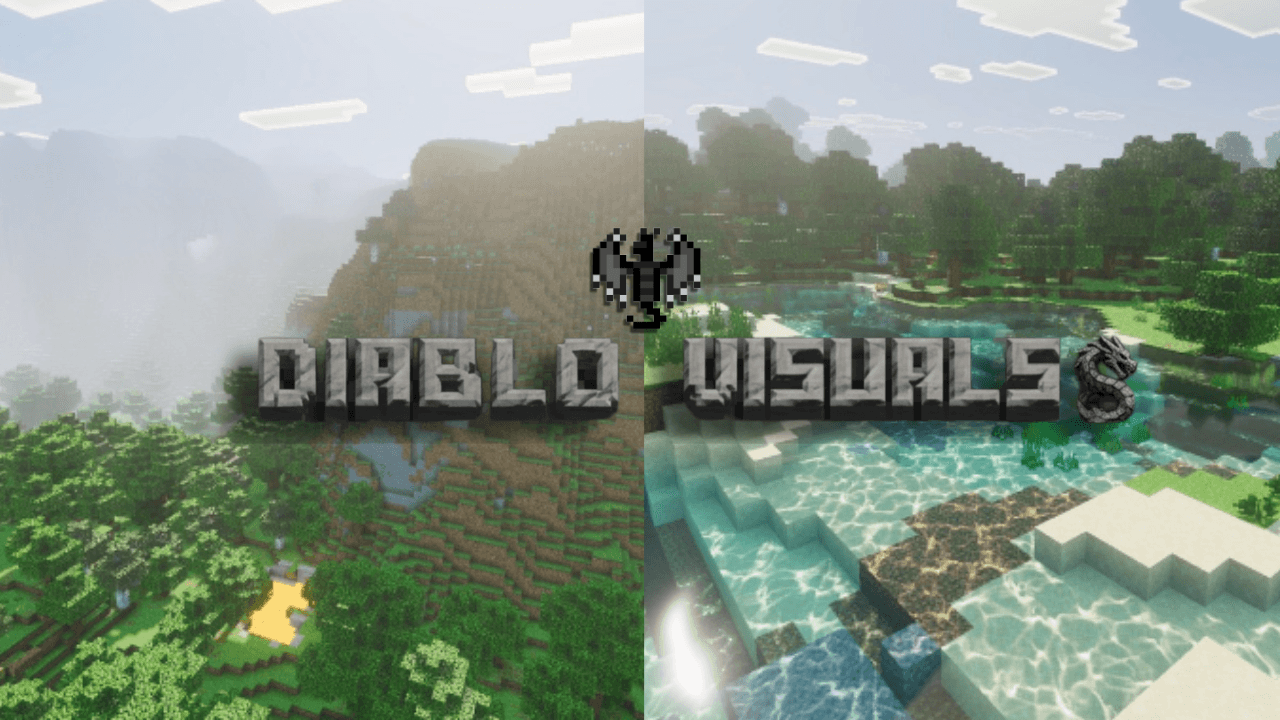

Diablo Visuals for Vibrant Visuals
Diablo Visuals is a vibrant, high-energy graphics pack designed to ignite your content. Packed with bold colors, dynamic motion overlays, and intense visual effects, it gives creators the exact edge needed to make every frame unmissable.Download

WitherBean's Wither Storm Tweaks
A datapack and resourcepack for Cracker's Wither Storm Mod that makes the Wither Storm deadlier, the command block more deadly, and much more!Install

Limitless Designs
The Limitless Prism Texture packInstall

Rascal Does Not Dream GUI Pack
Overhauled Minecraft GUI in the theme off Rascal Does Not Dream of Bunny Girl Senpai.Install

Crystal PvP + Anime Sky
This PvP/CPvP resource pack replaces the model textures, sounds, GUI, inventory, and sky with a Anime theme.Install

Farmer's Cutting: Biomes O' Plenty [Datapack]
Adds Farmer's Delight cutting recipes for Biomes O' Plenty (Datapack Version)Install

Fresh Moves
Fresh Moves for bedrockDownload

Rainbow XP Bar
Rainbow XP Progress Bar is a vibrant texture pack designed to make your Minecraft XP bar more visually appealing with a stunning RGB (rainbow) effect.Install

Full Brightness - tPaz
All dark areas become bright even without torches.Install

Brickcraft
Handcrafted 3D plastic-brick resource pack for Minecraft! 1,000+ custom 3D models, realistic LabPBR plastic reflections for shaders, and smooth Vanilla 128x performance (MC 1.20 – 26.1).Install

MattPack
A compilation of many texture packs into a redstone texture pack. used by mattbatwings - https://www.youtube.com/@mattbatwingsInstallFAQ
Do I need Forge or Fabric for a resource pack?
No. A resource pack works on the regular game with no loaders or mods. Click “Install” and Millida Launcher will put the pack into the right modpack — then just enable it in the settings.
What do 16×, 32×, 64× mean?
The resolution of a single texture in pixels. 16× matches the original game, 32× and 64× are more detailed and heavier, and 128× and up put a noticeable load on your graphics card.
Will a pack made for another version work?
Most likely partly: older packs don't have textures for newer blocks, so those will stay default. The game won't break, though.
How is a texture pack different from a resource pack?
Only by name and age. Before version 1.6 the sets were called texture packs and changed only textures; in 1.6 resource packs replaced them and also change sounds, fonts and the interface. Old texture packs for 1.5 and below do not work on new versions without conversion.
Which texture packs are best for PvP?
PvP packs: 16× resolution or lower, shortened swords, low fire, a clear sky and bright particles. They barely load the computer and make the opponent easier to see. These packs are collected in the PvP theme.
How do I install a resource pack?
Press Install and Millida Launcher puts the pack into the resourcepacks folder of the right instance. Then enable it in the game: Options, then Resource Packs. Manually, the archive goes into resourcepacks inside the game folder, no need to unpack it.
Minecraft texture packs
A resource pack changes how the game looks and sounds: block and item textures, fonts, the interface, sounds. It doesn't touch the game's code, so it needs no mod loader and breaks nothing on a server — the pack only works on your screen. That's exactly why a resource pack is safer than any mod: the worst that happens on a version mismatch is that some textures stay default.
Textures, texture packs and resource packs are essentially the same thing: since version 1.6 Mojang calls these sets resource packs, but the old name is still searched more often. PvP packs are a big genre of their own: shortened swords, low fire, bright particles and 16× resolution or lower, so the opponent stands out and the frame rate does not drop. Such packs are most often made for 1.8.9 and 1.16.5, the versions many PvP servers run on.
The key thing about a pack is its resolution. The game's default textures are 16×16 pixels; 32× and 64× packs look more detailed, while 128× and up need a real graphics card and are usually paired with shaders. On a weak machine it makes sense to stay at 16× or go for packs that deliberately simplify graphics for more FPS. Every pack here lists its game version, author and license, and all released versions are gathered on one card. Put the downloaded archive in the resourcepacks folder and enable it in the game settings.