
Shaders for Minecraft Java — page 31
963 itemsShaders: list


Shroom
One of the fastest shaders in Minecraft.Install

VHS Cord
Retro syled shaderpack to replicate specific technical limitations of older consoles like PS1.Install

Dara
Dara — a lightweight, atmospheric shader pack for Iris: soft shadows, warm torchlight, animated water with highlights, and cinematic color grading — with no FPS hit.Install

VoxLume
A Advanced Voxel Path-Traced Shaderpack for Iris.Install

EzSaturation
Adds a simple slider which allows you to change saturationInstall

Hearthglow Cottagecore cosy shader
Hearthglow is a cottagecore shader for Minecraft (Iris & OptiFine): warm ambient light, soft glow, pastel tones. No other shader is built specifically for the cozy aesthetic.Install

Lunaris Shader
Transforming the visuals of Minecraft with exceptional quality, detail, and performance.Install

Blind Shader
A shader that makes it hard to see on any distance.Install

VanillAqua Reflections
A simple Minecraft shader focused on realistic water rendering and subtle vanilla visual enhancements.Install

VoidDream
VoidDream turns Minecraft deeply unsettling — inverted lighting, color-shifting world and glowing block outlines. Strange enough to feel wrong, balanced enough to play.Install

JustVanilla
This Shaderpack Enhances Vanilla With Realtime Shadows Without Needing a NASA PC!Install
No Blindness Shader
No Blindness Shader — Removes the blindness effect completely. No more dark screen from Elder Guardian or potions!Install

Moon Shaders
A lightweight Minecraft shader focused on delivering beautiful visualsInstall

Cyberspace Shaders
Cyberpunk 2077 Cyberspace LiDAR effect shadersInstall

Galaxy'S Shaders
A Minecraft Shaderpack For Minecraft: Java Edition. Simple Shaders.Install

White & Black Shader
This shader is the inverted version of my Black & White shaderInstall

Select Outline
Add custom colorful outlines to the blocks you point at.Install

Claude AI shader
This was a McCool Creation ------------------------------------- This shader is realistic, epic, and awsome. adds a circle sun and moon and adds nice decent graphics. Not lightweight! DO NOT LOOK AT THE SKY AT NIGHT!Install

Hologram Shader
An shader that make entities kinda like a hologram.Install

Lumarit
A photography-inspired shaderpack. light enough to leave on all the time.Install
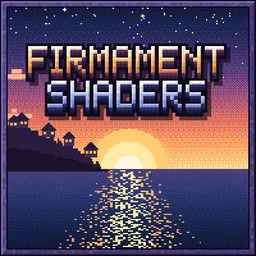
Firmament
Soft sunlight, clear water and warm nights. An Iris shader pack for the worlds you already love.Install

Noxara
A colorful vanilla-inspired shader focused on performance, cozy lighting and customizable visuals.Install

Extraterrestrial Expanse
Extraterrestrial Expanse is a high quality visual minecraft shader that aims to make you gaze into your surroundings and enjoy the world around youInstallRequired to run
FAQ
What do I need to get shaders working?
Iris or OptiFine. Iris installs as a Fabric mod and is usually faster; OptiFine is a separate installer. Without one of them the game simply won't see the shader. Millida Launcher installs Iris along with the shader for you.
Which shaders run on a low-end PC?
Light packs without ray tracing and with low shadow resolution. They're marked in the catalog — they give you shadows and water while costing noticeably fewer frames.
How do I install shaders?
Click “Install” and Millida Launcher will put the shader into the shaderpacks folder of the right modpack. Then select the pack in the video settings — no need to unpack the archive.
Iris or OptiFine — which should I choose?
For new versions, Iris: it works with Sodium, usually gives more FPS and supports almost all modern shaders. OptiFine is needed on old versions and for packs that rely on its special features. The two cannot be installed in the same instance.
Are there shaders for Bedrock?
The shaders in this section are for the Java edition; their format does not work in Minecraft PE and Bedrock. Bedrock has a built-in Vibrant Visuals graphics mode and resource packs with deferred rendering support, which are turned on in the game settings.
Shaders for Minecraft Java
Shaders rewrite the game's lighting: you get soft shadows, volumetric sunlight, reflections on water and a real night instead of flat dusk. A shader on its own isn't a mod: it's a set of programs for your graphics card, run through a middleman — Iris or OptiFine. Iris installs as a Fabric mod and runs faster; OptiFine is a standalone installer that has been around the longest.
Iris works together with Sodium, so on the same machine it usually gives more frames, and new shaders come out for it first; OptiFine is chosen for old game versions and its own features such as connected textures. On a low-end PC start with packs from the For low-end PCs collection and lower the quality profile inside the shader, and leave heavy ray-traced packs to a powerful graphics card.
Beauty costs frames. Heavy ray-traced shaders can cut performance several times over even on a good graphics card, so the catalog separately marks light packs built for weak machines: they give you shadows and decent water while barely touching FPS. In practice: first install Iris or OptiFine, then put the shader archive in the shaderpacks folder and select it in the video settings. It's best to start with a light pack, and the quality profiles inside the shader itself lower the load even further.