
Plugins for Minecraft Java — page 13
3,785 itemsPlugins: list

Paintball War Edition
Snowball-hit-detection-game-plugin!On a server
dtlTraders
A better way to trade! For Citizens(2).On a server

SkBee
A Skript addon that picks up where Skript left off.On a server

NightCore
A lightweight library with a wide range of utilities and tools for faster and more efficient plugin development.On a serverNameTags
Color your user's names!On a server

PreciousStones
PreciousStonesOn a server

HideStream
HideStream - updated! - Simple, lightweight, effective.On a serverCookieMonster
Money and Items for PvM and PvPOn a server

ChatColor
Change the colour of the server chat!On a serverWarpPortals
WarpPortalsOn a server

Advanced Lucky Block
Lucky Block PluginOn a server

Chunksmith
Pre-generates chunks fast, and safely: an adaptive throttle paces generation against server tick-health so it can run with players online. Builds Distant Horizons / voxy LOD data as it goes and serves it to clients. Fabric, Forge, NeoForge and Paper/Folia.On a server

SpoutTrade
Trade items using an in game GUIOn a server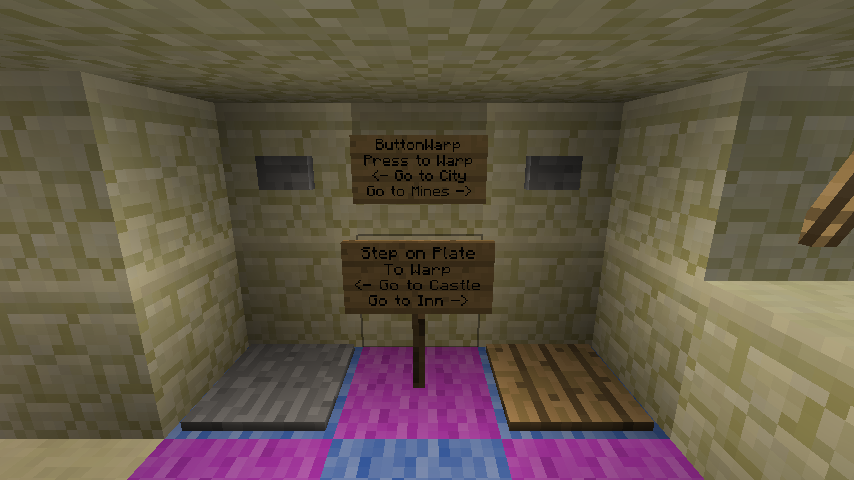

ButtonWarp
Teleport using buttons with price/reward/custom messagesOn a server

HuskHomes
The powerful & intuitive set homes, warps, and teleports plugin/modOn a serverMChat
[CHAT] mChat v1.7.10_5 - Chat formatting plugin [1060]On a server

PowerRanks
Rank-based permission manager for servers.On a server

Sit
Simple stair sitting plugin.On a server
Timeismoney
Timeismoney allows you to earn money per minute of connectionOn a server

CustomCrafting
Easily create custom recipes via an in-game GUI, including Crafting, Cooking, Smithing, etc. Use advanced config features to merge/copy NBT from ingredients to results, and run Extensions on recipe completion.On a server
OneBlock
OneBlock Minecraft Bukkit pluginOn a server

Terrain Control
This plugin allow full control of normal world generatorOn a server

AuraSkills
The ultra-versatile RPG skills plugin. Formerly known as Aurelium Skills.On a serverFAQ
How is a plugin different from a mod?
A plugin runs only on the server and requires nothing from players: the client stays vanilla. A mod has to be installed by everyone, and it changes the game itself.
Where do I put a plugin?
Put the .jar file in the plugins folder on the server, then restart the server. The plugin will create its config on first launch.
Will a Spigot plugin work on Paper?
Usually yes: Paper and Purpur are built on Spigot and are compatible with its plugins. The reverse isn't true — a plugin that uses Paper features won't work on plain Spigot.
How do I install a plugin on Aternos?
On Aternos, plugins can only be installed from the built-in list in the “Plugins” section of the panel. You can't upload your own .jar file, so paid and rare plugins can't be installed on Aternos. If the plugin you need isn't on the list, you need hosting with access to the plugins folder: put the file there and restart the server.
Which plugins should I install on a server first?
People usually start with four: EssentialsX (homes, warps, kits, teleport), LuckPerms (groups and permissions), WorldGuard together with WorldEdit (spawn and region protection) and ViaVersion (joining from other game versions). For a server with nickname login, add AuthMe for passwords and SkinsRestorer for skins.
Which plugins should I install on a server for playing with friends?
A small server for friends needs just a few: EssentialsX (home, teleport to a friend, warps), CoreProtect (rolling back griefing and finding who broke a block) and Simple Voice Chat for voice chat, which needs the mod of the same name on players' side. Permissions and region protection are usually unnecessary on such a server.
How do I install a plugin on Paper?
Download the plugin file for your Paper version, put the .jar into the plugins folder and restart the server — the /plugins command will list it. On Millida Hosting the On a server button on the plugin page does the same.
Plugins for Minecraft Java
A plugin is installed on the server, not by the player, and that's the whole difference from a mod: the client stays plain vanilla, and you can join the server without downloading a single file. Plugins run on server cores — Paper, Spigot, Bukkit, Purpur, Folia — while Velocity and BungeeCord are used for proxies between servers. The core matters as much as the version: a Paper plugin will almost always run on Purpur, but a Velocity plugin won't start on a regular server at all.
The useful minimum for a server is almost always the same: EssentialsX for basic commands, LuckPerms for permissions, WorldGuard together with WorldEdit for region protection and CoreProtect to roll back griefing. Servers with nickname login add AuthMe and SkinsRestorer, servers for friends add Simple Voice Chat. On Millida Hosting a free plugin from the catalog goes onto the server with the On a server button on its page, no manual .jar upload.
Plugins handle almost everything behind the scenes on a server: ranks and permissions, land protection, economy and shops, anti-cheat, map rotation, menus and voting. You install them by copying the .jar file into the plugins folder and restarting the server; most create their own config on first launch, which is what you then edit. The card lists supported cores and game versions, the author and license, and all releases are gathered on one page — you can update the plugin right from there.