
Plugins for Minecraft Java 1.8 — page 22
613 itemsPlugins: list



SayanVanish
A modular vanish system for Minecraft serversOn a server

PlayerWeight
Modify player's speed according to their weight!On a server

CommandRewriter
Assign texts to commandsOn a server
HypixelTNT
Adds the TNT and Fireballs used on Hypixel Bedwars.On a server

HamsterAPI
Lightweight Spigot/Bukkit API library that provides developers with utility methods, performance-focused abstractions, and shared systems to speed up plugin development.On a server
NoNameNPC
Finally a working solution for invisible name plates on Citizens NPCs!On a serverMicroJump
Bukkit side BungeeCord /server commandOn a serverTroll
TrollOn a server

Velocity Limbo Handler
A simple plugin for handling limbo reconnection/handlingOn a serverPasswordLogin
PasswordLoginOn a server

DK KITS
DKKITS is a Spigot/Paper 26.1 plugin that lets you create, edit, and deliver kits via GUI, with per-kit permissions and per-player cooldowns.On a server

JoinMusic
JoinMusicOn a serverKits2.0
Kits PluginOn a server
Crazy Envoy
This is a new free envoy plugin. Drop crates all over spawn for players to fight over.On a serverDynmap-Citizens2
Display Citizens2 NPCs on DynmapOn a server

RealTimeWeather
Sync your server's time and weather with the real worldOn a server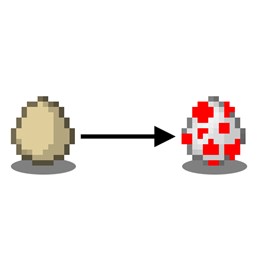
SimpleEgg
Capture and convert mobs to spawn eggs with their attributes preserved.On a server

InventoryStacks (1.7-26.2)
Change the amount of each item you can hold in one slot. It allows you to change the default 64 stack size for any item.On a server
NewArmor
Emerald Armor/ Sword / Bow / MagicOn a server

Bows+
9 types of bows from TeleportBow to TNTBow! With particles(1.7.2-1.8.7), custom names and craftings!On a serverToolBelt
Go out into the world armed with an assortment of gizmos at your side.On a server

CrazyAnnouncer
CrazyAnnouncerOn a server

Bookshelf
Store Books in bookshelves with effect and sounds, with support for multiple other plugins!On a serverFAQ
How is a plugin different from a mod?
A plugin runs only on the server and requires nothing from players: the client stays vanilla. A mod has to be installed by everyone, and it changes the game itself.
Where do I put a plugin?
Put the .jar file in the plugins folder on the server, then restart the server. The plugin will create its config on first launch.
Will a Spigot plugin work on Paper?
Usually yes: Paper and Purpur are built on Spigot and are compatible with its plugins. The reverse isn't true — a plugin that uses Paper features won't work on plain Spigot.
How do I install a plugin on Aternos?
On Aternos, plugins can only be installed from the built-in list in the “Plugins” section of the panel. You can't upload your own .jar file, so paid and rare plugins can't be installed on Aternos. If the plugin you need isn't on the list, you need hosting with access to the plugins folder: put the file there and restart the server.
Which plugins should I install on a server first?
People usually start with four: EssentialsX (homes, warps, kits, teleport), LuckPerms (groups and permissions), WorldGuard together with WorldEdit (spawn and region protection) and ViaVersion (joining from other game versions). For a server with nickname login, add AuthMe for passwords and SkinsRestorer for skins.
Which plugins should I install on a server for playing with friends?
A small server for friends needs just a few: EssentialsX (home, teleport to a friend, warps), CoreProtect (rolling back griefing and finding who broke a block) and Simple Voice Chat for voice chat, which needs the mod of the same name on players' side. Permissions and region protection are usually unnecessary on such a server.
How do I install a plugin on Paper?
Download the plugin file for your Paper version, put the .jar into the plugins folder and restart the server — the /plugins command will list it. On Millida Hosting the On a server button on the plugin page does the same.
Plugins for Minecraft Java 1.8
Plugins for Minecraft 1.8: 613 items in the Plugins section. Compatibility is checked against the files, not the description: only items with a build for exactly these conditions stay in the list.
Plugins handle almost everything behind the scenes on a server: ranks and permissions, land protection, economy and shops, anti-cheat, map rotation, menus and voting. You install them by copying the .jar file into the plugins folder and restarting the server; most create their own config on first launch, which is what you then edit. The card lists supported cores and game versions, the author and license, and all releases are gathered on one page — you can update the plugin right from there.