
Minecraft mods — page 289
9,029 itemsMods: list


VTDownloader
Pick and download Vanilla Tweaks resource packs directly from your Minecraft client!Install
Extended Clouds
Make clouds render further out!Install

Cable Fixes for Prom
A Fabric mod that fixes various mod-interactivity crashes and issues on the Prominence 2 modpack, specifically focusing on Ad Astra machines and Create/ AE2 copycat blocks.InstallOn a server

Echoes of The End ( Structures)
Adds 9 New Structures To The End. Is This The End? ( Vanilla Blocks Only )InstallOn a server
Twilight Iris Xe Fix
Fix Aurora Shader crash on Iris Xe drivers For 1.20.x.Install

Epic Power Bracelets
You can use epic bracelets to get more powers!InstallOn a server

Paintable
Adds a paint bucket and paintbrush that you can use to paint your walls.InstallOn a server

SMWYG-Fix
This project fixes the SMWYG force leave bug.InstallOn a server

Item Alchemy
Add an EMC system like Project E. It can equivalent exchange of items.InstallOn a server

Evil Beetroot
Adds Beetroot Enemies and juicy Beetroot ItemsInstallOn a server

Better End Cities for BetterEnd
This makes end cities look better, using blocks from the BetterEnd modInstallOn a server

Corn Delight [Fabric/Quilt]
An a-maize-ing addon for Farmer's DelightInstallOn a server

Rescale (Aspect Ratio)
Force any Aspect Ratio (4:3, 5:4, Custom) on any monitor for wider player models. Includes a built-in View Model editorInstall

Wearable Lanterns
A vanilla friendly and open-source mod that intends to make the lanterns more useful when adventuring or caving.InstallOn a server

Bundle API
Bundle API allows mod authors to easily add bundles that can hold more than 1 stack of items specified by an item tag.InstallOn a server
Spawn Animations Compats
A datapack that adds compatibility for Spawn Animations with 50+ mods.InstallOn a server

Simple Block Overlay
A very simple block overlay mod, and the inspiration for the "Custom Block Highlight" modInstall

OverlayLib
Library for rendering live info-overlaysInstall

Additional Lanterns
Additional Lanterns adds many new lanterns with different colors and materials!InstallOn a server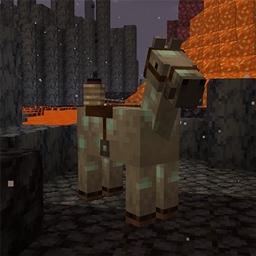
Shadow Mounts
🐎 SpookyJam 2024: Turn horses into their Shadow Variant via a unique saddle!Install
Rainbow Oaks Renewed
The Rainbow Oak trees from the Twilight Forest mod. Just the trees...but in the overworld. That's it. That's the mod.Install

Mas Effects
A mod focused on enhancing Minecraft PVP visually! Mace shockwave, Custom totem particles and more!Install
Enhanced Celestials 2: Shader Support
Bridge mod adding support for sodium / iris shaders in order for moon colors to work correctly.InstallFAQ
How is Forge different from Fabric?
They're two different mod loaders that aren't compatible with each other. Forge is the older one and better suited to big tech and magic modpacks; Fabric is lighter, updates to new game versions faster, and hosts most performance mods. NeoForge is a Forge fork for newer versions, and Quilt is a Fabric fork. A Forge mod won't run on Fabric, and vice versa. Millida Launcher installs the right loader for you.
How do I know which mod version I need?
The one that matches your game version and loader. The “Install” button picks the file for you: Millida Launcher grabs the version for your modpack. A mod for 1.20.1 usually won't work on 1.21.
How do I install a mod?
Click “Install” and Millida Launcher will download the mod, its dependencies and the right loader for you. To install a downloaded file manually, put it in the mods folder inside the game directory.
Do I need CurseForge to install mods?
No. The Install button on a mod page opens Millida Launcher: it downloads the mod, its dependencies and the right loader into the chosen instance by itself. No CurseForge and no manual file copying.
Which mods are there for 1.20.1?
1.20.1 is one of the most modded versions, especially on Forge: tech, magic, RPG, furniture, weapons. Pick 1.20.1 in the version filter to keep only mods with a file built exactly for it, then pick Forge or Fabric next to it.
Can I install mods on my phone?
On Android, yes: Millida Launcher runs the Java edition on a phone, and mods work there just like on a PC, though light ones run much better than heavy ones. Minecraft PE (Bedrock) cannot load PC mods — it has add-ons instead, in the Minecraft PE mods section.
Which mods are best to play with friends?
The usual picks are Simple Voice Chat for proximity voice chat, Waystones for fast travel, Xaero's Minimap and something big to work on together, such as Create. Mods that change the world must be installed by every player and on the server, while client-side ones like a minimap or performance mods are up to each player.
Minecraft mods
A mod is an add-on that changes the game itself: it adds blocks, mobs and mechanics, or speeds up world rendering. It isn't installed into the game directly but on top of a loader — Forge, Fabric, NeoForge or Quilt — and it's the loader that decides whether the file will run. That's why every card here lists both the game version and the loader: two mods with the same name for 1.12.2 Forge and 1.21 Fabric are two different files, and mixing them up means a crash on launch.
The most searched Minecraft mods are weapon, furniture, horror and performance mods: each theme has its own collection, and links to the themes and the most wanted versions are in the Popular block. Version 1.20.1 on Forge still holds the most big tech, magic and RPG mods, while the fresh 1.21.11 and 26.2 get Fabric and NeoForge mods fastest.
One mod in the catalog, one page. Every version the author has released is listed on its card: pick your game version and loader right there instead of jumping between ten similar pages. Each file shows its size, release date and checksum, and the mod itself shows the author, license and a link to the original source. Files whose license allows rehosting are stored with us and download directly — no link shorteners, timers or ad redirects. If the license forbids rehosting, the button honestly takes you to the author.