
Minecraft mods — page 284
9,030 itemsMods: list


More Culling Extra
A MoreCulling extension mod with smaller changes I don't want to put into MoreCulling. MoreCulling API example modInstall

No darkness effect
Client-side mod which completely removes darkness effect.Install
Origins: Vampire
Origins: Vampire brings 2 new origins : Vampire and Vampire LordInstall

Audio Extension for FancyMenu v2
Add audio elements to FancyMenu layouts.Install

Gamingbarn's Guns
A datapack that adds simple, purposeful guns, advanced medical supplies, tactical equipment items, and a complex automated turret system!InstallOn a server

Samurai Dynasty
This mod is inspired by the japanes folklore and samurai. It will add new 3D armors and weapons to the game.InstallOn a server

Interactive Foliage
Plants physically react to players, mobs and items — no shaders required.Install

Cobblemon Battle Tower
An endgame Battle Tower mod for Cobblemon.InstallOn a server

Reimagined Intro
Reimagine your Minecraft startup with a sleek new cinematic sequence!Install

Smelt All Stone Blocks in Blast Furnaces [Fabric/Forge/NeoForge]
Blast all types of stone including Netherrack or Quartz, fully configurableInstall

Create Aeronautics: Encased Fluid Pipes
Encase Create Fluid Pipes with the Create Aeronautics Hot Air EnvelopeInstallOn a server

AdvancedAE
An AE2 addon that adds a lot of utilities and quality of life.InstallOn a server

Thermal Innovation
Thermal Technology marches on. Adds Thermal-style tools and equipment!InstallOn a server

Malum
Malum - A minecraft mod about dark magic.InstallOn a server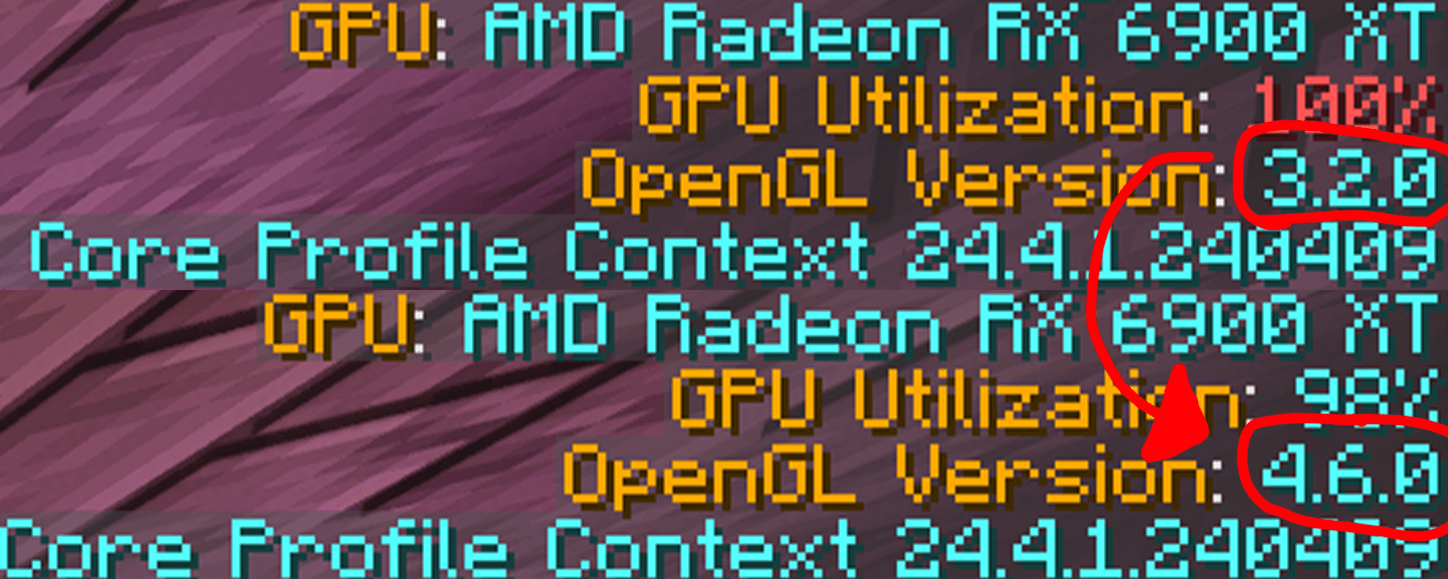
ThreatenGL
Threatens Minecraft to use modern versions of OpenGLInstall

Low Fire Reborn
This mod lets you lower first person fire!Install

Create: Molten Metals
Melt down metals, cast ingots and engage in metallurgy with Create: Molten MetalsInstallOn a server

Terra
World generation modding/configuration platformInstallOn a server
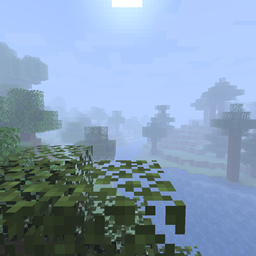
Custom Fog
A mod giving you more control over fog!Install
Automatic Doors
🚪 Automatically opens doors around the player and closes them with a configurable delay.Install
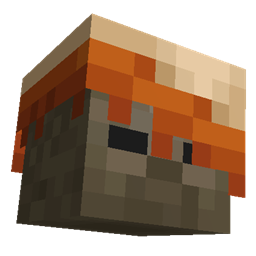
More Mobs [Server] [Fabric/NeoForge]
Humanoid mobs get new variants through over 85 custom player heads or unused vanilla mobs! No Resource Pack needed!Install

Hunger Remover
Removes the hunger bar and makes food restore health.InstallOn a server

Wan's Ancient Beasts
Are you ready to meet all the beasts of Minecraft's ancient past? Like the Sniffer, they are all creatures from prehistory and each one brings with it amazing new features!InstallOn a serverFAQ
How is Forge different from Fabric?
They're two different mod loaders that aren't compatible with each other. Forge is the older one and better suited to big tech and magic modpacks; Fabric is lighter, updates to new game versions faster, and hosts most performance mods. NeoForge is a Forge fork for newer versions, and Quilt is a Fabric fork. A Forge mod won't run on Fabric, and vice versa. Millida Launcher installs the right loader for you.
How do I know which mod version I need?
The one that matches your game version and loader. The “Install” button picks the file for you: Millida Launcher grabs the version for your modpack. A mod for 1.20.1 usually won't work on 1.21.
How do I install a mod?
Click “Install” and Millida Launcher will download the mod, its dependencies and the right loader for you. To install a downloaded file manually, put it in the mods folder inside the game directory.
Do I need CurseForge to install mods?
No. The Install button on a mod page opens Millida Launcher: it downloads the mod, its dependencies and the right loader into the chosen instance by itself. No CurseForge and no manual file copying.
Which mods are there for 1.20.1?
1.20.1 is one of the most modded versions, especially on Forge: tech, magic, RPG, furniture, weapons. Pick 1.20.1 in the version filter to keep only mods with a file built exactly for it, then pick Forge or Fabric next to it.
Can I install mods on my phone?
On Android, yes: Millida Launcher runs the Java edition on a phone, and mods work there just like on a PC, though light ones run much better than heavy ones. Minecraft PE (Bedrock) cannot load PC mods — it has add-ons instead, in the Minecraft PE mods section.
Which mods are best to play with friends?
The usual picks are Simple Voice Chat for proximity voice chat, Waystones for fast travel, Xaero's Minimap and something big to work on together, such as Create. Mods that change the world must be installed by every player and on the server, while client-side ones like a minimap or performance mods are up to each player.
Minecraft mods
A mod is an add-on that changes the game itself: it adds blocks, mobs and mechanics, or speeds up world rendering. It isn't installed into the game directly but on top of a loader — Forge, Fabric, NeoForge or Quilt — and it's the loader that decides whether the file will run. That's why every card here lists both the game version and the loader: two mods with the same name for 1.12.2 Forge and 1.21 Fabric are two different files, and mixing them up means a crash on launch.
The most searched Minecraft mods are weapon, furniture, horror and performance mods: each theme has its own collection, and links to the themes and the most wanted versions are in the Popular block. Version 1.20.1 on Forge still holds the most big tech, magic and RPG mods, while the fresh 1.21.11 and 26.2 get Fabric and NeoForge mods fastest.
One mod in the catalog, one page. Every version the author has released is listed on its card: pick your game version and loader right there instead of jumping between ten similar pages. Each file shows its size, release date and checksum, and the mod itself shows the author, license and a link to the original source. Files whose license allows rehosting are stored with us and download directly — no link shorteners, timers or ad redirects. If the license forbids rehosting, the button honestly takes you to the author.