
Minecraft mods — page 283
9,030 itemsMods: list


SkyBlock Advancements
This data pack modifies the story and nether advancements to better guide the progression in a skyblock world. It rearranges vanilla advancements and adds extra advancements.InstallOn a server

Cobblemon: Underground Mining Minigame
Adds a mechanic similar to Generation 4 underground mining to Minecraft, pre-configured to work with both Cobblemon and vanilla.InstallOn a server

The Boiled One: Reimagined
Horror mod that add "The Boiled One" created by Doctor NowhereInstallOn a server

Tense Ambience
This mod enhances the atmosphere of all default dimensions with biome-specific, tense ambient sounds (Perfect for Horror Modpacks).Install

Golden Foods!
In the style of Golden Apples and Enchanted Golden Apples, this mod incorporates different gold-dipped vanilla foods, as well as enchanted gold versions.InstallOn a server
Porting Lib
A collection of utilities for porting mods from Forge to Fabric.Install

Modern KeyBinding
Port KeyModifier && KeyConflictContext back to Fabric & Early ForgeInstall

Day Count
A mod that displays the day count in the top left.Install

Villager Trading Plus
Trade with Villagers faster - a port of Easier Villager Trading to modern versions.Install

PolyHitbox
Improves performance of hitbox rendering and adds per-hover and per-damaged (i-frame) colors. By Polyfrost, best with OneClient.Install
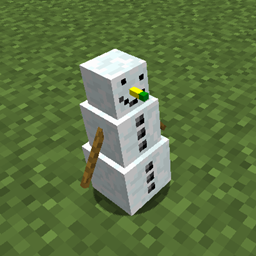
Snowmancy
Little snowman companions fighting on your side!Install

The Anomaly Rephased
Adds a creature that will stalk you and progressively become more aggressive. Not exactly a dweller.InstallOn a server

Elemental Wizards (RPG Series Plus)
Master the elements to overcome your foes! Spell Engine Add-OnInstallOn a server

Iron Jetpacks
A fully customizable Forge Energy (FE) based jetpacks mod!InstallOn a server

New Shield Variants
This mod adds new variants to shields, created from a wide range of materials! Obviously, they get stronger the more expensive the shield is.InstallOn a server

Qu Enchantments
Adds Vanilla inspired enchantments to the game.Install
Reliquified Artifacts
Compatibility addon between Relics and ArtifactsInstallOn a server

Create: Aquatic Ambitions
Introduces new bulk process which allows for more options for Prismarine, Coral and Copper automation!InstallOn a server
BindCommands
Easily bind Minecraft commands to keyboard keysInstallOn a server
Sleep Sooner
🛌 Also Sleep Later! Make players go to bed at a different time.Install

FabricTailor
A server-side / singleplayer skin & cape changing mod for fabric.Install

Genshin Instruments
A mod that adds Genshin Impact's set of instruments into Minecraft!InstallOn a server
Colormatic
Enables resource packs to add and change block and biome colors.InstallFAQ
How is Forge different from Fabric?
They're two different mod loaders that aren't compatible with each other. Forge is the older one and better suited to big tech and magic modpacks; Fabric is lighter, updates to new game versions faster, and hosts most performance mods. NeoForge is a Forge fork for newer versions, and Quilt is a Fabric fork. A Forge mod won't run on Fabric, and vice versa. Millida Launcher installs the right loader for you.
How do I know which mod version I need?
The one that matches your game version and loader. The “Install” button picks the file for you: Millida Launcher grabs the version for your modpack. A mod for 1.20.1 usually won't work on 1.21.
How do I install a mod?
Click “Install” and Millida Launcher will download the mod, its dependencies and the right loader for you. To install a downloaded file manually, put it in the mods folder inside the game directory.
Do I need CurseForge to install mods?
No. The Install button on a mod page opens Millida Launcher: it downloads the mod, its dependencies and the right loader into the chosen instance by itself. No CurseForge and no manual file copying.
Which mods are there for 1.20.1?
1.20.1 is one of the most modded versions, especially on Forge: tech, magic, RPG, furniture, weapons. Pick 1.20.1 in the version filter to keep only mods with a file built exactly for it, then pick Forge or Fabric next to it.
Can I install mods on my phone?
On Android, yes: Millida Launcher runs the Java edition on a phone, and mods work there just like on a PC, though light ones run much better than heavy ones. Minecraft PE (Bedrock) cannot load PC mods — it has add-ons instead, in the Minecraft PE mods section.
Which mods are best to play with friends?
The usual picks are Simple Voice Chat for proximity voice chat, Waystones for fast travel, Xaero's Minimap and something big to work on together, such as Create. Mods that change the world must be installed by every player and on the server, while client-side ones like a minimap or performance mods are up to each player.
Minecraft mods
A mod is an add-on that changes the game itself: it adds blocks, mobs and mechanics, or speeds up world rendering. It isn't installed into the game directly but on top of a loader — Forge, Fabric, NeoForge or Quilt — and it's the loader that decides whether the file will run. That's why every card here lists both the game version and the loader: two mods with the same name for 1.12.2 Forge and 1.21 Fabric are two different files, and mixing them up means a crash on launch.
The most searched Minecraft mods are weapon, furniture, horror and performance mods: each theme has its own collection, and links to the themes and the most wanted versions are in the Popular block. Version 1.20.1 on Forge still holds the most big tech, magic and RPG mods, while the fresh 1.21.11 and 26.2 get Fabric and NeoForge mods fastest.
One mod in the catalog, one page. Every version the author has released is listed on its card: pick your game version and loader right there instead of jumping between ten similar pages. Each file shows its size, release date and checksum, and the mod itself shows the author, license and a link to the original source. Files whose license allows rehosting are stored with us and download directly — no link shorteners, timers or ad redirects. If the license forbids rehosting, the button honestly takes you to the author.