
Minecraft mods — page 280
9,030 itemsMods: list


Server Redirect
This mod provides a lightweight way for servers to transfer players to another server address, without the use of a proxy server.InstallOn a server

Enchancement
A mod that completely overhauls the vanilla enchanting systemInstall

Conquest:Hearthfire
This mod is a Sub-mod of Conquest Reforged. In addition to bringing decoration blocks from Conquest Reforged, there are also many new blocks!InstallOn a server

3D Armor
Renders the player and entity equipped armor in 3D and is compatible with most modded armor, dyes, and trims with support for 16x resource packs.Install
Smelting Plus [Fabric & Forge]
Smelting Plus is a simple mod that allows for better recycling when you smelt your found or crafted items.Install

Reborn Core
Reborn Core is a library used for many of the Tech Reborn team's modsInstallOn a server

Graphene
A powerful and freely open-source optimization mod for Minecraft 1.12.2+, which fixes some issues in Minecraft and greatly improves its performance. It can replace many mods and all functions can be configured in the configuration file!InstallOn a server

Configured
A mod that aims on adding more ways to configure Minecraft. The mod adds config options for more fine grained control over the game.InstallOn a server
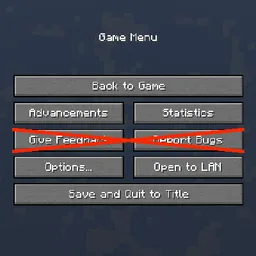
Game Menu Remove GFARB
Remove the "Give Feed Back" and "Report Bugs" buttons from the game menu.Install

Dyed
Dye leather horse armor only where it is meant to be dyed!Install

Luki's Strongholds
New Strongholds to uncover and conquer.Install

Respawning Animals
Animals no longer stay in the world forever, instead they spawn and disappear like monsters.InstallOn a server

Gilded Armor CJ Edition
This Mod allows you to combine a Golden Core with a piece of armor to made it gilded, so that you will no longer be attacked by Piglins. This does work with any ArmorItem.Install
Legends & Myths (Cobblemon)
A data pack that adds legendary and mythical Pokémon to the game. Explore new buildings and Pokemon, gain new experiences in your adventures.InstallOn a server

Enhanced AI
Creepers Breaching, Zombies mining and Skeletons sniping. Customize their AI as you like!InstallOn a server

TT20 (TPS Fixer)
TT20 helps reduce lag by optimizing how ticks work when the server's TPS is low.InstallOn a server

More Beautiful Torches
The goal of More Beautiful Torches is to increase the decorative possibilities of the games, and for this, it currently adds more than 900 variants of torches.InstallOn a server
Cobbleworkers
Pasture block can now be used as a utility block that gives Pokémon jobs!InstallOn a server
AntiXray
A lightweight mod that allows server owners to combat xrayers.InstallOn a server

Better Title Screen
Better Title Screen is a client-side mod that provides options to customize Minecraft's title screen.Install

Create Deep Seas
Submarine and boat in Create Aeronautics!InstallOn a server
Loot Journal: Pickup Notifier [Fabric Edition]
Ultimate item pick-up notifier featuring rich animations, full theming support, customizable layouts, and powerful filtering options!Install

SnowyLeavesPlus
When it is snowing, leaves will slowly turn white, and when it is not, they will turn back to normalInstallOn a serverFAQ
How is Forge different from Fabric?
They're two different mod loaders that aren't compatible with each other. Forge is the older one and better suited to big tech and magic modpacks; Fabric is lighter, updates to new game versions faster, and hosts most performance mods. NeoForge is a Forge fork for newer versions, and Quilt is a Fabric fork. A Forge mod won't run on Fabric, and vice versa. Millida Launcher installs the right loader for you.
How do I know which mod version I need?
The one that matches your game version and loader. The “Install” button picks the file for you: Millida Launcher grabs the version for your modpack. A mod for 1.20.1 usually won't work on 1.21.
How do I install a mod?
Click “Install” and Millida Launcher will download the mod, its dependencies and the right loader for you. To install a downloaded file manually, put it in the mods folder inside the game directory.
Do I need CurseForge to install mods?
No. The Install button on a mod page opens Millida Launcher: it downloads the mod, its dependencies and the right loader into the chosen instance by itself. No CurseForge and no manual file copying.
Which mods are there for 1.20.1?
1.20.1 is one of the most modded versions, especially on Forge: tech, magic, RPG, furniture, weapons. Pick 1.20.1 in the version filter to keep only mods with a file built exactly for it, then pick Forge or Fabric next to it.
Can I install mods on my phone?
On Android, yes: Millida Launcher runs the Java edition on a phone, and mods work there just like on a PC, though light ones run much better than heavy ones. Minecraft PE (Bedrock) cannot load PC mods — it has add-ons instead, in the Minecraft PE mods section.
Which mods are best to play with friends?
The usual picks are Simple Voice Chat for proximity voice chat, Waystones for fast travel, Xaero's Minimap and something big to work on together, such as Create. Mods that change the world must be installed by every player and on the server, while client-side ones like a minimap or performance mods are up to each player.
Minecraft mods
A mod is an add-on that changes the game itself: it adds blocks, mobs and mechanics, or speeds up world rendering. It isn't installed into the game directly but on top of a loader — Forge, Fabric, NeoForge or Quilt — and it's the loader that decides whether the file will run. That's why every card here lists both the game version and the loader: two mods with the same name for 1.12.2 Forge and 1.21 Fabric are two different files, and mixing them up means a crash on launch.
The most searched Minecraft mods are weapon, furniture, horror and performance mods: each theme has its own collection, and links to the themes and the most wanted versions are in the Popular block. Version 1.20.1 on Forge still holds the most big tech, magic and RPG mods, while the fresh 1.21.11 and 26.2 get Fabric and NeoForge mods fastest.
One mod in the catalog, one page. Every version the author has released is listed on its card: pick your game version and loader right there instead of jumping between ten similar pages. Each file shows its size, release date and checksum, and the mod itself shows the author, license and a link to the original source. Files whose license allows rehosting are stored with us and download directly — no link shorteners, timers or ad redirects. If the license forbids rehosting, the button honestly takes you to the author.