Log Cleaner
by altrisi · ModrinthA lightweight mod that cleans old, unused log files
A lightweight mod that cleans old, unused log files
A vanilla+ mod that expands on incomplete parts of Minecraft with additions that truly feel vanilla. Brings improvements to sniffer, music discs, enchanting, farming, food, redstone, and more.
A collection of witchy decorations and crystals. Some crystals provide protective effects.
🎨 Ability to restore/change skins on servers! (Offline and Online Mode)
An overhaul of Minecraft's swamps, adding new trees, a whole new biome, and plenty of secrets to explore!
Additional structures for the desert and badlands biomes, focusing on an immersive expansion for the vanilla game.
🏗 When breaking a scaffolding block, all chained blocks will drop at the block's position.
Library to share code and functionality between projects
A small mod that fixes/improves the vanilla structure blocks
Enchanting tables as they always should have been! Items stay after closing, and easy re-rolls.
Colorful lizards that can recycle your enchanting books.
Allows multiple functions to be mapped to the same keybind without (as much) conflict
Overhauls Jungle Temples with 4 Variants using new loot tables alongside the Vanilla Loot Table and can have archeology elements inside as well as new puzzles
Makes tridents with loyalty go back to the slot they were thrown from
Adds armor for various mobs naturally.
Adds better loot to Hopo's Better Mineshaft, Ruins & Portals chests, including modded loot
A library for shared code between minecraft mods.
Allows players to team up and ride on the same horse in Minecraft.
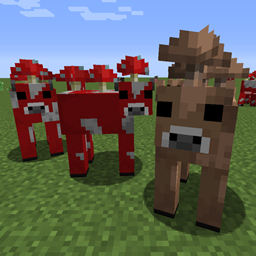
🐮🍄 Allows both red and brown mooshrooms to spawn naturally in their biome.
A Fabric library to help modders with shader usage
Easily toggle invisibility on your item frames by sneaking.
Shovel alternative to Vanilla Hammers.
Peripheral mod, that provides a lot extra features without any block and item!
Tensura: Mysticism is an add-on for Tensura: Reincarnated, featuring new races and skills to enhance your overall experience!
They're two different mod loaders that aren't compatible with each other. Forge is the older one and better suited to big tech and magic modpacks; Fabric is lighter, updates to new game versions faster, and hosts most performance mods. NeoForge is a Forge fork for newer versions, and Quilt is a Fabric fork. A Forge mod won't run on Fabric, and vice versa. Millida Launcher installs the right loader for you.
The one that matches your game version and loader. The “Install” button picks the file for you: Millida Launcher grabs the version for your modpack. A mod for 1.20.1 usually won't work on 1.21.
Click “Install” and Millida Launcher will download the mod, its dependencies and the right loader for you. To install a downloaded file manually, put it in the mods folder inside the game directory.
No. The Install button on a mod page opens Millida Launcher: it downloads the mod, its dependencies and the right loader into the chosen instance by itself. No CurseForge and no manual file copying.
1.20.1 is one of the most modded versions, especially on Forge: tech, magic, RPG, furniture, weapons. Pick 1.20.1 in the version filter to keep only mods with a file built exactly for it, then pick Forge or Fabric next to it.
On Android, yes: Millida Launcher runs the Java edition on a phone, and mods work there just like on a PC, though light ones run much better than heavy ones. Minecraft PE (Bedrock) cannot load PC mods — it has add-ons instead, in the Minecraft PE mods section.
The usual picks are Simple Voice Chat for proximity voice chat, Waystones for fast travel, Xaero's Minimap and something big to work on together, such as Create. Mods that change the world must be installed by every player and on the server, while client-side ones like a minimap or performance mods are up to each player.
A mod is an add-on that changes the game itself: it adds blocks, mobs and mechanics, or speeds up world rendering. It isn't installed into the game directly but on top of a loader — Forge, Fabric, NeoForge or Quilt — and it's the loader that decides whether the file will run. That's why every card here lists both the game version and the loader: two mods with the same name for 1.12.2 Forge and 1.21 Fabric are two different files, and mixing them up means a crash on launch.
The most searched Minecraft mods are weapon, furniture, horror and performance mods: each theme has its own collection, and links to the themes and the most wanted versions are in the Popular block. Version 1.20.1 on Forge still holds the most big tech, magic and RPG mods, while the fresh 1.21.11 and 26.2 get Fabric and NeoForge mods fastest.
One mod in the catalog, one page. Every version the author has released is listed on its card: pick your game version and loader right there instead of jumping between ten similar pages. Each file shows its size, release date and checksum, and the mod itself shows the author, license and a link to the original source. Files whose license allows rehosting are stored with us and download directly — no link shorteners, timers or ad redirects. If the license forbids rehosting, the button honestly takes you to the author.