Voidscape
by Tamaized · CurseForgeDelve into the depths of the Void
Updated October 17
Delve into the depths of the Void
Cook your own plate without recipes
A mod that adds some wild animals
Wand that can place invisible light source! also supports Colored Lighting
Use regular deepslate in a stonecutter!
Automate trading with villagers using create!
Inspired by cpw's Iron Chests mod, adds a few different tiers of furnace.
An addon for Skyblock Builder which provides GUIs to easily modify and view teams.
Apotheosis Addon
Help your friends back up after they die (if you can make it in time)
A library for most of sokratis12GR's Mods
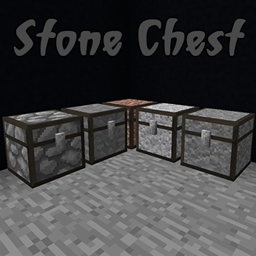
Stone variations vanilla chests.
Shows the flag of where a server is located.
Adds Just Another Void Dimension
Build anything from airships to planes and cars!
Smooth and interactive animations. Customizable and compatible!
A library to facilitate registration between mods, in particular macaw's bridges/roofs/fences/etc...
Add's Quivers that hold Arrows based on Quiver Type and Bows will pull from the Quivers Active Slot First
Mini Coal and Charcoal
Adds immersive biome-themed towers to the world, as a standalone option or add-on to Structory
Wormhole allows you to construct teleportation portals with the use of wormhole stabilizer technology!
FTB Modpacks best friend!
Adding advanced surveillance technologies to Create!
Cross-platform library mod based on Architectury to access both Forge and Fabric APIs
They're two different mod loaders that aren't compatible with each other. Forge is the older one and better suited to big tech and magic modpacks; Fabric is lighter, updates to new game versions faster, and hosts most performance mods. NeoForge is a Forge fork for newer versions, and Quilt is a Fabric fork. A Forge mod won't run on Fabric, and vice versa. Millida Launcher installs the right loader for you.
The one that matches your game version and loader. The “Install” button picks the file for you: Millida Launcher grabs the version for your modpack. A mod for 1.20.1 usually won't work on 1.21.
Click “Install” and Millida Launcher will download the mod, its dependencies and the right loader for you. To install a downloaded file manually, put it in the mods folder inside the game directory.
No. The Install button on a mod page opens Millida Launcher: it downloads the mod, its dependencies and the right loader into the chosen instance by itself. No CurseForge and no manual file copying.
1.20.1 is one of the most modded versions, especially on Forge: tech, magic, RPG, furniture, weapons. Pick 1.20.1 in the version filter to keep only mods with a file built exactly for it, then pick Forge or Fabric next to it.
On Android, yes: Millida Launcher runs the Java edition on a phone, and mods work there just like on a PC, though light ones run much better than heavy ones. Minecraft PE (Bedrock) cannot load PC mods — it has add-ons instead, in the Minecraft PE mods section.
The usual picks are Simple Voice Chat for proximity voice chat, Waystones for fast travel, Xaero's Minimap and something big to work on together, such as Create. Mods that change the world must be installed by every player and on the server, while client-side ones like a minimap or performance mods are up to each player.
Mods for Minecraft NeoForge: 5,539 items in the Mods section. Compatibility is checked against the files, not the description: only items with a build for exactly these conditions stay in the list.
One mod in the catalog, one page. Every version the author has released is listed on its card: pick your game version and loader right there instead of jumping between ten similar pages. Each file shows its size, release date and checksum, and the mod itself shows the author, license and a link to the original source. Files whose license allows rehosting are stored with us and download directly — no link shorteners, timers or ad redirects. If the license forbids rehosting, the button honestly takes you to the author.