
Mods for Minecraft 26.2 — page 52
1,779 itemsMods: list



Enchancement
A mod that completely overhauls the vanilla enchanting systemInstallOn a server
Light Overlay
A Light Level Overlay Mod that's efficient and powerful.Install

Snuffles (Fabric)
Adds Snuffles, a new mob to snowy biomes!InstallOn a server

GUI Compass
🧭 Shows direction and coordinates in the GUI/HUD with a compass in the inventory.Install

Armour Durablity Hud
Display the durability of all wearable equipment directly on the HUD with customizable positioning and scalingInstall
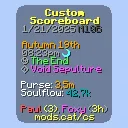
Custom Scoreboard
SkyHannis CustomScoreboard improved with more features for modern Hypixel SkyBlockInstall

Fullbright
This Mod will lighten up your Minecraft Experience by toggling Fullbright with a KeybindingInstall
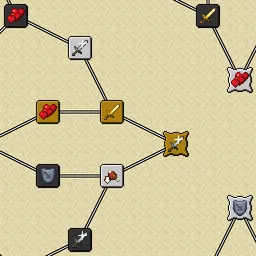
Default Skill Trees
The default skill trees for Pufferfish's Skills mod.InstallOn a server

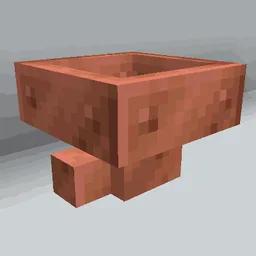
Hopper Gadgetry
Ready to build smarter, and cheaper contraptions? New hoppers are here to complement your lineup.InstallOn a server

Sound Physics Perfected
A Ray tracing implementation to have Sound Physics in Minecraft. I believe this is more accurate + sounds better than Sound Physics mod.Install

ZoomX
A Simple & Lightweight Zooming mod for Minecraft (Vanilla/Sodium)Install

Particle Tweaks
Polishes and improves Minecraft's particles!Install

Despawning Eggs Hatch
🥚 Chicken eggs on hay blocks hatch safely into chicks just before they despawn.InstallOn a server

Enhanced SkyRecipes
Browse 8,000+ Hypixel SkyBlock items with crafting recipes, forge recipes, mob drops, NPC shops, essence upgrades, reforges, garden mutations and more. Smart search, autocomplete, and stat filters included.Install
Attack Through Grass
A Minecraft mod that allows you to attack mobs through any non-collidable objects like grass and cobweb!Install

SkyBlock Advancements
This data pack modifies the story and nether advancements to better guide the progression in a skyblock world. It rearranges vanilla advancements and adds extra advancements.InstallOn a server

Villager Trading Plus
Trade with Villagers faster - a port of Easier Villager Trading to modern versions.Install
BindCommands
Easily bind Minecraft commands to keyboard keysInstallOn a server

PolyHitbox
Improves performance of hitbox rendering and adds per-hover and per-damaged (i-frame) colors. By Polyfrost, best with OneClient.Install

No darkness effect
Client-side mod which completely removes darkness effect.Install

Gamingbarn's Guns
A datapack that adds simple, purposeful guns, advanced medical supplies, tactical equipment items, and a complex automated turret system!InstallOn a server

Interactive Foliage
Plants physically react to players, mobs and items — no shaders required.Install

Smelt All Stone Blocks in Blast Furnaces [Fabric/Forge/NeoForge]
Blast all types of stone including Netherrack or Quartz, fully configurableInstallFAQ
How is Forge different from Fabric?
They're two different mod loaders that aren't compatible with each other. Forge is the older one and better suited to big tech and magic modpacks; Fabric is lighter, updates to new game versions faster, and hosts most performance mods. NeoForge is a Forge fork for newer versions, and Quilt is a Fabric fork. A Forge mod won't run on Fabric, and vice versa. Millida Launcher installs the right loader for you.
How do I know which mod version I need?
The one that matches your game version and loader. The “Install” button picks the file for you: Millida Launcher grabs the version for your modpack. A mod for 1.20.1 usually won't work on 1.21.
How do I install a mod?
Click “Install” and Millida Launcher will download the mod, its dependencies and the right loader for you. To install a downloaded file manually, put it in the mods folder inside the game directory.
Do I need CurseForge to install mods?
No. The Install button on a mod page opens Millida Launcher: it downloads the mod, its dependencies and the right loader into the chosen instance by itself. No CurseForge and no manual file copying.
Which mods are there for 1.20.1?
1.20.1 is one of the most modded versions, especially on Forge: tech, magic, RPG, furniture, weapons. Pick 1.20.1 in the version filter to keep only mods with a file built exactly for it, then pick Forge or Fabric next to it.
Can I install mods on my phone?
On Android, yes: Millida Launcher runs the Java edition on a phone, and mods work there just like on a PC, though light ones run much better than heavy ones. Minecraft PE (Bedrock) cannot load PC mods — it has add-ons instead, in the Minecraft PE mods section.
Which mods are best to play with friends?
The usual picks are Simple Voice Chat for proximity voice chat, Waystones for fast travel, Xaero's Minimap and something big to work on together, such as Create. Mods that change the world must be installed by every player and on the server, while client-side ones like a minimap or performance mods are up to each player.
Mods for Minecraft 26.2
Mods for Minecraft 26.2: 1,779 items in the Mods section. Compatibility is checked against the files, not the description: only items with a build for exactly these conditions stay in the list.
One mod in the catalog, one page. Every version the author has released is listed on its card: pick your game version and loader right there instead of jumping between ten similar pages. Each file shows its size, release date and checksum, and the mod itself shows the author, license and a link to the original source. Files whose license allows rehosting are stored with us and download directly — no link shorteners, timers or ad redirects. If the license forbids rehosting, the button honestly takes you to the author.